
Epson FastFoto FF-680W
4.5Editor score
Up to 36 photos at once
Wireless and USB connectivity
Includes voice text features app
Digitizing your photo collection is a rewarding project that preserves memories for future generations. A good batch photo scanner makes this task efficient by automating the process and reducing manual handling of delicate prints.
We compared ten leading models based on scanning speed, resolution quality, software capabilities, and ease of use. Our analysis focuses on devices that handle multiple sizes and offer reliable performance for home and office environments.
Each pick highlights unique strengths to match different needs and budgets. Prices and availability change frequently so please check the current listings before making your final decision on the right device.
4.5Editor score

4.5Editor score

4.1Editor score
As an Amazon Associate we earn from qualifying purchases.
This side by side comparison highlights key specifications and capabilities across all ten models to help you find the perfect fit for your digitization needs.




The Plustek Photo Scanner ePhoto Z300 earns our Editor's Choice award for its exceptional speed and ease of use. With a 4.5 rating it stands out as a reliable tool for digitizing large collections quickly.
We may earn a commission when you buy through this link, at no additional cost to you.
Its standout feature is the ability to scan a 4×6 photo in just two seconds using a high quality CCD sensor. The included software automatically crops and deskews images so you spend less time editing later.
While it lacks wireless connectivity the USB setup is straightforward and works well on both Mac and PC. The only trade off is manual loading per photo which keeps costs low but requires attention.
This scanner is perfect for families with boxes of loose photos who want fast results without breaking the bank. We recommend it for anyone seeking efficiency and reliable image quality.
The Z300 scans 4×6 inch photos in two seconds allowing you to digitize thousands of memories in an afternoon.
Powerful software features let you restore faded images with a single click ensuring your old photos look their best.
We may earn a commission when you buy through this link, at no additional cost to you.
The Epson FastFoto FF-680W is our top premium pick for those who need high throughput and advanced features. Its 4.5 rating reflects its robust performance and user friendly design.
We may earn a commission when you buy through this link, at no additional cost to you.
This model allows you to batch scan up to 36 photos at a time making it ideal for very large collections. It also captures handwritten notes on the back of photos in a single scan pass.
Wireless connectivity lets you share scans directly to cloud services or mobile devices without a computer. The trade off is a higher cost but the time saved is worth it for heavy users.
We recommend this for serious archivists or families with massive photo collections who want convenience and professional quality. It is the best choice for effortless and fast digitization.
Load up to 36 photos at once and let the scanner work automatically while you focus on organizing your memories.
The FastFoto app lets you add voice notes and create slideshows directly from your smartphone after scanning.
We may earn a commission when you buy through this link, at no additional cost to you.
The AMBIR Photo Scanner Bundle is our best budget pick offering excellent value for money with essential features. It received a 4.1 rating for its reliability and comprehensive package.
We may earn a commission when you buy through this link, at no additional cost to you.
This model stands out because it includes a photo cleaning kit with a blower and cloth to protect delicate prints. It also handles a wide range of sizes from 1×1 inches to 12 inch panoramas.
While it lacks wireless features the USB powered setup makes it easy to carry anywhere. The main trade off is slower speed compared to higher end models but it remains effective.
We recommend this for users on a tight budget who still need quality scanning and protection for their photos. It is a solid choice for small to medium collections.
The included kit with blower and cloth helps you safely remove dust before scanning to prevent scratches on delicate photos.
From tiny 1×1 photos to large 12 inch panoramas this scanner accommodates a wide variety of print sizes easily.
We may earn a commission when you buy through this link, at no additional cost to you.
The ScanSnap iX2500 Photo Edition is designed for speed and automation with a 4.5 rating. It stands out for its ability to handle high volumes efficiently without constant user input.
We may earn a commission when you buy through this link, at no additional cost to you.
With scanning speeds up to 100 photos per minute and a large touchscreen this model lets you set personalized profiles for different tasks. It automatically optimizes names and sorts files for you.
The main trade off is the higher price point which is justified for heavy users. You do not need to tweak settings manually saving time on large projects.
We recommend this for professionals or families with very large photo collections who need consistent high quality results. It is the fastest choice for automated workflows.
Scans up to 100 photos per minute with a large touchscreen making it ideal for large scale digitization projects.
Create and save personalized profiles on the touchscreen to automatically optimize and sort scanned files.
We may earn a commission when you buy through this link, at no additional cost to you.
The ScanSnap iX2500 Document Scanner is a versatile device with a 4.3 rating. It excels at handling documents but also manages photos well with reliable automation.
We may earn a commission when you buy through this link, at no additional cost to you.
Its fast 45ppm double-sided scanning and 100-sheet feeder make it efficient for mixed tasks. The built-in multi-feed sensor detects pages stuck together to prevent jams.
While it is more document focused the photos are still handled effectively. The trade off is cost but the speed and reliability are impressive.
We recommend this for users who scan both documents and photos regularly. It is a solid all-in-one solution for busy households.
Fast 45ppm double-sided scanning speeds up digitization of documents and photos alike.
A multi-feed sensor detects pages stuck together to prevent jams and ensure data integrity.
We may earn a commission when you buy through this link, at no additional cost to you.
The Epson Perfection V19 II offers high resolution scanning with a 3.9 rating. It is a reliable flatbed scanner for those prioritizing detail over speed.
We may earn a commission when you buy through this link, at no additional cost to you.
Its 4800 dpi optical resolution is ideal for photo enlargements and detailed restoration. One-touch scanning buttons simplify the process while a high-rise lid lets you scan books.
The main trade off is slower speeds due to manual loading. It lacks batch feeding but provides excellent image quality for delicate work.
We recommend this for users who need high resolution for enlargements. It is a great choice for detailed restoration projects.
4800 dpi optical resolution provides exceptional detail ideal for photo enlargements and restoration work.
Its compact and lightweight design with USB power makes it easy to move and store anywhere.
We may earn a commission when you buy through this link, at no additional cost to you.
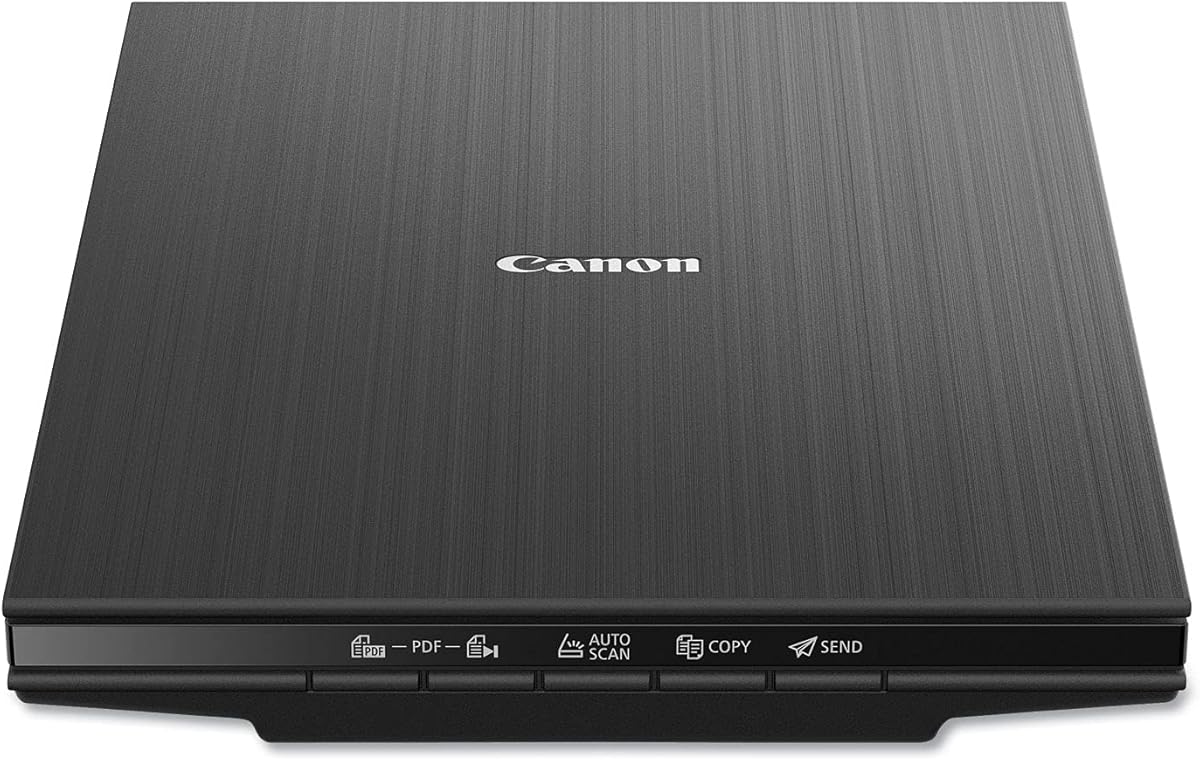
The Canon CanoScan LiDE 400 is a slim scanner with a 4.1 rating. It balances high resolution and portability for efficient scanning.
We may earn a commission when you buy through this link, at no additional cost to you.
Its 4800 x 4800 dpi resolution ensures excellent detail. USB Type-C single cable simplifies setup while EZ buttons let you scan with a single press.
While it lacks batch feeding the speed is decent for individual prints. The trade off is manual loading which limits throughput.
We recommend this for home users who need detailed scans without much space. It is a reliable and compact choice.
Its slim profile saves space on your desk while providing high-resolution scanning capabilities.
USB Type-C single cable simplifies setup by handling both power and data with one cable.
We may earn a commission when you buy through this link, at no additional cost to you.
The HP Small USB Document Scanner is a portable device with a 4.2 rating. It suits users who need quick scanning for small batches.
We may earn a commission when you buy through this link, at no additional cost to you.
Its 15ppm speed and 1200 dpi resolution provide reliable output. The lightweight design makes it easy to carry for on-the-go work.
The trade off is single-sided scanning which limits throughput. It lacks batch capabilities but remains handy.
We recommend this for travelers or those scanning small document batches. It is a simple and effective tool.
Built-in lightweight portable design lets you easily take this scanner to different locations as needed.
Its 15ppm single-sided scanning speed ensures quick output for small to medium jobs.
We may earn a commission when you buy through this link, at no additional cost to you.
The Epson Perfection V39 II is a flatbed scanner with a 3.7 rating. It offers high resolution and a removable lid for versatile scanning.
We may earn a commission when you buy through this link, at no additional cost to you.
Its 4800 dpi optical resolution ensures high detail. The high-rise removable lid allows scanning of books while one-touch buttons simplify use.
The trade off is manual loading which slows down large jobs. It is better suited for individual scans.
We recommend this for users needing high resolution for individual scans. It is a reliable tool for detailed work.
High-rise removable lid allows scanning of books and oversized items easily.
One-touch scanning buttons make the process easy and simple for all users.
We may earn a commission when you buy through this link, at no additional cost to you.
The AMBIR Photo Scanner with PICTURESTUDIO is noted for its AI features with a 3.4 rating. It aims to simplify restoration with built-in tools.
We may earn a commission when you buy through this link, at no additional cost to you.
AI colorization helps breathe new life into grayscale images. It supports 300 or 600 dpi and USB power making it versatile and simple.
The trade off is a lower hardware rating compared to others. However the software features add value.
We recommend this for users interested in easy photo restoration and coloring. It is a good choice for specific workflows.
AI colorization analyzes tones and infuses color into grayscale images to bring old photos to life.
It supports 300 or 600 dpi scanning options for flexibility between speed and quality.
We may earn a commission when you buy through this link, at no additional cost to you.
Choosing the right batch photo scanner involves balancing speed resolution and software features with your specific needs and budget constraints.
Speed is critical for large collections. Look for devices that support batch feeding of 30 to 36 photos at once to reduce downtime between scans.
Prioritize models that scan 4×6 inches in under three seconds to keep your workflow moving efficiently.
Resolution determines how much detail you can enlarge later. Aim for at least 300 dpi for archiving and 600 dpi or higher for restoration.
Higher dpi ensures better print quality but takes more storage space so choose based on your intended use.
Good software includes auto crop deskew and red-eye correction to save you editing time. Features like AI colorization can restore faded prints.
Check if the scanner supports your operating system and offers cloud backup options for safe storage.
Wireless connectivity lets you send scans directly to mobile devices or cloud services without a computer. USB is reliable and simple for stationary setups.
Choose wireless if you want flexibility and USB if you prefer direct and stable connections.
Scanners with cleaning kits or carrier sheets protect fragile prints from dust and damage. Look for features that minimize contact with the photo surface.
Protective features ensure your originals remain intact during the digitization process.
Budget models offer essential scanning and are great for small collections. Premium models provide speed and advanced automation for large projects.
Weigh the cost against the time savings and quality features you will use most often.
Support for multiple file formats like PDF TIFF and JPG gives you flexibility for archiving and sharing. Ensure the software integrates with your existing photo library.
Choose formats that preserve quality while keeping file sizes manageable for your storage needs.
Simple interfaces and one-touch buttons make scanning accessible for all users. Look for devices with minimal setup and intuitive software.
Ease of use ensures you stay motivated to complete your entire collection without frustration.
Begin by cleaning your photos gently with a soft cloth or blower to remove dust before scanning to prevent scratches.
Load your scanner following manufacturer guidelines and avoid overfilling the feeder to prevent jams.
After scanning store your digital files in multiple locations like cloud services and external drives to prevent loss.
A batch photo scanner is a device designed to scan multiple photos quickly. It typically uses an automatic feeder to pull photos through one by one or in small batches so you do not need to place each on a glass bed manually.
Most modern scanners are safe if used correctly. Look for models with cleaning kits and carrier sheets that minimize contact. Always dust photos gently and ensure the feeder path is smooth to avoid tears.
It depends on the model and the number of photos. A fast batch scanner can digitize a 4×6 photo in two seconds meaning thousands can be done in a few hours while manual flatbeds take longer.
Yes most batch scanners handle common sizes like 3×5 4×6 5×7 and 8×10 inches. Some even support panoramic images up to 12 inches. Check the specific model's specs for size limits.
For archival purposes 600 dpi is recommended to preserve fine details. This resolution allows for quality enlargements without losing clarity if you plan to print your photos later.
Most models require a computer or mobile app for control and file management. Some premium models offer wireless cloud direct sending but software is generally needed for editing and organizing.
Use software that supports tagging and custom albums to keep photos grouped by event or person. Backup your files to external drives and cloud services to ensure safety and easy access.
TIFF is best for lossless archival quality while JPEG is suitable for sharing and general use. Use JPEG if you want smaller file sizes and TIFF if you want maximum detail preservation.
We have reviewed ten top batch photo scanners to help you preserve your memories efficiently. The Plustek Z300 Epson FastFoto FF-680W and AMBIR Bundle offer standout value across different price points.
When choosing prioritize scanning speed resolution quality and ease of use. Consider whether you need batch feeding wireless connectivity or specialized restoration tools for your collection.
Please note that prices and availability change frequently. Check current listings and compare features to find the right fit for your specific needs and budget today.