
SUPVAN T50M Pro Bluetooth Label Maker
4.5Editor score
Portable Bluetooth connectivity
Free app with icons and fonts
Compatible with multiple label shapes
Finding the right barcode label printer ensures your inventory shipping and office organization run smoothly without frustration or wasted time on poorly printed tags.
We analyzed ten real products based on connectivity options label width support software features and long term consumable costs to help you choose the smartest option.
Each pick shows standout strengths and honest trade offs so you know exactly what to expect before buying while prices and availability may change over time.
4.5Editor score

4.0Editor score

4.7Editor score
As an Amazon Associate we earn from qualifying purchases.
The following table provides a quick side by side overview of key specs for all ten products so you can scan differences in width support and connectivity at a glance.




The iDPRT SP310 earns our top spot as the best overall barcode label printer for its balance of speed versatility and cost efficiency.
We may earn a commission when you buy through this link, at no additional cost to you.
Its ability to handle labels from 1 to 3.35 inches wide makes it suitable for everything from shipping tags to file folder labels without needing multiple machines.
While it lacks wireless options the dedicated USB connection ensures reliable performance during heavy duty printing sessions without dropouts or latency issues.
Small businesses and power users seeking a professional desktop printer that avoids proprietary consumables will find this model delivers consistent value over time.
Supporting labels from 1 to 3.35 inches allows flexible use across inventory shipping and office organization tasks with a single device.
The unlocked open system bypasses proprietary microchip roll limitations significantly reducing long term operating costs for small businesses and home offices.
We may earn a commission when you buy through this link, at no additional cost to you.
The SUPVAN T50M Pro stands out as the most affordable option without sacrificing essential features for home and small business labeling tasks.
We may earn a commission when you buy through this link, at no additional cost to you.
Its mobile app offers over 660 icons and 50+ frames enabling creative customization for storage bins jars and product tags directly from your phone.
Bluetooth connectivity ensures quick pairing and printing without cables making it ideal for quick organization projects on the go.
Users looking for a simple cost effective tool for personal organization or light commercial use will appreciate its ease of use and low entry cost.
The dedicated app allows users to easily add images customize fonts and icons creating professional labels directly from mobile devices.
Direct thermal technology means no ink or toner is needed so users can focus on printing without worrying about cartridge replacements or mess.
We may earn a commission when you buy through this link, at no additional cost to you.
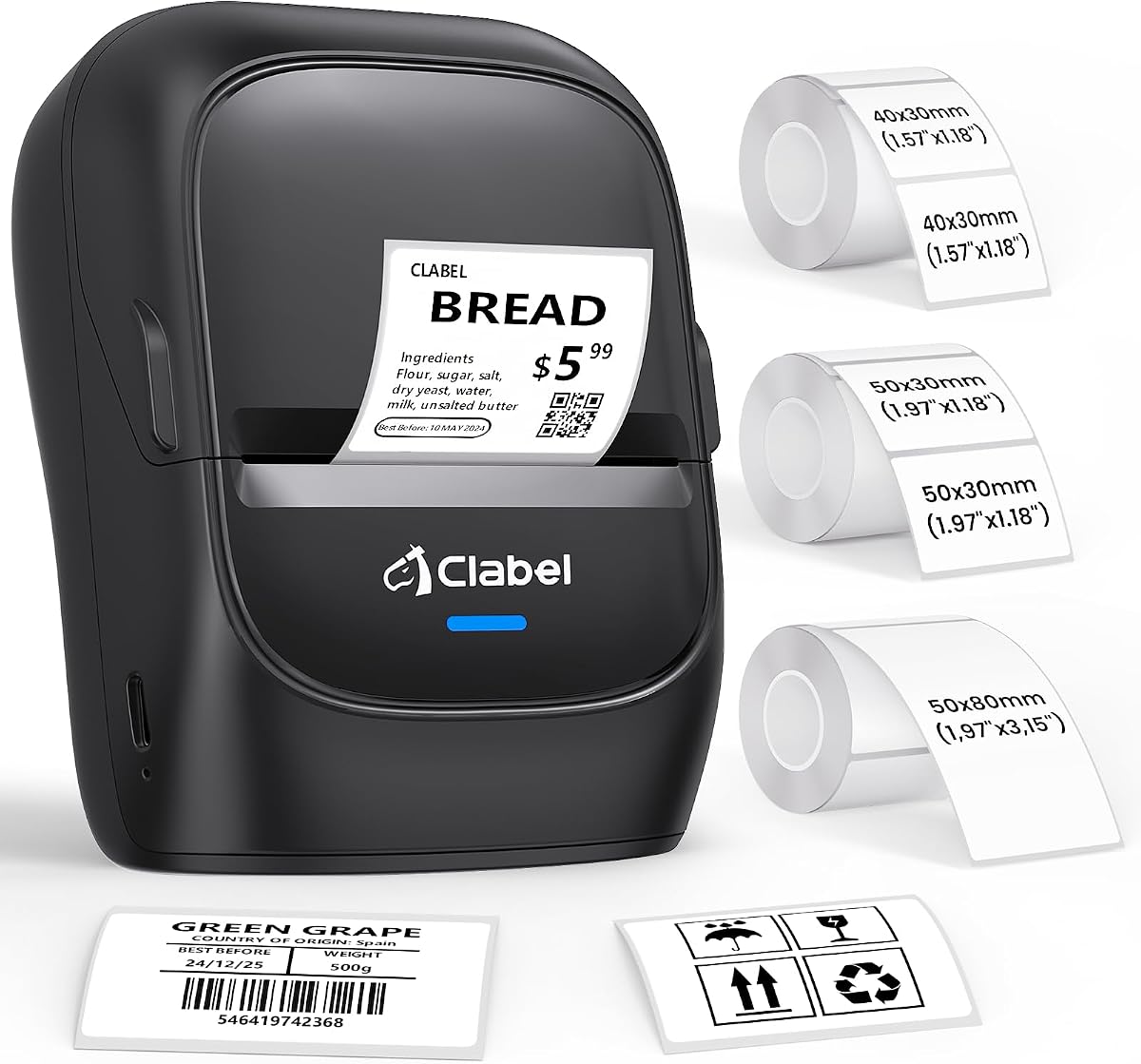
The CLABEL 221D offers a practical middle ground with both USB and Bluetooth connectivity for flexible labeling workflows in retail or office settings.
We may earn a commission when you buy through this link, at no additional cost to you.
Its open system allows users to choose any budget thermal paper rather than proprietary rolls which drastically reduces long term consumable costs significantly.
The Clabel trade app enables custom layout saving and batch printing reducing manual data entry errors and saving staff time on repetitive labeling tasks.
Small business owners who need reliable scannable barcodes without investing in expensive enterprise hardware will find this model meets daily operational needs effectively.
Lacking RFID chip restrictions lets users buy universal thermal paper online lowering ongoing costs compared to printers that enforce brand specific consumables.
Users can connect via USB for high volume back office bulk labeling or use Bluetooth for wireless design and printing right at the counter.
We may earn a commission when you buy through this link, at no additional cost to you.
The Phomemo M110 excels as a portable labeling solution with a built in display that simplifies editing without requiring a phone screen constantly.
We may earn a commission when you buy through this link, at no additional cost to you.
Its Optical Character Recognition feature lets users snap photos of text and convert it into editable labels which speeds up labeling for existing items.
Bluetooth connectivity allows seamless connection to mobile devices making it perfect for organizing storage bins school supplies or festival decorations easily.
Anyone needing a compact on the go printer for light tasks will enjoy its convenience though power users may find the desktop software less robust.
The OCR function recognizes text on images in seconds allowing users to reprint labels for existing items without retyping data manually.
Its compact size and rechargeable battery make it easy to carry around for quick labeling jobs in different rooms or locations without cables.
We may earn a commission when you buy through this link, at no additional cost to you.
The DYMO LabelWriter 550 remains a classic choice for users who prioritize simplicity and reliability over cost flexibility in their labeling workflow.
We may earn a commission when you buy through this link, at no additional cost to you.
Its automatic label recognition removes the guesswork from setup ensuring precise quantities are printed without the waste associated with sheet labels.
Direct thermal printing eliminates the need for ink or toner so users benefit from clean operation and consistent output for home office needs.
While consumable costs are higher the ease of use and trusted quality make it a viable option for those who value convenience and brand support.
The printer handles precise label quantities eliminating waste by printing exactly what is needed without using full sheets of labels.
As a well established brand DYMO offers dependable software and hardware support that can reduce frustration for non technical users.
We may earn a commission when you buy through this link, at no additional cost to you.
The CLABEL 221D Desktop focuses on delivering a hassle free experience with a setup process that takes less than five minutes out of the box.
We may earn a commission when you buy through this link, at no additional cost to you.
Its lightweight compact design means it does not take up too much space on your desk which suits smaller workstations or shared office areas.
The Clabel trade app includes extensive customization options like multiple fonts icons and templates supporting barcode QR code and Excel batch printing easily.
Users seeking a straightforward no fuss desktop printer for daily labeling tasks will appreciate the speed of deployment and cost efficient consumable options.
Setup requires downloading software and connecting USB allowing users to start printing labels in under five minutes without complex configuration.
The compact and lightweight build ensures the printer can be moved easily and placed wherever it is most convenient without cluttering space.
We may earn a commission when you buy through this link, at no additional cost to you.
The CLABEL 221B offers exceptional value by including three label rolls with the purchase so users can start labeling immediately without buying paper.
We may earn a commission when you buy through this link, at no additional cost to you.
Bluetooth connectivity allows quick pairing with Android and iOS smartphones making it convenient to design tags at the point of use.
The matched thermal labels are waterproof and oil-proof ensuring printed barcodes and stickers stay sharp and legible even in busy kitchens or retail environments.
Anyone wanting a complete kit ready to go out of the box for small business or home organization will find this bundle saves time and effort.
Starting with three rolls of labels means immediate use without extra purchases which helps users get started on projects right away.
Labels are designed to resist water oil and scratches ensuring they remain readable and intact on items in high traffic or damp locations.
We may earn a commission when you buy through this link, at no additional cost to you.
The ZP450 Zebra delivers enterprise grade reliability with a double walled construction designed to withstand the demands of daily busy work environments.
We may earn a commission when you buy through this link, at no additional cost to you.
Multiple connectivity options including Parallel USB and Serial ensure integration with various older or specialized systems in offices and retail settings.
Direct thermal technology eliminates toner and ribbons reducing operational costs while maintaining high quality monochrome output for shipping and receiving needs.
Businesses needing a robust durable solution that minimizes downtime and supports legacy interfaces will find this printer justifies its premium price tag.
Double walled construction and sleek design make the printer robust enough to survive drops and heavy use in busy work environments.
Parallel USB and Serial options allow easy integration into existing low-volume printing environments like shipping and receiving areas.
We may earn a commission when you buy through this link, at no additional cost to you.
The CLABEL 2 Inch Desktop Bluetooth combines the reliability of USB with the flexibility of Bluetooth for users who need to switch between desk and mobile printing.
We may earn a commission when you buy through this link, at no additional cost to you.
Zero RFID sensors and brand authentication chips mean users can grab budget friendly thermal paper that fits the 25 to 50mm width range without extra fees.
Batch printing capabilities in the app allow staff to reprint large orders without retyping SKUs reducing formatting errors and saving time on repetitive tasks.
Small business owners needing dependable wireless capabilities without compromising desktop performance will find this dual mode connectivity a practical asset.
Bluetooth connectivity lets users design and print right where needed like at a counter or shelf while USB keeps high volume tasks stable.
Avoiding brand locks and RFID chips ensures ongoing costs stay low by allowing any generic thermal paper within the supported width range.
We may earn a commission when you buy through this link, at no additional cost to you.
The iDPRT iD880 stands out for its high speed performance delivering up to six inches per second which benefits high volume shipping and inventory operations.
We may earn a commission when you buy through this link, at no additional cost to you.
Its support for labels up to 4.64 inches wide allows users to tackle larger address shipping and inventory tags that other printers cannot handle.
The easy removable print head design minimizes downtime for maintenance and enhances productivity by allowing quick access for cleaning or replacement.
Professionals needing rapid throughput and robust memory for data-intensive tasks will find this printer a reliable workhorse for industrial settings.
With speeds up to 6 IPS this printer ensures efficiency for shipping barcodes and inventory tags reducing wait time in busy environments.
Quick easy removal and reinstallation of the print head minimizes downtime and simplifies maintenance to enhance productivity.
We may earn a commission when you buy through this link, at no additional cost to you.
Choosing the right printer depends on your specific needs including label width connectivity and long term consumable costs.
Ensure the printer supports the width range you need since some units handle only narrow labels while others go up to four inches for shipping.
Check if the model supports the specific label sizes required for your inventory or shipping needs to avoid compatibility issues.
USB is standard for desktop use but Bluetooth adds flexibility for mobile printing from phones or tablets directly on the floor.
Select a model with connectivity that matches your workflow whether you prefer wired stability or wireless convenience for labeling tasks.
Some printers require proprietary rolls with RFID chips which drive up ongoing costs compared to open systems allowing generic thermal paper.
Prioritize open system models to reduce long term expenses by allowing you to buy budget friendly labels from any supplier.
High volume environments benefit from faster speeds like 5 to 6 ips while standard tasks often only require 3 to 4 ips.
Ensure the printer offers at least 203 DPI resolution for sharp scannable barcodes that are reliable for checkout or shipping systems.
Look for free design software that supports batch printing and template saving to save time on repetitive labeling tasks.
Check if the app includes OCR or Excel batch importing which can significantly reduce manual data entry and human error.
Industrial or heavy duty units often feature double walled construction to withstand frequent use in busy work environments.
Consider how often the printer will be moved or used heavily when deciding between compact portable models and rugged desktop units.
Verify support for your operating system whether Windows macOS Linux iOS or Android to ensure seamless installation and printing.
Note that some printers support tablets while others may not so check system requirements before purchasing for mobile workflows.
Always load the label roll so the edge aligns properly with the sensor to prevent misaligned or skipped prints during operations.
Clean the print head regularly with a cotton swab and isopropyl alcohol to remove dust and debris that can cause faint or missing text.
Store labels in a cool dry place away from direct sunlight to maintain adhesive quality and ensure consistent print results over time.
Most modern barcode printers use direct thermal technology which does not require ink or toner. Instead, they use heat-sensitive labels that darken when heated by the print head.
Not all printers allow this. Some require proprietary rolls with chips, while open systems let you use any standard thermal label that fits the width specifications.
USB offers stable wired connections ideal for desktop use, while Bluetooth allows wireless printing from mobile devices for flexibility on the move.
Most models provide drivers for both macOS and Windows. Always verify compatibility with your specific operating system version before purchasing to ensure smooth setup.
Power off the printer and use a cotton swab dipped in isopropyl alcohol to gently wipe the print head. Allow it to dry completely before powering back on.
For inventory, labels ranging from 1×2 to 2×3 inches are common. Ensure your printer supports these dimensions for clear and scannable barcode prints.
Smaller desktop models usually do not support wide shipping labels. Look for printers that handle at least 3 to 4 inch widths for standard shipping needs.
Many apps include batch printing features that allow importing data from Excel to generate multiple labels quickly without manual entry for each one.
The iDPRT SP310 SUPVAN T50M Pro and ZP450 Zebra represent top picks for different needs from overall balance budget pricing to enterprise durability.
Prioritize open systems to save money on labels and check connectivity options to ensure seamless integration with your current workflow and devices.
Always verify current prices and availability before purchasing since deals and inventory levels may change frequently on retail platforms.