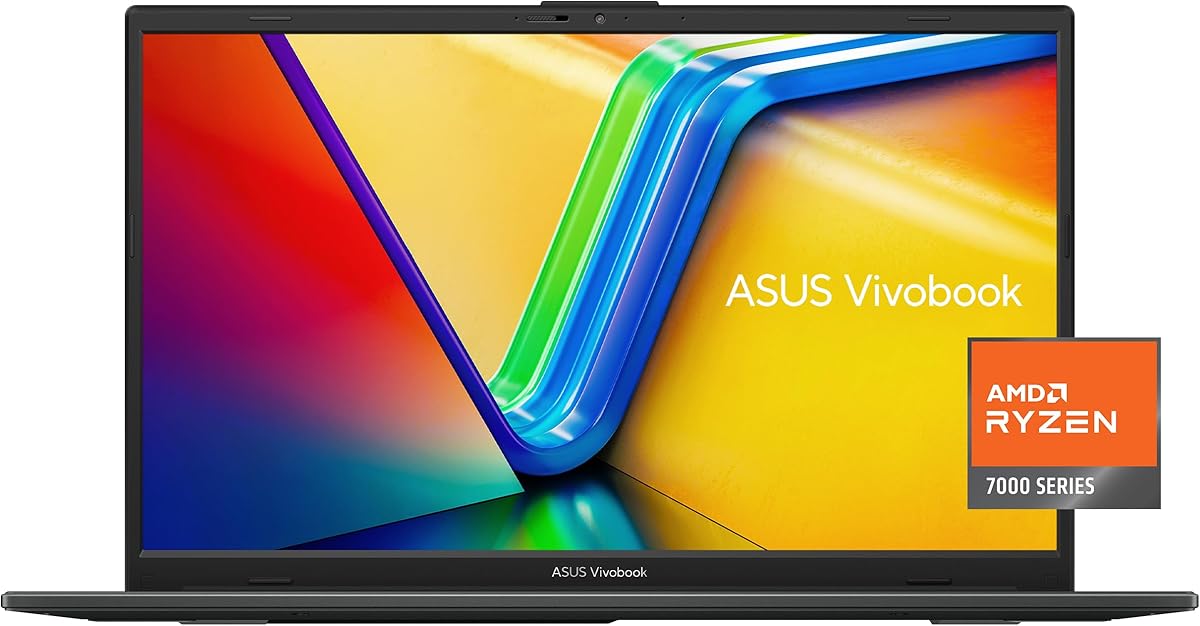
ASUS Vivobook Go 15.6 Inch FHD Slim Laptop
4.3Editor score
AMD Ryzen 3 Processor
8GB DDR5 RAM
Military Grade Durability
This guide compares the top ASUS laptops for students, evaluating performance, battery life, and portability to help you choose the right device for your
Finding the right laptop for school requires balancing performance, portability, and price. Students need devices that can handle everything from research to creative projects without breaking the bank. ASUS offers a wide range of options designed to meet these diverse academic demands efficiently.
We analyzed ten distinct models based on processor power, memory capacity, and display quality. Our comparison focuses on real-world usability for coursework, note-taking, and media consumption. Each entry highlights specific strengths to help you narrow down your choices quickly.
Every pick below includes detailed specifications and pros and cons to guide your decision. Prices and availability change frequently, so verify current details before purchasing. This overview ensures you invest in a machine that supports your educational journey effectively.
4.3Editor score

4.8Editor score

4.5Editor score
This table provides a side-by-side look at the key specifications of all ten models. Use it to quickly compare processors, memory, storage, and display sizes to find the configuration that fits your workflow best.


This model stands out as an affordable option for students needing reliable basics. It features a slim design and solid build quality that withstands daily transport. The 8GB DDR5 RAM ensures smooth multitasking for standard academic software.
We may earn a commission when you buy through this link, at no additional cost to you.
The AMD Ryzen 3 processor provides essential performance for browsing and document editing. Users benefit from a 15.6 inch display with slim bezels for an immersive view. Military-grade durability adds peace of mind against drops and bumps in crowded hallways.
Storage is limited to 128GB, which may require cloud solutions for larger files. The display brightness is modest at 250 nits, making indoor use best. These trade-offs are acceptable given the low entry price point for tight budgets.
Buy this if you need a lightweight, durable machine for everyday tasks without overspending. It is ideal for note-taking and web research where heavy lifting is not required. The fast charging feature ensures you stay productive even during short breaks between classes.
The laptop meets US military-grade standards, ensuring it can handle the rigors of student life.
Quick charge technology allows you to top up battery life rapidly between lectures or meetings.
We may earn a commission when you buy through this link, at no additional cost to you.
This 2023 model upgrades the processor and storage significantly over the base version. The Ryzen 5 chip delivers better performance for multitasking and light creative work. Storage jumps to 512GB, providing ample space for documents and media without needing external drives.
We may earn a commission when you buy through this link, at no additional cost to you.
Students benefit from Wi-Fi 6E for faster and more stable internet connections. The AI noise-canceling technology improves call quality during virtual lectures or team projects. The ErgoSense keyboard reduces strain during long typing sessions for essays.
While storage is ample, 8GB RAM might limit heavy multitasking with many browser tabs. Battery life is decent but varies based on usage intensity. These factors make it a balanced choice for general academic use rather than heavy editing.
Choose this if you need more storage and a faster CPU than the budget model offers. It fits well for students who handle moderate workloads and need reliable connectivity. The fast charging ensures you can get back to work quickly after a recharge.
Wi-Fi 6E support ensures stable internet speeds even in crowded campus environments.
512GB of SSD storage allows you to keep all your projects offline for easy access.
We may earn a commission when you buy through this link, at no additional cost to you.
This laptop features the latest Snapdragon X processor, offering incredible efficiency and battery longevity. It includes 16GB of RAM out of the box, handling multitasking with ease. The Copilot+ PC capabilities provide AI-enhanced productivity tools for modern workflows.
We may earn a commission when you buy through this link, at no additional cost to you.
The 14-inch form factor makes it highly portable for carrying around campus. The FHD+ display offers crisp visuals for reading and media consumption. Quiet Blue finish adds a stylish touch for professional or personal settings.
Users should note that newer chips may have specific compatibility requirements for some apps. While rare, legacy software might need emulation or updates to run perfectly. These are minor trade-offs for the gains in battery and thermal management.
Select this if you prioritize all-day battery and lightweight design. It is perfect for students who value mobility and modern AI features. The included warranty covers parts and labor for peace of mind during your studies.
Copilot+ PC features enable advanced AI tasks directly on the device for faster results.
Compact design ensures it fits easily into backpacks for daily commuting to class.
We may earn a commission when you buy through this link, at no additional cost to you.
This is the most accessible option for basic computing tasks and browsing. It is thin and lightweight, making it easy to carry in any bag. The FHD display provides clear visuals for reading documents and watching videos comfortably.
We may earn a commission when you buy through this link, at no additional cost to you.
The Intel Celeron processor is suitable for word processing and web research. Fast charge technology helps you get back to work quickly during breaks. SonicMaster audio ensures decent sound quality for media consumption and calls.
However, 4GB RAM and 128GB eMMC storage limit heavy usage and file capacity. Multitasking might be sluggish with many applications open simultaneously. This model is best for very light use cases where cost is the primary concern.
Buy this if your needs are strictly limited to typing and web browsing. It serves well as a secondary device for casual use. Always consider your storage needs before purchasing since upgrading internal storage is difficult.
Weighing very little, this device is effortless to carry for long periods during study sessions.
Enhanced speakers deliver clear sound for lectures and multimedia without external speakers.
We may earn a commission when you buy through this link, at no additional cost to you.
This model features a spacious 16-inch display ideal for split-screen work. The WUXGA resolution ensures crisp text and detailed visuals for design or coding tasks. Snapdragon X technology delivers power efficiency alongside strong performance for daily workloads.
We may earn a commission when you buy through this link, at no additional cost to you.
With 16GB of RAM, you can run multiple professional applications simultaneously without lag. The 512GB SSD provides fast boot times and ample storage for projects. Quiet Blue chassis offers a unique and professional look for any setting.
The larger screen adds some weight compared to smaller ultrabooks. It may be less convenient for carrying around campus all day. However, it is excellent for stationary work in libraries or dorm rooms where screen real estate matters.
Choose this if you need a desktop replacement with better visuals. It suits students who spend hours analyzing data or creating content. The integrated GPU supports smooth visuals for both work and light entertainment.
The high-resolution screen reduces eye strain during long periods of reading and writing.
Snapdragon architecture optimizes battery usage for extended use away from outlets.
We may earn a commission when you buy through this link, at no additional cost to you.
This unit comes with a generous 1TB SSD for extensive file storage without extra cost. The Intel Core 5 processor balances power and efficiency for daily academic tasks. Windows 11 Pro offers additional features useful for secure and professional use.
We may earn a commission when you buy through this link, at no additional cost to you.
Included docking hub adds versatility for connecting peripherals easily. This makes it easy to hook up to monitors or printers at a lab. Anti-glare display helps in various lighting conditions found in libraries or cafes.
The 12GB RAM is a unique configuration that handles multitasking well. However, it might not be easily upgradeable compared to standard slots. Battery life and performance depend on the specific workload you assign to it.
Pick this if you need massive local storage and Pro features. It is suitable for students handling large datasets or media files. The included accessories save money on buying separate docking stations later.
Multiple ports and a docking hub allow you to connect all your peripherals efficiently.
Windows 11 Pro provides better security tools and business capabilities for your projects.
We may earn a commission when you buy through this link, at no additional cost to you.
A solid choice for students needing consistent performance for coursework. The 16GB RAM ensures smooth operation even with many browser tabs open. Full HD IPS display provides clear images for reading and entertainment.
We may earn a commission when you buy through this link, at no additional cost to you.
Wi-Fi 6 keeps your connection stable during video conferences and online exams. The silver finish offers a clean and professional aesthetic. USB and HDMI ports ensure you can connect external devices without adapters.
Build quality is standard for the price point, focusing on function over luxury. The webcam is functional but not ideal for high-quality streaming. These factors make it a practical tool for education rather than a media device.
Select this if you want a balanced mix of speed and value. It fits well for general students who need reliability. The Core 5 processor handles daily tasks with ease and efficiency.
Ample RAM allows you to switch between apps and documents without slowdowns.
Robust port selection lets you connect peripherals and displays without extra dongles.
We may earn a commission when you buy through this link, at no additional cost to you.
This model delivers elite performance with an i9 processor and 32GB RAM. It is ideal for demanding tasks like coding, data analysis, or content creation. Physical webcam shield and fingerprint reader add layers of security for your data.
We may earn a commission when you buy through this link, at no additional cost to you.
The included PCO Cooler bundle helps maintain peak performance under load. This solves common overheating issues found in high-performance laptops. Backlit keyboard allows for comfortable typing in low-light environments like libraries.
Battery life is naturally shorter due to high-performance components. It requires more frequent charging during heavy workloads. These trade-offs are acceptable if you prioritize raw speed and processing power above all.
Choose this if you have professional-grade workloads to handle. It serves students who need desktop-level power in a laptop form. The bundle value adds significant utility compared to buying standard models.
The included cooling accessory ensures your machine runs cool and fast during long sessions.
Fingerprint reader and privacy shutter keep your personal data safe from prying eyes.
We may earn a commission when you buy through this link, at no additional cost to you.
This laptop brings AI capabilities to everyday tasks with Ryzen AI 7. It supports Copilot+ PC features for enhanced productivity and creation. WUXGA display offers excellent sharpness and colors for detailed work and media.
We may earn a commission when you buy through this link, at no additional cost to you.
Battery life is rated up to 12 hours, supporting all-day use. Fast charge technology gets you from zero to full quickly when needed. Backlit keyboard ensures visibility in dim environments like lecture halls.
Some AI features may roll out over time via updates. Users should expect some software evolution as the ecosystem matures. These are minor considerations for the potential future benefits of on-device AI.
Pick this if you want to experience advanced AI features early. It suits students looking for a future-proof device. The combination of graphics and efficiency makes it versatile for work and play.
AI tools help you summarize text and create content faster than traditional methods.
High resolution screen delivers crisp text and vibrant colors for any media.
We may earn a commission when you buy through this link, at no additional cost to you.
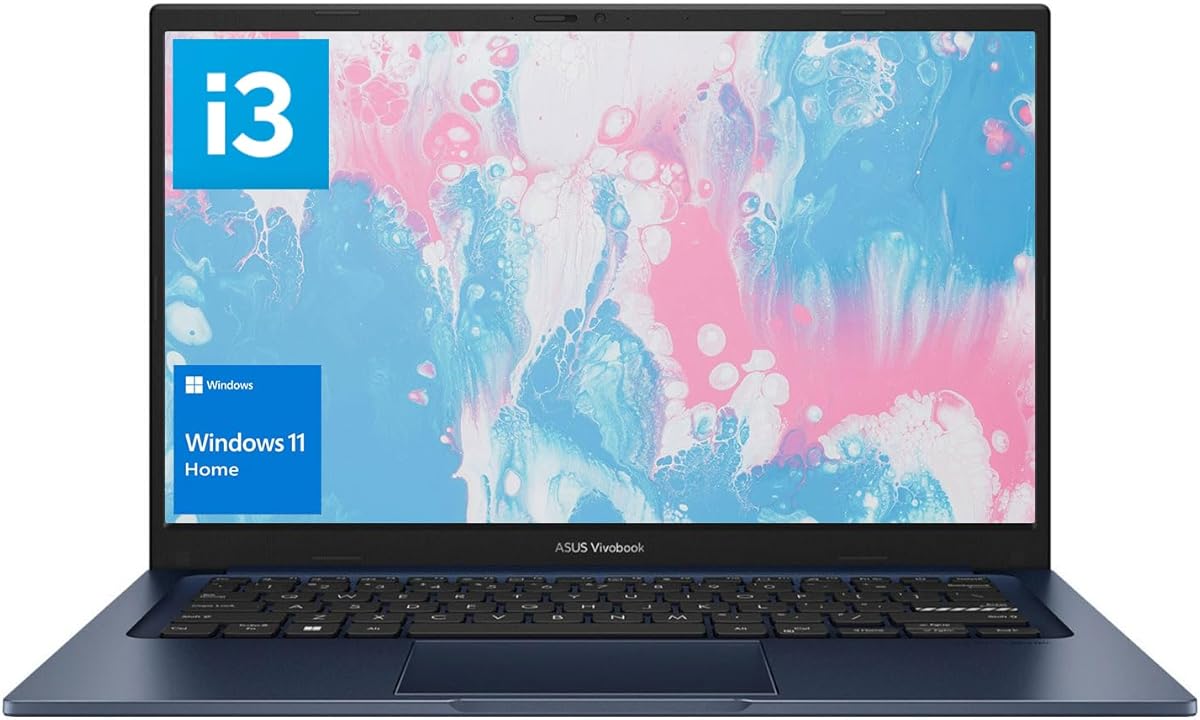
This model balances cost and specs effectively for general student needs. 16GB RAM is a standout feature at this price point allowing smooth multitasking. 512GB SSD ensures quick access to your files and operating system.
We may earn a commission when you buy through this link, at no additional cost to you.
The Intel i3 processor handles standard web and office tasks well. Wi-Fi 6 provides reliable internet connectivity for online classes and downloads. Blue finish offers a fresh and friendly look for students.
Display brightness is modest which works best indoors. It might struggle in direct sunlight or very bright rooms. These factors make it a practical choice for controlled environments like dorms.
Select this if you want high memory without high cost. It fits students needing a reliable machine for basic academic work. The included warranty and features add value to the purchase decision.
16GB RAM ensures you can switch between applications and tabs easily.
Wi-Fi 6 and USB-C support keep you connected to modern networks and devices.
We may earn a commission when you buy through this link, at no additional cost to you.
Choosing the right ASUS laptop involves assessing several key factors to match your specific academic needs. This guide helps you navigate processor types, memory, and display options effectively.
The processor determines how fast your laptop can run applications. For basic writing and web browsing, entry-level CPUs suffice. More demanding tasks like data analysis or creative editing require faster chips.
Look for Ryzen 5 or Intel Core 5 and above for balanced performance.
RAM controls how many programs you can run simultaneously without slowdowns. Modern applications benefit significantly from having at least 16GB of memory. Less memory can cause freezing when switching between tabs.
Prioritize 16GB of RAM for future-proofing your device.
Storage is where your files, OS, and apps live permanently. SSDs are much faster than older hard drives and improve boot times. Students typically need 512GB to store documents and media comfortably.
Choose at least 512GB of SSD storage for adequate space.
The screen is what you look at most while studying. High resolution and brightness reduce eye strain over long periods. IPS panels offer better viewing angles and color accuracy than TN panels.
Seek displays with 1080p resolution and IPS technology.
Weight matters if you carry your laptop between classes daily. Lighter laptops reduce fatigue but may compromise on battery or ports. Consider how often you travel to campus before choosing size.
Look for models under 4 lbs for easy daily carrying.
Long battery life ensures you can work away from outlets all day. Students often need machines that last through lectures and study sessions. Look for fast charging to top up quickly between classes.
Aim for 8+ hours of battery life for full days out.
Ports determine what you can plug in without adapters. USB-C is standard now but HDMI is still useful for projectors. Wi-Fi 6 ensures stable internet on crowded campus networks.
Ensure your model has the ports you need for projects.
Students need laptops that survive drops and bumps in bags. Military-grade testing indicates a build that can withstand rough handling. A sturdy chassis protects your investment over several years of school.
Check for military-grade durability certifications before buying.
Start by setting up your Microsoft account and installing essential software immediately. Configure power settings to maximize battery life while you are carrying the device around campus.
Keep the keyboard and screen clean by using a soft microfiber cloth. Avoid eating over the device to prevent crumbs from damaging keys or the trackpad.
Regularly update your operating system and drivers for security and performance. Back up important data to cloud storage or an external drive to prevent loss.
For engineering workloads requiring heavy computation, the Vivobook 15 with i9 processor and 32GB RAM is ideal. It provides the raw power needed for simulations and complex coding tasks.
Yes most models include HDMI or USB-C ports that support external displays. This allows you to connect to a larger screen for better visibility at home.
Entry models may struggle with heavy video editing. Mid-range options with Ryzen 5 or Core 5 chips handle basic editing well enough for class projects.
Most devices come with a standard one-year manufacturer warranty. Some bundles or third-party sellers may offer extended coverage options for purchase.
Some models allow memory upgrades while others have soldered RAM. Check the specific model specs before buying if future upgrades are a priority for you.
Yes the included HD webcams and microphones are sufficient for clear communication. AI noise cancellation on select models helps reduce background noise during calls.
This guide highlighted ten distinct options ranging from budget-friendly to high-performance machines. The top picks offer a mix of efficiency speed and reliability for different academic goals.
Prioritize features like RAM and battery life over unnecessary specs. Choose a model that aligns with your specific course requirements and budget constraints.
Prices and availability fluctuate often so check current listings before purchasing. Verify that the selected model meets your immediate needs for a smooth academic experience.