
HP Smart Tank 5003
4.1Editor score
Ink included for 3 years
Mess-free refill system
AI-capable functionality
This guide compares the top AI printers for home and office, highlighting smart features like automatic layout optimization and AI-powered efficiency.
The landscape of home and office printing has evolved dramatically with the integration of artificial intelligence. AI printers now offer seamless connectivity, automated maintenance, and smart features that streamline document handling. These devices are designed to reduce manual intervention while delivering high-quality results for various professional and personal needs.
To compile this list, we evaluated ten leading models based on their AI capabilities, print quality, speed, and user feedback. We considered factors such as wireless reliability, ink efficiency, and the sophistication of their onboard software. Each product was assessed for its ability to integrate smoothly into modern workflows without requiring constant technical oversight or troubleshooting.
Every selection in this guide showcases unique strengths tailored to different user requirements and budget ranges. Whether you need a compact home solution or a robust office workhorse, these models provide intelligent features that enhance productivity. Please note that specific pricing and availability may fluctuate, so verify current details before making your final purchase decision.
4.1Editor score

3.9Editor score

4.0Editor score
This side-by-side comparison highlights the key specifications and capabilities of the top ten AI printers available today. Reviewing these models will help you identify which device aligns best with your specific printing volume, connectivity needs, and feature preferences.





The HP OfficeJet Pro 8125 stands out as a highly capable device for home offices requiring intelligent document handling. With a solid 3.9 rating, it delivers professional-quality prints while using HP AI to optimize layouts automatically. This model is ideal for users who frequently print emails or web pages and want precision without manual formatting adjustments.
We may earn a commission when you buy through this link, at no additional cost to you.
Its standout feature is the AI capability that intelligently removes unwanted content before printing, saving paper and time. The 2.7-inch touchscreen provides a user-friendly interface similar to a smartphone, making navigation intuitive for all skill levels. Wireless connectivity is robust, utilizing dual-band Wi-Fi that detects and resolves connection issues automatically.
While the color print speed is modest at 10 ppm, the black speed of 20 ppm handles most business documents efficiently. The included Instant Ink trial encourages cost savings by delivering cartridges before they run out, though the recurring fee may be a consideration. Security is also a priority with HP Wolf Essential Security protecting your data from cyber threats.
This printer is best suited for small teams or home professionals who prioritize smart features and document security. Its sustainable design and efficient ink management make it a responsible choice for daily office tasks. The combination of AI optimization and reliable connectivity ensures you stay productive without technical interruptions.
The AI formatting optimization is a key benefit that saves significant time during high-volume printing sessions.
Dual-band Wi-Fi ensures your printer stays connected to your network without frequent disconnections.
HP AI automatically adjusts web pages and emails to fit the page perfectly.
Dual-band Wi-Fi automatically detects and resolves connection issues on the fly.
We may earn a commission when you buy through this link, at no additional cost to you.
The HP Smart Tank 5003 is an exceptional budget-friendly option that does not sacrifice intelligence or quality. It offers up to 3 years of ink included, making it incredibly cost-effective for households with high printing demands. The mess-free refill system allows you to replenish ink simply by plugging bottles into the tank, eliminating spills and stress.
We may earn a commission when you buy through this link, at no additional cost to you.
This model focuses on value and ease of use, with AI capabilities that ensure prints are optimized for clarity. The cartridge-free design means you never have to deal with expensive small cartridges again. Borderless printing support makes it versatile for photos and documents alike, providing vibrant and sharp text consistently.
While it may not match the speed of more expensive models, its reliability and low cost per page are major advantages. It is perfect for families or small home offices where volume matters more than rapid throughput. The included ink supply ensures you can print for years before needing to replace ink supplies.
Choose this printer if you want long-term savings and a hassle-free refilling experience without losing smart features. It delivers consistent quality for everyday tasks like homework, reports, and web pages. The design prioritizes user convenience and sustainable printing practices.
The ink capacity supports thousands of pages without the need for frequent cartridge replacements or purchases.
Refilling ink is straightforward with the designed bottles that drain directly into the built-in tank.
Includes enough ink for up to 3 years of printing right out of the box.
No mess refilling means simply plug bottles in and let them drain automatically.
We may earn a commission when you buy through this link, at no additional cost to you.
The HP OfficeJet Pro 9135 is built for offices that need speed and advanced security features. Its 25 ppm black and 20 ppm color speeds ensure high-volume tasks are completed quickly without compromising quality. The single-pass 2-sided scanning is a significant advantage for processing multi-page documents efficiently.
We may earn a commission when you buy through this link, at no additional cost to you.
HP AI optimizes print formatting to reduce wasted pages, making it both cost-efficient and environmentally friendly. The 4.3-inch touchscreen provides a spacious interface for managing complex tasks like faxing and scanning. Security is enhanced with Wolf Pro Security, which keeps your network protected from cyber threats during operation.
This model supports dual 250-sheet input trays, allowing you to keep different paper types loaded and ready. It is ideal for busy small offices that require fax capabilities and robust connectivity. The Instant Ink trial helps manage ongoing costs while you assess your usage patterns.
If you need a premium printer that balances speed, security, and smart features, this is the top choice. It handles professional tasks smoothly and integrates well into demanding office environments. The design ensures productivity remains high even during peak work hours.
Single-pass scanning saves significant time when processing large stacks of documents for digital storage.
Wolf Pro Security provides enterprise-grade protection for your data and network connections.
Prints up to 25 pages per minute in black to keep office workflows moving.
HP Wolf Pro Security bolsters network protection against cyber threats automatically.
We may earn a commission when you buy through this link, at no additional cost to you.
The HP Envy 6155 is designed for homes that prioritize vibrant color prints and photos. Its True-to-Screen technology ensures documents and photos look as vivid on paper as they do on your device. The 2.4-inch touchscreen makes navigation simple, and dual-band Wi-Fi ensures a stable connection.
We may earn a commission when you buy through this link, at no additional cost to you.
HP AI helps optimize formatting for emails and web pages, reducing waste and improving readability. It includes an Instant Ink trial, which can save you money on ink deliveries. The design is sustainable, made with at least 60% recycled plastic content.
While the speed is lower than office models, it is sufficient for typical home use. The 100-sheet tray is manageable for occasional printing needs. It is a good fit for families who want reliable wireless printing with smart features.
Choose this if you value color fidelity and eco-friendly design for personal documents. It balances performance and features well for a home setting.
True-to-Screen technology guarantees color accuracy for all your photo and document prints.
Dual-band Wi-Fi automatically resolves connection issues to keep you printing without interruption.
True-to-Screen tech ensures prints match your screen colors with high precision.
Dual-band Wi-Fi detects connection issues automatically for reliable wireless printing.
We may earn a commission when you buy through this link, at no additional cost to you.
The Bambu Lab P2S Combo brings AI to 3D printing with incredible speed and accuracy. It prints up to 600 mm/s while maintaining high-quality details. AI failure detection helps avoid costly print failures by monitoring the process in real-time.
We may earn a commission when you buy through this link, at no additional cost to you.
The AMS 2 Pro enables seamless multi-color printing with built-in filament drying. This ensures every layer is smooth and consistent. Setup is quick, taking just 15 minutes to start printing. The adaptive airflow system balances cooling for overhangs and heat for engineering materials.
This model is perfect for creators who want professional-grade results without complex setups. It supports over one million models on MakerWorld. The workflow is unified, making design and printing smooth.
If you want advanced 3D printing with AI assistance, this is the best choice. It simplifies complex prints and delivers high-quality objects consistently.
AI failure detection monitors prints in real-time to prevent waste and failed projects.
Multi-color capabilities allow seamless switching between colors during a single print job.
Prints up to 600 mm/s while keeping every layer sharp and accurate.
AMS 2 Pro enables seamless multi-color and multi-material 3D printing.
We may earn a commission when you buy through this link, at no additional cost to you.
The HP Smart Tank 7603 combines high-volume printing with essential office tools like fax. It includes enough ink for up to 3 years and supports over 8,000 color pages. The mess-free refill system makes maintenance simple and stress-free.
We may earn a commission when you buy through this link, at no additional cost to you.
With an auto document feeder and magic touch control panel, it handles multi-page tasks efficiently. Borderless printing allows for professional-looking photos and flyers. It is a solid choice for home offices that need faxing without extra devices.
The design prioritizes cost savings and ease of use. Wireless printing ensures you can print from anywhere. It is ideal for those needing consistent output without frequent ink purchases.
This model is best for home offices needing fax and high capacity. It delivers value through ink savings and smart features.
Fax capabilities allow direct transmission of documents without needing a separate machine.
Auto document feeder speeds up scanning and copying for multi-page documents.
Get up to 8,000 color pages out of the box for high-volume printing.
Auto document feeder speeds up scanning multi-page documents quickly.
We may earn a commission when you buy through this link, at no additional cost to you.
The HP OfficeJet Pro 8139 is well-suited for small businesses needing fax and robust ink management. It offers a 1-year Instant Ink trial, significantly longer than many competitors. This helps reduce initial costs while testing print needs.
We may earn a commission when you buy through this link, at no additional cost to you.
HP AI optimizes formatting to save paper and improve readability. Wolf Essential Security protects data during daily use. The ADF enables automatic duplex scanning, streamlining digital workflows.
With a 225-sheet tray, it handles moderate volumes without constant reloading. It balances performance and cost for home offices. The design ensures reliable daily operation.
This printer is ideal for small businesses needing fax and security features. It provides efficient printing with smart optimization tools.
The 1-year Instant Ink trial extends savings compared to standard 3-month offers.
Automatic duplex scanning allows efficient processing of both sides of documents.
Includes a full year of Instant Ink to maximize initial savings.
ADF scanner speeds up document workflows with automatic duplex scanning.
We may earn a commission when you buy through this link, at no additional cost to you.
The HP Smart Tank 7603 is a reliable choice for home offices needing high capacity and fax. It delivers up to 8,000 color pages and includes a 3-year ink supply. The mess-free refill system keeps maintenance simple.
We may earn a commission when you buy through this link, at no additional cost to you.
It supports mobile and wireless printing with convenience. The magic touch control panel makes navigation easy. It is ideal for consistent printing without high costs.
Wireless connectivity ensures seamless integration with your devices. It handles documents and photos well. The design prioritizes value and ease.
Choose this for high-volume home printing with fax capabilities. It balances performance and cost effectively.
Mess-free refills ensure clean and easy ink replenishment without spills.
Fax included functionality eliminates the need for separate fax devices.
Includes up to 3 years of ink for massive cost savings.
Magic touch control panel allows easy navigation of all features.
We may earn a commission when you buy through this link, at no additional cost to you.
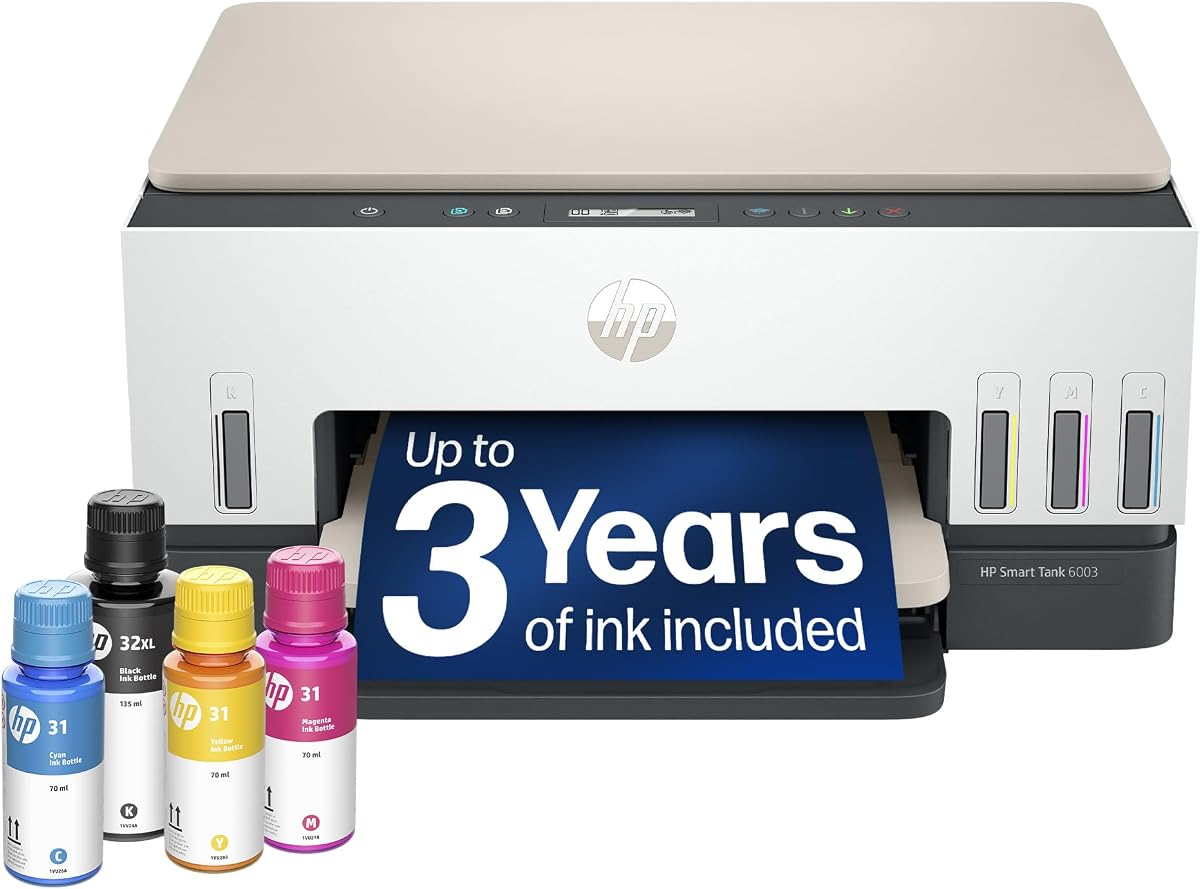
The HP Smart Tank 6003 is perfect for families needing high-volume printing and photo quality. It includes ink for up to 3 years and supports borderless prints. The refillable tank system simplifies maintenance.
We may earn a commission when you buy through this link, at no additional cost to you.
It offers wireless and mobile printing for seamless access. AI capabilities ensure optimized prints without waste. It handles homework and photos efficiently.
The design focuses on convenience and cost savings. It is ideal for households with heavy printing needs. The system ensures consistent quality.
This model is best for families needing reliable printing without cartridges. It offers smart features and high capacity.
Borderless printing allows professional-quality photos and labels without margins.
Mobile wireless printing enables easy tasks from smartphones or tablets.
Borderless prints and high ink capacity make it ideal for family needs.
AI capabilities help optimize prints for school or personal use.
We may earn a commission when you buy through this link, at no additional cost to you.
The Liene PixCut S1 is a specialized device for creators making custom stickers and labels. It features AI image extraction to recognize subjects and precise cutting technology. Thermal dye-sublimation ensures high-resolution 300 DPI prints.
We may earn a commission when you buy through this link, at no additional cost to you.
Stickers are waterproof and durable thanks to laminated printing. The app offers thousands of free templates and elements. It allows seamless printing and cutting in one step.
This machine is perfect for DIY projects and gift-making. It simplifies complex design and cutting. The design ensures vibrant and lasting results.
Choose this if you need custom stickers with professional edges. It combines creativity and smart tech.
AI image extraction automatically identifies subjects from photos for easy editing.
Precise AI auto cutting follows edges with perfect accuracy for clean cuts.
AI Lab turns photos into anime characters and fantasy art instantly.
Four-layer printing ensures stickers are waterproof and scratch-resistant.
We may earn a commission when you buy through this link, at no additional cost to you.
Selecting the right AI printer requires understanding your printing needs, volume, and desired smart features. This guide covers essential factors to help you make an informed decision.
Modern AI printers include features like automatic layout optimization, document scanning improvements, and intelligent ink management. Look for models that offer specific tools like removing unwanted content from emails or web pages. These capabilities save time and reduce paper waste.
Prioritize printers with AI tools that align with your workflow. If you print many web pages, check for smart formatting features.
High-volume users should consider ink tank models that offer large page yields and lower costs. Cartridge-based printers may work for low-volume users but can become expensive. Check if the printer includes trials like Instant Ink to reduce initial costs.
Choose a printer based on monthly print volume. Ink tank systems are better for frequent printing.
Print speed is crucial for productivity. Look for models with high pages per minute (ppm) ratings for black and color. Dual-pass scanning and fast wireless connectivity also improve overall efficiency.
Ensure the speed matches your daily workload. Faster models reduce wait times during busy periods.
Wireless connectivity is essential for modern setups. Look for dual-band Wi-Fi to ensure reliable connections. Support for mobile printing apps and cloud services adds flexibility.
Check for connectivity options that fit your devices. Dual-band Wi-Fi prevents connection interruptions.
Business printers should include advanced security to protect sensitive data. Look for models with secure boot and encryption features. AI can also monitor for unauthorized access attempts.
Prioritize security if you handle confidential documents. Enterprise-grade protection is vital.
Print quality affects the professional look of your documents. Look for high DPI settings for text and photos. Technologies like True-to-Screen ensure accurate color reproduction.
Verify resolution ratings for your needs. Higher DPI means sharper details.
Automatic document feeders (ADF) are essential for scanning multi-page documents. Input tray capacity reduces reload frequency. Dual-sided printing saves paper and time.
Check tray sizes based on your volume. ADFs speed up document processing.
Sustainability is a growing concern. Look for printers made with recycled materials and energy-efficient modes. Smart features that reduce waste contribute to lower environmental impact.
Choose eco-friendly models when possible. Recycled materials and energy savings matter.
To get the best results, connect your printer to a reliable dual-band Wi-Fi network. Follow the setup instructions carefully to enable AI features like instant ink trials. Download the mobile app for easy printing from your devices.
Regular maintenance includes cleaning the printer head and checking ink levels. Use the AI diagnostics tools to identify issues early. Keep firmware updated for security patches and feature improvements.
For paper jams, check for obstructions and gently remove any stuck paper. Do not force parts open. If issues persist, consult the manufacturer's support portal for troubleshooting guides.
An AI-capable printer uses machine learning to optimize settings like color balance, alignment, and formatting. It can automatically adjust layouts or detect errors to reduce user intervention and improve efficiency.
Yes, AI printers can save money by optimizing ink usage and reducing paper waste through smart formatting. Subscription services like Instant Ink also lower long-term costs by delivering supplies before you run out.
Many AI printers include advanced security features like secure boot and network protection to prevent unauthorized access. Look for models with HP Wolf Security or similar certifications for business data safety.
Tank printers are better for high-volume users due to lower cost per page and long ink supply. Cartridge models suit low-volume users who prefer compact designs and occasional printing needs.
Yes, many AI printers support borderless photo printing with high resolution. Look for models with True-to-Screen technology for accurate colors and vibrant results.
Instant Ink is a subscription service that monitors your ink levels and delivers cartridges before they run out. It offers savings on costs and ensures you never face interruptions in printing.
Dual-band Wi-Fi ensures stable connectivity by switching between frequencies to avoid interference. This is crucial for AI features that require constant communication with cloud services.
Yes, AI printers improve productivity through automated workflows and security features. They streamline document management and reduce administrative overhead for small offices.
The top picks in this guide represent the best balance of AI innovation, speed, and value. The HP OfficeJet Pro 8125 offers great document optimization, while the HP Smart Tank 5003 provides exceptional value for budget-conscious users.
When choosing, prioritize features like speed and ink efficiency based on your daily needs. Security and connectivity also matter significantly for business users requiring reliable and safe printing.
Remember to check current prices and availability before buying as these change frequently. Verify the warranty and trial terms to ensure you maximize your investment and satisfaction.