
Frameo 10.1 Inch WiFi Digital Picture Frame
4.7Editor score
10.1 inch IPS touch screen
32GB internal storage capacity
Secure private sharing via app
Digital frames now offer smart features like AI art generation and cloud sharing. These devices transform how we display cherished photos and creative designs around our homes.
We evaluated ten leading models based on display quality, connectivity, storage, and unique AI capabilities. Our goal is to highlight the most reliable options for every budget and need.
Each pick below highlights key strengths and potential limitations found in real-world usage. Prices and availability can change frequently, so please verify current details before purchasing any item.
4.7Editor score

5.0Editor score

4.4Editor score
As an Amazon Associate we earn from qualifying purchases.
The following table provides a side-by-side comparison of all ten digital frames reviewed in this guide to help you make an informed decision quickly.
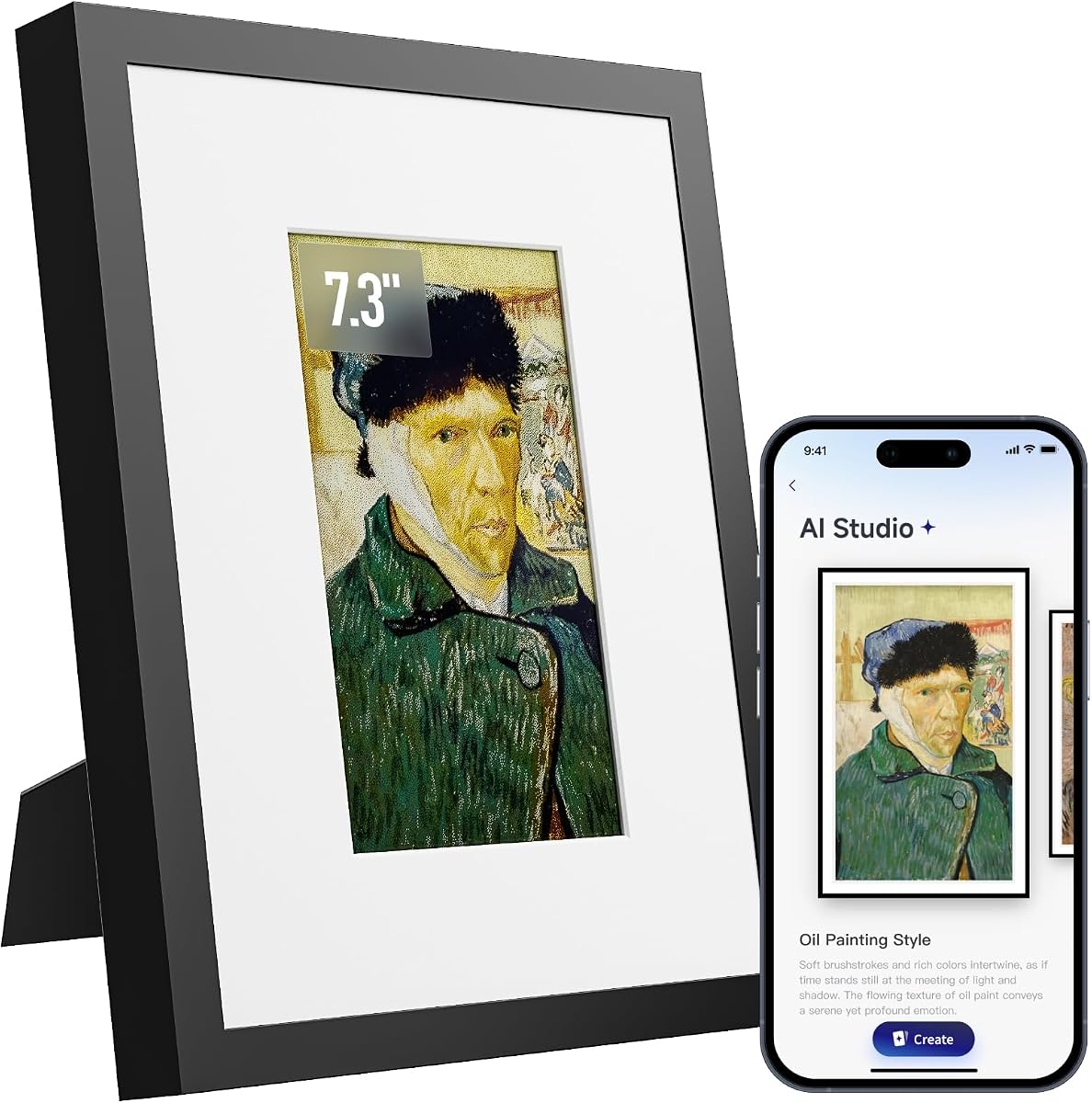


The KoKonna AI E Ink Digital Picture Frame stands out with its unique 6-color E Ink display and unlimited cloud storage. It earns our Editor's Choice for combining premium aesthetics with practical smart features.
We may earn a commission when you buy through this link, at no additional cost to you.
Users appreciate the ability to create custom AI artwork through the app and share photos with family instantly. The device holds up to three years on a single charge, making it ideal for walls.
While the resolution is lower than IPS screens, the paper-like viewing experience reduces eye strain significantly. This trade-off is acceptable for those prioritizing comfort and a natural look.
This frame is perfect for parents or creative individuals who want a stylish gallery display. We recommend it for anyone seeking a high-end digital frame with no ongoing fees.
You can turn text prompts or drawings into finished art directly on the frame using the dedicated app.
The 5000mAh battery allows for years of display time with minimal power consumption due to E Ink technology.
We may earn a commission when you buy through this link, at no additional cost to you.
The Magic Frame Old Photo Alive brings static images to life with AI motion technology. It transforms old photos into moving memories, offering a unique gift experience for loved ones.
We may earn a commission when you buy through this link, at no additional cost to you.
It features a vibrant 1920 by 1200 IPS screen and comes with 2000 AI credits to restore old photos. You can share unlimited photos via the Homture app without cloud limits.
However, additional AI video credits cost money after the initial pack. This cost might add up for users wanting to animate every single photo in their collection frequently.
Choose this frame if you want to reactivate memories with motion. It is an ideal gift for grandparents who cherish old family photographs and want to see them move.
Turn single photos into lively videos using curated templates for solo and duo portraits, pets, and scenery.
Colorize black and white photos and let people wave with AI motion to bring back vivid memories.
We may earn a commission when you buy through this link, at no additional cost to you.
The Frameo 10.1 Inch is a reliable budget-friendly option that delivers solid performance without extra costs. It focuses on simplicity and privacy for sharing family photos directly.
We may earn a commission when you buy through this link, at no additional cost to you.
It includes 32GB of local storage and allows secure sharing via the Frameo app. The 10.1-inch IPS screen provides clear images, and the touch interface is friendly for seniors.
Video uploads are limited to fifteen seconds via the app unless you use a memory card. This constraint keeps storage manageable but limits dynamic content compared to premium models.
This frame is excellent for families wanting a simple way to share memories. It is the best choice for those who prefer straightforward functionality over advanced AI art.
Your frame only receives content from invited family and friends, ensuring your personal memories stay completely safe.
Designed with a grandparent-friendly touch screen, swiping through memories and adjusting settings is effortless for all ages.
We may earn a commission when you buy through this link, at no additional cost to you.
The Magic AI Frame impresses with four magical AI templates that add cinematic effects to photos. It offers a high user rating and generous local storage for extensive photo collections.
We may earn a commission when you buy through this link, at no additional cost to you.
Users get free unlimited cloud storage and a local 64GB drive to save files. Credits for video creation allow flexible control, and eligible credits can be returned if unsatisfied.
The credit system may require additional purchases for heavy use. However, the ability to return credits offers peace of mind for exploring magical effects safely.
This frame is suitable for gift-givers wanting a magical surprise element. It works well for those who want AI motion without complex setups or high ongoing costs.
Create enchanting AI motion with styles like Spellcasting, Sky Riding, and Living Oil Painting for cinematic magic.
Enjoy free unlimited cloud storage for family sharing plus 64GB built-in local storage for favorite photos.
We may earn a commission when you buy through this link, at no additional cost to you.
The 10.1 Inch AI Magic Frame by Homture includes a motion sensor that lights up when you approach. It combines security compliance with practical sharing features for modern homes.
We may earn a commission when you buy through this link, at no additional cost to you.
Users receive unlimited cloud storage and 64GB local storage to keep photos accessible. The frame supports both portrait and landscape orientations and offers a gift mode with unlock surprises.
The motion sensor is a novel feature but may have limited range in large rooms. Subscription plans are available if you need more AI credits beyond the initial starter card.
This frame is ideal for households valuing privacy and modern interaction. It fits well as a gift where security and surprise elements are a priority for the recipient.
The frame automatically lights up when you approach, and your chosen photo greets you with a lifelike gesture.
Create a private photo sharing network that fully complies with GDPR and CCPA regulations powered by AWS.
We may earn a commission when you buy through this link, at no additional cost to you.
The SwitchBot AI Art Frame targets art lovers with its electronic ink display and AI generation capabilities. It supports Alexa voice control and offers long battery life for clutter-free setups.
We may earn a commission when you buy through this link, at no additional cost to you.
Images remain visible even after the battery depletes due to the electronic ink screen. This feature ensures your gallery is always on without constant power..
However, the resolution is low and pixel structure is coarse, so viewing distance matters. AI generation requires a monthly subscription which adds to the initial hardware cost.
This frame works well for decorative purposes in living rooms or hallways. It is suitable for those who want voice control and art-focused digital displays.
The frame is compatible with Alexa for convenient voice control of your photo displays.
Due to electronic ink properties, images remain visible even after the battery is depleted.
We may earn a commission when you buy through this link, at no additional cost to you.
The Frameo 15.6 Inch offers a large Full HD display with a built-in speaker for sound. It is ideal for showcasing videos and photos clearly in spacious areas like living rooms.
We may earn a commission when you buy through this link, at no additional cost to you.
With 64GB storage, you can save many photos and videos locally. The secure sharing app ensures privacy while allowing friends to send content remotely without limits.
It requires a power cord for continuous operation, limiting wireless placement. The size also means it needs a prominent wall or shelf spot to be effective.
Choose this if you want a large screen for family videos. It suits those who prioritize display size and audio playback over battery independence.
The frame has a built-in speaker allowing you to play videos with sound for a more vivid experience.
This frame has built-in 64GB storage to keep your favorite memories always within reach.
We may earn a commission when you buy through this link, at no additional cost to you.
The Pastigio Digital Picture Frame provides a large 15.6-inch display that works without WiFi via USB. It offers a user-friendly interface for seniors or those avoiding app complexity.
We may earn a commission when you buy through this link, at no additional cost to you.
You can upload photos directly via SD card or USB drive if WiFi is overwhelming. The display delivers vivid colors and detailed images suitable for modern living rooms.
The non-WiFi transmission option reduces dependency on networks for setup. However, some features like remote sharing require the app which might confuse less tech-savvy users.
This frame is good for households preferring physical media for uploads. It works well as a gift for those who want a large screen without digital hurdles.
You can easily upload photos via SD Card or USB Drive without needing WiFi or app downloads.
Use the React feature to send emojis back to loved ones in real time to express appreciation.
We may earn a commission when you buy through this link, at no additional cost to you.
The 7.09 Inch AI Powered E Paper frame offers a compact design with a wooden frame. It focuses on low power consumption and optimized image quality for small spaces.
We may earn a commission when you buy through this link, at no additional cost to you.
The electronic ink screen consumes almost zero power for static display and lasts weeks on a charge. AI tuning automatically optimizes color and contrast for uploaded photos.
Its small size means fewer photos are shown at once. This trade-off makes it ideal for bedside tables rather than large wall displays.
This frame is best for minimalists wanting subtle decor. It works well for small spaces where a large digital frame would look overwhelming.
Electronic ink screen consumes almost zero power for static display and only uses minimal electricity when switching.
Equipped with AI tuning that automatically optimizes color and contrast of uploaded photos.
We may earn a commission when you buy through this link, at no additional cost to you.
The Digital Picture Frame by AiMOR focuses on simplicity with a senior-friendly interface and large fonts. It offers a safe sharing environment for families to connect across distances.
We may earn a commission when you buy through this link, at no additional cost to you.
It features 32GB storage and auto-brightness settings to adjust to ambient light. The interface is designed to be intuitive for those with limited tech experience.
It lacks advanced AI features but prioritizes ease of use. This choice ensures that setting up photos is straightforward and less frustrating for older users.
This frame is perfect for elderly parents needing easy photo sharing. It is a practical gift that bridges the distance without technical barriers.
Features a simple interface, large fonts and sensitive touch make it easy for everyone to enjoy photos.
Powered by Aimor app it ensures secure and private sharing so you control who can view your memories.
We may earn a commission when you buy through this link, at no additional cost to you.
Choosing the right digital frame involves considering display type, storage, connectivity, and specific smart features like AI art generation.
Digital frames use either LCD IPS screens or electronic ink displays. IPS screens offer vibrant colors and video support but consume more power. Electronic ink looks like paper, uses less energy, and lacks motion features.
Select IPS for video and color photos or E Ink for static wall art and battery life.
Storage affects how many photos you can keep locally. Models range from 32GB to 64GB and some support SD cards. Cloud storage is also common and allows sharing from anywhere.
Ensure the frame has enough internal memory or cloud options for your collection size.
Connectivity determines how you send photos. Most use Wi-Fi apps but some support USB drives or cards. Consider if your family prefers app sharing or physical media.
Choose Wi-Fi for remote sharing or USB for local transfers without internet dependency.
AI features allow generating art or animating photos. These tools require credits or subscriptions on some devices. Check if these features are free or paid before buying.
Evaluate if AI motion is a priority or just a bonus feature you might not use.
Battery life varies from weeks to years depending on screen type. E Ink frames often last longer than backlit models. Check if it needs constant power or runs on battery.
Opt for battery powered if you want flexible placement without outlet access.
Look for frames with private sharing networks or encryption. GDPR CCPA compliant services ensure data safety. Verify if you control who can send content.
Prioritize privacy compliance if sharing family photos online is a major concern.
Simple interfaces with large buttons help seniors use the frame. Touchscreens are intuitive but physical controls are easier for some. Check the app complexity before buying.
Choose a user-friendly interface if the device is for less tech-savvy recipients.
Prices vary widely from budget to premium tiers. Some frames include subscription fees for AI tools. Compare total cost including accessories and ongoing plans.
Balance features against total cost to find the best value for your needs.
Start by connecting the frame to your home Wi-Fi network using the dedicated mobile app. Follow the setup instructions to link your phone and invite family members to share photos remotely.
Regularly update your photo library using the app or USB transfer depending on model support. Organize photos into albums and adjust brightness settings to match room lighting conditions.
Keep the frame in a safe location away from direct sunlight or moisture. Dust the screen gently with a soft cloth and ensure software updates are installed for best performance.
Not all frames require subscriptions. Some offer basic photo sharing for free while AI generation tools may need credits or a plan. Check product descriptions for specific app requirements.
Yes many frames support USB drives or SD cards for uploads. This allows transfer without needing internet or installing software on a phone or computer device.
E Ink displays mimic paper and use little power but cannot show video. IPS screens are brighter and support video but need constant power for operation at home.
Most frames let you invite specific contacts to share photos. Access the app settings to manage access and ensure only trusted people can send content to your frame.
E Ink models often run on battery for weeks or years. LCD models usually need constant power due to higher consumption but check specific product specs for battery life.
Photos remain stored in internal memory or cloud storage even when powered off. You can resume displaying them immediately upon powering the device back on.
Some frames like SwitchBot support Alexa for voice control. Check individual product specs for smart home integration options before making your purchase decision.
Most modern frames support short video clips via app or USB. Limits may apply on app upload duration compared to local storage transfers through SD card.
We reviewed ten frames including the KoKonna AI E Ink for premium quality and Frameo 10.1 Inch for budget value. Each model offers unique strengths in display tech and smart features.
Prioritize display type and privacy features based on who will use the frame daily. Consider storage and AI tools if you want to create animated memories.
Verify current prices and availability before purchasing since models change quickly. Always check the latest reviews to ensure the device meets your expectations.