
Thermalright 5 Pack TL-C12C-S CPU Fan
4.7Editor score
55cm PWM cable for series control
S-FDB bearings reduce noise
17 ARGB lighting modes
This guide compares the top addressable RGB fans for PC builds, evaluating cooling performance, noise levels, lighting effects, and ease of installation for
Addressable RGB fans bring vibrant lighting and efficient cooling to modern PC builds. Choosing the right set ensures your system stays cool while showcasing your style through customizable color effects and seamless motherboard synchronization.
We compared ten top models based on airflow, static pressure, noise output, and lighting quality. Our analysis focuses on real-world performance, build quality, and compatibility with standard ARGB headers and PWM controls.
Each pick highlights specific strengths like budget value, premium features, or unique designs. Prices fluctuate often, so check current listings before purchasing to ensure you get the best deal available today.
4.7Editor score

4.8Editor score
4.8Editor score
This side-by-side comparison highlights key specifications for all ten selected addressable RGB fans. Review the airflow, speed, bearing type, and special features to find the ideal match for your chassis and cooling needs.




This five-pack offers excellent value for builders needing multiple silent and bright fans without overspending. It holds a high user rating due to its consistent performance and low noise output across various chassis types.
We may earn a commission when you buy through this link, at no additional cost to you.
The S-FDB bearings minimize vibration while delivering 66.17 CFM airflow. You can control speeds automatically via PWM or manually via DC mode, ensuring the system stays cool even under heavy loads without excess noise.
The lighting blends smoothly with cases rather than looking harsh. While it lacks advanced features like reverse blades or music sync, these trade-offs make it an affordable and reliable choice for standard intake or exhaust setups.
Anyone seeking a budget-friendly full case update should consider this pack. It balances cooling power with quiet operation effectively, making it ideal for office PCs or silent gaming rigs that still need stylish lighting.
Noise levels stay below 25.6 dBA even at max speed thanks to precision balanced blades and high-quality bearings.
The included ARGB header support allows full color customization and synchronization with your system lights easily.
We may earn a commission when you buy through this link, at no additional cost to you.
This triple pack delivers high-end cooling with a focus on airflow efficiency and clean setup. It is designed for users who want robust thermal performance paired with seamless cable management and bright customizable lighting effects.
We may earn a commission when you buy through this link, at no additional cost to you.
AirGuide technology directs air precisely where needed, pushing 72.8 CFM through radiators or dense cases. The magnetic dome bearing reduces friction significantly, extending lifespan while keeping noise low even at speeds up to 2100 RPM.
The daisy-chain connection simplifies wiring by using a single 4-pin PWM and one ARGB connector for all three fans. While more expensive than budget options, the build quality and performance justify the price for enthusiasts building premium rigs.
If you need maximum cooling power without cable clutter, this set is ideal. It excels in liquid cooling setups where static pressure matters, ensuring your components stay thermally stable during intensive gaming or rendering sessions.
Anti-vortex vanes channel air efficiently towards hotspots, improving cooling efficiency on radiators and heatsinks.
Daisy-chain design means fewer cables connect to your motherboard, reducing clutter and improving airflow path.
We may earn a commission when you buy through this link, at no additional cost to you.
The P12 Pro A-RGB is engineered for high-pressure environments like dense radiator setups. Its standout feature is the wide speed range reaching up to 3000 RPM, allowing for extreme cooling when needed while staying quiet at idle.
We may earn a commission when you buy through this link, at no additional cost to you.
Precise manufacturing ensures minimal gaps and automatic balancing for smooth running. The Fluid Dynamic Bearing reduces friction, leading to a long service life and consistent performance over time even with high-speed operation.
While the RGB is functional, the focus is on cooling performance rather than aesthetic flair. The trade-off is acceptable for users prioritizing thermal headroom over visual effects, especially in water-cooled systems needing maximum airflow.
Buy this if you need a powerful push-pull solution or dense mesh cooling. It handles obstruction well and offers reliable temperature control for high-performance PCs that generate significant heat during operation.
PWM control allows progressive adjustment from zero to 3000 RPM, giving granular control over noise and airflow.
Automatic balancing and tight tolerances reduce vibration, ensuring quiet operation even at higher speeds.
We may earn a commission when you buy through this link, at no additional cost to you.
This three-pack features an innovative magnetic connection system that simplifies installing multiple fans. It eliminates loose wires by snapping fans together cleanly, making it easier to manage cables inside compact or complex cases.
We may earn a commission when you buy through this link, at no additional cost to you.
With 9 addressable LEDs per fan, the lighting is vivid and fully customizable via 5V sync software. The hydraulic bearing ensures stable and quiet operation while maintaining consistent performance over extended periods of use.
While the magnetic connection is convenient, users must handle it carefully during installation to avoid damage. Airflow is decent for general case cooling but may not match the highest static pressure fans available on the market today.
Ideal for builders seeking ease of installation and strong aesthetics, this pack works well for standard air cooling setups. It balances function and form effectively for mid-range PCs looking to upgrade their visual appeal.
The MagForce 2.0 design lets you connect multiple fans with just one cable, reducing clutter inside your case.
Nine LEDs per fan deliver bright color output that syncs easily with other components for a cohesive look.
We may earn a commission when you buy through this link, at no additional cost to you.
This kit solves the reverse blade problem by including four forward and two reverse fans in one pack. It supports optimal intake-exhaust cycles without needing separate reverse packs, offering great value for complex builds.
We may earn a commission when you buy through this link, at no additional cost to you.
Each fan houses 28 ultra-bright ARGB LEDs that provide vivid illumination visible from all angles. The included 2-in-1 hub simplifies control by managing both speed and lighting through a single interface connected to your motherboard.
While airflow is solid at 1550 RPM, the inclusion of reverse fans makes this kit uniquely flexible for cases needing front side or bottom intake with full lighting visibility. It reduces the need for additional purchases and simplifies planning.
If you need a complete set with mixed directions and a controller, this is a strong candidate. It offers excellent visual consistency and performance flexibility for liquid cooled cases requiring dedicated intake paths.
Two reverse fans ensure lighting stays visible even when mounted as intake, balancing looks and function.
The combined hub reduces cable clutter and allows easy access to lighting modes and fan speed settings.
We may earn a commission when you buy through this link, at no additional cost to you.
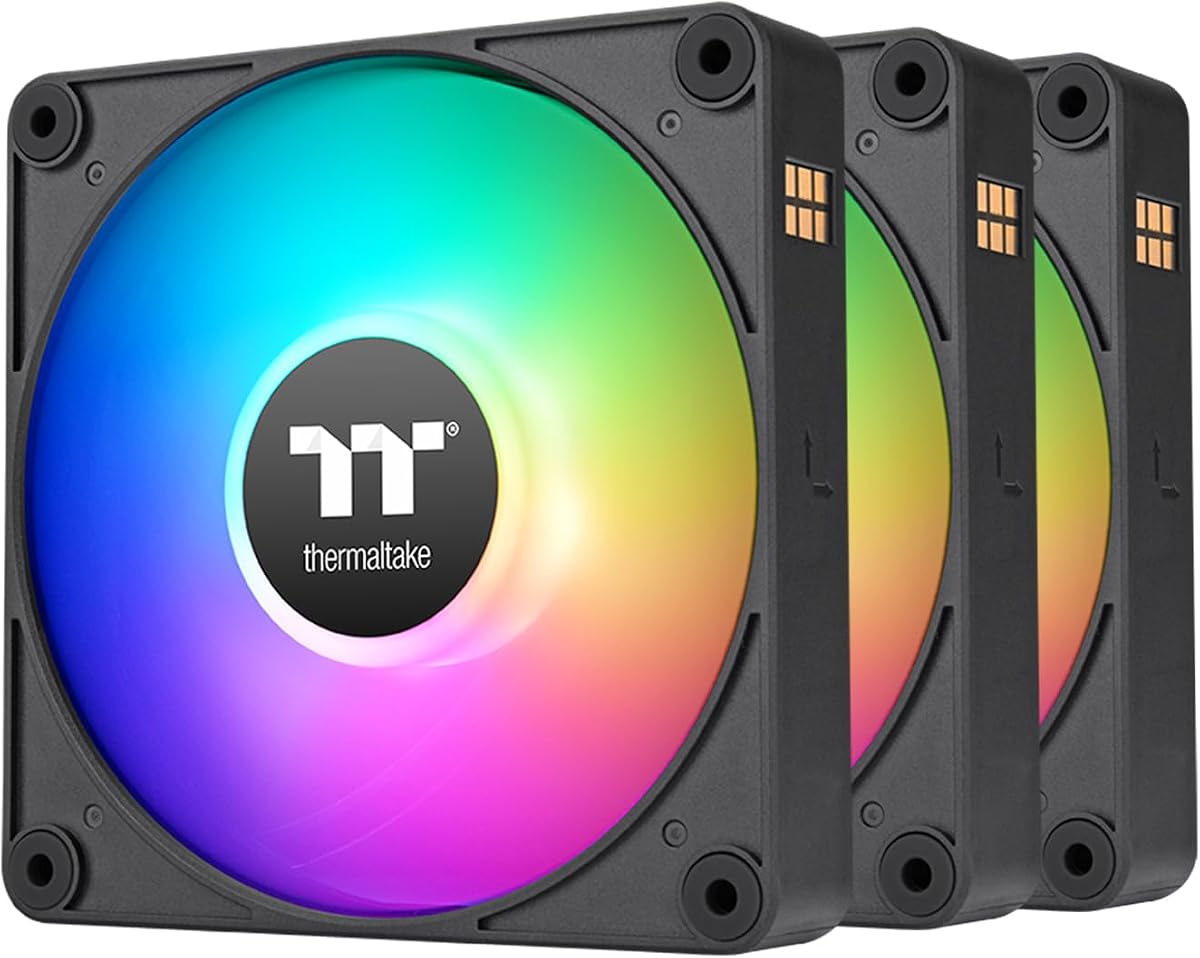
The three-pack offers the same high-quality performance as the five-pack in a smaller bundle. It maintains the same 1550 RPM max speed and low noise level making it reliable for standard PC cooling requirements.
We may earn a commission when you buy through this link, at no additional cost to you.
S-FDB bearings ensure minimal vibration even during extended operation. The ARGB lighting matches well with modern case designs providing bright but soft illumination that looks professional and clean during use.
It is a straightforward choice for users who need three fans without advanced features like reverse blades or magnetic connectors. The price point remains competitive, ensuring good value for entry to mid-range builds needing silent operation.
This pack is ideal for standard case setups where performance and price are balanced. It is easy to install and works well with most motherboards supporting standard 3-pin ARGB headers.
The S-FDB bearing design ensures noise remains minimal even at high speeds or sustained usage periods.
With 66.17 CFM airflow, these fans deliver sufficient cooling for standard air-cooled setups without noise.
We may earn a commission when you buy through this link, at no additional cost to you.
This version emphasizes intelligent temperature control allowing the fans to adjust automatically without manual tuning. It delivers 66.17 CFM airflow while remaining virtually silent at idle speeds due to precise speed management.
We may earn a commission when you buy through this link, at no additional cost to you.
The five-pack is perfect for filling all case ports with consistent cooling performance. Lighting is bright and customizable with 17 modes available via ARGB support ensuring your system looks great while running cool.
You avoid noise spikes since the PWM function adjusts speed based on real temperature feedback. While it lacks extra flair like reverse blades, its core function of keeping a PC quiet and cool is executed exceptionally well.
Ideal for users who want simplicity and silence, this bundle offers complete coverage for a full case. It works well with any standard motherboard and delivers consistent performance across all installed units.
PWM temperature control ensures fans only spin as fast as needed to maintain safe component temperatures.
A five-pack bundle allows you to replace every stock fan in a standard case for uniform performance.
We may earn a commission when you buy through this link, at no additional cost to you.
This two-pack features a redesigned blade layout optimized for airflow and pressure. It suits radiator installations well where pushing air through fins is critical for liquid cooling performance and efficient heat dissipation.
We may earn a commission when you buy through this link, at no additional cost to you.
With 2000 RPM max speed, it provides enough force to move air through dense radiators or mesh filters. The hydraulic bearing ensures long-lasting durability while maintaining quiet operation even at high speeds.
Installation is simplified by the daisy-chain design and anti-vibration mounts. While it comes in a smaller pack than other options, its specialized design makes it a strong choice for dedicated radiator cooling solutions.
If you are mounting fans on a radiator or thick case mesh, these perform well under pressure. They combine solid airflow with easy motherboard sync, making them a reliable addition to liquid cooling systems.
Seven blades are engineered to maximize pressure output for better airflow through dense radiators.
Anti-vibration mounting system reduces noise caused by case contact during high-speed operation.
We may earn a commission when you buy through this link, at no additional cost to you.
This pack holds an excellent user rating due to its balanced performance. It delivers 66.1 CFM airflow at a moderate 1500 RPM, ensuring your case stays cool without introducing loud noise during daily tasks.
We may earn a commission when you buy through this link, at no additional cost to you.
The hydraulic bearing provides long life and consistent performance. Each fan includes 9 LEDs for vibrant lighting, and the included 3-way PWM splitter ensures easy installation across multiple ports without extra costs.
You get reliable airflow with a solid build quality that fits most standard cases. While it does not offer the highest static pressure, it is perfect for general case ventilation where silence and cooling matter most.
Buy this for a reliable and quiet upgrade to any standard case. It is simple to install and provides dependable cooling and lighting for everyday users and casual gamers alike.
The speed and airflow are tuned to deliver quiet cooling without unnecessary noise spikes.
Included splitters simplify connecting multiple fans to a single PWM header immediately after purchase.
We may earn a commission when you buy through this link, at no additional cost to you.
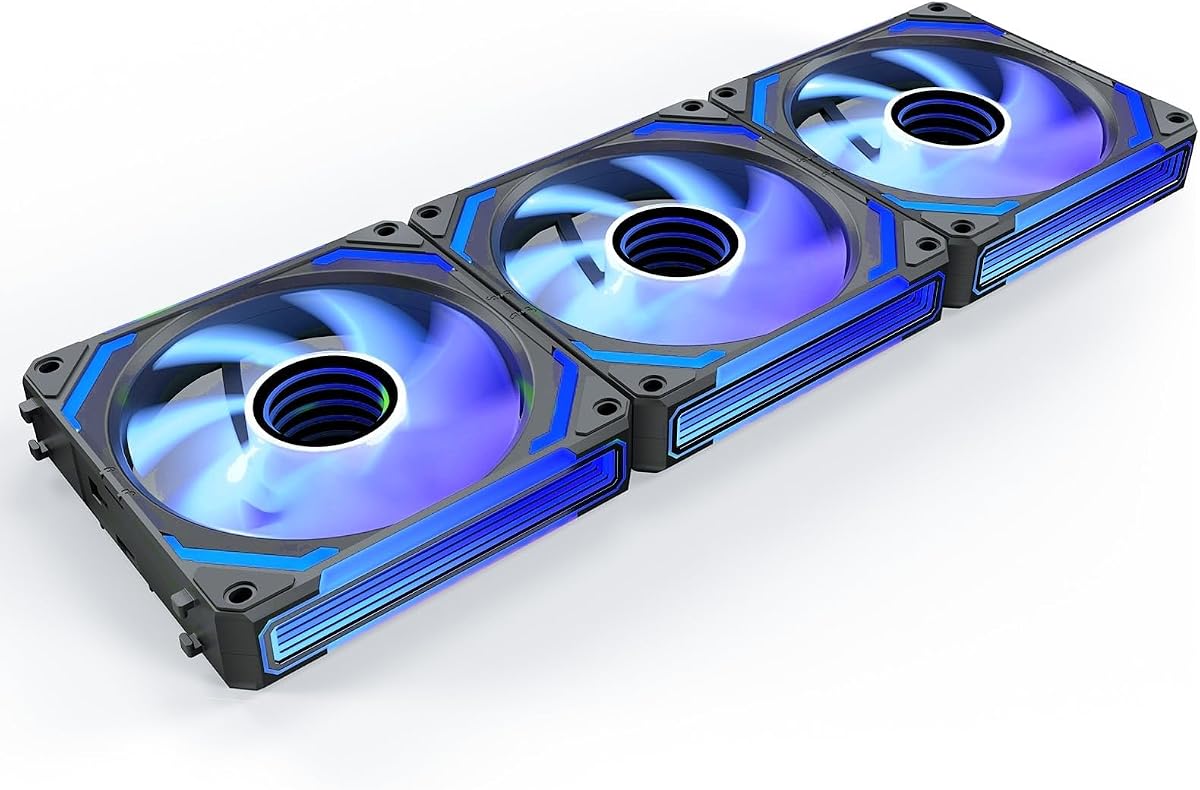
The COSMIQ pack stands out with stunning infinity mirror lighting and music sync effects. It combines high airflow of 68.5 CFM with premium visuals making it a top choice for builders focused on aesthetics.
We may earn a commission when you buy through this link, at no additional cost to you.
Music sync allows lights to pulse with system sounds or music adding dynamic interactivity. The FDB bearing ensures silence even at 2000 RPM, and the included controller simplifies independent lighting adjustments without motherboard software.
This pack offers a balance of style and function that exceeds standard options. The reverse fan helps with intake placement, and the sturdy build quality ensures long-term reliability despite the complex lighting hardware.
Choose this if you want a showstopper build with advanced lighting features. It delivers strong cooling and unique visual effects that make your PC stand out during games and presentations.
Infinity mirror LEDs create a layered effect unlike standard single-ring designs found on most fans.
Built-in sound pickup allows lights to react to system audio for an immersive gaming atmosphere.
We may earn a commission when you buy through this link, at no additional cost to you.
Choosing the right addressable RGB fans involves balancing cooling performance, noise levels, and visual appeal with your case and motherboard capabilities.
Airflow measured in CFM determines how much air the fan moves for general case cooling, while static pressure indicates how well it pushes air through dense obstacles like radiators or mesh. Consider your cooling needs; high airflow suits open cases while high static pressure suits radiators.
Prioritize CFM for open chassis and static pressure for restricted airflow paths to ensure efficient thermal management.
Fan speed measured in RPM directly impacts both cooling power and noise output. Most addressable RGB fans operate between 1500 and 2500 RPM, with lower speeds yielding quieter performance. PWM control allows the motherboard to adjust speeds automatically based on temperature.
Look for lower max RPM if noise is a priority but ensure enough speed remains for adequate cooling.
Bearing technology affects durability and noise levels. S-FDB and FDB bearings use fluid dynamics to minimize friction and vibration for quieter operation and longer lifespan. Magnetic dome bearings also reduce wear and improve performance in premium models.
Select fluid or magnetic bearings for long-term reliability and reduced acoustic output over time.
Addressable RGB allows per-LED control for complex patterns and synchronization with other components. Check LED count and design like infinity mirrors or standard rings to determine brightness and visual impact. Compatibility with 5V 3-pin headers is essential for modern sync.
Verify LED count and header type to ensure vibrant lighting and seamless software integration.
Daisy chain designs allow multiple fans to connect to a single header reducing cable clutter inside the case. Magnetic connectors or dedicated hubs further simplify wiring. Traditional fans require individual cables which can obstruct airflow and complicate management.
Choose daisy chain or magnetic systems to maintain clean builds and easier installation.
Reverse blade fans allow airflow direction without hiding the LED ring on intake mounts. This maintains visual consistency when fans face the front or side of the case. Standard fans often block LEDs when mounted for intake reducing the visual effect.
Opt for kits with reverse blades to keep lighting visible in all mounting positions.
Some packs include dedicated controllers or hubs allowing independent lighting and fan control. This reduces reliance on motherboard software and simplifies setup for advanced lighting effects. It is useful if your motherboard lacks enough ARGB headers.
Check if a controller is included to avoid buying extra accessories for full lighting customization.
Most fans use 120mm sizes but confirm dimensions match your case mounts. Thick cases may require fans with standard 25mm depth while low profile cases might need thinner 15mm options. Ensure connector types align with your motherboard headers.
Verify dimensions and connector compatibility to avoid installation issues.
Connect the PWM cable to your motherboard CPU_FAN or SYS_FAN header for automatic speed control. Use the ARGB header on the motherboard or controller to enable lighting customization via software.
Secure the fans firmly using provided screws to avoid vibration. Use anti-vibration mounts if included to reduce noise caused by contact with the case frame.
Regularly clean the fan blades with compressed air to prevent dust buildup. Dust can unbalance blades and increase noise over time reducing overall performance and lifespan.
ARGB fans allow individual LED control creating customizable lighting patterns. Standard RGB fans have all LEDs change color together limiting visual effects to single colors or preset cycles.
You need a motherboard with a 5V 3-pin ARGB header for direct control. Without this, you must use a controller hub to manage lighting via software or manual buttons.
Yes you can mix brands if all fans use compatible 5V 3-pin connectors. However lighting synchronization may vary depending on controller or motherboard support capabilities.
Reverse blade fans spin so the air intake side faces out but the lighting remains visible. This allows you to mount fans as intakes without hiding the colorful lighting ring inside the chassis.
Not necessarily. Noise depends on the bearing and design not the lighting. Modern addressable fans often use quiet bearings like FDB ensuring silent operation similar to non-RGB models.
Daisy chaining lets you connect multiple fans end to end with one cable. This reduces the number of cables connected to the motherboard making cable management simpler and cleaner.
These ten addressable RGB fans offer a wide range of options from budget packs to premium aesthetic builds. Models like the Thermalright TL-C12C-S and Thermaltake LE120 provide excellent value while the AsiaHorse COSMIQ leads in visual appeal.
Prioritize airflow or static pressure based on your cooling needs and choose features like daisy chaining or reverse blades to match your case layout. Ensuring motherboard compatibility is key to seamless lighting integration.
Prices for these fans change frequently so check current listings before buying. This guide helps you select reliable fans that combine efficient cooling with stunning visual customization for your next PC build.