
Dell 27 Monitor S2725QC
4.4Editor score
120Hz refresh rate
45W USB-C power
99% sRGB coverage
Finding the right display for your workflow means balancing resolution, connectivity, and color accuracy. Thunderbolt technology offers the speed and simplicity modern professionals need for heavy multitasking and creative work.
We analyzed ten top models based on performance, port selection, and build quality. Each pick delivers 4K resolution with Thunderbolt support to streamline your desk setup without sacrificing visual fidelity.
Every product below highlights key features and real-world suitability. Prices fluctuate frequently so check current listings before buying. These selections cover diverse needs from budget-friendly to premium workstation displays.
4.4Editor score
4.4Editor score

4.6Editor score
As an Amazon Associate we earn from qualifying purchases.
The following table compares all ten models side by side to help you choose the right fit for your specific workflow and budget needs quickly.


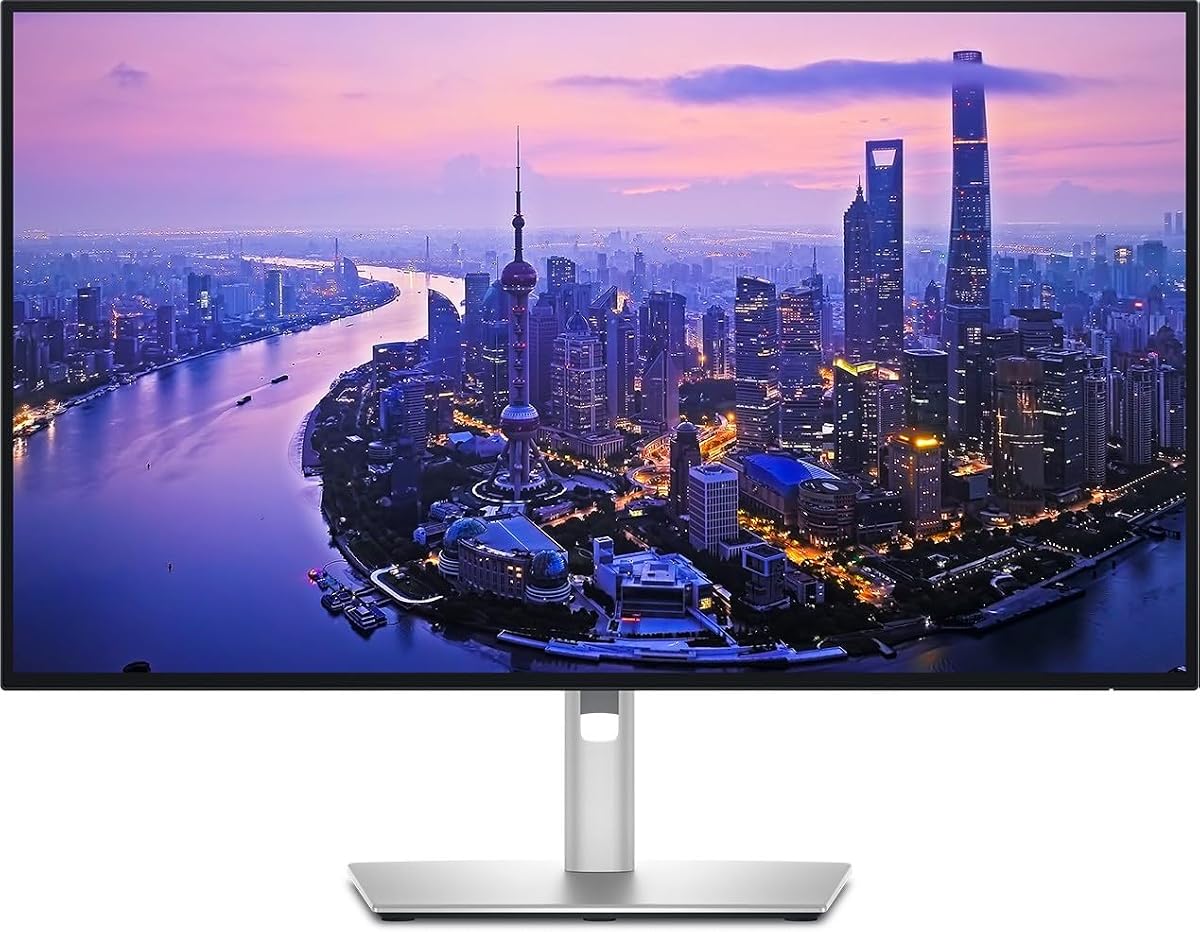
The Dell 27 Monitor S2725QC offers an accessible entry point into high resolution displays. With a 4K resolution and 120Hz refresh rate it balances visual clarity with smooth motion for work and light gaming.
We may earn a commission when you buy through this link, at no additional cost to you.
Its IPS panel delivers 99% sRGB coverage ensuring colors look vivid and consistent. ComfortView Plus reduces blue light emissions making it suitable for all-day productivity without eye strain.
While it lacks Thunderbolt 4 specific features the USB-C connection supports up to 65W power delivery keeping setups tidy. This trade-off is acceptable given the budget friendly price point.
Ideal for students and general professionals this monitor delivers solid reliability and performance. It proves you do not need premium pricing to get sharp visuals and modern connectivity.
The 120Hz refresh rate provides smoother scrolling and video playback than standard 60Hz panels at this price point.
With 99% sRGB coverage the color reproduction is accurate enough for web design and content consumption without needing calibration.
We may earn a commission when you buy through this link, at no additional cost to you.
This Dell UltraSharp model sets the standard for professional workflows needing robust connectivity. The Thunderbolt 4 port handles video data and up to 140W power delivery through a single cable.
We may earn a commission when you buy through this link, at no additional cost to you.
Its 4K Black IPS display provides deeper blacks and better contrast than standard IPS panels. Factory calibration ensures colors are accurate out of the box for design and video work.
Daisy chain support allows connecting up to two additional 4K monitors easily. While expensive this versatility saves desk space and reduces cable clutter significantly.
Power users and creatives will appreciate the seamless integration with laptops. It combines high performance display quality with a hub that replaces the need for separate docking stations.
Thunderbolt 4 provides 40Gbps data transfer speeds enabling fast external storage connections alongside high resolution video output.
The IPS Black technology improves black levels making dark content look richer and more detailed than traditional panels.
We may earn a commission when you buy through this link, at no additional cost to you.
The Dell UltraSharp 32 Thunderbolt Hub Monitor delivers a premium experience for demanding creatives. Its 32 inch screen offers massive real estate while maintaining sharp 4K resolution for detailed design work.
We may earn a commission when you buy through this link, at no additional cost to you.
A built-in KVM switch lets you control two machines with one keyboard and mouse. This feature boosts productivity by allowing seamless switching between work laptops and personal devices.
The IPS Black panel boasts 3000:1 contrast ratio for deeper blacks and richer shadows. Coupled with 99% Display P3 coverage colors are vibrant and true to life for video editing.
Executives and designers seeking the best will find this model worth the investment. It combines top-tier visuals with advanced productivity features in a polished premium package.
The KVM switch simplifies switching between two computers without needing extra peripherals or cables.
Enhanced blacks improve shadow detail in photo and video editing making dark subjects appear more natural.
We may earn a commission when you buy through this link, at no additional cost to you.
This Dell UltraSharp variant focuses on simplifying desk setups through a built-in Thunderbolt hub. It supports daisy chaining and high-speed data transfer alongside video for versatile connectivity.
We may earn a commission when you buy through this link, at no additional cost to you.
Color accuracy is ensured through factory calibration covering both sRGB and Display P3 spaces. This makes it suitable for photographers and designers needing reliable color representation.
The stand offers full ergonomic adjustments for comfort during long sessions. However user reviews suggest mixed satisfaction relative to the cost compared to other options.
Professionals prioritizing connectivity and color fidelity will benefit from this monitor. Just consider alternative models if the price seems high for your specific requirements.
The Thunderbolt hub allows peripherals like drives and docks to connect directly to the monitor saving ports on your laptop.
Fully adjustable tilt swivel and height help maintain a healthy posture during extended work hours.
We may earn a commission when you buy through this link, at no additional cost to you.
LG's Ultrafine monitor stands out with built-in streaming capabilities via webOS. This allows direct access to apps without needing a connected computer for entertainment or reference.
We may earn a commission when you buy through this link, at no additional cost to you.
Color performance is strong with 95% DCI-P3 coverage supporting vibrant content creation. HDR400 compatibility enhances brightness and contrast for supported media content.
USB-C delivers up to 90W power delivery sufficient for most laptops. Speakers and multiple ports add convenience though Thunderbolt 4 is absent.
Users wanting entertainment features alongside work tools will find this unique. It balances content creation needs with casual viewing comfort effectively.
WebOS lets you stream movies and shows directly from the monitor without a PC connected.
90W power delivery ensures your laptop stays charged while using the monitor as a hub.
We may earn a commission when you buy through this link, at no additional cost to you.
This Dell UltraSharp model offers reliable Thunderbolt hub functionality for streamlined workstation setups. It focuses on simplifying connections through high-speed data and video transmission via a single cable.
We may earn a commission when you buy through this link, at no additional cost to you.
Ergonomic adjustments and a clean design make it suitable for office environments. While specific details are limited it benefits from Dell's established build quality standards.
Daisy chaining capability allows expanding your display setup without clutter. It serves well for users needing a straightforward hub monitor solution.
Professionals looking for trusted performance and flexibility will appreciate this option. Check specific listings for full port details before purchasing.
Using Thunderbolt hub reduces cable clutter by consolidating device connections into the monitor.
Daisy chaining lets you add more screens efficiently using existing Thunderbolt bandwidth.
We may earn a commission when you buy through this link, at no additional cost to you.
ViewSonic VP2488-4K is designed specifically for Mac users seeking precise color and connectivity. It features Thunderbolt 4 and high power delivery making it ideal for MacBook workflows.
We may earn a commission when you buy through this link, at no additional cost to you.
Color accuracy is validated by Pantone ensuring professional grade fidelity. With 98% DCI-P3 coverage visuals are vibrant and suitable for creative design tasks.
The 24-inch form factor saves desk space while retaining 4K sharpness. Fully adjustable stand allows comfortable positioning for extended editing sessions.
Mac users wanting a compact high-performance display will find this appealing. Its color precision justifies the premium for professional creative environments.
Pantone validation ensures color outputs match industry standards for critical design work.
The monitor aligns with macOS color standards for consistent editing across Apple devices.
We may earn a commission when you buy through this link, at no additional cost to you.
Samsung's ViewFinity S7 delivers visual excellence with a massive 32-inch 4K display. Its high user rating suggests strong satisfaction with clarity and color performance.
We may earn a commission when you buy through this link, at no additional cost to you.
HDR10 support optimizes contrast making dark scenes clearer and highlights brighter. Eye Saver Mode reduces blue light to prevent strain during long usage.
With over 1 billion accurate colors visuals are vibrant and detailed. This monitor offers excellent value for those needing large screen real estate.
General professionals and home users will enjoy the spacious screen and reliable performance. Just verify connectivity needs as Thunderbolt options may vary.
A 32-inch screen allows multiple windows open side by side for multitasking.
Eye Saver Mode minimizes blue light reducing fatigue during extended work sessions.
We may earn a commission when you buy through this link, at no additional cost to you.
This Dell UltraSharp model offers a large immersive 4K display with integrated Thunderbolt hub benefits. It combines visual clarity with convenient connectivity for efficient workflows.
We may earn a commission when you buy through this link, at no additional cost to you.
Slim bezels and modern aesthetics enhance desk setups while maximizing screen space. The 32-inch display provides ample room for detailed design work and multitasking.
While specs are standard its connectivity and design appeal to professionals. It delivers solid performance for general business and creative needs.
Users prioritizing screen size and connectivity flexibility will find this attractive. It balances modern features with reliable Dell performance standards.
The large 32-inch display reduces the need for multiple monitors improving workflow efficiency.
Thunderbolt hub integration simplifies cabling by consolidating peripheral connections.
We may earn a commission when you buy through this link, at no additional cost to you.
Samsung TU87F supports dual 4K daisy chaining making it excellent for multi-screen setups. Thunderbolt 3 ports allow high-speed data transfer alongside video and power delivery.
We may earn a commission when you buy through this link, at no additional cost to you.
A VA panel provides wide viewing angles and strong contrast. While 60Hz limits motion performance it suits productivity focused tasks well.
90W charging capability keeps devices powered during work. This monitor excels for setups needing multiple displays without cluttered cables.
Professionals requiring dual-screen efficiency at a reasonable price will appreciate this model. It offers robust connectivity features typically found in higher priced units.
Dual Thunderbolt ports enable connecting multiple monitors through one cable saving laptop ports.
90W power delivery ensures laptops stay charged while using multiple external devices.
We may earn a commission when you buy through this link, at no additional cost to you.
Choosing the right 4K monitor with Thunderbolt requires balancing resolution color quality connectivity speed and power needs. Below are critical factors to consider.
Thunderbolt 4 offers faster data transfer up to 40Gbps along with better compatibility than older versions. Always check if the monitor supports TB4 or TB3 based on your laptop ports to maximize performance.
Confirming the version ensures your monitor meets speed requirements for external drives and high bandwidth data tasks.
Power delivery ranges widely from 65W to 140W which determines if one cable can charge your laptop effectively. Higher wattage supports larger laptops and power-hungry devices without extra adapters.
Match the monitor's power delivery with your laptop's charging needs for a seamless single cable experience.
IPS panels offer accurate colors while IPS Black or VA panels improve contrast for deeper blacks. Creators benefit from IPS color accuracy whereas multimedia users may prefer deeper shadows.
Choose the panel type that best fits your primary visual tasks like photo editing or general productivity.
Professional work requires high sRGB or DCI-P3 coverage and factory calibration like Delta E less than 1.5 ensures accurate out of the box performance without extra setup.
Verify color gamut percentages to ensure the monitor meets professional standards for your creative projects.
Screen size affects multitasking efficiency with 27-inch offering a balanced fit and 32-inch providing expansive workspace. Consider desk space and viewing distance when selecting the appropriate size.
Larger screens reduce window swapping and increase productivity especially for complex design or coding tasks.
Additional HDMI DisplayPort USB-A and Ethernet ports enhance versatility for peripherals and secondary devices. Ensure sufficient port variety to avoid extra docks or adapters.
More ports mean a simpler desk setup by connecting all devices through the monitor hub effectively.
Fully adjustable stands with tilt swivel height and pivot reduce neck strain during long sessions. Look for ergonomic features to maintain health and comfort while working.
Adjustability ensures the monitor fits your posture preferences and reduces fatigue throughout the day.
Daisy chaining allows connecting multiple monitors through one cable reducing clutter and saving laptop ports. This is vital for multi-screen professional setups needing clean cable management.
Confirm daisy chain support if you plan to expand your display setup beyond a single monitor.
Connect your laptop using a high-quality Thunderbolt cable ensuring both ends are securely fastened. Enable the display mode on your system to recognize the external monitor and adjust resolution settings to 4K.
Adjust brightness and color settings to suit your ambient lighting reducing eye strain. Use built-in blue light filters and ergonomic stand adjustments to maintain a comfortable viewing position throughout the day.
Keep the screen clean with a microfiber cloth and avoid harsh chemicals to protect the coating. Regularly check cable connections to ensure stable power and data transfer without interruptions.
Thunderbolt provides high-speed data transfer up to 40Gbps along with video and power delivery through one cable. This simplifies desk setups by reducing cables and ports needed for peripherals and external drives.
Thunderbolt 4 is not strictly necessary but offers better speed and compatibility than older versions. If your laptop supports TB4 using it ensures maximum performance for video and data workflows.
Yes many Thunderbolt monitors support daisy chaining allowing multiple displays to connect via one cable. This feature reduces clutter and enables efficient multi-screen setups.
Most Thunderbolt monitors include power delivery from 65W to 140W to charge laptops. Check wattage to ensure it matches your device charging requirements fully.
60Hz is standard for productivity but 120Hz improves scrolling smoothness and motion fluidity. Higher refresh rates benefit creative work and light gaming without extra cost.
Use factory calibration data when available or a hardware colorimeter for precise adjustments. Professional monitors often come pre-calibrated for reliable out of the box performance.
These ten models offer reliable 4K displays with Thunderbolt connectivity suited for diverse professional needs. Each combines sharp visuals with efficient cable management to streamline workspaces.
Prioritize power delivery and panel type based on your workflow requirements. Creators will value color accuracy while general users may focus on ergonomic design and size.
Prices and availability change frequently so verify current listings before purchasing. Choose the model that balances performance and budget for your specific usage needs.