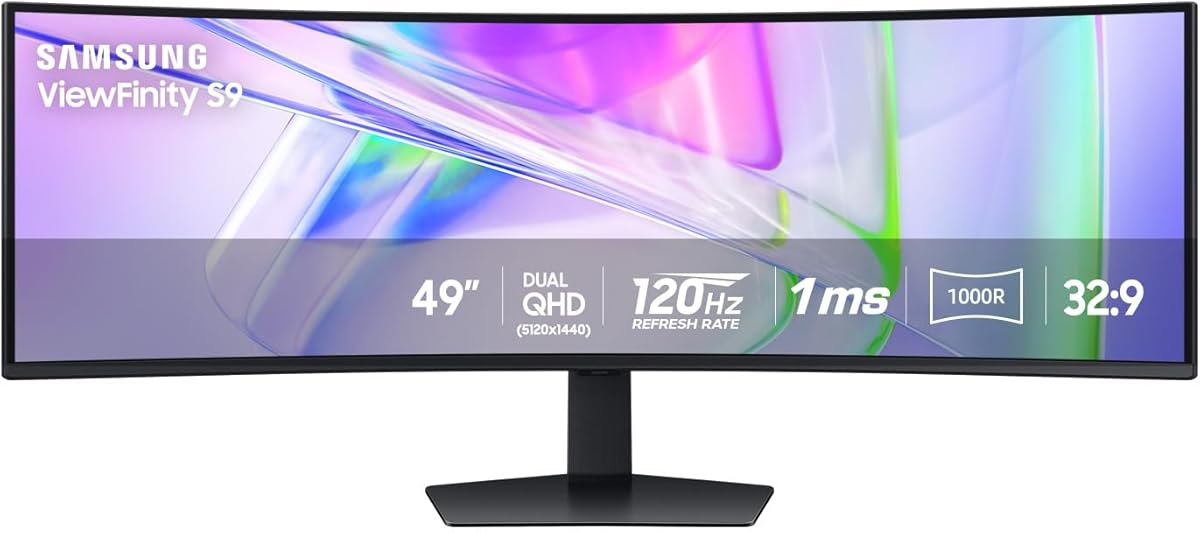
Samsung 49" Business Curved Ultrawide Dual QHD Computer Monitor
4.5Editor score
USB-C docking hub
120Hz refresh rate
Built-in speakers
VESA DisplayHDR 400
49 inch monitors offer an immersive experience that transforms how you work and play. These ultra-wide displays provide massive screen real estate, allowing for seamless multitasking and deeply engaging gaming sessions. Choosing the right one involves understanding curvature, resolution, and panel technology.
We have analyzed the top models available in the market to bring you a curated list. Our comparison focuses on key performance metrics like refresh rates, color accuracy, and connectivity options. This ensures you get a display that meets your specific needs for professional or personal use.
Each pick in this guide highlights unique strengths, from budget-friendly options to premium OLED displays. We detail the specifications and features that matter most for your setup. Remember that availability and features can change, so verify the latest details before purchasing.
4.5Editor score

4.3Editor score

4.4Editor score
As an Amazon Associate we earn from qualifying purchases.
The following table provides a side-by-side comparison of all ten selected monitors, highlighting their core specifications to help you quickly identify which model aligns best with your performance requirements and budget constraints.




The Samsung Odyssey OLED G9 stands out as a premier choice for enthusiasts seeking the best in visual fidelity and speed. With a Dual QHD resolution and QD-OLED technology, it delivers vibrant colors and true blacks that transform your viewing experience into something truly cinematic and immersive.
We may earn a commission when you buy through this link, at no additional cost to you.
Its 144Hz refresh rate combined with a 0.03ms response time ensures that fast-paced games are rendered with absolute clarity and without motion blur. The thermal modulation system and logo detection features provide intelligent protection against burn-in, extending the lifespan of this premium display for long-term use.
While the panel is exceptional, the connectivity is slightly limited compared to business-focused models, which may require external docks for multi-device setups. Additionally, the price reflects its premium nature, making it a significant investment for those who prioritize top-tier performance over cost savings.
This monitor is ideal for serious gamers and content creators who demand the highest standards in color and response speed. If you are ready to invest in a display that offers unparalleled visual quality and future-proof technology, the Odyssey OLED G9 is the clear recommendation for your setup.
QD-OLED technology provides a wider color spectrum and vibrant images that captivate you and take gaming to new heights.
Logo and taskbar detection automatically reduce brightness on static images to prevent burn-in effectively.
We may earn a commission when you buy through this link, at no additional cost to you.
This Samsung business monitor redefines workplace efficiency by combining a stunning display with a powerful docking station. The 49-inch curved screen wraps around your field of view, while the USB-C connectivity supports up to 90W charging, reducing cable clutter on your desk significantly.
We may earn a commission when you buy through this link, at no additional cost to you.
The 120Hz refresh rate ensures smooth scrolling and seamless visuals, which is beneficial for both work projects and casual gaming. With built-in speakers and multiple ports including DisplayPort and HDMI, it serves as a central hub that minimizes the need for additional peripherals in your workspace.
While it excels in productivity, the HDR400 support is modest compared to gaming monitors, meaning it may not deliver the same punch for HDR content consumption. The design is also geared more towards professional environments than the aggressive styling often found in gaming-centric models.
If you need a single device that handles data, video calls, and creative tasks while keeping your desk tidy, this monitor is the ideal choice. It bridges the gap between performance and utility, offering a robust solution for professionals who value organization and wide-screen real estate.
Tap into DisplayPort, 2 HDMI inputs, USB, and USB Type-C inputs to keep your desk less cluttered.
VESA DisplayHDR 400 support delivers a high dynamic range of luminous blacks and whites for detailed visuals.
We may earn a commission when you buy through this link, at no additional cost to you.
The CRUA 49-inch monitor offers an impressive balance of performance and affordability for budget-conscious gamers. With a Dual QHD resolution and a refresh rate reaching up to 165Hz, it delivers crystal-clear details and smooth gameplay without the premium price tag of higher-end models.
We may earn a commission when you buy through this link, at no additional cost to you.
Its 120% sRGB coverage ensures accurate and vibrant colors, making it suitable for graphic design and video editing tasks as well. The AMD FreeSync technology eliminates screen tearing and stutter, ensuring responsive performance for esports and competitive gaming scenarios where speed is essential.
While it lacks built-in speakers, this omission helps keep the price down and allows users to connect their preferred audio solutions. The height-adjustable stand allows for ergonomic comfort, though it may not offer the full range of motion found in more expensive ergonomic monitor arms.
For those looking to enter the ultra-wide gaming space without breaking the bank, this monitor is a compelling choice. It provides the core features needed for an immersive experience, making it a strong recommendation for students and casual gamers who prioritize value.
The 1500R curvature and 32:9 ultra-wide ratio expand your field of view for maximum immersion in games.
Wall mount compatibility offers a clean, space-saving setup perfect for gaming rooms or home offices.
We may earn a commission when you buy through this link, at no additional cost to you.
The INNOCN 49C1R is designed with multitasking in mind, offering a 32:9 super ultra-wide display that maximizes screen real estate. Its USB-C power delivery connectivity simplifies setup for laptops and other devices, while the built-in speakers free up desk space for a more efficient working environment.
We may earn a commission when you buy through this link, at no additional cost to you.
With features like Picture-in-Picture (PIP) and Picture-by-Picture (PBP), you can configure the monitor to show content from two separate input sources simultaneously. This allows for seamless multitasking across multiple platforms without needing a second monitor, which is ideal for streamers or power users.
The VA panel delivers high contrast and vivid colors, but the response time may show slight ghosting in very fast-paced action games. While the 120Hz refresh rate is smooth, the HDR400 certification provides limited dynamic range compared to models with higher HDR standards.
This monitor is an excellent choice for users who need to run multiple tasks side-by-side regularly. If your workflow involves juggling different apps or devices, the dual input support and wide screen make the INNOCN 49C1R a practical and efficient solution for your desk.
PIP / PBP split screen technology allows you to configure your monitor to show content from two separate input sources.
1800R curvature results in less eye fatigue and allows content to be viewed at a glance.
We may earn a commission when you buy through this link, at no additional cost to you.
The Samsung 49" Odyssey G9 is built for competitive gamers who demand the fastest possible refresh rate. With a 240Hz refresh rate and 1ms response time, it eliminates lag and blur, allowing you to conquer every enemy with extreme speed and precision in fast-paced matches.
We may earn a commission when you buy through this link, at no additional cost to you.
Its VESA DisplayHDR 1000 support ensures enhanced color expression and depth, making scenes from gloomy shadows to sun-scorched environments look incredibly realistic. CoreSync technology projects on-screen colors into your real world to further immerse you into the setting for an instant vibe shift.
However, the intense 1000R curvature can be polarizing, as it wraps deeply around your field of view and may not suit those who prefer flatter screens. The advanced features also require some time to configure fully, which might be a hurdle for non-technical users.
If you are a competitive gamer seeking the absolute highest refresh rate and immersive features, this model is a top contender. It offers a performance edge that few other monitors can match, making it a powerful tool for those serious about winning and visual fidelity.
A 240Hz refresh rate eliminates lag for ultrasmooth action and allows for blur-free frames and minimized ghosting.
CoreSync technology projects game on-screen colors into your real world to further immerse you into the setting.
We may earn a commission when you buy through this link, at no additional cost to you.
The INNOCN 49C1G offers an accessible entry point into the world of ultra-wide gaming with a Wide FHD resolution. The 32:9 aspect ratio provides a wider visual experience than ordinary monitors, capturing game details more clearly and enhancing your viewing angles for better immersion.
We may earn a commission when you buy through this link, at no additional cost to you.
With a 144Hz refresh rate and Adaptive-Sync technology, it delivers smooth images and video viewing experiences without tearing. The 99% sRGB coverage ensures professional color gamut performance, making it suitable for content creation tasks where color accuracy is important for your projects.
While the resolution is lower than Dual QHD models, it still provides a sharp image and is easier to drive with mid-range graphics cards. The included USB-C power delivery and rich interfaces simplify cable management, allowing you to connect laptops and consoles directly to the monitor.
This monitor is perfect for those who want a large screen without the high cost of top-tier resolutions. If you are looking for a versatile display that balances gaming and everyday tasks at a reasonable price, the INNOCN 49C1G is a solid and reliable choice.
The wide 32:9 screen in Dual FHD resolution and 110 pixels per inch gets you the level of clarity needed to see every detail.
The curved screen allows content to be viewed at a glance and proven to limit eye strain compared to flat monitors.
We may earn a commission when you buy through this link, at no additional cost to you.
The Amzfast 49-inch monitor delivers a robust ultra-wide experience with a Dual QHD resolution that offers unparalleled experience for FPS and RPG games alike. The 1500R curvature wraps around your field of vision, allowing you to grasp the entire map without needing to turn your head excessively.
We may earn a commission when you buy through this link, at no additional cost to you.
It features 120% sRGB color gamut coverage, ensuring vibrant visuals that make your games and movies look rich and detailed. The adaptive sync technology and MPRT 1ms response time eliminate screen tearing and stuttering, providing a faster screen response for smoother gameplay sessions.
While the brand is less known, the monitor supports multiple interfaces and adjustment options, including height and rotation, making it a flexible addition to any desk. The eye-care function reduces blue light and flicker, protecting you from eye fatigue during extended work or gaming sessions.
For users seeking a high-spec monitor with versatile connectivity and color performance at a competitive price, this model offers great value. It is a suitable option for those who prioritize screen size and refresh rate over brand prestige and want a solid display for daily tasks.
The 178-degree wide viewing angle ensures minimal color shift from any angle for multiplayer gaming.
Equipped PIP / PBP technology allows you to work from multiple input sources at the same time on one screen.
We may earn a commission when you buy through this link, at no additional cost to you.
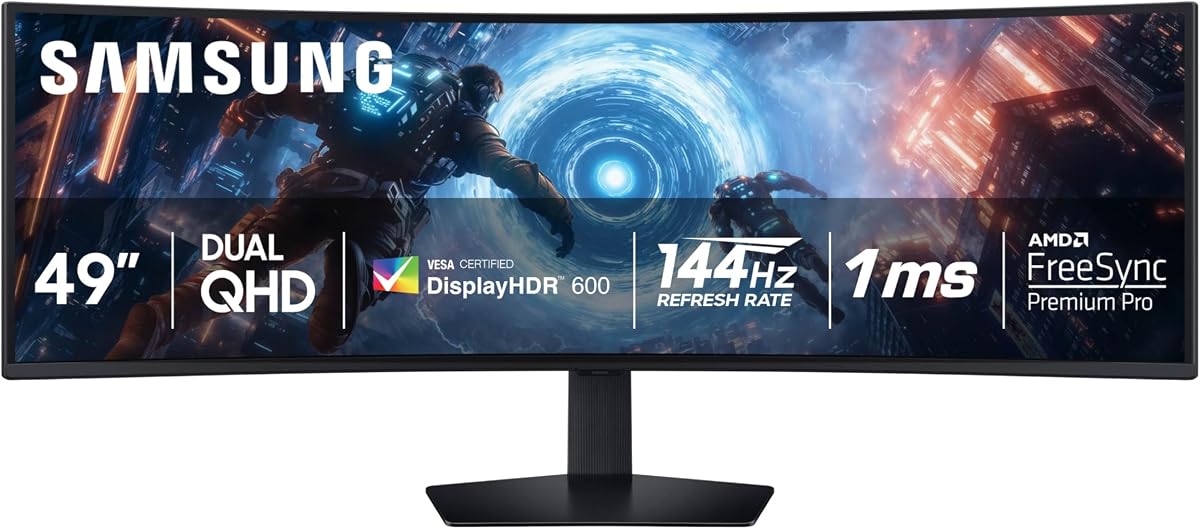
The latest Samsung Odyssey G9 refresh brings DisplayHDR 600 to the table, delivering deeper blacks and brighter whites so details shine with clarity even in the darkest scenes. This model is built to immerse you in a panoramic gaming experience with a 1000R curved display that wraps your vision.
We may earn a commission when you buy through this link, at no additional cost to you.
With a 144Hz refresh rate and 1ms response time, it reduces lag and captures your moves so you can game with ultra-smooth action. The Auto Source Switch+ feature detects when connected devices are turned on and instantly switches to the new source signal without having to flip through multiple inputs.
While it does not match the contrast of OLED panels, the HDR 600 offers a significant improvement over standard screens. The ergonomic stand allows you to reach the height of winning in total comfort, ensuring that you can maintain a good posture during long gaming marathons.
If you want a reliable, high-performance gaming monitor with modern connectivity and bright visuals, this model is a great choice. It balances cost and features well, making it a strong recommendation for gamers who value speed and immersion without stepping into the premium OLED tier.
DisplayHDR 600 delivers more contrast, with deeper blacks and brighter whites, so details shine with clarity even in the darkest scenes.
Manage all your content on a single screen with Picture-in-Picture for chats and gaming tips.
We may earn a commission when you buy through this link, at no additional cost to you.
The MSI MPG 491CQPX brings next-gen QD-OLED panel technology to the table with stunning image quality and a fast response time. With a 240Hz refresh rate and 0.03ms response time, it offers incredible HDR visual performance and ensures the color meets market standards for professional work.
We may earn a commission when you buy through this link, at no additional cost to you.
Its Console Mode provides HDMI 2.1 with a full 48 Gbps bandwidth, making it a top choice for console gamers who want the best visual experience. MSI OLED Care 2.0 reduces the risk of OLED image sticking and burn-in, providing peace of mind for long-term daily usage.
The inclusion of a VGA port makes it versatile for older systems or legacy setups, though it may be less common in modern setups. While it is a premium product, the features justify the cost for those who want a monitor that handles both high-end gaming and content creation efficiently.
If you are a console gamer or a professional needing high color accuracy and fast refresh rates, this monitor is an excellent investment. It combines the best of both worlds with OLED quality and gaming speed, making it a standout option for demanding users.
Console Mode provides HDMI 2.1 with a full 48 Gbps bandwidth for the best console gaming experience.
MSI OLED Care 2.0 reduces the risk of OLED image sticking or burn-in during extended use.
We may earn a commission when you buy through this link, at no additional cost to you.
The ASUS ROG XG49VQ offers a classic ultra-wide experience with a 49-inch DFHD curved screen that wraps around your field of vision. It features DisplayHDR 400 certified performance with 90% DCI-P3 coverage to ensure high color contrast and cinematic color performance for your games.
We may earn a commission when you buy through this link, at no additional cost to you.
With a 144Hz refresh rate, it eliminates screen tearing and motion blur during fast-paced gaming sessions, providing fluid gameplay that feels responsive. The marathon-ready ergonomic adjustability allows for swivel, tilt, and height adjustments so you can always find your ideal viewing position.
While the resolution is lower than other 49-inch models, it remains a budget-friendly entry point into ultra-wide gaming. The included free 3-month Adobe Creative Cloud subscription adds value for creatives, though the hardware is older compared to newer releases in the market.
If you are looking for a trusted brand and a reliable ultra-wide display at an accessible price, this model is a solid option. It is best suited for users who value color accuracy and ergonomics over high pixel density and need a versatile monitor for general tasks.
Ergonomic Adjustability: Marathon ready with swivel, tilt and height adjustability and VESA mount.
ASUS Eye Care technology minimizes eye fatigue and ailments with flicker-free backlighting and blue light filters.
We may earn a commission when you buy through this link, at no additional cost to you.
Choosing the right 49-inch monitor requires considering several technical factors to ensure it fits your specific needs for gaming or productivity.
Resolution is a critical factor when selecting a large display. For 49-inch monitors, Dual QHD (5120 x 1440) offers significantly sharper text and clearer details compared to Wide FHD (3840 x 1080). Higher resolution is essential for graphic design and reading documents over long periods.
Prioritize Dual QHD if you work with detailed content or want to maximize the benefits of the large screen size.
Refresh rate determines how many frames per second the display can show, directly impacting smoothness in games. A refresh rate of 144Hz or higher is recommended for competitive gaming, while 120Hz is sufficient for general use. Response time should be low to prevent motion blur.
Choose a refresh rate above 144Hz if you play fast-paced shooters or competitive titles regularly.
Panel technology influences color accuracy and contrast. OLED and QD-OLED panels offer infinite contrast and vibrant colors but come at a higher cost. VA panels are common in these sizes and provide good contrast. Look for sRGB or DCI-P3 coverage to ensure accurate colors.
Select OLED for premium visuals or VA for a balance of contrast and affordability.
Curvature is measured in 'R' and indicates how much the screen bends. A 1000R curve is more aggressive and wraps tightly around your vision, while 1500R or 1800R is milder. The right curvature enhances immersion without causing discomfort during prolonged use.
Opt for 1000R if you want deep immersion or 1800R for a more relaxed viewing experience.
Connectivity options allow you to connect your devices efficiently. Look for HDMI 2.1, DisplayPort 1.4, and USB-C for power delivery and data transfer. Some models act as docking stations, reducing cable clutter and simplifying your desk setup significantly.
Ensure the monitor has the necessary ports to support your laptop or gaming console without extra adapters.
Ergonomics is vital for comfort during long sessions. Features like height adjustment, tilt, and swivel allow you to position the monitor correctly. VESA mount compatibility also lets you use monitor arms for better flexibility and space management on your desk.
Look for stands that offer full ergonomic adjustments or VESA mounts for custom setup options.
Multitasking features like Picture-in-Picture (PIP) and Picture-by-Picture (PBP) allow you to view multiple inputs on one screen. This is particularly useful for managing multiple applications or monitoring different devices without needing additional hardware or monitors.
Choose a monitor with PIP/PBP support if you frequently work with multiple devices or streams.
Protecting your eyes and the display is important for long-term health and hardware longevity. Look for eye care features like low blue light and flicker-free technology. OLED screens often include thermal modulation or logo detection to prevent burn-in over time.
Prioritize monitors with eye care certifications to reduce strain during long daily usage periods.
Start by calibrating your monitor settings to match your environment. Adjust brightness and contrast to reduce eye strain during prolonged work or gaming sessions.
Use the appropriate cables for your devices to get the best performance. HDMI 2.1 or DisplayPort 1.4 ensures you can utilize the full refresh rate and resolution capabilities of the monitor.
Clean the screen regularly with a microfiber cloth to avoid scratches. Avoid using harsh chemicals that may damage the panel coating, especially on OLED or high-gloss screens.
Yes, 49-inch monitors are excellent for productivity as they provide the equivalent of two standard monitors side-by-side. This extra screen real estate allows for seamless multitasking, making it easier to manage multiple windows and applications without switching screens.
The difference lies in how tightly the screen curves. 1000R is more aggressive, wrapping closer to your field of view for maximum immersion. 1800R is a milder curve that offers a more relaxed viewing experience and is easier to use for general tasks.
Most of these monitors work well with Mac computers, especially those with USB-C ports. Ensure you check the power delivery capabilities of the USB-C port to see if it can charge your laptop while connecting it to the display.
Yes, but check for HDMI 2.1 support to ensure you get the best resolution and refresh rate. Consoles like the Xbox Series X and PS5 benefit from wide displays, but some may require upscaling to fill the 32:9 aspect ratio properly.
To prevent burn-in, enable features like logo detection and thermal modulation that manage brightness on static images. Avoid displaying static elements like taskbars for too long and use screen savers to ensure uniform pixel usage over time.
Most models in this guide include a stand with basic adjustments. However, some budget-friendly options might not offer full height adjustability, so verify the specifications if you need specific ergonomic features before purchasing.
Many 49-inch monitors support VESA mounts, allowing them to be wall-mounted. Check the specific model's VESA compatibility to ensure you purchase the correct mounting bracket for your setup and wall type.
Dual QHD (5120 x 1440) is generally better for a 49-inch screen as it offers sharper text and clearer details than Wide FHD. It provides a better balance between pixel density and performance without requiring an extremely powerful graphics card.
Choosing the best 49-inch monitor depends largely on your specific needs and budget. For gaming enthusiasts, models like the Samsung Odyssey OLED G9 offer unmatched speed and color. For professionals, the Samsung Business Monitor provides a docking hub experience.
Whether you prioritize color accuracy, refresh rate, or ergonomics, there is a model in this list tailored to your requirements. Consider your primary use case to determine if you need high-end features or a more affordable solution.
Keep in mind that prices and features can change frequently. We recommend checking current availability and verifying specifications before making your final purchase to ensure you get the best value for your investment.