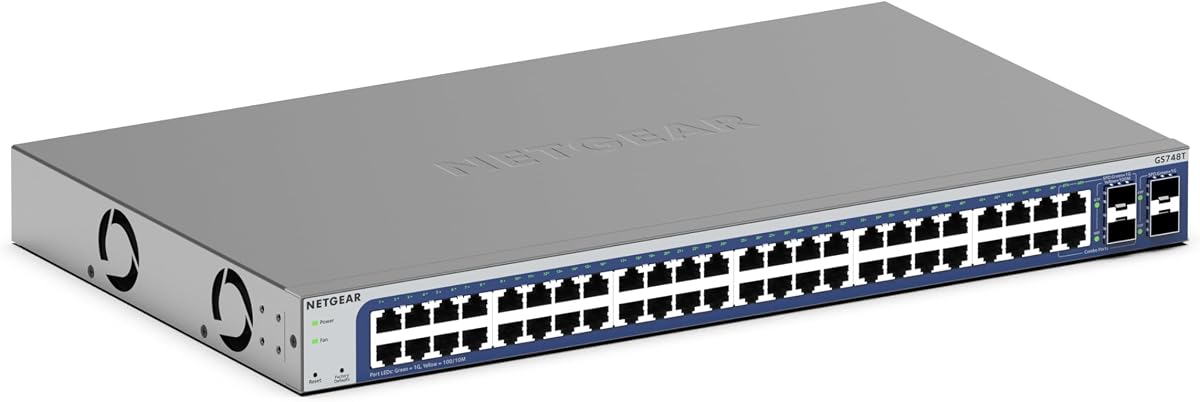
NETGEAR GS748T
4.4Editor score
48 Gigabit Ethernet Ports
Smart Managed Interface
Energy Efficient Design
This guide compares the top 48 Port Gigabit Managed Switch models for enterprise networks, highlighting features like PoE, VLAN support, and cloud management.
Choosing the right network infrastructure is critical for modern businesses. A 48 Port Gigabit Managed Switch provides the backbone for high-speed data transfer, enabling efficient communication between servers, computers, and peripherals across large offices or data centers.
We evaluated ten leading models based on port density, management features, power efficiency, and reliability. Our analysis focuses on switches that offer robust security, scalability, and ease of use for IT professionals managing complex network environments.
Each selection highlights specific strengths such as PoE capabilities, cloud integration, or cost-effectiveness. While prices fluctuate based on market demand, these models consistently deliver performance and value for enterprise-grade networking needs.
4.4Editor score

4.7Editor score

4.7Editor score
This side-by-side comparison highlights the key specifications and unique selling points of each model to help you make an informed decision for your specific network requirements.


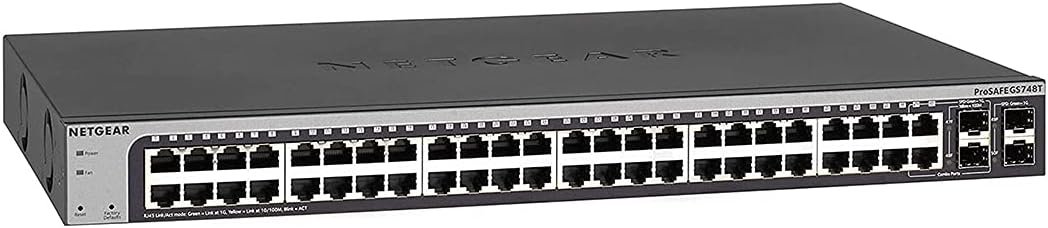


The TP-Link SG2452LP stands out as a top contender for enterprises needing reliable management. With a high rating, it delivers advanced features like Omada Cloud integration and robust security protocols designed for modern networks.
We may earn a commission when you buy through this link, at no additional cost to you.
Its standout quality lies in the integration with the Omada Cloud Management Platform. This allows for centralized network monitoring and remote configuration. Features like Zero Touch Provisioning simplify deployment significantly. The fanless design ensures it remains quiet even under full load, making it ideal for office environments.
While it offers extensive capabilities, the web interface can sometimes lag during heavy usage. Additionally, fully utilizing its features requires understanding the Omada ecosystem, which might be challenging for novice users. However, these trade-offs are acceptable given the performance and reliability.
Businesses looking for a scalable and secure network backbone should consider this switch. Its ability to integrate with existing TP-Link infrastructure makes it a versatile choice. For IT teams prioritizing remote management and security, this model is highly recommended.
Features like 802.1X and IP-MAC-Port binding protect against unauthorized access and internal threats effectively.
802.1Q VLAN segmentation and IGMP support enable flexible network design for growing organizations.
We may earn a commission when you buy through this link, at no additional cost to you.
The NETGEAR GS748T is a cost-effective solution for small to medium businesses. It offers a comprehensive set of managed features without breaking the budget. With a rating of 4.4, it is recognized for its ease of use and reliability.
We may earn a commission when you buy through this link, at no additional cost to you.
Key strengths include the 48 Gigabit Ethernet ports and the inclusion of four SFP ports for fiber expansion. The Smart Managed interface provides secure setup and SNMP support. Additionally, it comes with one year of NETGEAR Insight for remote management, adding significant value.
One limitation is the lack of advanced Layer 3 routing features compared to higher-end models. Users might also need to perform firmware updates to access the latest features. However, for basic network management and monitoring, these limitations are minor.
This switch is ideal for businesses needing reliable connectivity with basic security and management. Its energy-efficient design helps reduce operational costs. For those on a budget who still want managed capabilities, this model is a strong choice.
Includes 48 Gigabit ports and 4 SFP ports to support both copper and fiber optic network expansions.
The inclusion of NETGEAR Insight allows administrators to monitor and configure the network remotely.
We may earn a commission when you buy through this link, at no additional cost to you.
The TP-Link TL-SG3452P excels in environments requiring Power over Ethernet. With 48 PoE+ ports and a 384W budget, it powers devices like cameras and APs efficiently. Its high rating reflects its robust build and advanced networking capabilities.
We may earn a commission when you buy through this link, at no additional cost to you.
Key strengths include Layer 2+ features like Static Routing, which optimizes internal traffic. The integration with Omada SDN allows for centralized control across multiple sites. Security features such as 802.1X and ACLs ensure data protection.
The higher price point and complexity of configuration can be barriers for smaller deployments. However, for larger networks needing PoE and advanced routing, these costs are justified. The PoE Auto Recovery feature ensures devices stay online after power issues.
Organizations deploying VoIP phones, wireless APs, and IP cameras will benefit greatly. The switch simplifies power management and network control. For IT managers prioritizing performance and scalability, this is the top recommendation.
Delivers up to 30W per port with a total 384W budget, supporting high-power devices effectively.
Static Routing helps route internal traffic efficiently for better use of network resources.
We may earn a commission when you buy through this link, at no additional cost to you.
The Omada SG3452 is designed for integration with the Omada SDN platform. It offers a flexible configuration with 48 Gigabit ports and four SFP slots. Its focus on SDN makes it suitable for unified network management.
We may earn a commission when you buy through this link, at no additional cost to you.
Strengths include support for both hardware and software controllers. Cloud access allows remote management from anywhere. Static routing improves traffic efficiency. Standalone mode ensures flexibility if the SDN controller is unavailable.
Users must ensure device firmware is up to date for SDN compatibility. The web UI is functional but lacks some advanced visualizations found in other brands. Despite this, the flexibility and security features offer significant value.
Ideal for businesses investing in a unified network ecosystem with access points and gateways. The switch integrates seamlessly with other Omada devices. For those seeking centralized control and routing, this model is a solid option.
Works with Omada SDN controllers for a unified software-defined networking experience across all devices.
Supports standalone mode via web, CLI, and SNMP, ensuring control even without an SDN controller.
We may earn a commission when you buy through this link, at no additional cost to you.
This version of the NETGEAR GS748T is highlighted for its comprehensive warranty. With a rating of 4.5, it promises reliability and long-term support. It offers standard smart managed features for enterprise users.
We may earn a commission when you buy through this link, at no additional cost to you.
Strengths include the limited lifetime hardware warranty and next business day replacement service. The 24/7 chat support ensures issues are resolved quickly. The device supports desktop or rackmount placement and is compliant with IEEE 802.3az.
Lack of cloud management options limits remote accessibility compared to newer models. The smart features are basic, suitable for smaller networks without complex requirements. However, the warranty provides peace of mind.
Ideal for organizations prioritizing hardware reliability and support over cloud features. The quiet operation makes it suitable for office environments. For those needing a reliable backbone with excellent support, this model is worth considering.
Limited Lifetime Hardware Warranty and Next Business Day Replacement protect your investment over time.
24/7 chat with NETGEAR experts ensures quick resolution to technical issues.
We may earn a commission when you buy through this link, at no additional cost to you.
The NETGEAR GS348 is a reliable unmanaged switch for basic connectivity needs. It offers high-speed connectivity without the complexity of management features. Its high rating indicates strong user satisfaction for simplicity and performance.
We may earn a commission when you buy through this link, at no additional cost to you.
Strengths include the plug-and-play setup that requires no software installation. It works with existing Cat5e or Cat6 cables. The fanless design ensures silent performance. Energy efficiency compliance helps reduce power consumption.
Lack of management features means no VLANs or security controls. It is not suitable for segmented networks or environments needing monitoring. However, for simple expansion of network ports, it is highly effective.
Ideal for small businesses or departments needing straightforward connectivity. The compact design allows flexible mounting. For those prioritizing ease of use and cost, this unmanaged option is a strong choice.
Simple plug-and-play setup with no software to install or configuration required for immediate use.
Fanless design ensures silent performance, making it ideal for quiet office environments.
We may earn a commission when you buy through this link, at no additional cost to you.
This renewed version of the NETGEAR GS748T offers a cost-effective entry into managed networking. It retains the core features of the standard model. While no rating is provided, ProSAFE lifetime protection adds value.
We may earn a commission when you buy through this link, at no additional cost to you.
Strengths include the 48 Gigabit ports and 4 SFP ports for fiber. It supports desktop or rackmount placement. The ProSAFE lifetime protection ensures long-term reliability even for renewed products.
The lack of a customer rating means performance consistency may vary. Renewed products typically have limited warranties compared to new units. However, for budget-conscious buyers, this provides significant savings.
Ideal for businesses seeking enterprise features at a lower price point. The ProSAFE security features protect against common threats. For those willing to buy refurbished, this is a practical solution.
Renewed condition offers significant cost savings while maintaining professional-grade networking features.
ProSAFE lifetime protection ensures long-term support and security for the hardware.
We may earn a commission when you buy through this link, at no additional cost to you.
The UBIQUITI EdgeSwitch Lite delivers high throughput for demanding networks. With a switching capacity of 140 Gbps, it handles heavy traffic efficiently. Its high rating reflects robust performance and build quality.
We may earn a commission when you buy through this link, at no additional cost to you.
Strengths include 2 SFP+ ports for 10G connectivity. The non-blocking architecture ensures full performance at all times. Rack or wall mounting options provide installation flexibility. A DC input option allows for redundant power setups.
Ubiquiti software can be complex for new users. Limited PoE options mean it is not suitable for powering devices directly. However, the high performance makes it ideal for uplinks and core networks.
Ideal for IT professionals managing high-speed backbones. The switch handles data-heavy environments effortlessly. For those prioritizing raw performance and future-proofing, this model is a top contender.
Non-blocking throughput switching performance ensures 140 Gbps switching capacity for heavy data loads.
DC input option allows for redundant or stand-alone power configurations for reliability.
We may earn a commission when you buy through this link, at no additional cost to you.
The YuanLey Managed PoE switch offers advanced features at an affordable price. With 48 PoE+ ports and 6 SFP+ slots, it supports high-speed backbone connectivity. Its rating indicates solid performance for the price.
We may earn a commission when you buy through this link, at no additional cost to you.
Strengths include comprehensive L3 management like VLANs and QoS. The 460W PoE budget supports multiple high-power devices. The fanless design reduces noise pollution. Multiple management methods like Web, CLI, and SNMP are supported.
Brand recognition is lower compared to industry leaders like TP-Link or NETGEAR. The manual may require learning for specific configuration nuances. However, the hardware capabilities offer significant value for growing businesses.
Ideal for small to medium businesses needing L3 features without high costs. The switch supports various networking scenarios including hotels and schools. For those prioritizing specs and budget, this is a practical choice.
Supports VLAN, QoS, and ACLs for advanced traffic management and security on a budget.
Built-in 460W PoE power supply ensures consistent power for IP cameras and APs.
We may earn a commission when you buy through this link, at no additional cost to you.
The NETGEAR GS348TPv2 is designed for scalable growth with high PoE capacity. It offers a perfect rating, indicating exceptional reliability. With 48 PoE+ ports, it supports power-hungry devices like APs effectively.
We may earn a commission when you buy through this link, at no additional cost to you.
Strengths include 380W total power budget and 4 SFP ports. The smart managed interface provides secure setup and access. Compact metal design supports versatile installation. It works with existing Cat5e or Cat6 cables.
Advanced routing features are less extensive than dedicated Layer 3 switches. The price point is higher than basic unmanaged options. However, the reliability and ease of use justify the cost for many businesses.
Ideal for organizations needing to power and connect numerous devices. The switch simplifies network expansion. For those prioritizing ease of management and power, this is a top choice.
Includes 48 PoE+ ports with 380W total power budget to support power-hungry devices.
Smart software offers managed control for secure setup, access, and SNMP management.
We may earn a commission when you buy through this link, at no additional cost to you.
Selecting the right switch requires balancing features like port count, power needs, and management capabilities to match your network requirements.
Managed switches allow you to configure ports, VLANs, and security settings, which is essential for complex networks. Unmanaged switches are simpler and cheaper but lack these controls.
Choose managed for security and flexibility.
Power over Ethernet (PoE) allows devices like IP cameras to draw power from the switch. Ensure the total PoE budget meets the needs of all connected devices.
Check the wattage per port and total budget carefully.
Modern switches offer web, CLI, and cloud interfaces. Cloud management simplifies remote monitoring. Ensure the interface suits your team's technical skills.
Evaluate cloud features for remote access needs.
Look for features like 802.1X, ACLs, and DHCP snooping. These protect your network from unauthorized access and internal threats.
Prioritize switches with comprehensive security protocols.
SFP ports allow fiber optic connections for long-distance or high-speed links. Ensure there are enough SFP slots for your expansion plans.
Select models with adequate fiber connectivity.
Layer 2 switches handle data forwarding. Layer 3 switches also route traffic internally, improving efficiency. Assess if internal routing is necessary for your setup.
Choose Layer 3 for advanced routing needs.
Enterprise switches often come with lifetime warranties and technical support. Reliable support ensures you can resolve issues quickly.
Review warranty terms and support availability.
Consider fanless vs fan designs. Fanless models are silent and ideal for offices. Rack-mountable designs save space in server rooms.
Choose based on noise tolerance and space.
Begin by connecting the switch to your router using an Ethernet cable to ensure internet access. Power on the device and log in via the web interface to access configuration settings.
Configure VLANs and security settings to optimize network segmentation. Ensure all ports are properly labeled to simplify future maintenance and troubleshooting.
Monitor the switch's status regularly using the management console. Keep the firmware updated to maintain security and performance standards.
A managed switch allows you to control network traffic, configure ports, and implement security protocols. This flexibility is crucial for businesses that need to segment networks or monitor performance.
Yes, PoE switches provide both data and power to IP cameras over a single cable. This simplifies installation and reduces the need for separate power sources.
Many modern switches offer cloud management tools that allow remote access. Ensure your network connection is stable and secure when using these features.
Layer 2 switches forward data based on MAC addresses. Layer 3 switches add routing capabilities, allowing them to direct traffic between subnets more efficiently.
Managed switches require configuration knowledge. However, many come with user-friendly interfaces and setup wizards to simplify the process for administrators.
Many models include SFP ports specifically for fiber optic connections. These ports allow you to extend your network over longer distances with higher speeds.
The TP-Link SG2452LP, NETGEAR GS748T, and TP-Link TL-SG3452P stand out as top choices for their balance of performance and features.
Prioritize PoE capacity and management interfaces based on your specific deployment needs to ensure long-term satisfaction.
Remember to check current prices and availability as market conditions change frequently to get the best value for your investment.