
UGREEN NAS DH4300 Plus
4.2Editor score
Entry level home storage solution
AI powered photo organization
Wired Ethernet connectivity
This guide compares the top 4 Bay NAS systems for home and business, evaluating performance, storage capacity, and media capabilities to help you choose the
Network attached storage devices provide centralized data access for homes and offices. A good 4 Bay NAS offers flexible expansion, redundancy, and private cloud features without relying on subscription services. These systems support file sharing, media streaming, and security camera management seamlessly across devices.
We evaluated leading 4 Bay NAS models based on processor power, network speeds, software ecosystems, and expansion options. Our analysis covers diskless units designed for various user needs, from beginners seeking simple backups to professionals requiring virtualization and high-speed workflows. Each product offers distinct strengths for different scenarios.
Each pick highlights key capabilities, standout features, and ideal use cases for your specific requirements. Detailed reviews explain performance realities and software limitations to set clear expectations before purchase. Prices and availability fluctuate, so verify current offers and compatibility with drives before finalizing your decision today.
4.2Editor score

4.0Editor score

4.4Editor score
This comparison table presents key specifications across all ten 4 Bay NAS models evaluated in this guide. Review the hardware configurations, network capabilities, and standout features to identify the system that aligns with your storage needs and performance expectations.




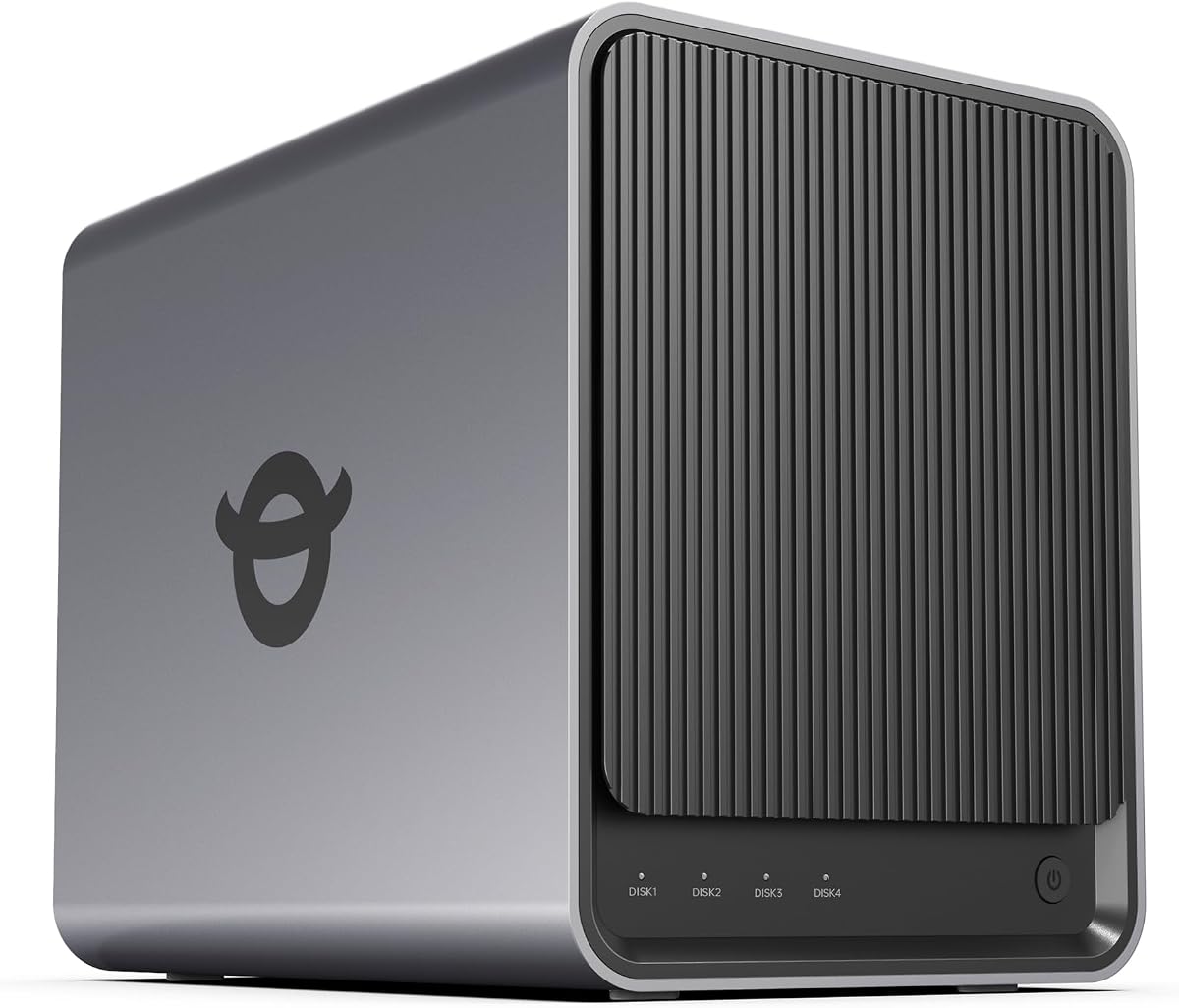


The TERRAMASTER F4-425 stands out as a powerful yet quiet network attached storage solution for households needing reliable media and file services. It earns Editor's Choice status for balancing Intel x86 performance with ultra-quiet operation and robust hardware features. Its 2.5GbE port ensures fast file transfers without requiring enterprise networking gear.
We may earn a commission when you buy through this link, at no additional cost to you.
Equipped with an Intel x86 quad-core processor and 4GB RAM, this NAS handles 4K transcoding and multi-user access smoothly. The built-in media server supports hardware decoding compatible with Plex and Emby. AI-powered photo organization in the Photos app helps manage large image collections. TNAS Mobile app allows full setup and control without a computer.
The unit operates at just 21dB, making it suitable for bedrooms or living rooms. Tool-free Push-Lock HDD trays let you install drives in seconds. SPC modules and CloudSync enable seamless backups to Google Drive or Dropbox. While it lacks some advanced virtualization features, its straightforward design prioritizes media streaming and core file services effectively.
Home media enthusiasts and small offices needing quiet, fast storage should prioritize this model. Its ability to handle 4K video streaming and concurrent user access makes it versatile. If you value silent operation and straightforward setup over complex server capabilities, the F4-425 delivers strong value. Verify drive compatibility before purchasing.
Hardware-level 4K H.265 decoding ensures smooth playback on connected devices without CPU strain. DLNA support allows seamless multi-device streaming for your entire household.
Operating at just 21dB, the F4-425 runs quietly enough for living spaces. This acoustic design prevents noise from interfering with home activities or media consumption.
We may earn a commission when you buy through this link, at no additional cost to you.
The UGREEN NAS DXP4800 GT targets tech enthusiasts and office teams needing high-speed throughput and advanced workflows. It delivers exceptional performance with an AMD Ryzen processor and dual 10GbE networking for fast data transfers. The UGOS Pro platform simplifies management while supporting Docker and virtual machines for flexible self-hosted applications.
We may earn a commission when you buy through this link, at no additional cost to you.
Its AMD Ryzen Embedded R2514 processor and expandable RAM handle demanding workloads like backups and media processing. Dual 10GbE ports provide up to 2.5GB/s theoretical throughput for large file moves. Surveillance Center integration supports IP camera management locally. USB and SD card slots allow quick photo imports without external readers.
Local privacy features include TLS and AES encryption with flexible permissions. RAID support ensures data redundancy against drive failure. ECC RAM is optional for error correction. The system supports up to 144TB storage across SATA and NVMe drives. It is ideal for power users requiring local control and high bandwidth.
Creators and small businesses needing fast editing and robust security will appreciate this NAS. Its networking and app ecosystem support professional workflows. Ensure you budget for potential RAM upgrades if ECC is required. Verify compatibility with your network equipment to maximize throughput benefits.
Dual 10GbE ports enable theoretical speeds of 2.5GB/s for rapid file transfers. Link Aggregation can further boost bandwidth when paired with compatible network switches.
Surveillance Center supports local storage and management of up to multiple IP cameras. Event detection and timeline playback provide comprehensive monitoring without cloud subscriptions.
We may earn a commission when you buy through this link, at no additional cost to you.
The Synology DS425+ offers a powerful blend of media streaming and enterprise-grade file management. It achieves high throughput of 278 MB/s for efficient office collaboration. Synology's reputation for reliable software ensures stable concurrent access for multiple users and seamless media sharing across devices.
We may earn a commission when you buy through this link, at no additional cost to you.
Team productivity features include centralized document storage with granular access controls. Multi-layered data protection combines RAID, automated backups, and snapshots to prevent loss. The professional surveillance system supports up to 30 IP cameras with motion detection. Enterprise support provides dedicated account management for critical production environments.
Data security is prioritized with audit logs and layered redundancy. The unit acts as a private cloud for file sharing and backup automation. Synology's software ecosystem simplifies setup and management. It is well-suited for businesses prioritizing data protection and reliable performance over raw hardware specs.
Small to medium businesses and professionals needing reliable media and file access will value this model. Its security features and multi-user support make it a strong investment. Verify current pricing and drive compatibility before purchase. Check warranty terms for long-term peace of mind.
Combining RAID redundancy with automated backups and snapshot technology provides robust protection. This multi-layered approach minimizes risks from accidental deletion or hardware failure.
Integrated surveillance software supports up to 30 IP cameras with remote access. Motion detection and secure protocols ensure comprehensive monitoring for business or home use.
We may earn a commission when you buy through this link, at no additional cost to you.
The UGREEN DXP4800 Plus serves families and small teams with powerful performance and flexible storage. It offers seamless collaboration across devices with fast network capabilities. The UGREEN NASync app simplifies management, while advanced features like Docker and virtual machines allow deeper customization for tech-savvy users.
We may earn a commission when you buy through this link, at no additional cost to you.
Storage capacity reaches up to 144TB for massive file collections. 10GbE ports enable backups of large files in seconds. Encryption and permissions secure your private cloud. AI photo albums automatically organize images by face or scene. The system supports Windows, macOS, Linux, and mobile devices.
Reliability is backed by a 2-year warranty and specialist support. Compatibility with major drive brands ensures flexible hardware choices. Wired Ethernet provides stable connectivity. The app offers easy sharing across devices. This NAS balances user-friendly features with professional capabilities for growing data needs.
Families and small teams needing centralized storage and photo management will find this model valuable. Its speed and security features support diverse workflows. Ensure your network supports high-speed ports for optimal performance. Check warranty details for support coverage.
Automatic organization recognizes faces, objects, and locations. Duplicate removal and semantic search help you find memories quickly without manual sorting.
Seamless operation across Windows, macOS, iOS, Android, and Linux. Web browsers and smart TVs extend access, ensuring everyone can reach files easily.
We may earn a commission when you buy through this link, at no additional cost to you.
The UGREEN NAS DH4300 Plus is designed for beginners transitioning from cloud storage to private home servers. It provides accessible entry-level functionality with strong photo management. The interface simplifies setup via NFC, making it ideal for non-technical users seeking secure, local data control.
We may earn a commission when you buy through this link, at no additional cost to you.
Smart photo backup organizes family memories using AI recognition. A one-time purchase avoids recurring cloud fees. Docker apps enable extensions while keeping setup intuitive. Wired Ethernet ensures stable connectivity. The magnetically sealed dust cover aids alignment and protects components. It supports large storage needs up to 128TB.
Privacy is central, with local storage and no third-party access. Encryption is certified by TRUSTe and ETSI standards. The unit supports automatic backups and cross-device access. While virtual machines are unsupported, Docker offers flexibility. It balances ease of use with essential security features.
Families and remote workers seeking cost-effective private storage will value this NAS. It delivers core benefits without complexity. Ensure your router supports wired Ethernet for best results. Check drive compatibility lists before purchasing to avoid issues.
AI recognizes faces, pets, and scenes. Duplicate removal keeps libraries organized. Real-time backups from phones ensure no memories are lost.
A one-time purchase replaces expensive monthly cloud fees. Over years, this model saves significant money while providing greater control and security.
We may earn a commission when you buy through this link, at no additional cost to you.
The Synology DS925+ delivers professional file management and media capabilities in a compact form. Dual 2.5GbE ports provide fast transfers and network redundancy. Synology's proven software suite simplifies data protection and virtualization tasks, making it a solid choice for small businesses.
We may earn a commission when you buy through this link, at no additional cost to you.
Sequential speeds up to 565 MB/s ensure smooth data handling. Built-in tools manage files, photos, and surveillance centrally. Virtualization allows lightweight server applications. The unit supports a wide range of compatible drives. Redundancy features protect data against failure. A 3-year limited warranty backs hardware reliability.
It offers balanced performance for home or office needs. Integration with Synology ecosystems enables seamless expansion. The interface is intuitive for daily tasks. Ensure your network switches support the required speeds. Check drive compatibility lists to avoid mismatched issues.
Users needing reliable file sharing and basic virtualization should consider this model. Its redundancy and speed make it suitable for active workloads. Verify warranty terms and support channels. Prioritize compatible drives for optimal performance.
Dual 2.5GbE ports increase network speed and provide backup connectivity. This ensures stable transfers even if one network link fails.
Integrated tools allow running lightweight server applications. This extends functionality beyond storage for hosting services or custom apps.
We may earn a commission when you buy through this link, at no additional cost to you.
The Yxk Zero1 Pro blends home media capabilities with flexible storage. An Intel N100 processor handles common tasks efficiently. Direct 4K HDMI output lets you connect directly to a TV for local playback without a PC, simplifying living room setups.
We may earn a commission when you buy through this link, at no additional cost to you.
Beginner-friendly mobile apps guide initial setup and registration. Dual 2.5GbE ports support link aggregation for shared access. An aluminum housing aids cooling during backups or transfers. Docker apps and third-party OS options allow customization. AI photo albums organize family memories effectively.
Raw storage reaches up to 144TB for extensive media collections. Dual fans protect components during heavy workloads. The system supports standard SATA and NVMe drives. It suits households prioritizing media streaming and flexible software choices. Ensure drives are purchased separately.
Home users needing direct TV access for media will appreciate this design. Its hardware supports flexible software environments. Verify compatibility with your TV and network gear. Check drive compatibility to ensure smooth operation.
4K HDMI connection enables direct TV playback without a computer. This simplifies viewing for living room media libraries without extra hardware.
Third-party OS support allows installing TrueNAS or OMV. Docker apps extend functionality for Plex and other custom tools.
We may earn a commission when you buy through this link, at no additional cost to you.
The Asustor Drivestor 4 Gen 2 offers an affordable entry into private cloud storage. Its upgraded 2.5GbE port improves transfer speeds over standard Gigabit. Btrfs snapshots and WORM technology provide enterprise-grade protection against ransomware, making it valuable for critical data.
We may earn a commission when you buy through this link, at no additional cost to you.
A Realtek quad-core processor handles daily tasks efficiently. 1GB RAM ensures stable automated backups and management. The unit supports 4K media streaming for home theaters. Flexible RAID configurations protect data. Personal cloud features enable secure remote access without third-party subscriptions.
It suits budget-conscious users needing basic file sharing and backup. Low power consumption reduces operating costs. Remote access tools allow quick retrieval. Verify RAM limits for your needs. Check drive compatibility lists before purchasing.
Small offices and families needing cost-effective, protected storage should consider this model. Its protection features offer peace of mind at a low price. Ensure your network supports the upgraded speeds. Verify warranty coverage for long-term use.
Btrfs snapshots restore files to previous points instantly. WORM technology ensures critical documents remain immutable against malicious changes.
2.5GbE Ethernet provides faster file transfers. This upgrade improves backup performance over traditional Gigabit NAS systems.
We may earn a commission when you buy through this link, at no additional cost to you.
The Synology DS423 emphasizes secure file sharing and robust backup strategies. Snapshot technology and ransom-resistant protection safeguard against threats. Its private cloud design ensures secure access for collaborators. Synology's software simplifies management of media and documents.
We may earn a commission when you buy through this link, at no additional cost to you.
Multi-destination backups and versioned files prevent data loss. Surveillance tools support up to 30 IP cameras for monitoring. File server features replace cloud subscriptions. The unit provides local redundancy. A 2-year warranty ensures support. It suits users prioritizing data security.
It balances accessibility with strong protection. Snapshot tools recover lost files quickly. Verify camera license costs for surveillance. Check network speed requirements. Ensure drive compatibility lists are reviewed.
Home users and businesses needing reliable backups and secure sharing will appreciate this model. Its protection features reduce risks. Confirm licensing details before purchase. Check warranty and support options.
Immutable snapshots protect against malware attacks. This prevents file corruption even if ransomware infiltrates the system.
Supports monitoring up to 30 IP cameras. Secure remote access and archiving tools ensure comprehensive home or business safety.
We may earn a commission when you buy through this link, at no additional cost to you.
The UGREEN NAS DXP4800 Pro delivers top-tier performance for developers and power users. An Intel Core i3 processor and DDR5 RAM enable heavy multitasking and virtualization. Dual high-speed ports ensure blistering data transfers. It serves as a versatile private workstation.
We may earn a commission when you buy through this link, at no additional cost to you.
Docker and VM support unlock endless customization. Local AI photo processing maintains privacy. The Data Vault feature hides sensitive files. Granular permissions secure collaboration. It supports up to 144TB storage with NVMe caching. Security certifications include TRUSTe and TUV.
It is built for demanding workflows and growing teams. The UGOS Pro operating system integrates media and downloads. Dual M.2 slots eliminate bottlenecks. Ensure your network supports 10GbE. Verify drive compatibility.
IT professionals needing a private workstation and advanced features should prioritize this NAS. Its speed and security justify the cost. Check licensing for specific apps. Verify warranty terms for hardware support.
Supports VMs and Docker for development environments. This NAS handles video editing and virtualization without slowing down.
Data Vault and granular permissions protect sensitive data. Certified privacy features ensure compliance and confidentiality.
We may earn a commission when you buy through this link, at no additional cost to you.
Selecting the right 4 Bay NAS involves balancing performance needs, software features, and budget. Review these critical factors to match a system with your specific data management requirements.
The CPU determines multitasking speed and media transcoding capabilities. Intel x86 or AMD Ryzen chips offer broad software support. Power users need multi-core processors for virtualization or Docker apps.
Choose a processor that matches your workload. Basic storage needs can use budget chips. Heavy tasks require higher performance.
Faster ports like 2.5GbE or 10GbE enable rapid backups and media streaming. Dual ports allow link aggregation for increased bandwidth. Ensure your router and switches support these speeds.
Prioritize networking options for multi-user environments. Faster transfers improve collaboration. Verify your network infrastructure before upgrading.
Sufficient RAM ensures smooth app performance. Systems with expandable memory allow future upgrades. Some units support ECC RAM for error correction in critical environments.
Check if RAM is upgradeable before purchasing. More memory supports Docker and virtual machines. Ensure compatibility for planned upgrades.
The OS manages apps and file sharing. Synology offers a polished user interface. UGREEN focuses on creator workflows. Open-source options allow customization but require technical knowledge.
Select an OS that fits your technical comfort. Look for essential apps like photo organization. Consider support and update cycles.
RAID configurations protect against drive failure. Snapshot technology safeguards against ransomware. Encryption features secure sensitive files during transfer and storage.
Prioritize protection features for critical data. RAID adds redundancy but not a backup. Maintain offsite backups for total safety.
Hardware transcoding ensures smooth 4K streaming. Look for Plex, Emby, or Jellyfin support. HDMI outputs allow direct TV connection without a computer.
Ensure hardware acceleration meets your media needs. Verify compatibility with your streaming client. Direct output simplifies home theater setups.
Built-in surveillance software manages IP cameras. Check limits on channel counts and license costs. Local storage saves on cloud fees.
Consider future security needs. Verify software supports your camera brands. Calculate license costs before purchase.
Long-term warranties ensure hardware reliability. Check support channels and community resources. Professional plans offer dedicated account management.
Review warranty terms for coverage. Ensure support is available for your region. Verify return policies for initial setup issues.
Start by installing compatible drives into bays, ensuring they are firmly secured. Connect to your network via Ethernet cable and power on. Use the manufacturer's mobile app to initialize and configure RAID.
Regularly update firmware to ensure security and feature stability. Set up automatic backups for critical devices. Monitor drive health periodically through the admin interface.
Place the unit in a ventilated area away from dust and direct sunlight. Clean vents occasionally with compressed air to maintain cooling performance.
Most 4 Bay NAS units listed here are sold as diskless models. You must purchase compatible hard drives or SSDs separately. Check the manufacturer's compatibility list before selecting storage to ensure smooth operation and warranty coverage.
RAID 0 splits data across drives for speed but offers no redundancy. RAID 5 distributes data and parity, providing data protection if one drive fails. Choose based on your need for speed versus safety.
Yes, many models support Plex via Docker or native packages. Hardware transcoding features ensure smooth playback for multiple devices. Verify specific model capabilities to meet your streaming demands.
A 4 Bay NAS serves as a private cloud, but syncing with cloud providers like Google Drive adds extra safety. You can use hybrid setups for local and offsite redundancy.
The models reviewed prioritize wired Ethernet for stable performance. Most do not support Wi-Fi directly. Connect via cable or use a bridge for optimal reliability and speed.
You can replace drives with larger ones or add expansion units if supported. Ensure you have compatible bays and check the manufacturer's expansion options before upgrading.
This guide highlights top 4 Bay NAS systems ranging from budget to premium solutions. The TERRAMASTER F4-425 leads for media and balance, while UGREEN DXP4800 Pro excels for power users.
Prioritize processor speed and network ports based on your workflows. Data protection features like RAID and snapshots are essential for safety. Match your software needs with the right operating system.
Verify current pricing and drive compatibility before purchasing to avoid unexpected costs. Ensure your network supports required speeds for optimal performance.