
MEKIOJEO Aluminum Alloy
4.3Editor score
260W multi-port options
Aluminum alloy durable build
7-in-1 charging flexibility
Discover the top 250w Gan Fast Charger options for rapid laptop and phone charging with GaN efficiency and multi-port versatility in this expert comparison.
The modern digital lifestyle demands power solutions that keep pace with high-performance devices. A 250w Gan Fast Charger offers the efficiency and speed needed to handle multiple laptops, tablets, and smartphones simultaneously without bulk.
We evaluated the market based on total output, port configuration, thermal management, and compatibility with universal charging standards like PD 3.1. Our list covers desktop stations and wall adapters designed for professionals and travelers alike.
Each pick highlights specific strengths like display feedback, compact designs, or raw wattage. Remember that availability and pricing fluctuate frequently so verify current details before making your final decision for your setup.
4.3Editor score

4.6Editor score

4.7Editor score
This table compares the top ten models side by side to help you find the ideal balance between wattage, port count, size, and smart features for your power needs.




The Anker Prime Charging Station stands out as a powerhouse for desktop environments needing consistent high power. With a 4.6 rating it delivers reliability while managing up to 250W across six ports seamlessly.
We may earn a commission when you buy through this link, at no additional cost to you.
Its standout feature is the LCD display which shows real-time power usage for each port and total output. The smart control dial allows users to adjust output instantly making it perfect for varied device setups.
While it excels on desks it is not ideal for travel due to its size and weight. The lack of folding prongs reinforces its role as a stationary hub rather than a portable brick.
Buy this if you need a central charging hub for multiple laptops and peripherals at a home office. The blend of power smart monitoring and build quality makes it a top recommendation.
The LCD screen and control dial provide unmatched visibility and control over power distribution ensuring efficiency.
With 250W total and 140W on the main port it handles demanding workstations without needing multiple adapters.
We may earn a commission when you buy through this link, at no additional cost to you.
This charger offers a balanced mix of power and portability suitable for mixed workloads. Rated at 4.4 it handles high-performance laptops and small devices efficiently thanks to GaN technology.
We may earn a commission when you buy through this link, at no additional cost to you.
The primary USB-C port delivers 140W which is sufficient for most high-end laptops. It also supports PD 3.1 ensuring future compatibility with newer power delivery standards across your ecosystem.
Without a display you cannot see exact wattage per port but the smart allocation handles distribution well. The compact design makes it easier to pack for occasional trips compared to bulkier desktop units.
It is a solid choice for users needing reliable multi-device charging without excessive features or cost. The universal voltage adds extra value for those traveling internationally with their devices.
PD 3.1 support ensures the charger can handle upcoming devices requiring higher power protocols.
GaN tech keeps the unit compact and cool even under sustained high-load charging conditions.
We may earn a commission when you buy through this link, at no additional cost to you.
Users who want to see exactly what their devices are drawing will appreciate this model. The LED display provides real-time feedback on current output which helps in optimizing device charging speeds.
We may earn a commission when you buy through this link, at no additional cost to you.
With four USB-C ports and one USB-A port it supports a wide variety of gadgets simultaneously. The 140W main port is capable of charging even high-end 16-inch laptops at full speed.
The design prioritizes function over luxury materials so build quality feels utilitarian. However the smart charging protocols prevent conflicts when plugging in multiple power-hungry devices at once.
This unit is ideal for shared workspaces or families where visual confirmation of charging status is helpful. It bridges the gap between simple bricks and advanced stations effectively.
The LED screen ensures you know exactly how much power each port is delivering.
Four USB-C and one USB-A port covers nearly every device type you might own.
We may earn a commission when you buy through this link, at no additional cost to you.
This charger delivers a premium feel thanks to its aviation aluminum shell which also aids in heat dissipation. It is a budget-friendly option that does not compromise on the number of ports or total wattage.
We may earn a commission when you buy through this link, at no additional cost to you.
With seven ports including five USB-C it can handle an entire office setup in one place. The built-in smart chip automatically distributes power to ensure each device gets what it needs efficiently.
While it lacks a display the robust safety systems protect against overheating and overloads. The anti-slip base ensures it stays put on a desk even when multiple cables are plugged in.
It is perfect for users who want durability and high port counts without paying for a premium brand. The aluminum build adds a touch of sophistication to any workspace setup.
The aluminum casing helps pull heat away from internal components for consistent performance.
Seven ports allow you to replace multiple wall adapters with a single hub.
We may earn a commission when you buy through this link, at no additional cost to you.
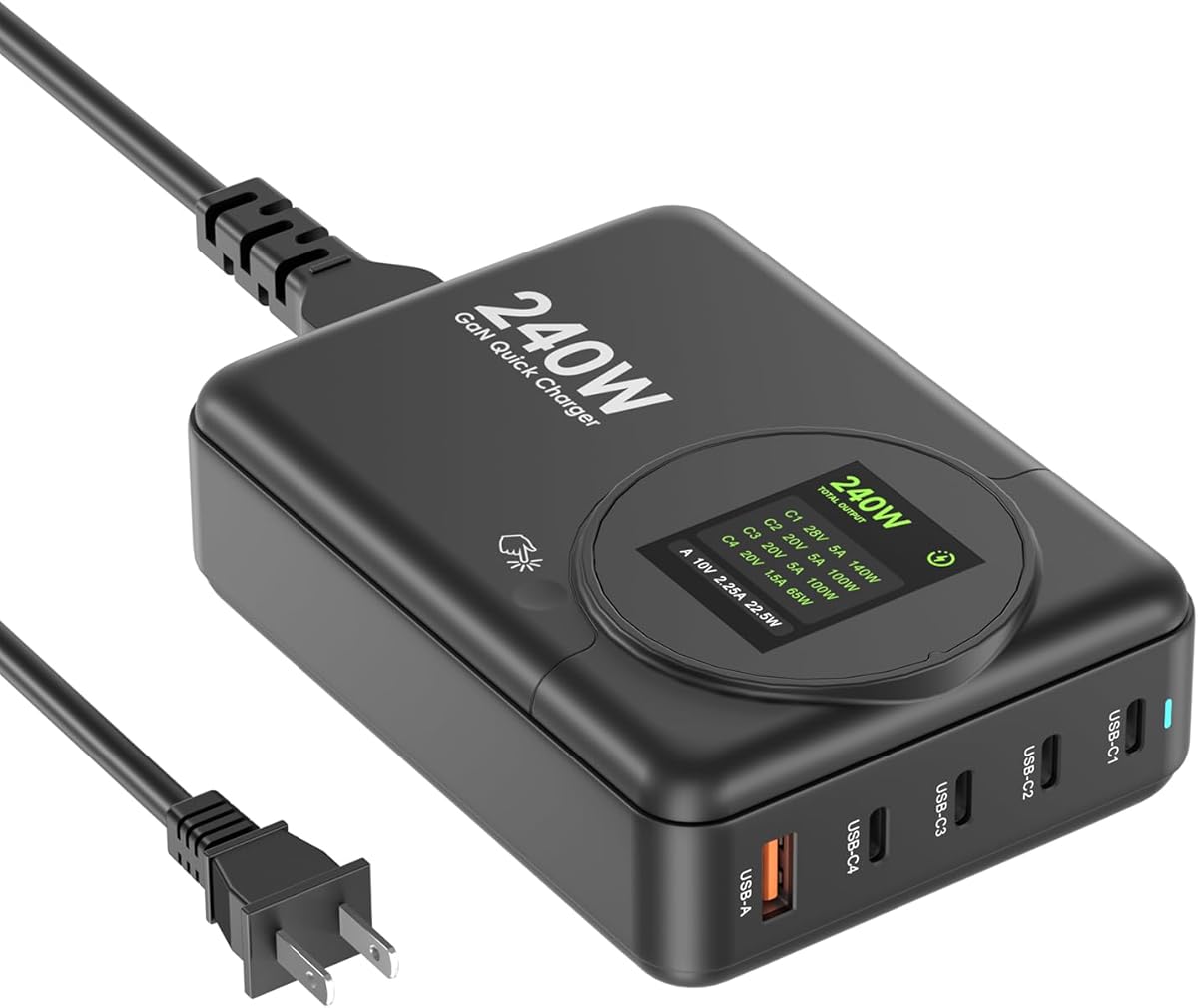
ASOMETECH offers a practical solution with its LCD display and touch controls for desktop organization. It supports dual laptop charging which is crucial for multitaskers managing two machines at once.
We may earn a commission when you buy through this link, at no additional cost to you.
The 240W output is sufficient for running multiple high-wattage devices without significant throttling. The display allows you to toggle screens on and off which helps save energy and reduce light distraction.
Some users may find the plastic build less durable than metal options but the internal safety features are robust. The included desktop stand helps position the charger for easy access to all ports.
This model is well-suited for home offices where visual tracking of power usage is desired. It balances functionality and cost effectively for daily work routines.
Supports two high-wattage laptops simultaneously for professional dual-monitor or dual-device workflows.
Touch buttons let you manage display settings easily without fumbling for small switches.
We may earn a commission when you buy through this link, at no additional cost to you.
UGREEN is known for premium accessories and this 200W charger is no exception. Its foldable prongs make it one of the most travel-friendly high-wattage options available on the market.
We may earn a commission when you buy through this link, at no additional cost to you.
The single USB-C port can deliver 140W which is perfect for charging most modern laptops to 50 percent quickly. It also handles dual laptop charging effectively for shared workspaces or family use.
While it does not have a display its build quality and portability compensate for the lack of smart features. The GaN technology ensures the unit stays cool even under full load.
Buy this if you frequently travel or need a reliable high-power solution that packs easily. The high rating reflects its consistent performance and durable design over time.
Foldable plugs reduce bulk significantly making it ideal for business trips and commutes.
Delivers 140W from a single port ensuring even power laptops charge at maximum speed.
We may earn a commission when you buy through this link, at no additional cost to you.
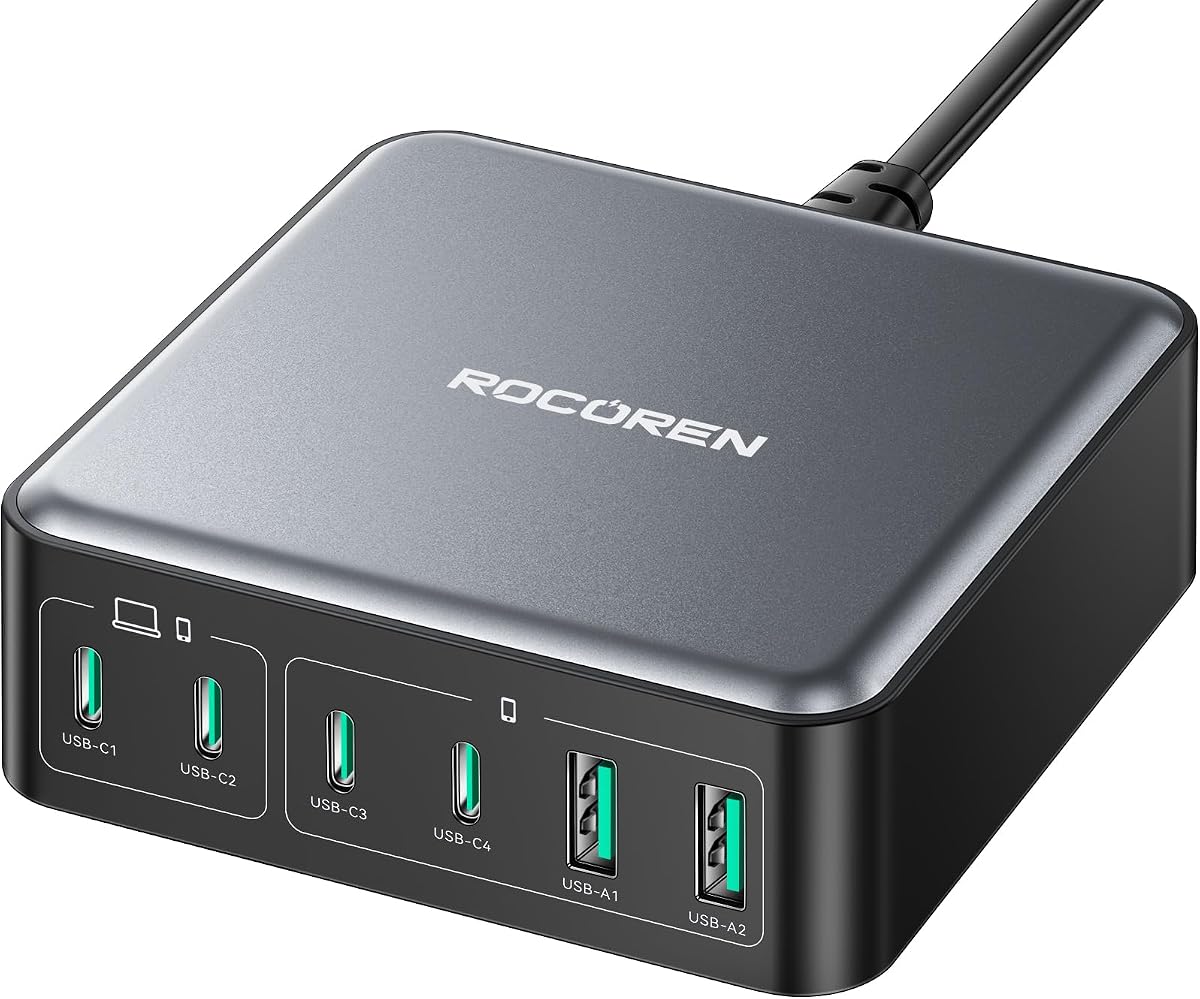
Rocoren offers an impressive 270W total output in a surprisingly small cube shape. This makes it a powerhouse for desks where space is limited but total device count is high.
We may earn a commission when you buy through this link, at no additional cost to you.
It features four USB-C ports and two USB-A ports which can charge up to six devices at once. The intelligent power allocation ensures that every device gets enough power to charge fast.
The unit is UL and CE certified providing peace of mind regarding safety during extended use. While it lacks a display its physical design and performance speak for its capability.
This station is ideal for tech enthusiasts or power users who need maximum output in minimal space. It combines high power with a small footprint to free up desk area.
The cube design uses minimal desk real estate while offering six charging ports.
Multiple safety certifications ensure safe operation with high-wattage devices daily.
We may earn a commission when you buy through this link, at no additional cost to you.
SlimQ provides a unique solution for gaming laptops that require a barrel jack alongside USB-C ports. It integrates both into one unit saving travelers from carrying two separate heavy bricks.
We may earn a commission when you buy through this link, at no additional cost to you.
Despite its high power the unit is designed to be lighter and smaller than traditional gaming adapters. This makes it a preferred choice for adventurers who need to keep their load light.
Note that you may need to select a specific DC adapter for your laptop brand separately. This flexibility allows you to tailor the setup exactly to your hardware requirements.
It is a specialized but highly effective tool for gaming laptop users who travel frequently. The ability to charge peripherals via USB-C adds great value to the core laptop charge.
Combined DC and USB-C ports allow charging laptop and phone from a single brick.
Significantly reduced weight compared to standard gaming adapters improves mobility.
We may earn a commission when you buy through this link, at no additional cost to you.
This model upgrades the display technology to a TFT screen which offers better visibility than simple LED segments. It provides clear readouts of current output for every connected device in real time.
We may earn a commission when you buy through this link, at no additional cost to you.
With four USB-C ports and two USB-A ports it offers flexibility for mixed device types. The 140W main port ensures that even the most demanding laptops can charge without throttling.
The inclusion of PD 3.1 protocol ensures compatibility with future devices requiring higher power standards. The universal voltage makes it a reliable companion for international travel as well.
Buy this if you want a modern visual interface with high power delivery. It combines detailed monitoring with solid charging performance for professional environments.
The TFT screen provides clearer and more detailed information than standard LED displays.
PD 3.1 support ensures the charger remains relevant as new devices hit the market.
We may earn a commission when you buy through this link, at no additional cost to you.
This charger emphasizes independent output ports which helps ensure consistent charging speeds regardless of how many devices are plugged in. It is designed to prevent the slow-down often seen in cheaper hubs.
We may earn a commission when you buy through this link, at no additional cost to you.
It includes four USB-C ports and two USB-A ports with a total nominal output of 260W. The C1 port delivers 100W alone which is enough for most modern laptops at full speed.
While the design is simple the internal tech ensures that every port gets a fair share of power. This makes it a practical choice for shared workspaces where fairness and speed matter.
Opt for this if you need a balance between port count and reliable power distribution. It offers solid performance at a budget-friendly price point for daily charging.
Independent ports prevent power throttling when multiple devices are connected at once.
The main port delivers 100W to ensure laptops charge fully even when other ports are used.
We may earn a commission when you buy through this link, at no additional cost to you.
Selecting the right charger requires balancing wattage, port count, and portability to suit your specific device ecosystem and daily routine.
Ensure the total output matches or exceeds the combined power needs of all devices you plan to charge simultaneously. A 250W unit typically supports two high-wattage laptops and several accessories without slowing down.
Choose a total wattage that covers your heaviest load plus a small buffer for future devices.
Look for a mix of USB-C and USB-A ports to cover all your gadgets. High-wattage laptops need USB-C while older devices or accessories might rely on USB-A. Six to seven ports offer maximum flexibility for busy desks.
Match the number and type of ports to your existing hardware collection.
Even when multiple devices are connected one port often needs to handle the main laptop. A 140W single-port output is ideal for modern high-performance laptops to charge at full speed.
Prioritize models that guarantee high power on at least one primary USB-C port.
Many modern stations include LCD or TFT screens that show real-time wattage. This feature helps you monitor power usage and verify that devices are charging at expected rates.
Select a model with a display if you want visibility into your charging performance.
Materials like aluminum alloy not only look premium but also help dissipate heat more effectively. Plastic builds are lighter but may feel less robust under daily heavy use.
Consider metal builds for better durability and heat management in stationary setups.
High-power devices should have certifications like UL, CE, or FCC to ensure they meet safety standards. These certifications protect against overvoltage, overheating, and short circuits.
Always check for recognized safety marks before purchasing high-wattage chargers.
Desktop stations are bulky and heavy whereas wall chargers with folding prongs are travel-friendly. Decide if you need a stationary hub or a portable brick for trips.
Choose folding prongs if you need to pack the charger in a bag regularly.
A good charger should support 100-240V input to work safely in different countries. This feature eliminates the need for separate adapters when traveling internationally.
Confirm universal voltage support if you plan to use the charger abroad.
Place the charger on a flat surface with enough ventilation to prevent heat buildup. Avoid covering it with clothes or papers while in use to ensure proper air flow.
Connect your devices starting with the highest wattage ones first to ensure they get priority power. Follow the manufacturer's guide for optimal port usage to maximize charging speeds.
Unplug the charger when not in use to save energy and reduce wear on internal components. Regularly check the cables for damage and replace them to maintain safe charging.
Yes, a 250w GaN charger can typically support two laptops at once, provided the total power demand does not exceed the maximum output. If both laptops require 100W, the charger may distribute power equally or prioritize one port for full speed.
Gallium Nitride or GaN is a semiconductor material that allows chargers to be smaller and more efficient than traditional silicon. It reduces heat generation and improves power density, meaning the charger stays cooler and delivers more power in less space.
Yes, to achieve high wattage like 100W or 140W you must use a certified USB-C cable capable of handling that power. Using a standard charging cable may limit the speed significantly even if the charger supports fast rates.
Yes, modern GaN chargers include safety features like overcharge protection and temperature control. These features stop power delivery once devices are full, making it generally safe to leave them plugged in overnight.
It is normal for high-power chargers to get warm during use but they should not become too hot to touch. If the unit feels excessively hot, ensure it has enough ventilation and reduce the number of connected devices.
Not necessarily. While higher total wattage allows more devices to charge at once the speed for each device depends on port distribution. You need sufficient single-port wattage to charge a single laptop fast.
Some models are designed specifically for travel with folding prongs and compact sizes. Desktop stations are usually too heavy and large for travel, so check the product specs for portability features before buying.
PD 3.1 supports higher voltage and power levels than 3.0 allowing for faster charging of larger devices like high-end laptops. PD 3.1 future-proofs your charger for newer devices that may require more power than older standards.
We explored ten powerful options ranging from desktop stations to travel-friendly blocks. The Anker Prime and UGREEN Nexode stand out for their reliability and smart features in their respective categories.
Prioritize total wattage and port count based on your daily needs. If you often charge multiple high-wattage devices ensure the charger supports simultaneous load without significant power sharing throttling.
Check current availability and warranty terms before finalizing your purchase. Prices and stock fluctuate so verify that the model you choose meets your local voltage and safety standards.