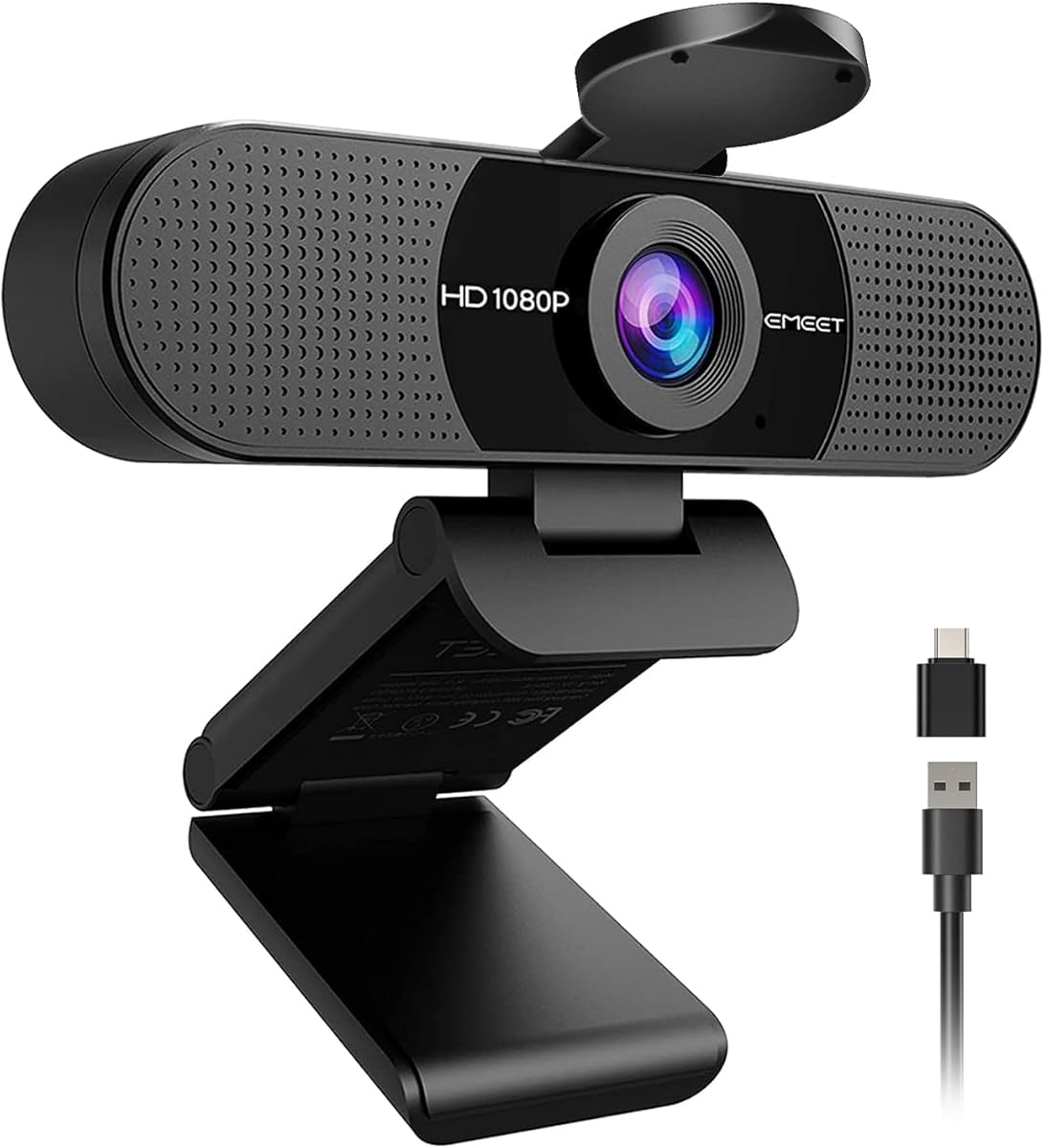
EMEET C960 1080P Webcam with Microphone, 2 Mics, 90° FOV, Computer Camera
4.4Editor score
1080p video with privacy cover
Dual omnidirectional microphones
90 degree wide-angle lens
Compare the top 1080p webcams for 2026 based on video quality, microphone performance, privacy features, and compatibility for home and business use.
Finding the right webcam matters for clear video calls and professional presentations. A good 1080p webcam ensures sharp visuals and reliable audio without breaking the bank.
We evaluated ten leading models based on sensor quality, lens performance, microphone clarity, and ease of use. Our analysis covers options from budget picks to premium business-grade devices.
Each selection highlights key strengths and trade-offs to help you choose wisely. Product features and availability change frequently, so check current listings before purchasing.
4.4Editor score
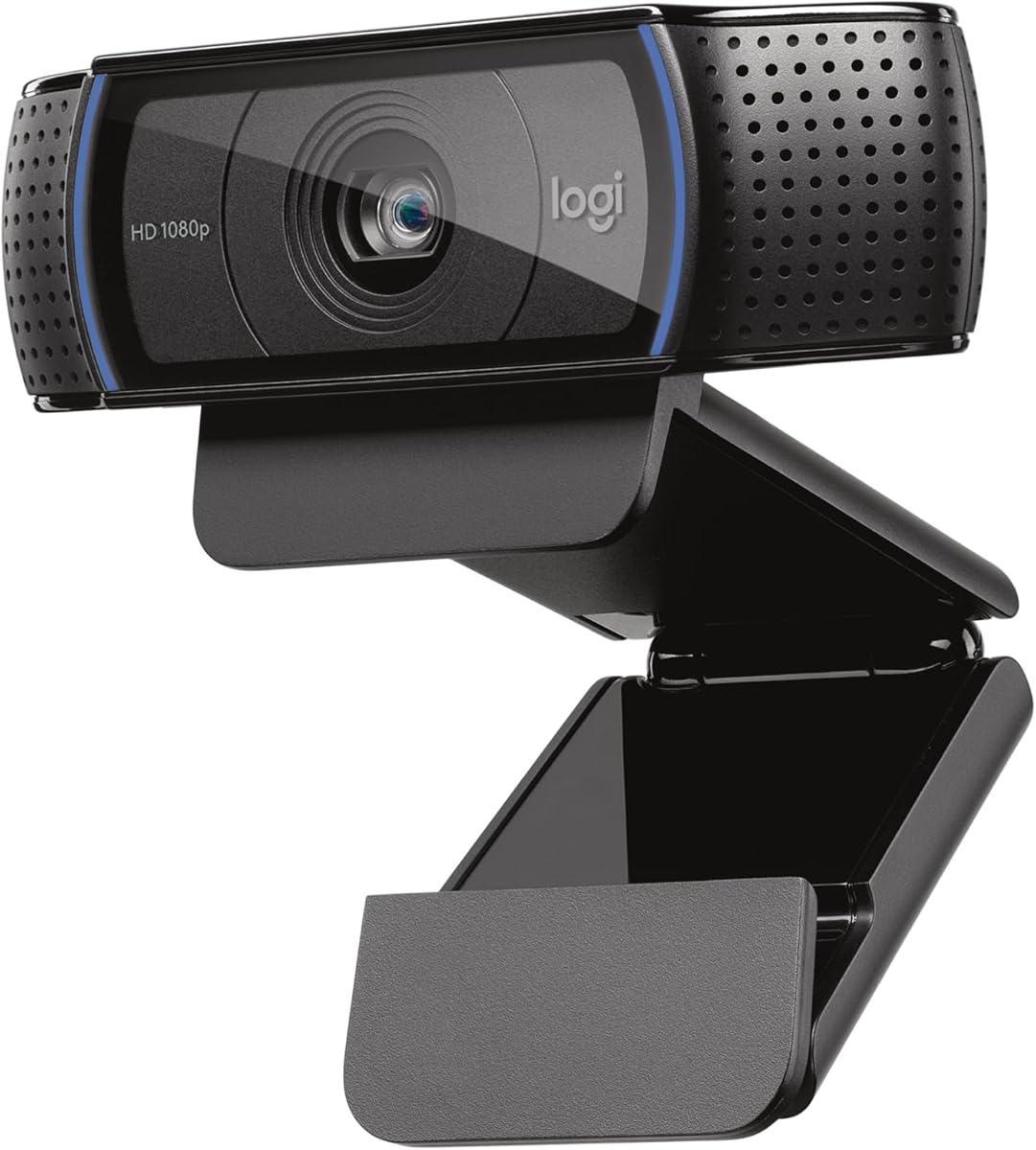
4.6Editor score

4.4Editor score
The following table compares all ten selected models side by side. Review core specifications including resolution, frame rate, field of view, microphone type, and unique features to find the right fit for your setup.



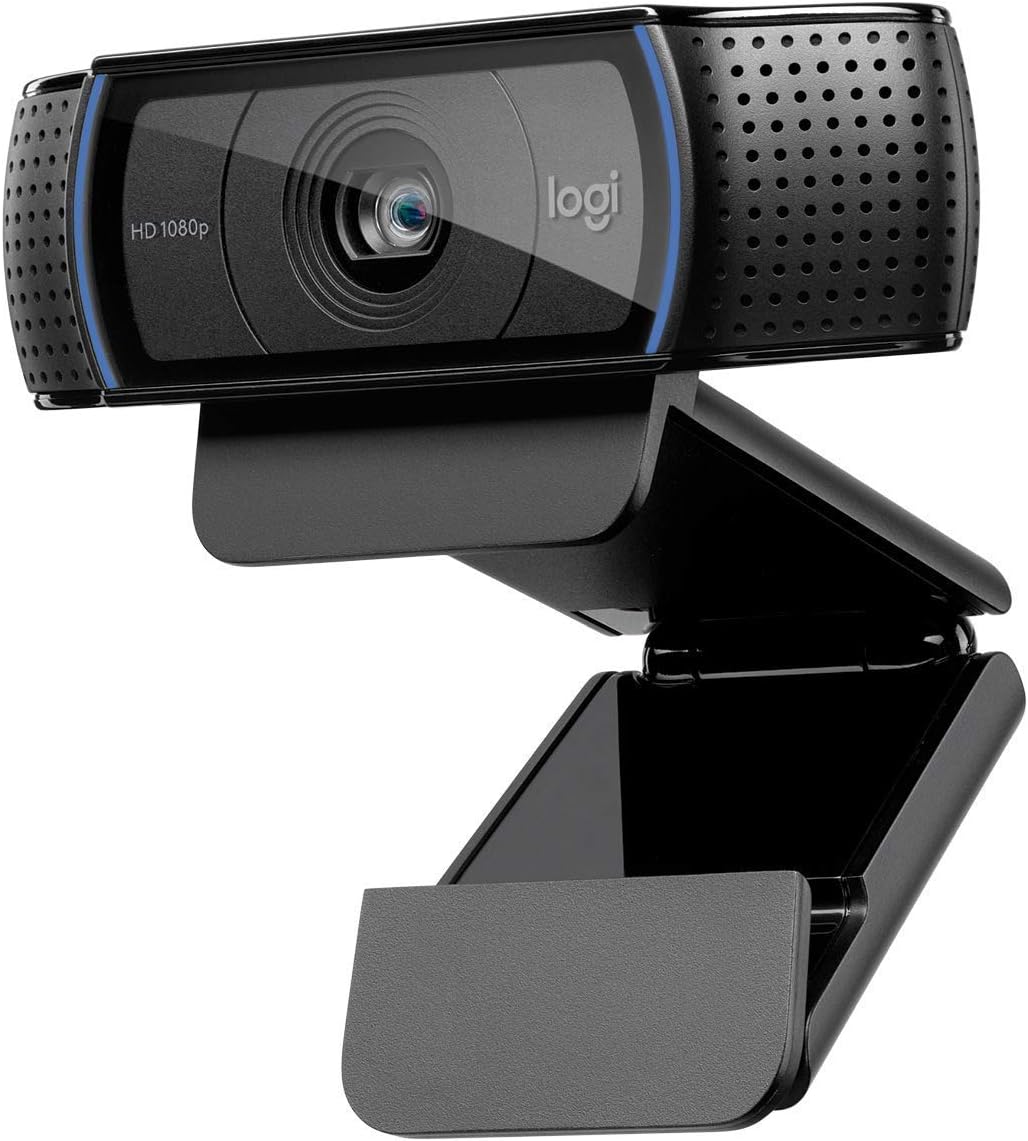


The Logitech C920x HD Pro stands out as a top choice for professionals and home users seeking reliable 1080p video. With strong ratings and proven performance, it delivers crisp images and balanced audio for daily video calls and recordings.
We may earn a commission when you buy through this link, at no additional cost to you.
Its HD autofocus adjusts to keep your face clear as you move, while light correction handles bright or dim environments. The dual microphones capture natural sound, and compatibility with major platforms ensures smooth integration into your workflow.
While it lacks a built-in privacy shutter, users can add external covers. The fixed 30fps rate may not suit high-motion streaming but works well for meetings and tutorials.
Anyone needing a dependable webcam for work or study should consider this model. Its balance of price performance and quality makes it a standout pick for most users.
HD autofocus and light correction ensure you look sharp even in challenging lighting conditions.
Dual stereo microphones provide natural audio for calls and recorded content.
We may earn a commission when you buy through this link, at no additional cost to you.
The EMEET C960 offers solid 1080p performance at a budget-friendly price. It includes a privacy cover and dual microphones, making it a practical choice for home offices and online classrooms.
We may earn a commission when you buy through this link, at no additional cost to you.
Its 90 degree field of view allows multiple people to join the frame comfortably. Automatic light adjustment helps maintain image balance, while plug and play compatibility reduces setup time.
Fixed focus means you must position yourself carefully for sharp results. Low-light conditions may reduce clarity, so good room lighting is recommended.
This model suits users seeking affordability without sacrificing core features. Its privacy cover and wide angle make it versatile for personal and small group calls.
Priced competitively, this webcam delivers essential features without premium costs.
A removable privacy cover keeps your lens protected when not in use.
We may earn a commission when you buy through this link, at no additional cost to you.
The Logitech Brio 101 brings premium features to the 1080p category. With Auto-Light Balance and customizable settings, it ensures consistent video quality for meetings and streaming.
We may earn a commission when you buy through this link, at no additional cost to you.
Light balance boosts brightness and reduces shadows, helping you look polished in any room. The slide cover offers quick privacy, and Logi Options software allows fine tuning of framing and zoom.
Audio is clear but basic compared to dedicated mics. The price reflects added features rather than raw resolution, appealing to those who value control and convenience.
Ideal for professionals wanting extra control over their video setup. Its sustainability and privacy focus also appeal to eco-conscious and security-aware users.
Auto-Light Balance improves image quality automatically in varying lighting environments.
Logi Options+ app lets you adjust zoom and framing for perfect presentation.
We may earn a commission when you buy through this link, at no additional cost to you.
The C920S builds on the popular C920 design with a built-in privacy shutter. It offers the same HD video and stereo audio, making it a secure upgrade for privacy-conscious users.
We may earn a commission when you buy through this link, at no additional cost to you.
Autofocus and light correction keep you sharp in most settings. The shutter slides smoothly, ensuring the lens is covered when not in use without external accessories.
Performance matches the standard C920x in image quality but adds physical security. The shutter mechanism may feel slightly more prominent on smaller monitors.
This model suits users prioritizing privacy alongside quality. It is a safe choice for home offices and shared workspaces.
Built-in shutter gives you quick physical control over your camera lens.
Based on a trusted design with years of consistent performance.
We may earn a commission when you buy through this link, at no additional cost to you.
Designed for corporate environments, the C920e includes certifications for Zoom and Teams. It delivers reliable 1080p video with privacy features and audio clarity suited for daily meetings.
We may earn a commission when you buy through this link, at no additional cost to you.
Two omnidirectional microphones capture voice clearly from up to one meter away. The attachable privacy screen ensures confidentiality, while Sync software allows IT admins to manage devices remotely.
Its fixed FOV keeps framing consistent but limits flexibility. The extra cost reflects enterprise-grade support and security compliance.
This webcam is ideal for companies needing standardized equipment. Users valuing certified compatibility will appreciate its seamless integration.
Certified for major platforms and includes device management for IT control.
Flipping screen cover ensures privacy with visual confirmation when closed.
We may earn a commission when you buy through this link, at no additional cost to you.
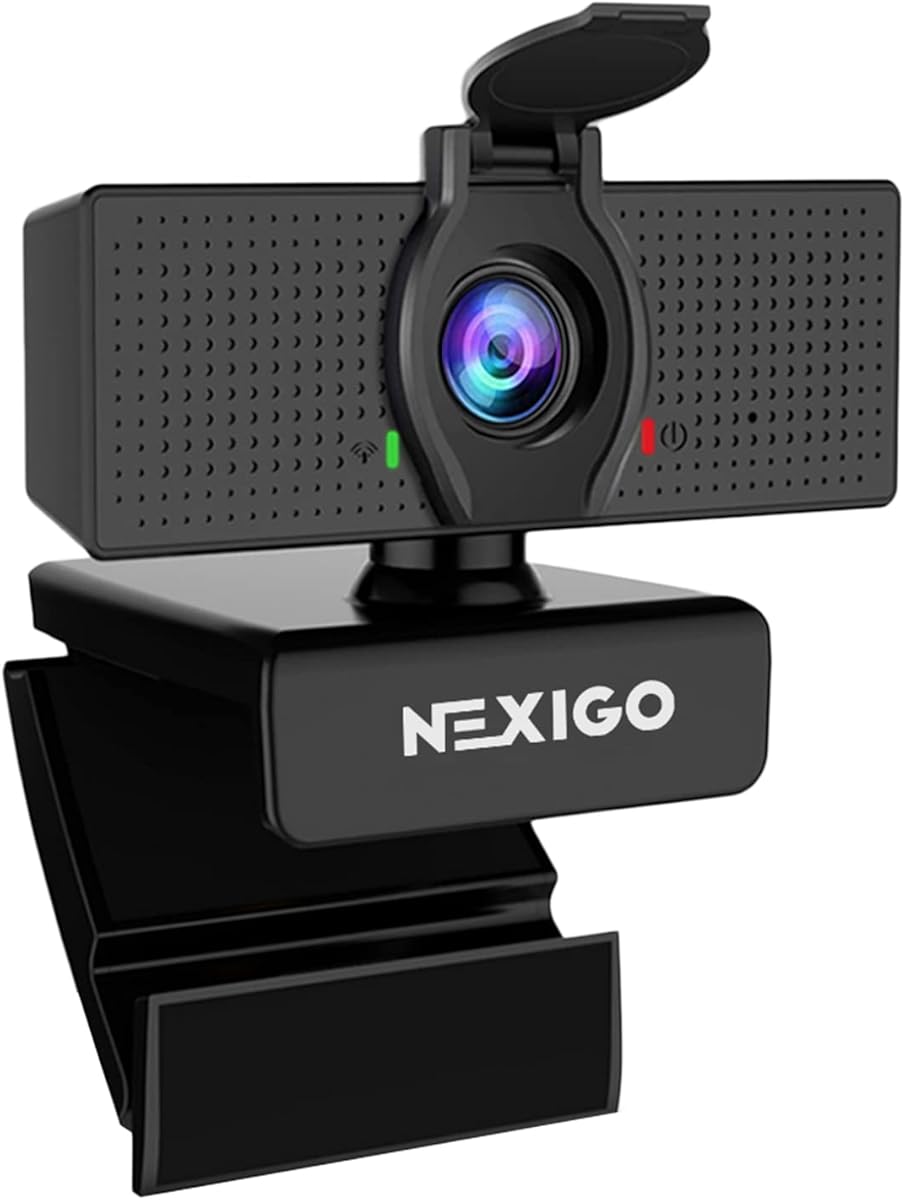
The NexiGo N60 provides a well-rounded feature set at a budget price. Its noise-cancelling microphone reduces background chatter, while the privacy cover adds peace of mind.
We may earn a commission when you buy through this link, at no additional cost to you.
Compatible with a wide range of systems, it works out of the box. The 3.6mm glass lens produces sharp images at fixed distances.
Fixed focus means you should test positioning before calls. Some users report occasional audio delays that may require firmware updates.
Great for casual users and classrooms needing reliable video. Its broad compatibility and noise control make it a practical choice.
Built-in noise cancellation filters ambient sounds for clearer voice pickup.
Works across Windows, Mac, and Linux without extra drivers.
We may earn a commission when you buy through this link, at no additional cost to you.
The S600 stands out for offering true 4K resolution. Its Sony sensor and phase detection autofocus deliver sharp, clear images ideal for streaming and content creation.
We may earn a commission when you buy through this link, at no additional cost to you.
At 1080p, you can adjust the field of view between 40 and 73 degrees. Light balance and noise-canceling audio ensure consistent quality in varied environments.
The price reflects advanced features not common in budget models. Running 4K requires sufficient computer resources and bandwidth.
For creators needing top-tier clarity, this webcam is a strong contender. Its build quality and focus speed justify the investment.
Phase detection autofocus locks on quickly and tracks movement smoothly.
Adjustable FOV lets you control how much of your room is visible.
We may earn a commission when you buy through this link, at no additional cost to you.
The original C920 remains a reliable workhorse for video calls. It delivers the same HD quality as newer models at a competitive price point.
We may earn a commission when you buy through this link, at no additional cost to you.
Autofocus and stereo audio make it effective for most uses. Many users still rely on it for its consistent performance.
Lacking a privacy shutter, external solutions may be needed. Its classic design may feel dated compared to newer options.
This model is perfect for budget buyers who need proven reliability. It remains a solid choice for standard conferencing needs.
Decades of feedback confirm this model’s reliability for daily calls.
Plug in and start using without installing extra drivers.
We may earn a commission when you buy through this link, at no additional cost to you.
The Brio 105 brings business-ready features to an affordable package. With privacy shutter and RightLight 2, it ensures clear visuals in varied lighting.
We may earn a commission when you buy through this link, at no additional cost to you.
Google Meet certification simplifies integration for schools and small businesses. Plug-and-play setup reduces IT overhead.
Audio is functional but basic compared to dedicated headsets. Limited software customization makes it better for standard meetings.
Ideal for organizations needing reliable webcams at scale. Its privacy and certification features suit remote work environments.
Google Meet certified for smooth integration and deployment.
Integrated cover protects privacy without extra accessories.
We may earn a commission when you buy through this link, at no additional cost to you.
The Brio 100 renewed offers the lowest entry price among these picks. It delivers Full HD video and basic audio for casual use.
We may earn a commission when you buy through this link, at no additional cost to you.
With a 58 degree field of view, framing is tight and focused. The built-in mic is convenient for simple calls.
Renewed items may show minor wear but are tested for function. The narrow FOV limits group use.
Best for budget buyers or single-person setups. It provides decent quality at the lowest cost.
Renewed status lowers cost while keeping essential features intact.
Narrow field of view keeps attention on you during calls.
We may earn a commission when you buy through this link, at no additional cost to you.
Selecting the right webcam depends on your specific needs, environment, and budget. Understanding key features helps you avoid overspending or underbuying.
Most 1080p webcams deliver 30fps, sufficient for meetings and general use. Some premium models offer 60fps at 1080p or 4K resolution for smoother motion and higher detail.
Prioritize 1080p for clarity. Higher frame rates benefit fast motion but require more processing power and bandwidth.
Glass lenses typically produce sharper images than plastic ones. Autofocus adjusts to keep you clear when you move, while fixed focus works if you stay stationary.
Choose autofocus if you move during calls. Fixed focus is acceptable for static setups.
Good webcams adjust exposure and brightness automatically. This reduces harsh shadows and maintains detail in low-light conditions.
Look for terms like RightLight or Auto-Light Balance when comparing models.
Dual stereo mics provide better audio capture than single ones. Noise-canceling features reduce background sounds for clearer voice pickup.
If audio is critical, consider models with multiple microphones or external mic support.
A wider FOV captures more of your surroundings. Narrower FOVs keep focus tighter on you.
Choose 90 degrees for small groups. 58-78 degrees work for individual calls.
Physical privacy covers or shutters protect your lens when not in use. External slide covers are also compatible with many models.
Always ensure your chosen model supports privacy mechanisms.
Most 1080p webcams use USB-A. Some offer USB-C adapters. Check operating system compatibility before purchasing.
Ensure the webcam works with your conferencing software without extra drivers.
Sturdy clips and adjustable tilt help secure the webcam. Tripod threads offer flexibility for positioning.
Choose models with secure mounting to avoid accidental tilting or drops.
Start by connecting the webcam to a direct USB port for best performance. Avoid hubs if possible to reduce power issues.
Position the camera at eye level and ensure soft front lighting. Avoid bright backlighting that causes shadows.
Regularly clean the lens with a soft cloth to prevent smudges and ensure clarity.
Most modern webcams work with Zoom and Teams. Business-certified models provide extra assurance for enterprise use. Always check the manufacturer’s compatibility list.
Yes, 1080p at 30fps is standard for streaming. High-end models with 60fps support offer smoother motion. Use encoding software for best results.
Most webcams support both Mac and Windows. Some models require additional drivers on older systems. Check system requirements before purchasing.
Soft, front lighting works best to avoid glare. Natural light from a window helps. Avoid strong backlighting or dark rooms.
It is recommended for security. Most models include one or support external covers. This prevents unauthorized access.
Yes, most webcams connect to laptops via USB. Ensure your laptop has free USB ports and compatible OS drivers for plug-and-play use.
The Logitech C920x leads as our Editor's Choice for balanced performance. The EMEET C960 offers strong value for budget users, while the Brio 101 provides premium control.
Prioritize autofocus, microphone clarity, and privacy features based on your needs. Budget, flexibility, and lighting conditions guide your final choice.
Product availability and pricing change frequently. Always check current listings before purchasing to ensure you get the latest version and best deal.