
TCL 55 T7 4K QLED Google TV with 144Hz Gaming
4.3Editor score
144Hz Gaming Support
QLED Color Technology
Google TV Platform
Choosing the right display for your console gaming setup is crucial for an immersive experience. You need a screen that delivers crisp visuals, fast response times, and vibrant colors to keep up with modern gaming demands.
We evaluated ten leading models based on their refresh rates, HDR support, input lag, and overall picture quality. Our comparison focuses on what matters most to gamers, from motion clarity to smart platform usability.
Each pick highlights key strengths and potential trade-offs to help you find the best fit for your needs. Prices fluctuate frequently, so check current listings before purchasing to ensure you get the best value available today.
4.3Editor score

4.6Editor score

4.3Editor score
As an Amazon Associate we earn from qualifying purchases.
This side-by-side comparison highlights the key specifications and gaming features of our top ten picks. Use this table to quickly identify which model matches your budget and performance requirements.

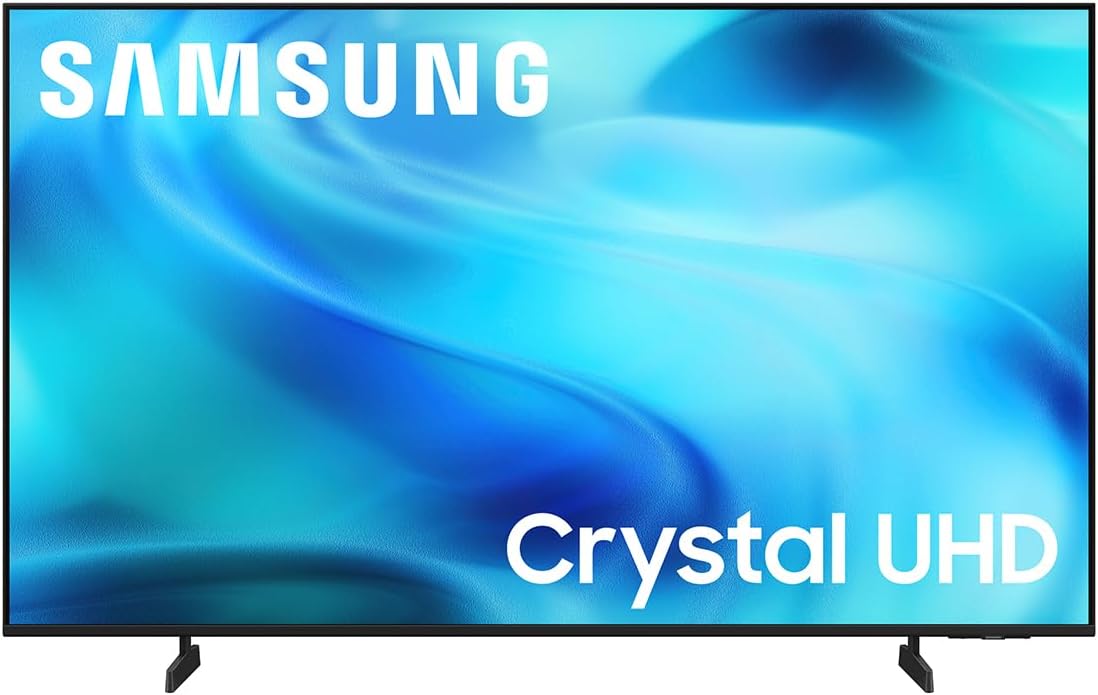


This Hisense model stands out as the top choice for serious gamers seeking premium performance. With a 4.6 rating, it delivers unmatched clarity and speed for competitive play.
We may earn a commission when you buy through this link, at no additional cost to you.
The native 165Hz refresh rate ensures silky smooth motion without blur. The 3000 local dimming zones provide deep blacks and bright highlights essential for immersive HDR gaming.
Its anti-reflection coating keeps visuals clear even in bright rooms. The high brightness helps HDR content pop, though this comes with a higher price tag than budget options.
Gamers wanting the best possible console experience should choose this model. It balances advanced gaming features with exceptional picture quality for a standout viewing setup.
The 165Hz panel supports fast-paced games with minimal motion blur. VRR ensures smooth frame delivery across different gaming scenarios.
Local dimming zones allow for accurate contrast control. The Hi-QLED tech provides rich colors that bring game worlds to life.
We may earn a commission when you buy through this link, at no additional cost to you.
The TCL 55 T7 offers excellent value for gamers on a budget. Its 4.3 rating reflects solid performance in key gaming categories like speed and color.
We may earn a commission when you buy through this link, at no additional cost to you.
With 144Hz gaming support, it handles fast action better than many budget TVs. QLED technology ensures vibrant colors that enhance the visual appeal of games.
While motion blur can appear in very dark scenes, the overall experience is strong for the price. Google TV makes accessing games and streaming apps simple.
Budget-conscious gamers will find this TV a reliable partner for console gaming. It delivers high-speed performance without breaking the bank.
The 144Hz panel is perfect for fast-paced shooters. Low input lag keeps controls responsive during critical moments.
QLED dots create a wider color spectrum than standard LED. This makes game environments look more vivid and realistic.
We may earn a commission when you buy through this link, at no additional cost to you.
This TCL model combines MiniLED brightness with QLED color for a premium feel. The 4.3 rating highlights its strong picture quality for gaming enthusiasts.
We may earn a commission when you buy through this link, at no additional cost to you.
The QD-Mini LED technology offers superior contrast compared to standard LED. Halo control eliminates glowing around bright objects in dark game scenes.
Motion Rate 480 ensures clarity during fast movement. While the menu can be complex, the visual payoff justifies the effort for serious players.
Gamers seeking a high-end experience at a mid-range price should consider this TV. It balances advanced tech with practical performance features.
MiniLED backlights provide precise dimming in any scene. This results in realistic shadows and bright highlights.
High refresh rates combined with motion interpolation smooth out action. Players see clear frames even in rapid combat.
We may earn a commission when you buy through this link, at no additional cost to you.
Samsung's M70H offers a compact MiniLED option for smaller gaming rooms. Its 4.3 rating points to strong visual capabilities despite its size.
We may earn a commission when you buy through this link, at no additional cost to you.
The MiniLED processor delivers brighter highlights and deeper blacks. Motion Xcelerator DLG 120Hz keeps action scenes fluid and responsive.
The Gaming Hub centralizes cloud games and apps, reducing clutter. Color tech ensures reds and blues pop realistically on the screen.
Gamers with limited space will appreciate this efficient setup. It brings high-end picture quality to a smaller form factor.
Access cloud services and games directly from the TV. This saves space on extra devices or consoles.
DLG technology boosts refresh rates for fast gaming. Every play and move remains sharp during matches.
We may earn a commission when you buy through this link, at no additional cost to you.
The U8000H is a reliable choice for casual gamers prioritizing ease of use. Its 4.2 rating reflects dependable performance for everyday entertainment.
We may earn a commission when you buy through this link, at no additional cost to you.
Crystal Processor 4K enhances color and sharpness effectively. Motion Xcelerator ensures smooth transitions during games and sports.
Upscaling brings lower-resolution content up to 4K clarity. While contrast is basic, the color booster adds vibrancy to visuals.
Casual players looking for an affordable and straightforward option will enjoy this TV. It delivers solid gaming without complex settings.
Color Booster makes reds and blues more intense. This helps game visuals stand out against standard backgrounds.
Alexa built-in allows for hands-free control. Access gaming apps quickly with voice commands.
We may earn a commission when you buy through this link, at no additional cost to you.
Sony's BRAVIA 3 II is tailored for PlayStation 5 users. Its 4.1 rating comes from seamless integration with Sony consoles.
We may earn a commission when you buy through this link, at no additional cost to you.
Auto HDR tone mapping optimizes colors instantly. The Game Menu centralizes settings, making adjustments easy during play.
XR Clear Image reduces noise in content. While not the brightest, color accuracy is natural and consistent.
PS5 owners will find this TV a perfect match for their system. It simplifies setup for an optimized gaming experience.
Exclusive features like tone mapping boost visuals instantly. This saves time on manual calibration.
X-Balanced Speakers deliver deep bass. Dialogue and effects remain clear during loud action.
We may earn a commission when you buy through this link, at no additional cost to you.
The BRAVIA 2 II offers Sony's quality at a lower price point. Its 4.2 rating shows good value for entry-level gamers.
We may earn a commission when you buy through this link, at no additional cost to you.
Motionflow XR ensures blur-free action in sports and games. Auto HDR tone mapping optimizes visuals for PS5 automatically.
4K XR Reality PRO upscales content effectively. While not as bright as premium models, it still delivers crisp detail.
Gamers wanting a reliable Sony brand without a premium price should consider this model. It balances simplicity with solid performance.
Upscaling restores texture and detail from older games. This makes classic content look sharper on modern screens.
The eco dashboard helps manage power usage. This supports energy-saving settings for long gaming sessions.
We may earn a commission when you buy through this link, at no additional cost to you.
The LG QNED80 combines NanoCell color with MiniLED brightness. Its 4.2 rating reflects a strong webOS platform and gaming features.
We may earn a commission when you buy through this link, at no additional cost to you.
VRR and FreeSync support prevent tearing in games. The a7 AI processor optimizes picture and sound automatically in real time.
Magic Remote allows precise navigation but requires setup. NanoCell ensures wide color viewing angles and rich hues.
Gamers who value a smooth smart interface will love this model. It balances gaming tech with intuitive navigation.
The Game Optimizer displays vital stats. This helps players adjust settings quickly during sessions.
Virtual 5.1 surround enhances audio immersion. Action games sound more dynamic and spatial.
We may earn a commission when you buy through this link, at no additional cost to you.
The INSIGNIA F50 is a budget-friendly option for casual gaming. Its 4.3 rating highlights good streaming and basic display qualities.
We may earn a commission when you buy through this link, at no additional cost to you.
4K resolution and HDR10 deliver decent color and detail. Fire TV makes accessing apps simple and straightforward.
Input lag is noticeable in fast games, so it suits slower-paced titles. Sound is acceptable for a budget model.
Entry-level gamers looking for a low-cost smart TV should consider this. It works well for streaming and casual play.
Fire TV grants access to millions of shows. This keeps entertainment options open outside gaming.
DTS Virtual X creates a wider soundstage. Dialogue remains clear without external speakers.
We may earn a commission when you buy through this link, at no additional cost to you.
Roku's Select Series offers simplicity for gamers who want plug-and-play. Its 4.4 rating reflects strong ease of use and picture quality.
We may earn a commission when you buy through this link, at no additional cost to you.
The QLED screen creates accurate colors for games. Roku OS is intuitive, minimizing time spent navigating menus.
Smart Picture optimizes signals automatically for clarity. However, it lacks advanced gaming modes found in higher models.
Users valuing simplicity and clean design should choose this TV. It provides a straightforward experience without complex settings.
Setup takes only minutes for immediate use. This is perfect for those who dislike complicated configurations.
Voice remote enables quick searches. Find games and apps faster without typing.
We may earn a commission when you buy through this link, at no additional cost to you.
Selecting the right TV requires understanding several key factors that impact gaming performance. This guide breaks down essential elements to help you decide.
Refresh rate determines how many frames the screen displays per second. Look for 120Hz or higher for smooth gameplay in competitive titles. Higher rates reduce motion blur and keep visuals fluid during fast movements.
Prioritize a minimum of 120Hz to match modern console capabilities.
Input lag is the delay between pressing a button and seeing the action on screen. For competitive gaming, aim for under 15ms. High input lag can ruin timing and responsiveness in action games.
Check reviews for input lag metrics before purchasing to ensure responsiveness.
HDR formats like Dolby Vision and HDR10+ enhance brightness and contrast. Good HDR creates more realistic lighting and vibrant colors. This feature is crucial for visually stunning game worlds.
Ensure the TV supports multiple HDR formats for best compatibility.
VRR synchronizes the TV's refresh rate with the console's frame rate. This eliminates screen tearing and stuttering. It is vital for maintaining visual stability in fast-paced games.
Verify VRR support if you play modern titles regularly.
4K resolution ensures sharp text and detail. Choose a screen size that fits your room without overwhelming the space. Larger screens offer immersion but require careful viewing distance.
Balance size and resolution to fit your room layout.
Accurate colors make game worlds look realistic. QLED or MiniLED panels often deliver wider color gamuts. This enhances immersion and ensures scenes look as intended by developers.
Opt for technologies like QLED for better color accuracy.
A user-friendly smart platform simplifies access to games and apps. Look for intuitive menus and voice control. This reduces clutter and keeps focus on gaming content.
Choose a system that integrates easily with your existing devices.
High brightness ensures visibility in bright rooms. Deep blacks from MiniLED improve contrast for dark scenes. Good contrast enhances depth and realism in game environments.
Select models with high nits for best visibility.
Connect your console using high-speed HDMI 2.1 cables to enable 4K 120Hz gaming. Ensure the TV recognizes the console to unlock all gaming features like VRR.
Enable Game Mode to minimize input lag and prioritize responsiveness. Adjust picture settings like brightness to match your room lighting for comfort.
Clean the screen with a microfiber cloth to avoid scratches. Keep ventilation clear to prevent overheating during long gaming sessions.
Yes, HDMI 2.1 is required to support 4K at 120Hz on modern consoles. It also enables VRR and ALLM features essential for smooth gameplay.
Variable Refresh Rate synchronizes the TV's refresh rate with the console's frame rate. This eliminates screen tearing and stuttering for smoother visuals.
Enable Game Mode on your TV to bypass image processing. This prioritizes input responsiveness for faster reaction times during gameplay.
Dolby Vision offers dynamic metadata for better contrast than HDR10. Support for multiple formats ensures flexibility across different content sources.
MiniLED offers better contrast and brightness control. QLED provides superior color volume; combining both often yields the best results.
Use a dry microfiber cloth to wipe away dust. Avoid using chemical cleaners that can damage the screen coating.
Our top picks cover various budgets and performance levels to suit every gamer. From Hisense's premium features to TCL's budget-friendly options, there is a model for everyone.
Prioritize refresh rate and input lag if you play competitive titles. For visual immersion, focus on HDR support and color accuracy.
Prices and availability change frequently so check current listings before buying. Ensuring you get the best deal available helps maximize your gaming experience.