
Raywego 49 Inch Curved Ultrawide Gaming Monitor
4.6Editor score
165Hz refresh rate
1ms response time
1500R curvature
Selecting the right display for sim racing transforms a standard setup into a lifelike cockpit experience. A 49 inch ultrawide monitor offers the panoramic view needed to judge track corners and judge car positions accurately without sacrificing visual clarity.
We evaluated ten top models based on their refresh rates, panel technologies, and curvature designs. Our comparison focuses on how well each screen minimizes lag, supports high frame rates, and delivers consistent colors for both competitive racing and casual simulation.
Each pick below highlights specific strengths like response time, adaptive sync support, and ergonomic adjustments. Note that availability and costs may shift over time, so verify current listings before finalizing your purchase decision for your racing rig.
4.6Editor score

4.3Editor score

4.1Editor score
As an Amazon Associate we earn from qualifying purchases.
The following table provides a side-by-side overview of all ten monitors. It highlights key specifications like resolution, refresh rate, and panel type to help you quickly identify which model fits your sim racing needs and budget constraints.





The Raywego 49 Inch Curved Ultrawide Gaming Monitor stands out as a strong choice for sim racers seeking immersion without breaking the bank. With a solid 4.6 rating and a DQHD resolution, it offers a wide field of view that helps you spot track details more easily than standard screens.
We may earn a commission when you buy through this link, at no additional cost to you.
Its 165Hz refresh rate and 1ms response time ensure that fast movements like overtaking or braking feel fluid and responsive. The VA panel provides deep blacks and a 127% sRGB coverage, which makes shadows in tunnels and night races look more realistic and engaging during long sessions.
While it lacks the infinite contrast of premium OLED panels, the HDR400 support and high brightness still deliver clear images in most lighting conditions. The only minor trade-off is the stand's limited adjustment range, but VESA compatibility allows you to mount it on arms if your setup demands it.
This monitor is best for racers who want a massive screen to replace dual setups while maintaining a competitive edge. It balances performance and cost effectively, making it a top recommendation for those building a new racing rig on a moderate budget.
The 32:9 aspect ratio provides the workspace of two 27-inch QHD screens without a center bezel, allowing you to see more of the track ahead without distraction.
Adaptive Sync support reduces screen tearing and stuttering on compatible systems, ensuring that fast gameplay remains smooth and competitive even during intense corners.
We may earn a commission when you buy through this link, at no additional cost to you.
The Samsung 49" Odyssey OLED G9 (G91SD) delivers exceptional visual fidelity with its QD-OLED technology, making it ideal for racers who prioritize image quality above all else. Its infinite contrast and vibrant colors bring shadow details to life, which is crucial for spotting track limits in low light.
We may earn a commission when you buy through this link, at no additional cost to you.
With a 0.03ms response time and 144Hz refresh rate, this monitor minimizes motion blur and lag significantly. The G-Sync compatibility ensures that the GPU and panel sync seamlessly, providing ultra-smooth scenes that let you game with a competitive edge during high-speed races.
Although the thermal modulation system helps control heat, the price point reflects its premium status. Some users may find the brightness adjustments for static images like taskbars slightly intrusive, but these measures help prevent burn-in during long static menus.
This model is best for serious sim racers who want the highest fidelity visual experience and can justify the investment. It offers a level of clarity and depth that standard panels cannot match, enhancing the realism of every lap and corner.
Uncover every secret with infinite expression and see true black and dark colors on display without pixel light bleed for supreme color and depth expression in every game.
QD-OLED technology delivers near-instant reaction time with a 0.03ms response time and 144Hz refresh rate for ultra-smooth and exhilarating gameplay.
We may earn a commission when you buy through this link, at no additional cost to you.
The INNOCN 49" Curved Monitor Ultrawide Gaming offers a compelling mix of features for those looking to enter the 49-inch market without overspending. Its 5K2K resolution ensures that you can see fine details on the track, while the R1800 curve provides a natural viewing experience that reduces eye fatigue.
We may earn a commission when you buy through this link, at no additional cost to you.
This monitor includes a rich set of ports like USB Type C with 65W power delivery, making it easy to connect laptops and consoles seamlessly. The built-in speakers add convenience for audio without needing extra peripherals, and the adjustable stand ensures you can find a comfortable angle for long races.
While the 120Hz refresh rate is lower than some competitors, it remains sufficient for most simulation titles where frame pacing matters more than raw speed. The trade-off is that very fast esports titles might benefit from higher refresh rates, but for realistic racing, this screen holds up well.
Ideal for racers who want a versatile screen for both work and play, this model supports multitasking with PIP and PBP modes. It provides a solid foundation for a racing setup while offering enough extra utility to serve as a primary display for other tasks.
1800R curvature results in less eye fatigue compared to flat monitors, allowing content to be viewed at a glance while proven to limit eye strain.
Equipped PIP and PBP split screen technology allowing you to configure your monitor to show content from two separate input sources for seamless multitasking.
We may earn a commission when you buy through this link, at no additional cost to you.
The Samsung 49" Odyssey G9 Series DQHD is built for speed with a 240Hz refresh rate and 1ms GtG response time, making it a top choice for competitive racing where split-second reactions matter. The deep 1000R curvature wraps around your field of view to draw you into the game environment effectively.
We may earn a commission when you buy through this link, at no additional cost to you.
With VESA DisplayHDR 1000 and a 1,000,000:1 contrast ratio, this monitor delivers enhanced color expression and depth that make sun-scorched scenes and gloomy shadows look authentic. AMD FreeSync Premium Pro ensures that fast-moving game scenes are projected smoothly without stutter or tearing effects.
The Core Sync technology projects game colors into your real world to further immerse you, adding a layer of atmosphere that static screens lack. However, the advanced features and high-end specs come at a premium price that may not fit every budget or setup size.
This monitor is best for serious enthusiasts who need the smoothest motion possible and want to maximize immersion. If you have the hardware to push high frame rates, this screen offers the technical performance needed to stay ahead of opponents in the tightest corners.
Experience heart-pounding gaming with vivid scenes wrapped deeply around your field of view as the 49-inch 1000R curved screen enables full peripheral vision.
Advanced eye comfort technology certified by TÜV reduces eye strain by minimizing blue light and reducing irritating screen flicker during long sessions.
We may earn a commission when you buy through this link, at no additional cost to you.
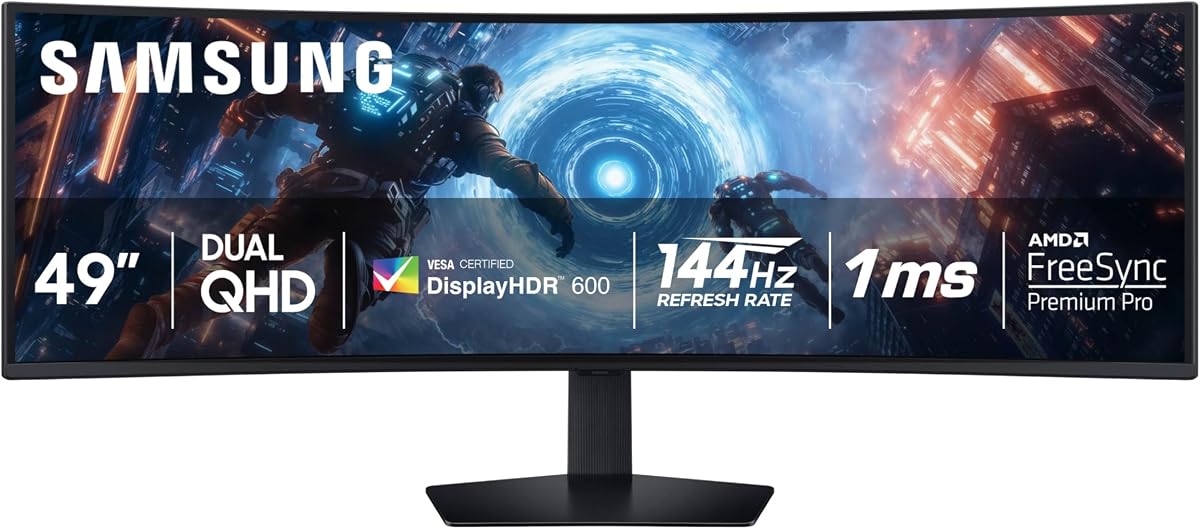
The SAMSUNG 49-inch Odyssey G9 (G91F) offers a balanced approach to sim racing with DisplayHDR 600 that delivers more contrast, deeper blacks, and brighter whites for clarity even in the darkest scenes. Its 1000R curved display provides a panoramic experience that keeps your eyes on the road.
We may earn a commission when you buy through this link, at no additional cost to you.
Featuring a 144Hz refresh rate and 1ms response time, this monitor reduces lag significantly so you can capture your moves with ultra-smooth action. The variable refresh rate and AMD FreeSync Premium Pro keep your fast-action games fluid by syncing the GPU and panel effectively.
Auto Source Switch Plus gets you to your game action faster by detecting when connected devices are turned on and instantly switching signals without manual input. While it lacks USB Type-C connectivity, the ergonomic stand allows you to tilt and adjust the monitor for total comfort during races.
This model is best for those who want reliable high-end performance with strong HDR support. It ensures you can explore hidden details in the shadows and maintain winning streaks with ease, making it a robust choice for dedicated sim racing setups.
DisplayHDR 600 delivers more contrast with deeper blacks and brighter whites so details shine with clarity even in the darkest scenes.
Use your screen to its maximum potential with a split screen that lets you team up with friends in a whole new way during games.
We may earn a commission when you buy through this link, at no additional cost to you.
The CRUA 49" DQHD 165Hz Ultrawide Curved Gaming Monitor excels in color performance with 120% sRGB wide color coverage, ensuring accurate and vibrant visuals for graphic design and content creation. Its 1500R curvature and 32:9 ultra-wide ratio expand your field of view for maximum immersion.
We may earn a commission when you buy through this link, at no additional cost to you.
With a 144Hz/165Hz refresh rate and AMD FreeSync, this monitor eliminates screen tearing and stutter, ensuring responsive performance for competitive gaming. Eye-care features like low blue light and flicker-free technology reduce strain during long sessions, making it comfortable for extended use.
The height-adjustable stand allows tilt and lift adjustments for ergonomic comfort, and wall mount compatibility offers a clean, space-saving setup. While it does not include built-in speakers, the HDMI 2.1 and DP 1.4 ports support advanced PCs and laptops with ease.
Ideal for users who value color accuracy and a clean setup, this monitor fits well in gaming rooms or home offices. Its assurance of quality service and flexible setup options make it a reliable choice for those seeking a versatile display for various tasks.
The 49-inch curved gaming monitor with 1500R curvature and 32:9 ultra-wide ratio expands your field of view for maximum immersion during games.
The height-adjustable stand allows tilt and lift adjustments for ergonomic comfort while wall mount compatibility offers a clean space-saving setup.
We may earn a commission when you buy through this link, at no additional cost to you.
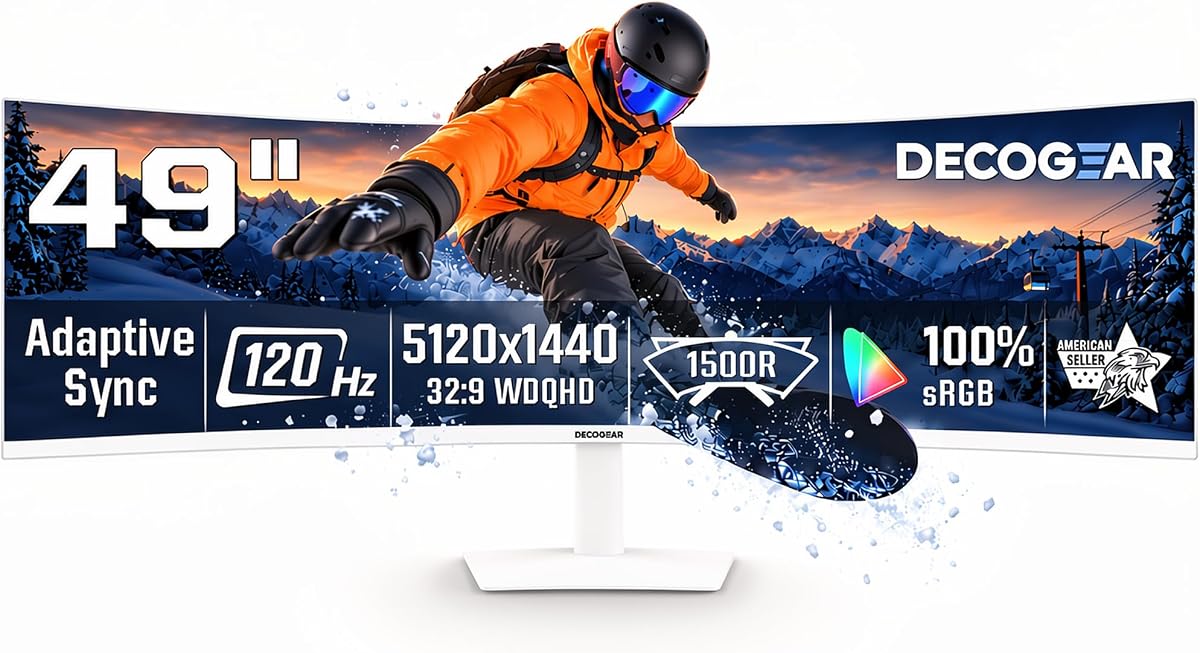
The Deco Gear 49" Super Ultrawide Curved Monitor offers a 5120×1440 5K2K canvas that fits spreadsheets and reference windows side by side without a center bezel. Its R1500 curve helps users view the wide screen naturally, making it ideal for multitasking alongside racing.
We may earn a commission when you buy through this link, at no additional cost to you.
With versatile connectivity including 65W USB-C, KVM, and PIP/PBP features, you can manage multiple devices and inputs efficiently. The built-in speakers and multiple ports reduce cable changes across work and entertainment, providing a convenient solution for diverse needs.
Although the 120Hz refresh rate is sufficient for scrolling and media, it may not match higher-end models for intense competitive gaming. However, the low blue light control and adjustable tilt and swivel support extended office and viewing sessions comfortably without fatigue.
This monitor is best for those who want a single screen for work and play. It balances connectivity and utility well, making it a smart choice if you need to switch between gaming and other tasks frequently without compromising on screen real estate.
Designed to support multiple input ports making it easy to connect 120Hz and 1ms MPRT Motion for gaming daily multitasking.
HDMI 2.0 DisplayPort 1.4 USB-C audio out and built-in speakers support laptops desktops peripherals and external audio to reduce cable changes.
We may earn a commission when you buy through this link, at no additional cost to you.
The ASUS ROG XG49VQ 49 Inch 1080p Ultrawide Curved Gaming Monitor delivers an immersive experience with its DFHD resolution and 1800R curved super ultra-wide display. It includes a 144Hz refresh rate and FreeSync 2 HDR for smooth gaming that eliminates tearing and motion blur effectively.
We may earn a commission when you buy through this link, at no additional cost to you.
DisplayHDR 400 certification with 90% DCI-P3 coverage ensures high color contrast and cinematic color performance that enhances the look of games. The ergonomic adjustability with swivel tilt and height adjustability and VESA mount allows you to always find your ideal viewing position.
ASUS Eye Care technology minimizes eye fatigue and ailments with flicker-free backlighting and blue light filters for marathon ready sessions. While the resolution is lower than DQHD options, its unique design and features offer a distinct experience for those focused on immersion.
This model is best for those who want a classic ultrawide experience with proven reliability. The free 3-month Adobe Creative Cloud subscription adds value for creatives, making it a versatile choice for both gaming and content creation workflows.
49 inch DFHD 3840 x 1080 1800R curved super ultra-wide monitor with 144Hz and FreeSync 2 HDR for smooth gaming with DisplayPort and HDMI connectivity.
Exclusive GamePlus and GameVisual overlays and color modes let you get the most out of your game for better immersion and control.
We may earn a commission when you buy through this link, at no additional cost to you.
The Z-Edge 5K 49 Inch Curved Gaming Monitor features a 5K2K ultra-high resolution and a built-in speakers for immersive cinematic viewing. With a 1800R curved design, it wraps your vision to ease eye strain and deliver comfortable long-hour usage for racers.
We may earn a commission when you buy through this link, at no additional cost to you.
An ultra-fast 240Hz refresh rate ensures an unprecedentedly smooth picture in games while FreeSync makes movement performance smoother. Each frame is updated more quickly to ensure extremely sensitive visual response and easy handling of the most intense competitive scenarios.
The 99% sRGB color gamut and 3000:1 contrast show deeper blacks and brighter highlights while ensuring ultra-accurate color reproduction. Versatile connectivity options like HDMI 2.1 and DP 1.4 make it easy to connect laptops and game consoles for seamless setup.
This monitor is best for those seeking high speed and resolution at a competitive price. It breaks single-screen limits with PIP/PBP functions to boost office and gaming productivity while saving desktop space for a more streamlined racing rig.
With an ultra-fast 240Hz refresh rate enjoy an unprecedentedly smooth picture in games that ensures extremely sensitive visual response.
99% sRGB delivers rich vivid colors while 3000:1 contrast shows deeper blacks and brighter highlights for ultra-accurate color reproduction.
We may earn a commission when you buy through this link, at no additional cost to you.
The Samsung 49" Odyssey (G93SC) Series QD-OLED Curved Gaming Monitor offers the ultimate OLED experience with a brighter screen that delivers brilliant colors and deeper shades. Its 1800R curvature wraps around your field of vision for unparalleled depth and engagement during races.
We may earn a commission when you buy through this link, at no additional cost to you.
QD-OLED technology delivers near-instant reaction time with 0.03ms response time and a 240Hz refresh rate to keep you ahead of the competition. DisplayHDR True Black 400 delivers true blacks and rich dark tones without pixel light bleed for unmatched color accuracy.
With HDMI 2.1 and DisplayPort connections, you can tap into a multitude of input options efficiently. Auto Source Switch plus gets you to your game action faster without flipping through multiple input sources, ensuring you never miss a moment of the race.
This model is best for those who want a premium design and unmatched performance. Its razor-sharp design and modern metal finish elevate your gaming station, making it a top choice for enthusiasts seeking both style and substance in their display.
Experience the difference with Samsung OLED as a brighter screen delivers brilliant colors deeper shades and more intense contrast.
Upgrade your gaming station with razor-sharp design that suits your sense of style and premium modern metal finish measuring just 4.5mm.
We may earn a commission when you buy through this link, at no additional cost to you.
Choosing the right monitor involves balancing speed resolution and curvature to match your racing style and hardware capabilities.
A higher refresh rate such as 144Hz or 240Hz ensures smoother motion which is vital for tracking fast-moving cars and judging braking points. Look for a response time under 5ms to avoid ghosting and motion blur during intense cornering sequences.
Prioritize models with 120Hz or higher refresh rates to reduce input lag and keep gameplay fluid.
DQHD resolution offers a balance of detail and performance ensuring you can see track textures and car details without overloading your GPU. Higher resolutions like 5K2K provide sharper images but require more graphical power to maintain high frame rates.
Choose DQHD or 5K2K to maximize visual fidelity without sacrificing frame rates in demanding simulators.
Curves ranging from 1000R to 1800R wrap the screen around your vision to mimic peripheral viewing on a real track. A tighter curve like 1000R pulls you in closer while a 1800R curve offers a more natural field of view for longer sessions.
Select a curve that fits your sitting distance to reduce eye strain and enhance realism.
OLED panels offer infinite contrast and vibrant colors that make shadows and lighting effects in games look stunning. VA panels provide deep blacks and wide color gamuts suitable for most racing games at a more accessible price.
Consider OLED for superior blacks or VA for solid color performance within a budget.
Ensure the monitor has DisplayPort 1.4 or HDMI 2.1 to support high refresh rates and resolutions without compression. USB Type-C ports can simplify setup by carrying video and power for laptops while USB hubs help manage peripherals.
Check for DisplayPort or HDMI 2.1 to ensure your GPU can drive the desired refresh rate.
An adjustable stand with tilt height and swivel helps you position the screen perfectly for long racing sessions to prevent neck strain. VESA compatibility allows you to use a monitor arm which is useful for tight desks or dual setups.
Look for height and tilt adjustments or VESA mounts to ensure comfortable viewing angles.
Adaptive Sync like FreeSync or G-Sync prevents screen tearing by syncing the monitor refresh rate with your GPU output. This results in smoother visuals which is critical when you are trying to judge precise moments in a race.
Choose monitors with FreeSync or G-Sync to minimize screen tearing and stuttering.
Prices vary significantly between basic VA panels and premium OLED displays so decide how much you value contrast and speed versus cost. A mid range option often offers the best balance for sim racers who do not need the absolute highest frame rates.
Set a budget range and prioritize refresh rate and resolution within that limit for the best value.
Start by mounting the monitor securely on a wall or arm that can support its weight and size to ensure stability during intense gaming sessions.
Configure your graphics card settings to output at the monitor native resolution and refresh rate to get the smoothest gameplay without scaling artifacts.
Use eye care features such as low blue light modes during long practice sessions to reduce strain and maintain visibility of critical dashboard elements.
Yes a 49 inch ultrawide monitor can replace two 27 inch monitors by providing a continuous 32:9 aspect ratio without a center bezel. This setup offers a wider field of view that helps you spot cars in blind spots more easily while keeping your desk clutter free.
A 240Hz refresh rate provides smoother motion and lower latency which helps with precise steering and braking inputs. While most sims run at lower frame rates the extra headroom ensures that every frame is rendered quickly to reduce perceived input lag.
A 1000R curve is more aggressive and wraps tightly around your vision which can feel more immersive for close cockpit views. A 1800R curve is gentler and better suited for larger desks or when you want to view the entire screen from a slight distance.
OLED monitors offer true blacks and infinite contrast which makes night racing and tunnel sections look incredibly realistic. They are worth it if you prioritize image quality and contrast over brightness in very sunny environments or high volume use.
You need DisplayPort 1.4 or HDMI 2.1 to achieve high refresh rates like 144Hz or 240Hz at DQHD resolution. Check your graphics card to ensure it supports these standards and use high quality cables to avoid signal loss or bandwidth issues.
Use the monitor settings to set brightness and contrast to match your room lighting and use a color tool if available for consistency. Most games have their own calibration options for HUD elements which help ensure that road and barrier colors are easily distinguishable.
The Raywego 49 Inch Curved Ultrawide Gaming Monitor and Samsung Odyssey OLED G9 models stand out as top choices for their balance of speed and immersion. Each monitor offers unique strengths whether it is high refresh rates vibrant colors or versatile connectivity options.
Prioritize refresh rate and resolution to ensure your gameplay is smooth and detailed while selecting a curve that suits your seating distance. Consider your GPU capabilities and budget to find a model that enhances your racing experience without overloading your system.
Always check current listings and verify the latest specs before buying since technology evolves rapidly. With the right choice you can transform your setup into a cockpit that brings every corner and straightaway to life.