
4u Server Chassis Rack Mount ATX Pc case
4.0Editor score
Compatible with standard ATX motherboards
Front door foam dust filter included
Key lock mechanism for security
Choosing the right 4U server chassis cabinet case is crucial for building a reliable data center or home lab. These enclosures provide structural support, cooling, and security for your critical hardware components like motherboards and drives.
We evaluated ten leading models based on storage capacity, cooling performance, and motherboard compatibility. Our analysis focuses on real-world specifications and user feedback to help you find the best fit for your specific infrastructure requirements.
Each pick highlights key strengths and trade-offs to guide your decision-making process. Prices and availability change frequently, so verify the latest details on the product pages before finalizing your purchase for your server build.
4.0Editor score

4.2Editor score
4.3Editor score
As an Amazon Associate we earn from qualifying purchases.
This side-by-side comparison highlights the key specifications and features of each model to help you identify the most suitable server chassis for your needs.


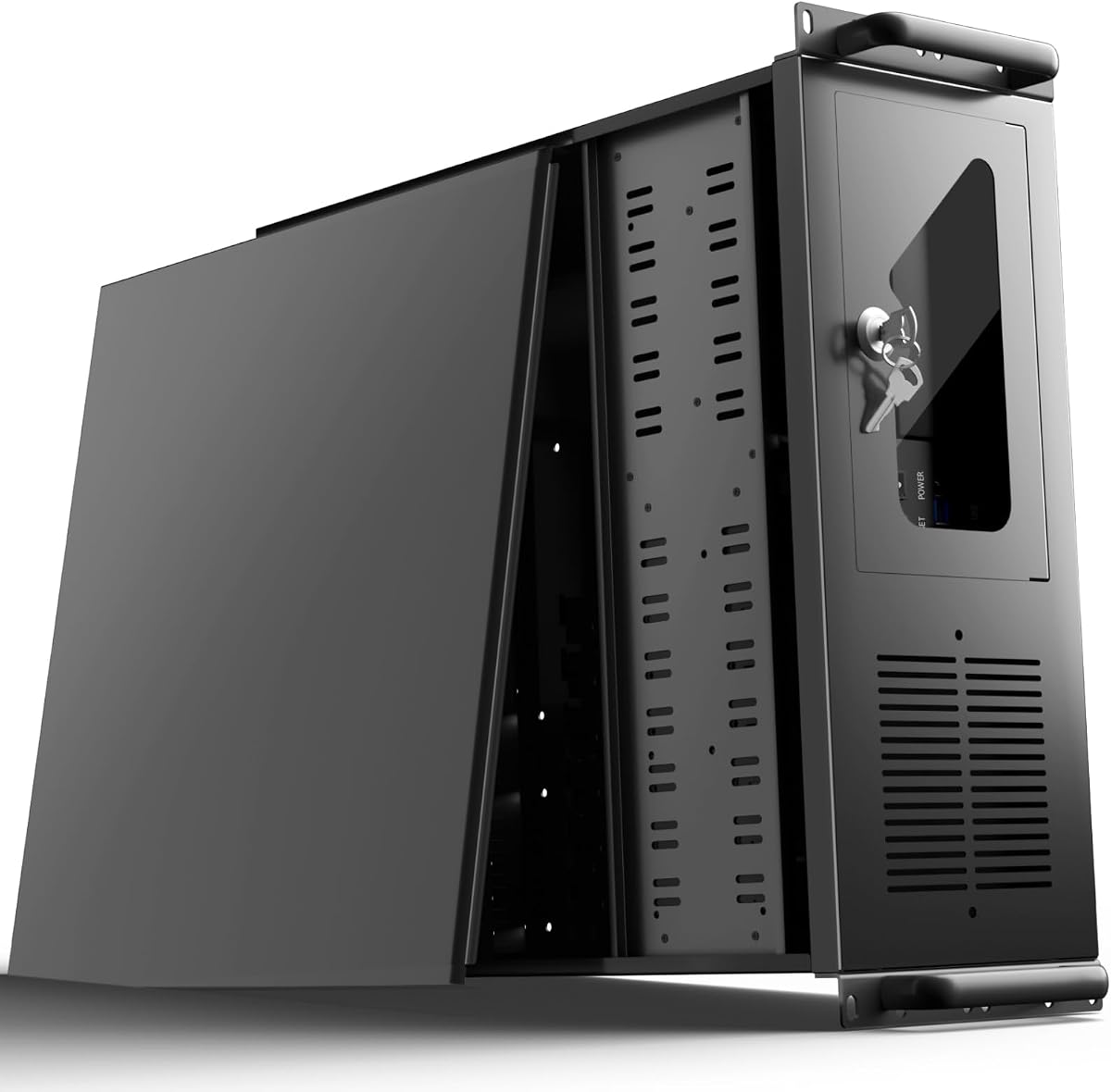


The Rosewill RSV-L4500U stands out as a top choice for builders needing extensive storage in a rackmount form factor. With a 4.2 rating from users, it is praised for its spacious chassis and robust cooling system that keeps drives running cool under load.
We may earn a commission when you buy through this link, at no additional cost to you.
Its standout quality is the inclusion of 15 internal 3.5 inch HDD bays, providing immense scalability for media servers or backup arrays. The chassis also supports E-ATX motherboards and features eight pre-installed fans to ensure optimal thermal performance across all components.
While the unit is large and heavy, this is expected for such a high-capacity enclosure. The lack of an included power supply is a minor trade-off that allows users to select a PSU that matches their specific power requirements.
This case is ideal for home lab enthusiasts and small businesses requiring reliable, high-density storage. We recommend it for anyone prioritizing drive count and cooling efficiency in a professional rackmount setup.
The 15 drive bays allow for extensive data storage without needing external enclosures, making it perfect for NAS builds.
Six front and two rear fans create a directed airflow path that effectively cools internal components during heavy use.
We may earn a commission when you buy through this link, at no additional cost to you.
This generic 4U chassis offers a solid entry point for those building a server on a tight budget. It holds a 4.0 rating and provides essential features like lockable access and standard ATX compatibility without breaking the bank.
We may earn a commission when you buy through this link, at no additional cost to you.
The design focuses on functionality with seven PCI slots and 3.5 inch drive bays. The front door foam filter helps minimize dust inflow, which is crucial for extending the life of hardware in unconditioned environments.
Build quality is functional but not industrial grade, which is typical for this price range. The lack of multiple pre-installed fans means you may need to add cooling later depending on your component heat output.
It is best suited for light workloads or educational labs where cost is a primary constraint. Users seeking basic server housing with security features will find this a practical and economical choice.
Cost effective materials keep the price low while maintaining essential structural integrity for standard server components.
The key lock and dust filter provide basic but effective protection against unauthorized access and particulate buildup.
We may earn a commission when you buy through this link, at no additional cost to you.
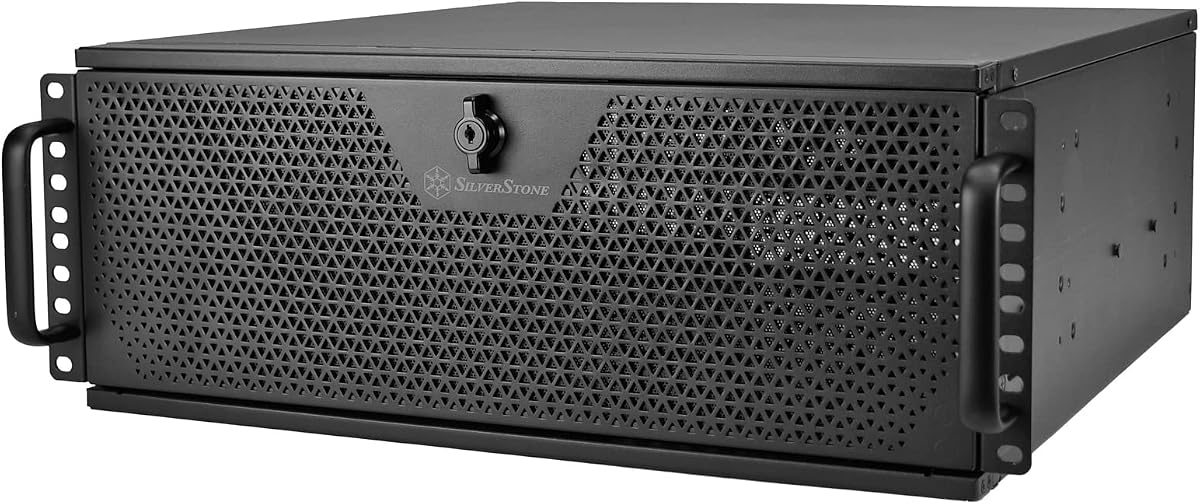
SilverStone is known for premium enclosures and the RM44 continues that legacy with enhanced liquid cooling capabilities. Rated 4.3, this chassis supports up to 360mm radiators for demanding CPUs and GPUs in compact server environments.
We may earn a commission when you buy through this link, at no additional cost to you.
It supports SSI-EEB and Extended ATX motherboards, making it versatile for workstation or high-performance computing tasks. The inclusion of a USB Type-C interface ensures compatibility with modern peripherals and data transfer standards.
The price reflects the higher quality materials and advanced engineering compared to standard cases. Assembly may be more involved due to the cooling rail mounts and specialized hardware requirements for liquid loop support.
Ideal for power users needing extreme thermal performance in a 4U form factor. This chassis is recommended for those investing in high end components that require superior cooling solutions.
Support for large radiators ensures efficient heat dissipation for high wattage processors in rackmounted setups.
The USB Type-C port offers faster data transfer and versatile connectivity for modern peripherals and management tools.
We may earn a commission when you buy through this link, at no additional cost to you.
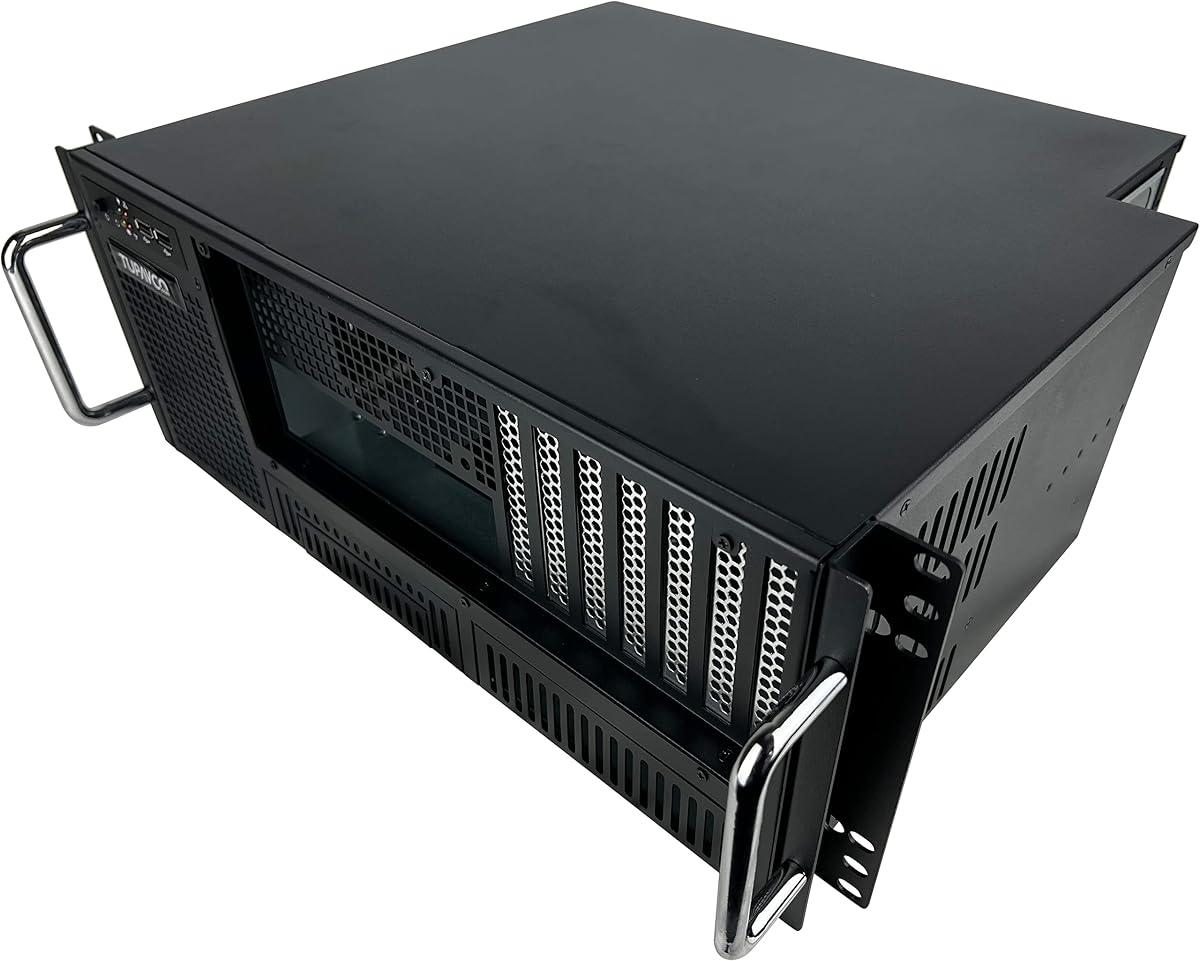
The Tupavco TP1842 provides straightforward functionality for basic server racks. With a 3.9 rating, it is designed for users who prioritize front access to ports and expansion slots without complex tool requirements.
We may earn a commission when you buy through this link, at no additional cost to you.
Its construction uses 1.0 mm SGCC steel which ensures durability in office or industrial settings. The front accessible design allows quick changes to network cards or drives without removing the whole unit from the rack.
While functional, the cooling system is minimal with only one 120mm fan and two 80mm fans. This might struggle with high heat loads unless additional aftermarket cooling is added to the chassis.
This is a practical choice for low density storage or simple server tasks. It fits standard 19 inch racks and provides the necessary expansion slots for basic hardware needs.
Front accessible ports and slots simplify maintenance and hardware swaps in busy rack environments.
Heavy duty materials ensure the chassis withstands regular use and protects internal components from impact.
We may earn a commission when you buy through this link, at no additional cost to you.
The RM4A by Silverstone focuses on expansion and cooling in a smaller footprint. Its 3.6 rating suggests some users find it challenging to configure but it remains a strong option for specialized builds.
We may earn a commission when you buy through this link, at no additional cost to you.
Eight PCI expansion slots allow for multiple network or storage cards while the chassis supports 360mm radiators. Drives can be mounted on the expansion card retainer for efficient space usage in tight environments.
However, it lacks sliding rail support which may require additional shelves for proper rack installation. The limited direct drive bays also mean external solutions may be needed for large storage arrays.
Ideal for networking appliances or workstations needing significant I/O. It suits users who value cooling and expansion over raw storage capacity in a server cabinet.
Eight full height slots offer ample room for add in cards like capture cards or multiple GPUs.
Support for 360mm radiators provides flexibility for custom liquid loops to manage high heat components.
We may earn a commission when you buy through this link, at no additional cost to you.
RackChoice offers a solid mid range chassis focused on thermal efficiency. With a 4.0 rating it supports allIO coolers up to 360mm for high performance CPUs in a standard 4U size.
We may earn a commission when you buy through this link, at no additional cost to you.
It accommodates various motherboard sizes from Mini-ITX to EATX providing flexibility for different build needs. The eight full height PCIe slots support heavy expansion requirements for networking or graphics tasks.
Drive bays are limited to two internal 3.5 inch bays meaning external drives may be necessary. The product dimensions are standard but lack built-in sliding rails requiring separate purchases for easy rack installation.
Suitable for users needing high performance computing with minimal storage. It is a good fit for virtualization hosts or compute nodes where CPU power is critical.
Designed to handle liquid cooling effectively reducing noise and improving longevity for demanding workloads.
Support for EATX and ATX boards allows users to repurpose standard high performance components easily.
We may earn a commission when you buy through this link, at no additional cost to you.
The UTLGAMENG case prioritizes security and capacity for home labs. With a 4.0 rating it offers a robust key lock mechanism to protect valuable hardware and data from unauthorized access.
We may earn a commission when you buy through this link, at no additional cost to you.
Twelve dedicated hard drive bays provide excellent scalability for storage servers. The side panel air filter effectively blocks dust inflow helping maintain optimal internal temperatures and component life.
While the build is serviceable users report occasional variations in fit and finish. The noise level depends on fan speed but the LED indicators help monitor system health at a glance.
Best for home enthusiasts valuing security and storage. It serves well as a media server or NAS chassis where physical protection and data safety are top priorities.
The key lock system ensures that internal hardware remains secure against theft or tampering in shared spaces.
Integrated air filters reduce particulate accumulation allowing for longer maintenance intervals and cleaner systems.
We may earn a commission when you buy through this link, at no additional cost to you.
This chassis is built for serious storage needs with 24 hot-swappable bays. Rated 4.2 it is designed for data centers or users needing massive redundancy without opening the case.
We may earn a commission when you buy through this link, at no additional cost to you.
Six internal Mini SAS backplanes allow flexible connectivity for SAS or SATA drives. The fan configuration includes three middle and two rear fans to manage heat in such a high-density environment.
Setting this up requires compatible controllers and backplanes which adds complexity and cost. It is not a standard consumer build but rather a specialized solution for high availability storage.
Ideal for enterprise storage or virtualization hosts needing high reliability. Users requiring 24 drives and hot-swap functionality will find this a robust and professional option.
Drive bays allow swapping drives without powering down the system ensuring uninterrupted service availability.
Twenty-four bays maximize storage in a single 4U unit reducing rack space usage significantly.
We may earn a commission when you buy through this link, at no additional cost to you.
The Industrial 4U case is built for tough environments with extensive mesh ventilation. With a 4.3 rating it promises superior airflow and thermal management for high-performance CPUs and AIO coolers.
We may earn a commission when you buy through this link, at no additional cost to you.
Front USB 3.0 ports provide convenient data transfer while the chassis fits standard 19 inch racks. The design prioritizes airflow to maintain stable temperatures under intensive workloads in industrial settings.
It may lack dedicated internal drive bays compared to storage focused cases. The weight is significant due to heavy-duty materials which requires sturdy rack mounting hardware.
Best for edge computing or industrial applications. It is recommended for users needing robust cooling and reliable access in demanding environmental conditions.
Extensive mesh vents allow consistent airflow throughout the chassis to prevent overheating in confined spaces.
Front USB ports simplify maintenance and updates without needing to reach back of the rack.
We may earn a commission when you buy through this link, at no additional cost to you.
The Rackowl 4U chassis is highly rated for its quiet performance and balanced cooling. With a 4.6 rating it includes seven fans that maintain airflow while minimizing noise for home office use.
We may earn a commission when you buy through this link, at no additional cost to you.
It supports 8 HDD bays along with 3 5.25 inch device slots for flexibility. The front panel lock and dust filter protect components from unauthorized access and debris effectively.
While it lacks extensive PCI slots compared to others it focuses on storage and cooling efficiency. The dimensions are standard but the internal layout supports most ATX and CEB boards.
Ideal for quiet home servers and small offices. Users seeking a reliable balance of cooling and silence will find this chassis a practical and efficient choice.
Seven fans provide adequate cooling without excessive noise making it suitable for residential environments.
Multiple drive bays combined with front locks offer secure and flexible storage for various file types.
We may earn a commission when you buy through this link, at no additional cost to you.
Selecting the right server chassis involves evaluating several technical factors to ensure compatibility and performance.
Ensure the chassis supports your specific motherboard size such as ATX EATX or SSI-EEB. Most 4U cases accept standard ATX but larger boards require specialized mounting holes.
Verify the mounting standoff positions to avoid installation issues.
Assess how many 3.5 inch drives you need now and in the future. High capacity models offer 15 to 24 bays while compact ones offer 2 to 8.
Choose based on current storage needs to avoid overcrowding or underutilization.
Look for cases with multiple pre-installed fans to manage heat effectively. Liquid cooling support is valuable for high performance CPUs or GPUs.
Ensure adequate airflow paths to prevent thermal throttling.
Count the number of PCI or PCIe slots available for cards like network adapters or GPUs. High density storage may require more slots for controller cards.
Prioritize cases with at least 7 to 8 slots for future-proofing.
Check that the chassis fits standard 19 inch racks. Some models require separate rails or shelves for proper installation.
Confirm dimensions match your rack depth and height requirements.
Consider cases with front panel locks to protect hardware in shared spaces. Dust filters also help maintain internal cleanliness and component longevity.
A simple lock mechanism can prevent unauthorized physical access.
Heavier gauge steel like SGCC ensures durability and reduces vibration. Industrial grade materials protect against physical damage during transport or use.
Look for reinforced handles and sturdy front panels.
Front I/O ports and expansion slots simplify maintenance without removing the chassis. This is useful for offices where frequent access is needed.
Prioritize models with accessible buttons and ports for convenience.
Install the chassis on standard 19 inch rails to secure it in a server cabinet. Use provided tools to mount the case firmly to ensure stability during operation.
Plan cable management carefully to allow airflow paths from front to back. Route cables through existing holes to reduce clutter and improve cooling efficiency.
Regularly clean dust filters using compressed air to maintain optimal cooling. Check fan operation periodically to prevent overheating during peak usage times.
Most 4U server chassis accommodate ATX motherboards. Some premium models support E-ATX or SSI-EEB sizes. Always check the mounting holes before purchasing.
Most 4U server chassis do not include a power supply. You will need to purchase a compatible PSU separately that matches your case size.
Yes premium 4U server chassis support 360mm liquid cooling radiators. Check the specific model for mounting holes and support for tubes.
For most home labs 8 to 12 bays are sufficient. Enterprise builds may require 24 bays for redundancy and large storage needs.
Noise varies by model and fan speed. Cases with more fans may produce more sound but also offer better cooling for high load systems.
A rackmount chassis fits into a 19 inch rack. A cabinet typically includes a full enclosure with doors for protection and aesthetics.
Use sliding rails or shelves to mount the chassis. Tighten all screws securely to prevent vibration or movement.
Yes most 4U server chassis allow fan replacement. Ensure new fans match the existing size like 120mm or 80mm for compatibility.
The top picks offer a range of options from budget to premium models with varying storage and cooling features. The Rosewill RSV-L4500U leads with storage while the SilverStone RM44 excels in cooling.
Prioritize motherboard compatibility and drive bay count to match your hardware needs. Security features like locks are valuable for shared or public spaces.
Always verify current prices and availability on the product pages before buying. This ensures you secure the right model at the best value for your project.