
HP 21.5 All-in-One
4.5Editor score
Intel N100 processor
8GB DDR5 RAM
21.5 inch FHD display
Finding the right computer for academic success is crucial for students today. All in one pcs offer a sleek design that saves space while providing powerful performance for coursework and entertainment.
We evaluated ten top models focusing on processor speed display quality and connectivity options. Each product was selected based on user feedback and technical specifications relevant to student needs.
Each pick highlights specific strengths like budget friendliness or premium features. Prices fluctuate frequently so please verify current costs before making your final purchasing decision online.
4.5Editor score

4.9Editor score

4.5Editor score
As an Amazon Associate we earn from qualifying purchases.
The following table provides a side-by-side comparison of all ten models to help you quickly identify the best fit for your specific academic requirements and budget constraints.




This HP model stands out as the most affordable option on our list while still delivering solid performance for everyday student tasks. It features a clean white design that fits well in dorm rooms or home offices.
We may earn a commission when you buy through this link, at no additional cost to you.
The Intel N100 processor handles web browsing and document editing with ease. The inclusion of DDR5 RAM ensures that multitasking between research tabs and streaming videos remains smooth without lag.
While the internal storage is modest, the included docking hub with an SD card slot provides flexible expansion options for storing large lecture recordings or project files without extra cost.
Students on a tight budget will find this computer offers exceptional value. It covers all essential needs for academic work without breaking the bank, making it our top budget pick.
The combination of DDR5 RAM and an included docking station at this price point is rare and offers significant utility for students needing extra connectivity.
The 21.5 inch anti glare screen provides clear text for reading PDFs and long essays without causing eye strain during late night study sessions.
We may earn a commission when you buy through this link, at no additional cost to you.
The HP 24 OmniStudio brings a modern aesthetic with its thin bezels and immersive display. It balances performance and features well for students who need more screen real estate.
We may earn a commission when you buy through this link, at no additional cost to you.
With 16GB of DDR5 RAM this machine handles heavy multitasking effectively. You can run multiple applications simultaneously without slowing down, which is crucial for research and writing phases.
The pop up privacy camera adds a layer of security for virtual classes. This feature ensures that your camera is off physically when not in use, giving peace of mind.
This model is ideal for students who prioritize screen quality and privacy features. The eco conscious design also appeals to those mindful of environmental impact during purchases.
The ultra thin bezels create a 90 percent screen to body ratio making videos and spreadsheets feel more engaging and easier to work with.
Certified as EPEAT Gold and ENERGY STAR this device meets high standards for energy efficiency and sustainable manufacturing practices.
We may earn a commission when you buy through this link, at no additional cost to you.
This Lenovo model is our top pick for students needing high performance for engineering or media tasks. The i7 processor and 100Hz display set it apart from standard office computers.
We may earn a commission when you buy through this link, at no additional cost to you.
The Intel Core i7-13620H offers ten cores that handle rendering and complex calculations efficiently. This makes it suitable for graphic design or video editing coursework.
A 100Hz refresh rate ensures smoother visuals during gaming or fast paced lectures. The borderless design enhances the viewing experience on the large 27 inch screen.
If you need speed and reliability for demanding applications this is the best choice. It justifies the cost with superior specs and a high user satisfaction rating.
The ten core architecture allows for professional grade productivity tasks that would stall on standard quad core processors found in budget models.
Having both HDMI in and out ports gives you the flexibility to connect external monitors or input signals from other devices easily.
We may earn a commission when you buy through this link, at no additional cost to you.
The Dell 27 All-in-One focuses on visual comfort and premium build quality. It is designed for students who spend long hours staring at a screen daily.
We may earn a commission when you buy through this link, at no additional cost to you.
Dell ComfortView Plus reduces blue light emissions significantly which helps prevent eye fatigue. The screen offers 99 percent sRGB coverage for true to life color representation.
The audio system includes Dolby Atmos which enhances media consumption. Dual Bluetooth speakers provide clear sound for lectures or movies without external hardware.
For those who want the best viewing experience Dell is the premium choice. The onsite service support adds peace of mind for students concerned about potential hardware issues.
The ComfortView Plus technology is a key feature for health conscious students who need to reduce eye strain during marathon study sessions.
One year of onsite service means Dell technicians can visit your location to fix hardware issues reducing downtime significantly.
We may earn a commission when you buy through this link, at no additional cost to you.
This Lenovo IdeaCentre offers a balanced package for everyday computing needs. It comes with a lifetime Office 365 access which adds significant value for academic writing.
We may earn a commission when you buy through this link, at no additional cost to you.
The 512GB SSD ensures fast boot times and quick file access. This storage speed makes launching applications and opening large documents almost instant.
Its black design is sleek and fits well in any dorm or bedroom. The space saving footprint is perfect for smaller desks where every inch counts.
Students looking for a reliable all in one without frills will appreciate this model. The included software and decent storage make it ready to use out of the box.
Lifetime Office 365 access means you do not need to pay for a subscription, saving money over the duration of your academic career.
The PCIe SSD provides lightning fast performance for daily tasks ensuring that you spend less time waiting and more time working.
We may earn a commission when you buy through this link, at no additional cost to you.
This HP model features a newer design with Type-C connectivity and Windows 11 Pro. It is a solid choice for students needing business class features at a mid-range price.
We may earn a commission when you buy through this link, at no additional cost to you.
The DDR5 RAM provides a speed boost compared to older DDR4 models. This ensures smoother performance when running multiple browser tabs or productivity apps.
A privacy shutter on the webcam offers physical security. This small detail is very useful for students who take calls from shared dorm spaces.
If you need a modern computer with Windows 11 Pro this fits the bill. The USB-C port allows for fast data transfer and connectivity with modern peripherals.
Windows 11 Pro includes tools like remote desktop and enhanced security features that are useful for advanced academic or work projects.
The Type-C port is essential for connecting to modern displays or charging devices, making it a future proof connection option.
We may earn a commission when you buy through this link, at no additional cost to you.
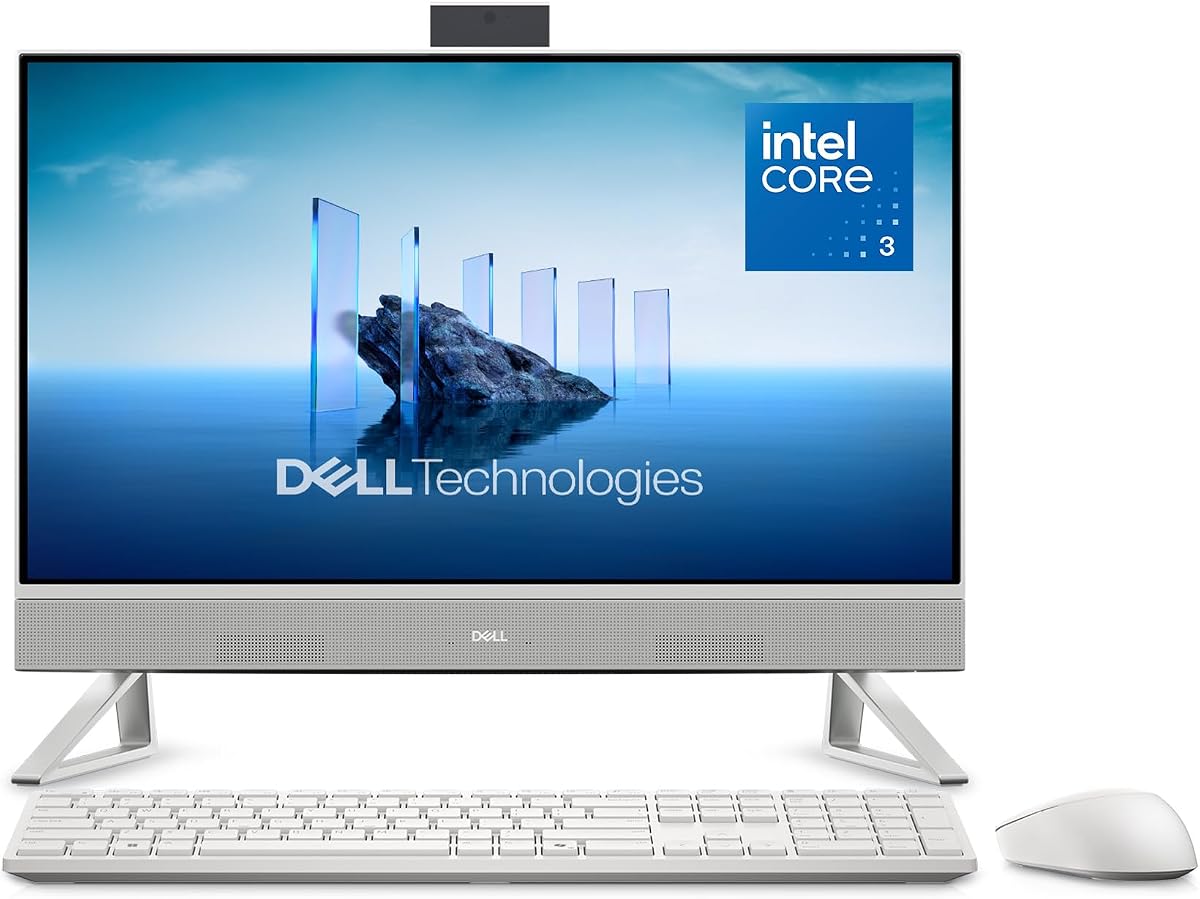
This Dell model shares premium features with the larger 27 inch version at a smaller size. It is excellent for students who want brand reliability and eye comfort.
We may earn a commission when you buy through this link, at no additional cost to you.
The Intel Core 3 processor is capable enough for standard office tasks. It keeps things running smoothly for web-based assignments and video conferencing.
Dell ComfortView Plus is again a highlight for health. It reduces harmful blue light which is beneficial for students studying late into the evening.
A high user rating indicates strong satisfaction with this model. It is a safe bet for those who prioritize screen quality and support over raw performance.
The 23.8 inch screen offers a balance between visibility and footprint, making it suitable for smaller desks or tight spaces.
Dell's reputation for quality hardware combined with onsite service support gives students confidence in their long term investment.
We may earn a commission when you buy through this link, at no additional cost to you.
This Lenovo model is one of the most affordable options available. It provides essential computing power for basic academic needs without unnecessary extras.
We may earn a commission when you buy through this link, at no additional cost to you.
The NVMe SSD ensures that boot times are fast despite the smaller storage capacity. This efficiency helps students start work immediately after turning on the machine.
WiFi 6 support ensures fast and stable internet connections. This is crucial for attending online classes without lag or connection drops during tests.
For students with a strict budget this is a functional choice. It covers the basics well and can be expanded with external drives if needed.
Bluetooth 5.2 and WiFi 6 provide fast wireless speeds for peripherals and internet which improves overall workflow efficiency.
The IPS panel offers better viewing angles than TN panels making it easier to see the screen from different positions.
We may earn a commission when you buy through this link, at no additional cost to you.
This Lenovo All-in-One includes Windows 11 Pro and 16GB of RAM. These features make it a strong candidate for business students or those needing professional software.
We may earn a commission when you buy through this link, at no additional cost to you.
The Vent Hear technology helps to noise during video calls. This is a unique feature that improves communication quality during remote lectures or meetings.
A wireless keyboard and mouse add convenience to the setup. You do not have to deal with cables cluttering your desk during study sessions.
Students needing professional features without buying a laptop will like this. It combines a business look with solid performance for daily academic tasks.
Vent Hear technology uses noise cancelling microphones to ensure clear voice transmission which is vital for online group projects.
Having 16GB of RAM allows for running heavier software like data analysis tools or development environments smoothly.
We may earn a commission when you buy through this link, at no additional cost to you.
This Lenovo model stands out with a massive 1TB storage and 16GB RAM. It is perfect for students who need to store large video or data files locally.
We may earn a commission when you buy through this link, at no additional cost to you.
The Intel i3-N305 processor provides responsive performance for everyday tasks. While not a powerhouse it is fast enough for multitasking and general productivity.
The three-sided borderless design looks modern and spacious. This aesthetic upgrade makes the device feel more premium on a desk.
Students with large file storage needs should consider this option. The combination of space and speed makes it a versatile choice for various majors.
With 1TB of SSD storage you can keep thousands of documents and media files without worrying about running out of space quickly.
The borderless design maximizes the screen area visually making the 23.8 inch display feel larger and more immersive.
We may earn a commission when you buy through this link, at no additional cost to you.
Selecting the right desktop involves balancing performance with budget. This guide outlines the key factors to consider.
The processor is the brain of your computer. For students, Intel N100 or Core i3 processors are sufficient for writing and browsing. For video editing or coding, opt for Core i5 or i7 models to ensure smooth operation.
Look for at least a quad-core processor to handle multitasking effectively without slowing down your workflow.
RAM determines how many apps you can run at once. 8GB is the minimum for students while 16GB is recommended for power users. Storage speed is also vital so choose SSDs over hard drives for fast boot times.
Prioritize models with at least 512GB SSD storage to keep all your files accessible without relying on external drives.
You will spend hours on the screen so invest in quality. Look for Full HD resolution and IPS panels for better colors. Features like anti glare and blue light filters protect your eyes during long sessions.
A larger screen like 24 inches or more helps with productivity by allowing multiple windows to be open side by side.
Check for USB ports and HDMI outputs. USB-C is useful for modern peripherals and charging. WiFi 6 ensures fast internet speeds which are critical for online learning and large file uploads.
Ensure the model has enough ports to connect your monitor, keyboard, and other accessories without needing extra hubs.
Video calls are common in remote learning so look for HD webcams and good microphones. Speakers tuned by technologies like Dolby Atmos provide better sound quality for media consumption and virtual classes.
Privacy features like pop-up cameras or shutters are beneficial for maintaining security during online interactions.
Most PCs come with Windows 11 Home but Pro versions offer more security and remote desktop features. Ensure the OS is compatible with the software your school requires for coursework.
If you are on a budget Home is usually sufficient but Pro provides better management tools for shared devices.
All in one PCs save space by combining components into the screen. Look for sleek designs that fit your desk aesthetic. Adjustable stands allow you to find a comfortable viewing angle to avoid back strain.
A clean design without unnecessary cables helps keep your study area organized and focused.
A good warranty protects your investment. Look for at least one year of onsite service so technicians can help you quickly. Support is especially important for students who may not have technical skills to fix hardware issues.
Check if the manufacturer offers reliable customer support channels for troubleshooting problems remotely.
Keep your all in one PC in a clean, dust-free environment to prevent overheating. Place it on a stable surface that allows airflow around the back vents to maintain optimal performance.
Clean the screen regularly with a microfiber cloth to avoid scratches. Avoid using harsh chemicals on the display to preserve the anti-glare coating and image quality.
Update your software and drivers monthly to ensure security and speed. Restart your computer occasionally to clear temporary files and maintain smooth operation.
Yes, all in one PCs are excellent for students as they save space and offer a clean design. They are perfect for dorm rooms and study desks. Most models come with essential features like webcams and fast storage needed for academic work.
Most all in one PCs are not easily upgradable. However, some models allow RAM or storage upgrades. Check the specific product details to see if expansion is possible before purchasing.
A 24 inch screen is generally considered the sweet spot for students. It offers enough space for multitasking without taking up too much desk space. Larger screens like 27 inches are great for creative work.
Yes, most models include wired or wireless keyboards and mice in the box. This allows you to start using the computer immediately without buying extra peripherals separately.
Windows 11 Home is usually sufficient for basic coursework and web browsing. Pro offers advanced security and remote desktop features which might be useful for business or IT students.
DDR5 RAM is faster and more efficient than DDR4 which helps with multitasking. For general student tasks DDR4 is adequate but DDR5 is a good future-proofing choice for newer models.
We reviewed ten top models ranging from budget friendly to premium choices. The Lenovo IdeaCentre 27 stands out for performance while the HP 21.5 offers great value for tight budgets.
Prioritize processor speed and RAM if you plan to run heavy software. If you mostly browse the web the standard models will serve you well without extra cost.
Prices change frequently so check current deals before buying. These PCs provide a clean and efficient way to manage your academic needs and daily tasks.