
Apevia Venus 450W
4.0Editor score
120mm auto-thermally controlled fan
Complete protection system included
Flexible CPU and motherboard connectors
This guide compares the best 350W PSU options for budget PCs, small form factors, and entry-level builds, focusing on efficiency, reliability, and safety
Choosing the right power supply is crucial for any computer build. A 350W PSU offers enough power for office PCs and entry-level systems without wasting energy on excess capacity. It keeps costs low while ensuring stable performance for basic tasks.
We evaluated ten models based on efficiency ratings, safety protections, and build quality. Our list includes standard ATX units and compact Flex ATX options for small cases. Each product was analyzed for connector types, fan noise, and warranty terms to help you decide.
Every pick shows key specs and real-world performance traits. Prices change often so check current listings before buying. We focus on value and reliability to ensure your system runs smoothly for years without unexpected power issues or failures.
4.0Editor score

4.8Editor score
5.0Editor score
This side-by-side comparison covers all ten selected power supplies. We list key specifications for each unit to highlight differences in wattage, efficiency, connectors, and form factors. Use this table to quickly find the model that fits your case and power needs.


The Apevia Venus 450W is a reliable choice for budget builds needing more than 350W. With a 4.0 rating, it offers solid performance for office PCs and light gaming. Its auto-thermally controlled fan ensures quiet operation while maintaining safe temperatures.
We may earn a commission when you buy through this link, at no additional cost to you.
This unit includes a complete protection system covering short-circuit, over-current, and over-voltage scenarios. The flexible CPU and motherboard connectors split for compatibility with older systems. All cables are black for a clean look inside the case.
While it lacks an 80 PLUS certification, the 450W output gives headroom for small upgrades. The non-modular design means extra cables may clutter the case. However, the voltage tolerance of 5% ensures stable power under varying loads.
Buy this if you need a simple, affordable PSU for a mid-range system. It balances cost and safety well. Ideal for users prioritizing reliable power delivery without spending extra on efficiency ratings or modular connectors.
Multiple safety protections guard against voltage spikes and short circuits for hardware longevity.
The 120mm fan adjusts speed automatically based on thermal conditions for reduced noise.
We may earn a commission when you buy through this link, at no additional cost to you.
The Silverstone FX350-G-VT stands out for small form factor builds needing high efficiency. Its 80 PLUS Gold certification means less wasted energy and heat. With a 4.8 rating, it is trusted for demanding 24/7 workloads.
We may earn a commission when you buy through this link, at no additional cost to you.
Designed for Flex ATX 1U cases, it fits where standard PSUs cannot. The single +12V rail delivers consistent power to components. Active PFC improves power factor and reduces strain on your electrical system.
Fixed cables simplify installation but limit flexibility. The higher price reflects the specialized form factor and efficiency. However, for compact systems, the reliability and low heat output justify the cost.
Choose this for mini-PCs or home theater systems. It handles continuous operation well. Ideal for builders needing a premium 350W PSU that fits tight spaces without sacrificing performance or safety.
80 PLUS Gold ensures minimal energy waste and lower operating costs over time.
Flex ATX 1U dimensions allow installation in ultra-compact computer cases.
We may earn a commission when you buy through this link, at no additional cost to you.
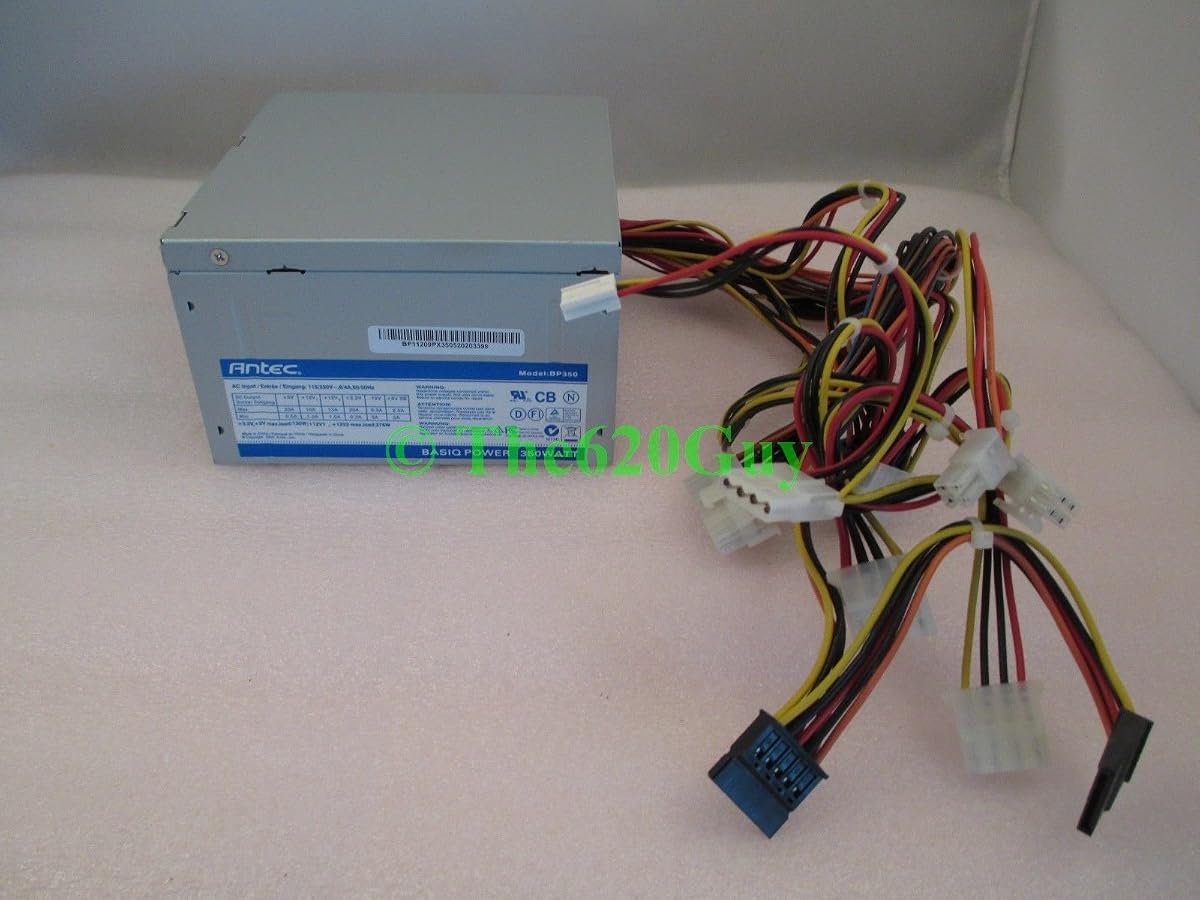
The Antec Basiq BP350 delivers dependable power for budget builds. With a 5.0 rating, it is known for reliability in entry-level systems. Antec brings years of experience to this workhorse PSU for everyday computing needs.
We may earn a commission when you buy through this link, at no additional cost to you.
Its 350W output handles office tasks and light multimedia without strain. The ATX12V compliance ensures compatibility with standard motherboards. Simple design means fewer points of failure and long-term stability.
Lacking modern efficiency certifications, it may use more energy. But for light use, this is negligible. The focus on core reliability makes it a safe choice for beginners.
Buy this for basic home PCs or school computers. It prioritizes function over features. Ideal for users needing a simple, cheap 350W PSU from a respected manufacturer.
Antec’s experience ensures solid quality without compromising on essential safety standards.
Designed specifically for budget minded system builders and basic power requirements.
We may earn a commission when you buy through this link, at no additional cost to you.
The Thermaltake Smart 500W offers 500W output for those needing more than 350W. With a 4.6 rating, it balances cost and performance. The 120mm ultra quiet fan ensures low noise during operation.
We may earn a commission when you buy through this link, at no additional cost to you.
It features Active PFC and industry grade protections against over-power and short circuits. The 5 Year Warranty provides peace of mind. However, the 80 PLUS White rating is lower than modern standards.
The extra wattage allows for future GPU upgrades. But efficiency might not save much on electricity. For budget builds expecting minor upgrades, this is a practical middle ground.
Buy this if you need slightly more power than 350W. It is versatile for entry-level gaming. Ideal for users seeking a balance of safety, warranty, and headroom.
Five years of warranty support ensures long-term reliability for system builds.
500W allows for small future upgrades without replacing the power supply.
We may earn a commission when you buy through this link, at no additional cost to you.
The Apevia ITX-PFC400W is a modular PSU for compact cases. Its 400W output fits Mini-ITX builds needing clean cable management. The 3.9 rating reflects mixed reviews but offers unique flexibility.
We may earn a commission when you buy through this link, at no additional cost to you.
Fully modular cables reduce clutter inside small cases. The 40mm double bearing fan provides forced ventilation. Active PFC supports 90-264V input for various global power standards.
The small fan may be noisier under load. Connectors split for 4+4pin or 20+4pin compatibility. For ITX builders, the modularity is a rare find at this price point.
Choose this for small form factor builds prioritizing cable management. It suits users comfortable with compact fans. Ideal for those needing a modular PSU in a tight budget.
Fully modular connections allow only needed cables to be attached for airflow.
Active PFC handles 90-264V input for international power compatibility.
We may earn a commission when you buy through this link, at no additional cost to you.
The ARESGAME AGV Series delivers 500W with Bronze certification. A 4.4 rating shows reliable performance for daily use. The 120mm fan ensures quiet cooling for extended periods.
We may earn a commission when you buy through this link, at no additional cost to you.
Bronze certification means better energy efficiency than White. The 5 Year Warranty adds value. Cables are all black for a professional look. However, it lacks modular flexibility.
For users wanting better efficiency than standard, this fits well. The 500W supports light gaming. It is a practical choice for budget builds needing efficiency.
Buy this if you want efficiency without high costs. It suits basic gaming PCs. Ideal for users valuing warranty and efficiency at an affordable price.
80 PLUS Bronze reduces wasted energy compared to non-certified units.
Five years of warranty coverage protects your investment against defects.
We may earn a commission when you buy through this link, at no additional cost to you.
This generic PC Power Supply offers adjustable voltage for versatility. A 5.0 rating indicates satisfaction with its low energy usage. The 115/230V switch supports different regions or power needs.
We may earn a commission when you buy through this link, at no additional cost to you.
Double magnetic rings reduce electromagnetic interference. Thermal sensor control adjusts fan speed based on temperature. These features provide stability for basic desktop systems.
The lack of brand details may concern some buyers. But for low consumption needs, it performs well. The adjustable switch is rare at this price.
Buy this for regions with varied voltage standards. It suits basic office PCs. Ideal for users needing a simple PSU with voltage flexibility.
Manual switching between 115V and 230V adapts to different power grids.
Internal thermal sensor adjusts fan speed for efficient temperature regulation.
We may earn a commission when you buy through this link, at no additional cost to you.
The Antec Basiq BP350 350WATT uses an 80mm Quiet Fan for low noise. A 4.5 rating highlights its reputation for quiet operation. It follows ATX12V V2.01 standards for compatibility.
We may earn a commission when you buy through this link, at no additional cost to you.
Antec ensures solid quality in this entry-level unit. The 350WATT meets basic needs. While the fan is smaller, it prioritizes noise reduction over raw cooling.
Older standard means less efficiency than V2.3. However, for silent builds, the 80mm fan helps. It fits standard ATX cases without issues.
Buy this for quiet budget systems. It is perfect for offices. Ideal for users prioritizing low noise over high performance.
80mm Quiet Fan design minimizes operational noise for peaceful environments.
Antec quality ensures reliable performance across their product lineup.
We may earn a commission when you buy through this link, at no additional cost to you.
This HG2 PSU serves as a reliable replacement for older systems. It offers 350W output for standard ATX builds. The ROHS compliance ensures environmental safety.
We may earn a commission when you buy through this link, at no additional cost to you.
While details are limited, it is built for OEM needs. It replaces older PSUs without compatibility issues. The generic design fits standard cases well.
Lacking detailed specs, it is best for replacements. It is not for enthusiasts needing advanced features. But it restores power to functional systems.
Buy this to replace a failed unit in an existing build. It suits repair needs. Ideal for users needing a simple OEM replacement PSU.
ROHS compliance ensures the unit meets environmental protection standards.
Designed to match original equipment manufacturer specifications for compatibility.
We may earn a commission when you buy through this link, at no additional cost to you.
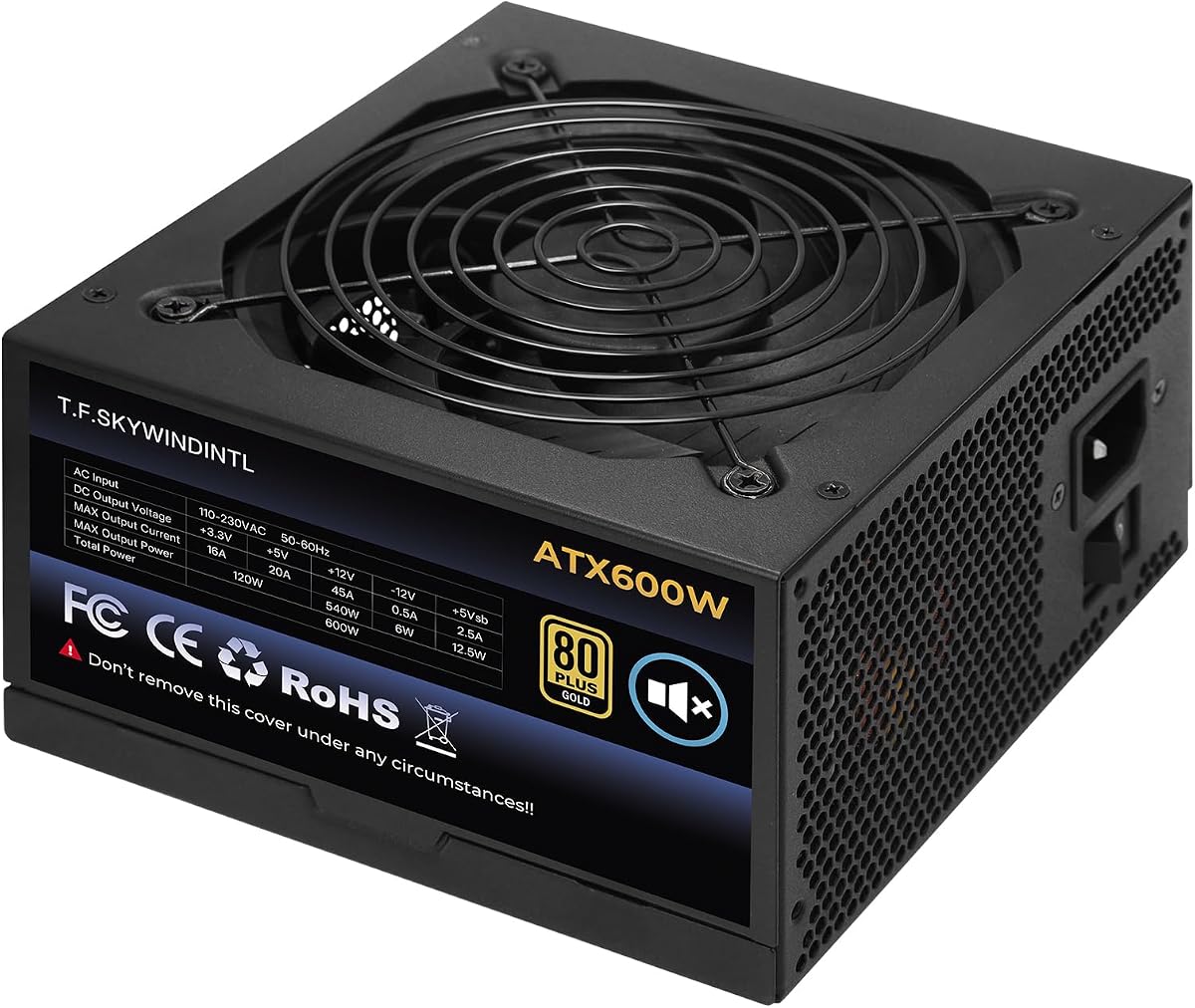
This 600W PSU offers significant power headroom. A 4.7 rating shows high customer satisfaction. The 80 Plus Gold efficiency reduces energy waste compared to standard units.
We may earn a commission when you buy through this link, at no additional cost to you.
The 125mm FDB fan ensures quiet cooling even under load. It supports full voltage range with Active PFC. Protection features include OVP, UVP, and OCP.
For 350W needs, this is overkill but future-proof. The non-modular design is a trade-off. Still, the efficiency justifies the higher capacity for gamers.
Buy this if you plan GPU upgrades later. It suits entry-level gaming. Ideal for users wanting efficiency and capacity for future growth.
600W capacity supports future component upgrades without PSU replacement.
125mm FDB fan provides superior cooling with minimal noise.
We may earn a commission when you buy through this link, at no additional cost to you.
Selecting a 350W PSU requires considering several technical factors. Efficiency, wattage, connectors, and build quality all matter for reliability. This guide explains key aspects to help you make an informed decision.
350W is suitable for office PCs and basic systems. If you plan GPU upgrades, consider 400W or more. Ensure the PSU meets your system's peak power demands.
Choose 350W for basic builds and higher for gaming systems.
80 PLUS certifications indicate energy efficiency. Bronze or Gold reduces electricity costs and heat. Standard units may work but waste more power.
Look for Bronze or Gold ratings for better efficiency.
Most PSUs are standard ATX size. Small cases need Flex ATX or mini-ITX models. Check case dimensions before buying to ensure fit.
Verify case compatibility for the form factor.
Ensure the PSU has needed connectors like 24pin, 8pin, and PCIe. Modular units offer cleaner cable management. Split connectors help with older motherboards.
Match connector types to your motherboard requirements.
Look for OVP, OCP, and SCP protections. These prevent damage from power spikes. Quality PSUs include comprehensive protection systems.
Prioritize units with multiple safety protections.
A 5 Year Warranty indicates manufacturer confidence. It covers defects and ensures support. Longer warranties are better for longevity.
Choose models with at least 5 Year warranty.
Larger fans like 120mm run quieter than smaller ones. Auto-control features adjust speed based on heat. Silent operation matters for quiet spaces.
Opt for larger fans for lower noise levels.
Affordable units save money but check quality. Don't compromise safety for a low price. Balance cost with reliability and features.
Value reliability over the lowest possible cost.
Install the PSU by securing it with screws. Ensure connectors match motherboard ports. Connect power cables securely for stable power.
Keep the PSU clean from dust. Use compressed air to blow dust from fans. Dust buildup causes overheating and reduces lifespan.
Avoid overloading the PSU. Stay within rated wattage limits. Use quality cables and outlets for safe operation.
For entry-level gaming with low-power GPUs, yes. For mid-range GPUs, you need more wattage. A 350W PSU suits integrated graphics or basic systems.
It means the PSU meets energy efficiency standards. Bronze and Gold indicate better efficiency. This saves energy and reduces heat during operation.
Yes, standard ATX PSUs fit any case size. But ensure the case has proper mounting points. Size matters for airflow not just case dimensions.
A quality unit lasts 5 to 10 years. Proper ventilation and usage affect lifespan. Regular cleaning extends the lifespan significantly.
Active Power Factor Correction improves efficiency. It reduces strain on your power supply. Most modern PSUs include this feature.
They allow cleaner cable management. Non-modular units are cheaper. For small cases, modular helps with airflow and neatness.
The Silverstone FX350-G-VT leads for small builds while Apevia Venus 450W offers best value. Antec Basiq is reliable for basic needs.
Prioritize safety protections and efficiency ratings. Choose a unit that matches your case form factor and upgrade plans.
Always check current prices before buying. Prices change regularly and sales offer better deals. Your system's reliability depends on a solid power supply.