
Caydo S1 Art Projector
5.0Editor score
Pure Optical Tracing
20,000 Hour LED
Portable Studio Design
This guide compares the top art tracing projectors for artists and crafters. We review features, brightness, and connectivity to help you choose the perfect
Finding the right art tracing projector can transform your creative workflow. Whether you are a professional artist or a hobbyist, the best device offers clarity and ease of use.
We compared ten top models based on brightness, connectivity, and ease of use. Our list covers optical and digital options to suit every budget and workspace requirement.
Each pick highlights key features and real-world performance. Prices and availability change frequently, so check the current listings before making your final decision.
5.0Editor score

4.5Editor score

4.0Editor score
This table provides a side-by-side comparison of all ten models. Use it to quickly identify the best match for your specific tracing needs and workspace setup.
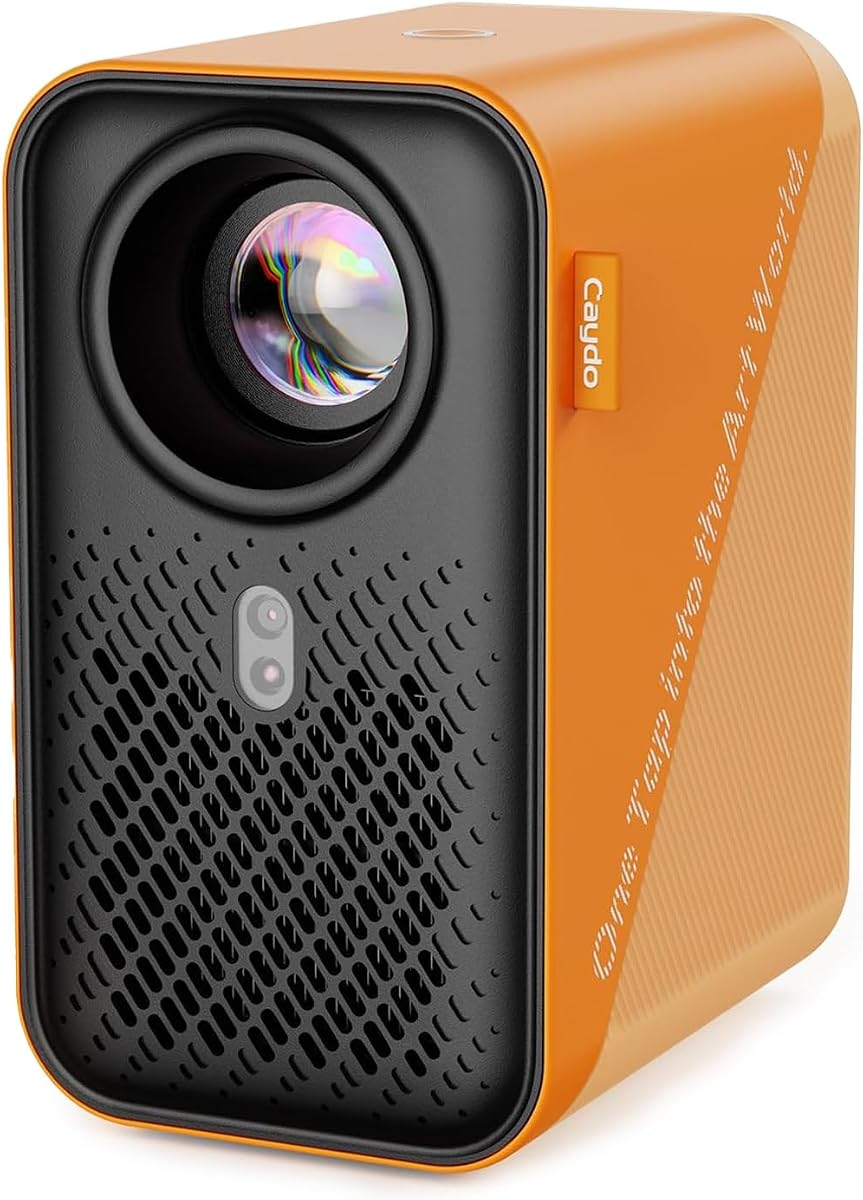
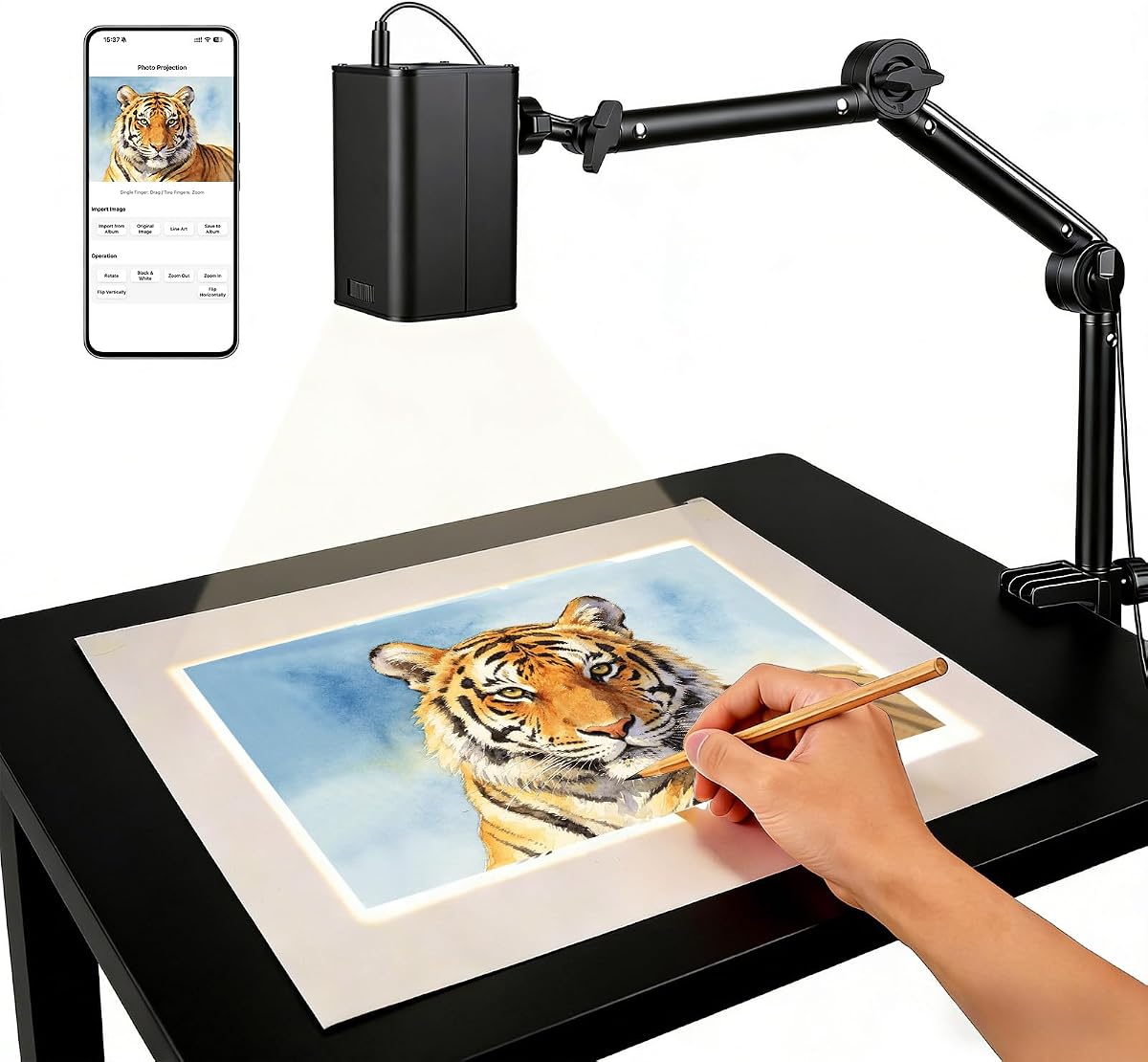


This projector delivers reliable tracing performance with dual-band WiFi and web control. Its high rating reflects strong stability and ease of use.
We may earn a commission when you buy through this link, at no additional cost to you.
The app-free web control lets you adjust rotation and scale via browser. Manual focus ensures sharp lines while the stand adapts to any surface.
Offline support is a major plus for remote work, though brightness is moderate. Most users find it ideal for detailed projects and classroom teaching.
Buy it if you want a balance of features and reliability without complex apps.
Scan the QR code to access settings directly in your browser, saving storage and setup time.
The adjustable stand supports horizontal and vertical surfaces, making it perfect for walls and canvases.
We may earn a commission when you buy through this link, at no additional cost to you.
The P3 stands out with native 1080P resolution and 400 ANSI lumens. It delivers sharp, distortion-free images even in well-lit rooms.
We may earn a commission when you buy through this link, at no additional cost to you.
Features like 0-200% zoom, 360 rotation, and artistic modes enhance creativity. The swivel base allows instant positioning on walls or ceilings.
Auto focus and keystone correction ensure precise proportions. While pricey, it justifies cost for professionals needing top-tier clarity and features.
Choose this if you demand premium brightness and accuracy for large-scale art projects.
With 400 ANSI lumens, you can work during the day without darkening your room for clear visibility.
Select from Gridify, Sketchify, Comicize, and Monochromize to match your unique artistic style.
We may earn a commission when you buy through this link, at no additional cost to you.
This optical projector offers pure tracing without digital complexity. Its 5.0 rating reflects reliability for traditional artists seeking simplicity and low maintenance.
We may earn a commission when you buy through this link, at no additional cost to you.
Place a printed image under the copy area and project up to 80 inches. The sliding knob adjusts focus in seconds for sharp outlines.
The 20,000-hour LED means no bulb replacements. It is lightweight, portable, and perfect for studios with minimal setup time.
Ideal for beginners or those who prefer analog workflows over digital connectivity.
Works with physical prints, so there is no need for USB, HDMI, or WiFi connections at all.
The built-in LED lasts up to 20,000 hours, providing years of use without extra costs.
We may earn a commission when you buy through this link, at no additional cost to you.
The P1 includes a dedicated drawing app with zoom and grid tools. It serves as both a drawing and HD video projector for versatile use.
We may earn a commission when you buy through this link, at no additional cost to you.
Transfer images via QR code or USB and enjoy seamless streaming. Auto focus and keystone correction keep images sharp at distances up to 10.5 feet.
While it has a lower score, it offers good value. The sealed core prevents dust, ensuring clean, long-lasting performance.
Choose this if you want flexibility and drawing assistance at a mid-range price.
Use intuitive tools like grid overlays and zoom to plan your artwork before you begin.
Beyond tracing, you can stream movies using AirPlay, Miracast, or HDMI connections.
We may earn a commission when you buy through this link, at no additional cost to you.
This model emphasizes stable 5G connectivity for real-time tracing. It is a practical choice for artists who prioritize speed and reliability.
We may earn a commission when you buy through this link, at no additional cost to you.
The web control feature allows instant management of projection settings. Manual focus adjustment ensures sharp lines on various surfaces.
FCC certification adds safety assurance. While it lacks advanced features, it excels at core tracing tasks for students and decorators.
Pick this for quick, seamless wireless setup without extra software downloads.
Upgraded dual-band WiFi reduces latency for smooth, real-time sketch transfers from phones or tablets.
The projector supports both online and local offline modes to keep your workflow uninterrupted.
We may earn a commission when you buy through this link, at no additional cost to you.
This projector is designed for large-scale projects with a sturdy metal stand. It supports projection sizes up to 150 inches.
We may earn a commission when you buy through this link, at no additional cost to you.
Use WiFi, USB, or HDMI to connect. The 720P resolution is clear enough for line art and patterns.
The three-section stand adjusts for overhead or angled placement. It is lightweight yet stable for crafters and muralists.
Select this for big projects where size and portability matter most.
The three-section metal stand rotates to allow overhead projection or standard angled placement.
Scale photos and patterns from small details to huge compositions with ease.
We may earn a commission when you buy through this link, at no additional cost to you.
The P2 offers 250 ANSI lumens in a compact package. Its rotating base adapts to walls, ceilings, or canvases without extra stands.
We may earn a commission when you buy through this link, at no additional cost to you.
Offline drawing tools let you zoom and rotate without internet. Bluetooth 5.4 enables audio connections for immersive sessions.
Auto focus locks clarity quickly. It is an excellent portable solution for artists working in basements or areas with weak Wi-Fi.
Choose this for portability and offline flexibility in a mid-tier device.
Unlike mirroring, drawing app tools work without internet, perfect for basements or remote locations.
Pair external speakers or headphones via Bluetooth for an immersive creative atmosphere.
We may earn a commission when you buy through this link, at no additional cost to you.
This projector features smart image tools like line art extraction and keystone correction. Its tall telescopic stand is ideal for desktop or wall use.
We may earn a commission when you buy through this link, at no additional cost to you.
Supports four connection methods including phone mirroring and USB. The 720P HD resolution provides clear output even in lit rooms.
Image processing tools streamline the tracing workflow. It supports a wide range of creative tasks from sewing to painting.
Ideal for users seeking advanced image tools and flexible connectivity options.
Tools like line art extraction and zoom help you prepare images for tracing efficiently.
Adjust the stand from 15 to 40 inches for versatile desktop or wall setups.
We may earn a commission when you buy through this link, at no additional cost to you.
The Luma 150 is a compact kit with a tripod and arm. Its battery power allows tracing anywhere without cords for up to 2.5 hours.
We may earn a commission when you buy through this link, at no additional cost to you.
It uses AirPlay and Miracast for streaming. Despite lower lumens, it provides vivid visuals in darkened rooms.
The precision mounting tools ensure perfect alignment. It is great for students or travelers needing a portable setup.
Choose this for maximum portability and battery independence in a trusted brand.
With up to 2.5 hours of battery life, you can create anywhere without needing power outlets.
The adjustable overhead tripod and arm clamp ensure your image stays perfectly aligned.
We may earn a commission when you buy through this link, at no additional cost to you.
This model is ideal for iPhone and iPad users. It is simple to set up and lightweight for small creative projects.
We may earn a commission when you buy through this link, at no additional cost to you.
Use AirPlay or USB input to project images. The 480P resolution is adequate for basic tracing tasks.
The foldable stand makes storage easy. It is an affordable entry point for children or beginners.
Pick this for casual, simple tracing with Apple devices on a budget.
Designed for iPhone and iPad users, it allows easy wireless projection via AirDrop or AirPlay.
Foldable and lightweight design makes it easy to carry and store after every session.
We may earn a commission when you buy through this link, at no additional cost to you.
Choosing the right art tracing projector involves evaluating several key factors to match your workspace and workflow.
Higher resolution like 1080P provides sharper lines. Brightness measured in ANSI lumens determines usability in lit rooms.
Look for at least 720P and 200 ANSI lumens for best results.
Wireless connectivity via Wi-Fi or AirPlay allows streaming from devices. Some models also offer HDMI and USB inputs for flexibility.
Choose based on your primary devices and whether you need offline capability.
Optical projectors work with physical prints while digital ones use phone images. Each has distinct advantages based on your workflow.
Optical models need dark rooms, while digital offer brighter and easier setup.
Adjustable stands and swivel bases allow flexible positioning. Look for models with height and tilt adjustments.
A sturdy stand reduces need for extra mounting equipment.
Auto focus and keystone correction save time and ensure sharp, proportional images.
Manual focus is acceptable if you prefer control but requires more effort.
Battery-powered units offer portability but limited runtime. Plugged-in models work longer but need an outlet.
Decide based on whether portability or runtime is more important for your use.
Drawing apps, zoom tools, and artistic modes enhance creative flexibility. These can simplify scaling and grid alignment.
Select features that match your workflow complexity.
Prices vary from budget-friendly models to premium units. Determine which features you need versus what you can afford.
Set a clear budget to narrow down choices effectively.
Set up the projector on a stable surface or mount it securely. Adjust the height and angle so the image aligns with your canvas.
Connect your device via app, Wi-Fi, or USB. Upload or select the image you want to trace and use zoom tools to fit the canvas.
Keep lenses clean with a microfiber cloth. Store in a cool, dry place and avoid dust to maintain long-term performance.
Optical models require darker rooms for contrast. Digital projectors with higher lumens work better in lit spaces. Always check the brightness specs.
Yes, many models support offline modes or physical USB inputs. Some optical projectors do not need Wi-Fi at all. Always verify the model specs.
Optical projectors work with physical prints under a lens. Digital ones stream images from phones or computers. Both allow tracing but differ in workflow.
Use the manual knob or auto-focus button to sharpen images. Keystone correction aligns the image when not perpendicular. Consult your manual for steps.
Yes, most art projectors support various surfaces. Ensure the surface is clean and light-colored for best visibility. Some have flexible stands for positioning.
Some models offer battery operation for portability. Runtime varies by unit so check specs. Others need constant power but are often brighter.
Many models include built-in apps for zoom and grids. Some allow web control without app downloads. Check for compatibility with iOS and Android.
LED bulbs often last around 10,000 to 20,000 hours. Traditional bulbs need more frequent replacement. Check maintenance needs before buying.
Our top picks include versatile models for different needs. The Caydo P3 leads in brightness while the S1 offers simplicity.
Focus on resolution, connectivity, and ease of use for your projects. Balance features with budget to find the right tool.
Prices and availability change often. Check the latest listings to ensure you get the best current deal.