
Canon CanoScan LiDE 300 Scanner
4.2Editor score
Auto Scan Mode detection
USB connectivity
Compact lightweight design
Finding the right scanner for your needs can be challenging. A good flatbed scanner captures documents and photos with high clarity while offering ease of use for everyday tasks at home or work.
We evaluated ten leading models based on resolution, speed, connectivity, and software features. Our list covers compact photo scanners, large format options, and versatile devices designed for diverse scanning requirements.
Each pick highlights key strengths and ideal use cases to simplify your decision. Prices fluctuate frequently, so verify current offers before purchasing to ensure you get the best value for your budget.
4.2Editor score

3.7Editor score

3.8Editor score
As an Amazon Associate we earn from qualifying purchases.
This side-by-side comparison highlights the core specifications and capabilities of each model to help you identify the most suitable device for your specific scanning volume and quality requirements.




The Epson Perfection V39 II is a dedicated photo scanner designed for home users who value image quality. With a 4800 dpi optical resolution, it captures fine details essential for enlarging favorite memories or preserving delicate artwork.
We may earn a commission when you buy through this link, at no additional cost to you.
Its standout quality is the Easy Photo Fix technology which restores color to faded images with a single click. The high-rise removable lid also allows you to scan thicker items like books without damaging the cover or glass.
Trade-offs include slower scanning speeds compared to document-focused units and a simpler software suite. These are acceptable since the device prioritizes photo fidelity and portability over high-volume document throughput.
Ideal for photographers and families digitizing albums, this scanner balances quality and convenience. We recommend it for those needing reliable photo scans without complex workflows or large desk footprints.
Easy-to-use buttons let you scan documents and images in fewer steps for a seamless experience.
Powerful Epson ScanSmart technology allows seamless stitching of oversized images and cloud storage integration.
We may earn a commission when you buy through this link, at no additional cost to you.
The Canon CanoScan LiDE 300 offers a cost-effective solution for basic document and image digitization. Its Auto Scan Mode automatically detects what you are scanning, simplifying the workflow for casual users who need quick results.
We may earn a commission when you buy through this link, at no additional cost to you.
Key strengths include its slim profile and USB-powered operation which eliminates the need for a separate power outlet. It is highly effective for converting receipts and forms into digital copies without significant setup time.
Trade-offs involve a lack of an automatic document feeder and limited high-end features. These limitations are acceptable given the budget focus and the device's reliability for light personal or home office tasks.
Best for students and home offices needing simple scanning, this unit delivers value and ease of use. We recommend it for anyone prioritizing affordability and space-saving design over advanced functionality.
The scanner automatically detects what you are scanning to streamline your digitization workflow.
USB connectivity and power ensure portability without the need for extra cables or adapters.
We may earn a commission when you buy through this link, at no additional cost to you.
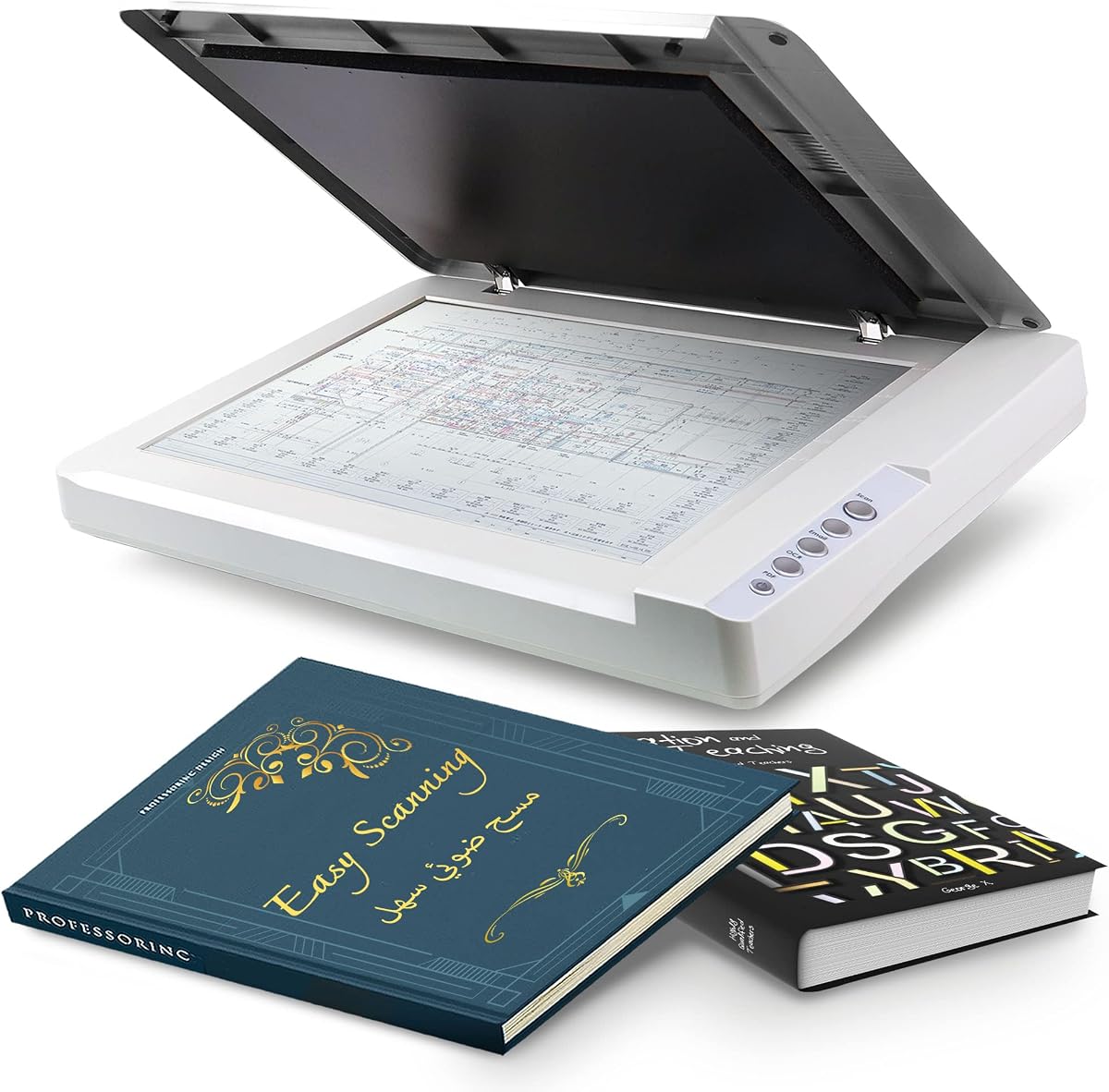
The VIISAN 3120 is designed for high-quality scanning of large items up to A3 size such as artworks and CAD drawings. Its 1200 DPI resolution ensures vivid true-to-life images with detailed color gradients suitable for digital publishing.
We may earn a commission when you buy through this link, at no additional cost to you.
Key strengths include a frameless narrow boundary design that accommodates thick items like books and magazines. The LED light source requires no warm-up time which saves energy and allows for immediate operation.
Trade-offs involve limitations of the CIS sensor for three-dimensional items and specific driver requirements for full resolution. These are acceptable given its primary focus on flat large documents and professional design work.
Ideal for schools libraries and graphic designers this scanner handles oversized materials efficiently. We recommend it for users needing to digitize large layouts without the bulk of traditional flatbeds.
Frameless design allows edge-to-edge scanning of large documents and thick items easily.
Auto-Scan function starts scanning automatically when the lid closes to boost workflow efficiency.
We may earn a commission when you buy through this link, at no additional cost to you.
The VIISAN VF3240 delivers impressive speed with a fastest 4-second A3 scan at 200 DPI resolution. This makes it an excellent choice for high-volume environments where efficiency is critical for processing drawings.
We may earn a commission when you buy through this link, at no additional cost to you.
Key strengths include a maximum optical resolution of 2400 DPI for stunning clarity in architectural blueprints and business documents. The frameless glass also allows for edge-to-edge scanning of oversized materials seamlessly.
Trade-offs include driver-specific resolution limits on Windows and CIS sensor constraints for non-flat items. These are acceptable given its specialized focus on professional CAD and large document digitization needs.
Best for engineering firms and architects this scanner streamlines the digitization of large formats. We recommend it for users needing rapid high-resolution scans of plans and technical drawings daily.
Achieves maximum scanning speed of 4 seconds for A3 color documents at specific conditions.
Handles oversized materials like engineering drawings and blueprints better than standard scanners.
We may earn a commission when you buy through this link, at no additional cost to you.
The Epson Perfection V19 II offers amazing image clarity with a 4800 dpi optical resolution ideal for enlargements. Its compact design and built-in kickstand allow for vertical placement which saves valuable desk space significantly.
We may earn a commission when you buy through this link, at no additional cost to you.
Key strengths include one-touch scanning buttons and Easy Photo Fix technology that restores faded photos with a click. You can also create editable Microsoft Office documents using its included OCR capabilities easily.
Trade-offs involve slower speeds compared to dedicated document scanners and lack of an automatic feeder. These are acceptable for home users prioritizing photo quality and space-saving designs over speed.
Ideal for home offices and photographers this scanner balances portability with professional quality. We recommend it for those needing high fidelity scans in a small footprint.
Restore color to faded photos with one click using Easy Photo Fix technology.
Convert scanned documents to searchable PDF files and editable Office documents effortlessly.
We may earn a commission when you buy through this link, at no additional cost to you.
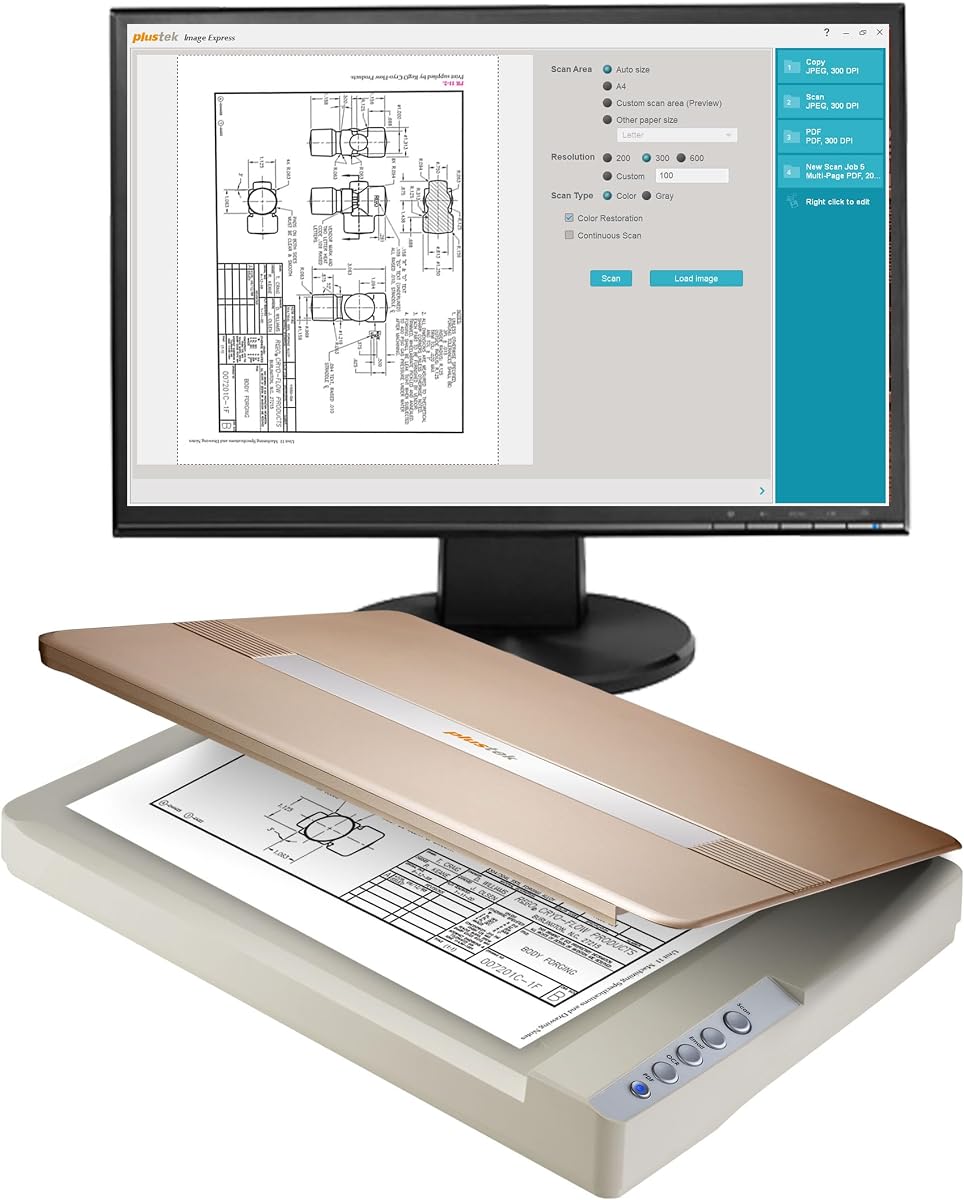
The Plustek OpticPro A320E supports up to 12×17 inch scan area which allows easy scanning of wide-format paper like maps. Its Doc Action feature ensures easy file management and quick access to post-scan destinations.
We may earn a commission when you buy through this link, at no additional cost to you.
Key strengths include batch scanning capabilities allowing multiple printed images to be saved to multiple PDF files. This increases productivity significantly for offices processing large volumes of reports or archival records.
Trade-offs involve a higher price point and potential need to download specific drivers. These are acceptable for professional users requiring robust large-format capabilities and cross-platform support.
Best for professional environments and libraries this scanner handles wide documents efficiently. We recommend it for teams needing to digitize large formats without sacrificing workflow speed.
Scan area allows you to quickly scan A3-sized wide-format paper maps drawings and books.
Scan multiple printed images at one time and save to a Multiple PDF files to a PC.
We may earn a commission when you buy through this link, at no additional cost to you.
The Plustek OpticSlim 1680 scans tabloid size documents in just 3 seconds for Gray mode or 5 seconds for Color mode. This speed ensures efficiency in office environments processing many large format files regularly.
We may earn a commission when you buy through this link, at no additional cost to you.
Key strengths include four pre-configured buttons that allow you to touch and finish all jobs with specific destinations. The dual view advanced settings also enable you to quickly check image adjustment effects.
Trade-offs involve specific software requirements and driver limitations on certain operating systems. These are acceptable given the device's primary focus on high-speed large format productivity.
Ideal for businesses needing rapid digitization this scanner combines speed with ease of use. We recommend it for offices prioritizing throughput and large document handling capabilities.
Scan tabloid size document just 3 seconds for 300dpi Gray mode or 5 seconds for Color mode.
With 4 pre-configured buttons each option can be set for destination and file type easily.
We may earn a commission when you buy through this link, at no additional cost to you.
The Plustek OS1180 scans A3 documents in approximately 9 seconds and offers a hassle-free operation with one-touch buttons. It is designed for libraries schools or small offices needing reliable performance for graphics and documents.
We may earn a commission when you buy through this link, at no additional cost to you.
Key strengths include a powerful software bundle with enhanced OCR accuracy using ABBYY and DocAction for file sharing. The LED light source saves energy and requires no warm-up time for immediate use.
Trade-offs involve average scanning speeds compared to high-end models and driver availability. These are acceptable for educational and public settings prioritizing ease of use and OCR quality.
Best for libraries and schools this scanner supports large documents and text recognition well. We recommend it for users needing reliable OCR and easy sharing of scanned files.
Enhanced OCR Accuracy with ABBYY and DocAction for File Sharing ensures better productivity.
LED Light Source saves energy and requires no warm up time for quick scanning tasks.
We may earn a commission when you buy through this link, at no additional cost to you.
The Epson DS-1630 offers versatile scanning with an auto-duplex feature and a 50-page ADF for stacks of documents. It supports seamless compatibility with TWAIN and ISIS drivers ensuring easy integration with existing software systems.
We may earn a commission when you buy through this link, at no additional cost to you.
Key strengths include a three-year limited warranty with free Next-Business-Day Replacement to minimize downtime. You can also scan to online storage accounts like Dropbox and Google Drive using Epson Document Capture software.
Trade-offs involve a larger footprint and a focus on document rather than photo quality. These are acceptable for office users needing high-volume throughput and reliable long-term support.
Ideal for businesses processing many pages this scanner delivers speed and robust service. We recommend it for offices needing reliable automatic feeding and cloud integration daily.
Auto-duplex scanning through the Auto Document Feeder plus a flatbed for photo IDs and passports.
Intuitively scan to Dropbox, SharePoint, Evernote and Google Drive with Epson Document Capture software.
We may earn a commission when you buy through this link, at no additional cost to you.
The Plustek OpticSlim 2700 scans quickly up to 3 seconds at 300 dpi color mode for fast productivity. Its built-in PDF button ensures you can easily scan and save files that are editable and searchable.
We may earn a commission when you buy through this link, at no additional cost to you.
Key strengths include software that auto rotates deskews and crops images to save time and provide ideal pictures. Four one-touch buttons help you work efficiently for copy scan and custom tasks.
Trade-offs involve limitations to standard page sizes and a focus on speed over high resolution. These are acceptable for users needing rapid digitization and simple workflow integration.
Best for small offices needing fast results this scanner combines speed with simple operation. We recommend it for users prioritizing quick PDF generation and document management.
Built-in PDF button easily scans and saves PDF's that are editable and searchable.
Software can Auto Rotate, Deskew, and Crop images to help the user save time.
We may earn a commission when you buy through this link, at no additional cost to you.
Choosing the right scanner requires balancing resolution speed and software features. Below are key factors to consider before making your purchase.
Optical resolution determines the level of detail your scanner can capture measured in dots per inch (dpi). Higher resolution like 4800 dpi is essential for photo enlargement and preserving artwork quality.
Choose higher resolution for photos and lower for basic text documents to save space and time.
Scan speed affects how quickly you can digitize large volumes of documents. Some models offer faster processing for color or gray mode which improves workflow efficiency.
Select a model with fast speeds if you handle high volumes of pages daily.
Standard scanners usually support letter size but some units handle A3 or tabloid documents. This is crucial for scanning blueprints maps or larger bound books without cutting them.
Ensure the scanner supports the largest paper size you plan to use regularly.
Most modern scanners connect via USB which offers simplicity and portability. USB powered models eliminate the need for extra power outlets making them easier to move.
Prioritize USB connectivity for home use and Ethernet for office integration.
Included software like OCR and cloud integration can save significant time organizing digital files. Features like one-touch scanning buttons simplify the process for everyday users.
Look for bundled software that matches your specific workflow needs.
CIS sensors are common in flatbeds for energy efficiency but may have depth limits compared to CCD. CCD sensors offer better depth but are bulkier and consume more power.
Choose CIS for portability and energy savings unless you need high depth.
Warranty coverage ensures protection against defects and can include exchange services. Models with longer warranties often indicate higher build quality and reliability.
Check for at least a one-year limited warranty and exchange options.
Verify driver support for Windows or macOS to ensure seamless integration with your computer. Some scanners have specific requirements for maximum resolution on certain systems.
Confirm compatibility with your current OS before purchasing to avoid issues.
Clean the scanner glass regularly with a soft lint-free cloth to remove dust or fingerprints that may cause marks. Avoid using harsh chemicals that could scratch the surface.
Place the scanner on a flat stable surface to ensure consistent alignment and avoid mechanical issues. Keep the area around the device free from excessive moisture or heat.
Update drivers and software periodically to maintain compatibility with operating system updates and fix bugs. Follow manufacturer instructions for cleaning the glass and lid to maintain performance.
CIS sensors are more compact and energy efficient making them suitable for portable scanners. CCD sensors offer better depth and image quality but are generally larger and consume more power.
Some scanners feature high-rise removable lids or book-edge scanning modes to prevent damage. Always close the lid gently to avoid bending covers during the scanning process.
Not all models have native macOS drivers so check compatibility before buying. Many modern units support Mac via ICA drivers or cloud software for seamless integration.
White lines are often caused by dust or debris on the glass or scanning head. Clean the glass gently with a soft cloth and check for scratches that may require service.
300 dpi is usually sufficient for standard text documents while higher resolution is needed for photos. Choose based on whether you prioritize file size or image detail.
Many scanners include software that allows direct scan to email or cloud services like Dropbox. Check the included software features to see if this is supported natively.
This guide covers top performers ranging from budget-friendly models to professional large-format options. Whether you need high photo resolution or fast document throughput there is a suitable choice listed.
Prioritize factors like resolution and maximum scan size based on your daily needs to find the best fit. Software compatibility and warranty terms should also influence your final decision.
Prices and availability change regularly so always check current listings before making your purchase. Staying informed ensures you get the best value for your specific scanning requirements.