
Vogzone for X550-T2 10GbE PCIe 3.0 x4 NIC
4.3Editor score
Intel X550AT2 Controller
Dual RJ45 Ports
SR-IOV Support
Low-Profile Bracket
This guide compares the top 10GbE network cards for PCs, analyzing performance, compatibility, and value to help you upgrade your internet speed effectively.
Modern computing demands high-speed connectivity for seamless streaming, gaming, and large file transfers. A reliable 10GbE network card for PC ensures your system keeps up with today's bandwidth requirements without bottlenecks.
We evaluated leading adapters based on chipsets, compatibility, and real-world throughput. Our list includes options for desktops, servers, and NAS systems, focusing on stability and ease of installation across various operating environments.
Each pick highlights specific strengths like low latency or broad OS support. Prices and availability fluctuate frequently, so verify current details before purchasing to ensure you get the best value for your specific networking needs.
4.3Editor score

4.2Editor score

4.4Editor score
This table provides a side-by-side comparison of all ten adapters, detailing their key specifications, controller types, and interface options to help you quickly identify the right fit for your hardware setup.


The TP-Link TX401 delivers extreme speeds of up to 10 Gbps with 10GBase-T technology. It ensures smooth data transmissions for both internet access and local data transfers effectively.
We may earn a commission when you buy through this link, at no additional cost to you.
QoS technology prioritizes performance for gamers and avoids network congestion. The included CAT6A cable maximizes performance with ratings up to 10 Gbps.
While it is highly compatible, some users may need to configure drivers carefully depending on their specific OS version. The low-profile bracket helps fit mini towers well.
This card is ideal for users needing a simple upgrade to 10GbE without complex configuration. It balances speed, compatibility, and value perfectly for most desktop systems.
10GBase-T technology provides 10x faster speeds than typical Gigabit adapters ensuring smooth transmissions.
Compatible with Windows 10/8.1/8/7, Windows Servers, and Linux to meet diverse operating system needs.
We may earn a commission when you buy through this link, at no additional cost to you.
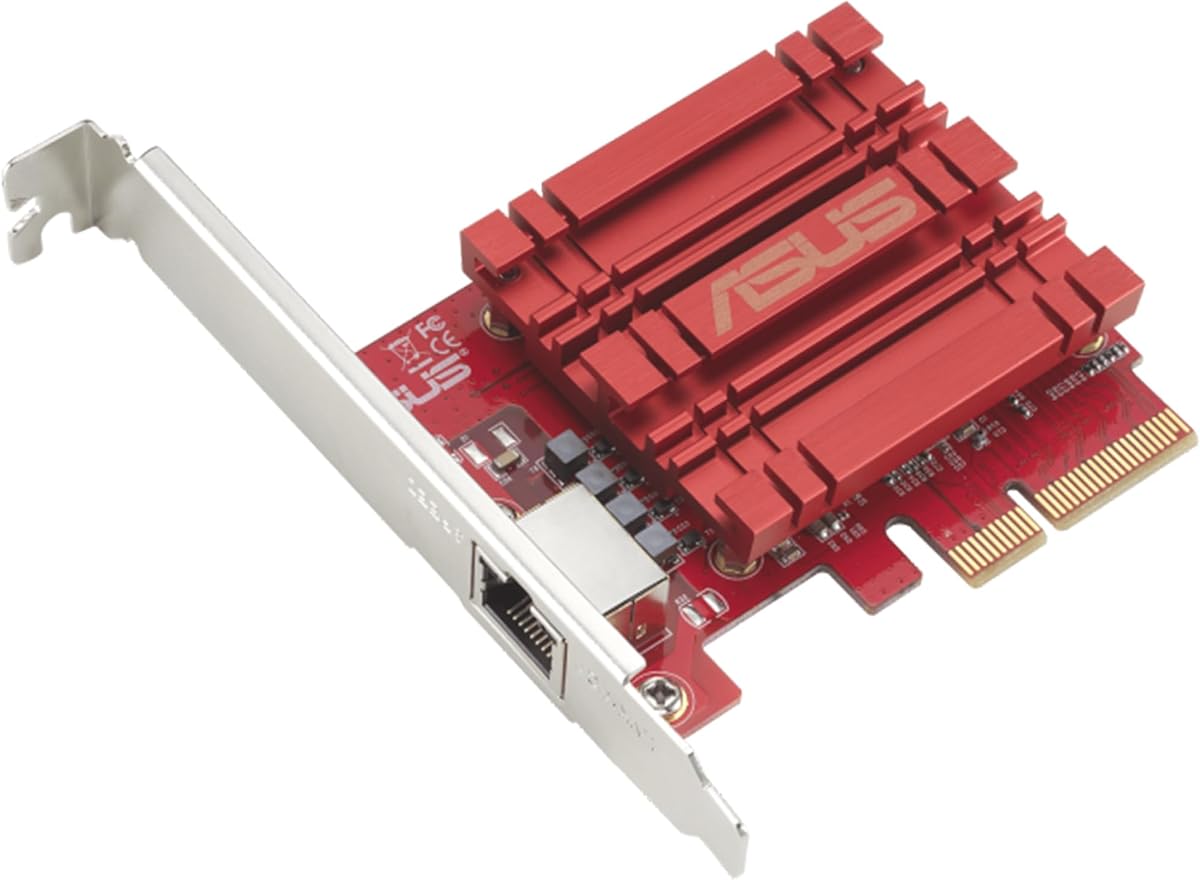
Asus offers a network card that delivers up to 10X-faster data-transfer speeds for bandwidth-demanding tasks. It works with current network standards seamlessly.
We may earn a commission when you buy through this link, at no additional cost to you.
The card supports Windows and Linux integration with specific kernel versions. You can prioritize bandwidth with built-in Quality-of-Service technology for smooth online experiences.
Some users note that driver support might require specific kernel versions on Linux. It lacks additional accessories like cables in the box.
This option is suitable for those needing a straightforward upgrade to 10GbE with solid standard compliance. It fits well in desktops requiring reliable networking.
Delivers up to 10X-faster data-transfer speeds for bandwidth-demanding tasks effectively.
Windows and Linux support offers flexible OS integration with specific kernel versions.
We may earn a commission when you buy through this link, at no additional cost to you.
This adapter features an original Intel XLX550AT2 controller supporting single-root I/O virtualization. It is designed for server stability and demanding environments.
We may earn a commission when you buy through this link, at no additional cost to you.
With dual RJ45 ports, it meets data center demands. It supports firmware updates without entering BIOS using official NVM Update Utility.
Configuring specific speeds may require manual intervention if auto-negotiation fails. It is more complex for home users needing just basic connectivity.
Ideal for professionals needing dual ports and virtualization support. It provides enterprise features at a competitive price point.
Intel XLX550AT2 controller supports single-root I/O virtualization and improves server stability.
Enables in-system firmware refresh under Windows, Linux, and VMware ESXi.
We may earn a commission when you buy through this link, at no additional cost to you.
Powered by the Realtek RTL8127 chipset, this card delivers stable low-latency performance for NAS and servers. It supports 10Gbps connectivity effectively.
We may earn a commission when you buy through this link, at no additional cost to you.
Designed with PCIe 4.0 x1, it maximizes slot efficiency. It is compatible with x1, x4, x8, and x16 slots for broad motherboard support.
Actual link speed depends on connected equipment and cabling quality. Some Linux versions may need specific drivers installed.
This adapter suits Mini PCs and ITX builds needing efficient high-speed networking. It balances modern interface support with reliable performance.
PCIe 4.0 x1 interface provides full-featured 10GbE networking while maximizing slot efficiency.
Engineered for lower power consumption and reduced heat output.
We may earn a commission when you buy through this link, at no additional cost to you.
Intel provides low cost, low power, 10 Gigabit Ethernet performance. It delivers proven technology and integrates LAN, iSCSI, and FCoE efficiently.
We may earn a commission when you buy through this link, at no additional cost to you.
Flexible I/O virtualization allows port partitioning and quality of service. It simplifies transitions to 10GbE with backward compatibility.
It is a premium option compared to newer models. Some older features might not be fully compatible with very latest standards.
Best for data centers needing dual port redundancy and reliability. It stands out for proven enterprise-grade performance.
Delivering Lan, Iscsi, And Fcoe In One Low Cost Cna solution.
Flexible I/O virtualization for port partitioning and quality of service.
We may earn a commission when you buy through this link, at no additional cost to you.
This adapter supports speeds up to 10Gbps over PCIe Gen 2 3.0 x4 interface. It is NDAA and TAA compliant for government customers.
We may earn a commission when you buy through this link, at no additional cost to you.
It includes 3 years of manufacturer protection. The support team provides English speaking advisors during normal business hours.
The PCIe Gen 2 3.0 interface might be slower than newer standards. Compatibility is mostly with Windows versions.
It is useful for government projects requiring compliance. It offers good support and durability for institutional use.
NDAA and TAA compliant for government customers needing secure solutions.
Backed and supported with 3 years of TRENDnet Manufacturer Protection.
We may earn a commission when you buy through this link, at no additional cost to you.
Powered by Realtek RTL8127AT, this card reduces CPU usage with hardware checksum offload. It supports auto-negotiation effectively.
We may earn a commission when you buy through this link, at no additional cost to you.
It uses existing Ethernet cabling up to 100 meters. Linux kernel support extends up to version 6.12 for current systems.
Setup may vary based on OS version and kernel support. Some users need to ensure drivers are installed correctly.
This is a strong choice for home labs and NAS systems. Lifetime support adds significant value for long-term users.
Compatible with Cat5e/Cat6/Cat6A/Cat7 Ethernet cables for existing infrastructure.
Wake-on-LAN functionality allows remote wake-up capability.
We may earn a commission when you buy through this link, at no additional cost to you.
TX201 delivers high speeds of up to 2.5 Gbps which is 2.5x faster than typical Gigabit adapters. It handles varied conditions well.
We may earn a commission when you buy through this link, at no additional cost to you.
QoS prioritizes performance for gamers and avoids network congestion. It includes Wake on LAN for easier device management remotely.
It is slower than 10G options but sufficient for many setups. Users should consider future bandwidth needs before purchase.
Ideal for users who need more than Gigabit but less than 10G. It offers solid value for basic high-speed requirements.
Quality of Service technology prioritizes performance for PC gaming.
Fully compatible with Windows 11/10/8.1/8/7 and Linux.
We may earn a commission when you buy through this link, at no additional cost to you.
This network card offers speeds up to 10 times faster than gigabit rates. It ensures swift file transfers and seamless HD video streaming.
We may earn a commission when you buy through this link, at no additional cost to you.
It accommodates various PCI Express slot configurations. It features robust metal shielding to minimize electromagnetic interference effectively.
Antivirus may falsely flag drivers due to digital signature. Removing plastic film before connecting is a necessary step.
It is a robust choice for diverse hardware layouts. The metal shielding adds stability and reliability for connections.
Robust metal shielding minimizes electromagnetic interference enhancing stability.
Seamless OS compatibility with Windows 11 or 10 and Linux.
We may earn a commission when you buy through this link, at no additional cost to you.
Adopting Intel X540 Controller, it provides up to 10 Gbps of extreme speed. It effectively prevents packet loss and improves server stability.
We may earn a commission when you buy through this link, at no additional cost to you.
Excellent heat dissipation performance reduces temperature quickly. It comes with standard and slim brackets for different applications.
It requires PCIe ports and is not for PCI slots. Users must ensure their motherboard slot matches the adapter.
This adapter is ideal for those needing controller-based stability. Lifetime support ensures assistance during installation.
Adopting Intel X540 Controller to prevent packet loss and improve server stability.
Excellent heat dissipation performance to keep stability of network transmission.
We may earn a commission when you buy through this link, at no additional cost to you.
Choosing the right 10GbE network card requires understanding hardware compatibility and performance needs to avoid bottlenecks.
Ensure your motherboard has the required PCIe slot, typically x1, x4, or higher. Newer cards often use PCIe 4.0 which fits in 3.0 slots but may offer different bandwidth.
Verify your system supports PCIe slots and not older PCI slots which are incompatible with modern Ethernet adapters.
Intel and Realtek controllers offer different performance profiles. Intel chipsets often provide better stability for servers while Realtek is common for cost-effective consumer cards.
Check if the chipset supports your specific OS requirements and virtualization features you may need.
Single port adapters are sufficient for most home and office PCs. Dual port cards allow for link aggregation or redundancy which is useful for servers.
Consider if you need multiple connections or if one high-speed port meets your current traffic demands.
Check manufacturer driver availability for your OS version. Linux users should confirm kernel compatibility while Windows users should ensure support for Windows 10/11.
Some enterprise systems may require specific VMware or ESXi driver support for virtual environments.
10GbE over copper usually requires Cat6A cabling for full speeds. Lower category cables may work but could limit speed to 1Gbps or 2.5Gbps.
Ensure your network switch and router also support 10GbE to utilize the new card's full potential.
QoS helps prioritize traffic for gaming or video streaming reducing lag. Look for cards that explicitly mention QoS if network congestion is a concern.
Advanced traffic management features improve reliability when multiple devices share the same connection.
Low-profile brackets are essential for smaller tower cases and SFF builds. Standard full-height brackets are better for regular desktop towers.
Check if the adapter includes both bracket options to fit your specific chassis constraints.
A longer warranty indicates manufacturer confidence in the product. Look for cards with at least 2 years of coverage and accessible support channels.
Responsive technical support helps resolve driver issues quickly after installation.
Install the adapter into a compatible PCIe slot on your motherboard ensuring it is fully seated. Secure the bracket with the case screws to prevent movement during operation.
Connect your Ethernet cable to the port and then install the latest drivers from the manufacturer. website. This ensures optimal performance and compatibility with your system.
Monitor temperatures and network throughput using system tools. Keep vents clear to allow proper airflow and prevent overheating over time.
Yes, Cat6A cables are recommended to support full 10Gbps speeds. Cat6 may work for short distances but Cat6A ensures reliable performance over longer runs.
Yes, these cards are backward compatible and will negotiate down to 1Gbps if connected to slower switches. You will not lose speed unless your equipment is incompatible.
Yes, PCIe 3.0 x4 provides sufficient bandwidth for 10GbE connections. Modern cards also support PCIe 4.0 which adds future proofing but is not strictly required.
Download drivers from the manufacturer website before installation. Follow the step-by-step guide provided and restart your system if necessary.
10GBase-T uses standard copper cables while SFP+ typically uses fiber optics. SFP+ is often used in servers while 10GBase-T is easier for desktop users.
Unless you have a multi-gigabit internet connection or local file transfers, gaming may not see huge benefits. It is more useful for large file downloads or streaming.
Most models listed support Windows Server versions. Always verify specific OS support in the product documentation before purchasing for server environments.
We reviewed ten top options ranging from budget-friendly to enterprise grade adapters. The TP-Link TX401 stands out for ease of use while the Intel X540T2 offers premium reliability.
Prioritize compatibility with your motherboard and switch to ensure smooth operation. Selecting a card with the right features like dual ports or QoS can improve performance.
Prices and availability change frequently so verify current details before purchasing. Always check your system requirements to get the best value for your networking upgrade.