
2 Pack Tempered Glass Screen Protector
4.6Editor score
0.33mm ultra-thin design
9H hardness scratch protection
Anti-fingerprint oleophobic coating
Protecting your handheld gaming device is essential for long-term performance and visual clarity. A high-quality screen protector guards against scratches while maintaining touch responsiveness.
We evaluated ten top-rated protectors based on durability, clarity, and ease of installation. Each option was selected for its specific fit and reliable protection features.
Every pick highlights key strengths and weaknesses to help you decide quickly. Please note that availability and details may change over time as products update.
4.6Editor score

4.6Editor score
4.5Editor score
As an Amazon Associate we earn from qualifying purchases.
This side-by-side comparison highlights the key specifications and unique features of each selected screen protector to help you make an informed choice.


This amFilm protector is specifically designed for ASUS ROG Ally models. It features high definition clarity and strong scratch resistance for reliable daily use.
We may earn a commission when you buy through this link, at no additional cost to you.
The 0.3mm thickness ensures the touch sensitivity remains accurate. Its oleophobic coating helps keep the screen free of fingerprints and smudges during long sessions.
While it offers excellent protection for its price, it is tailored to specific model years. This precision ensures a perfect fit without interfering with the case.
It is ideal for gamers seeking reliable protection without compromising visual quality. We recommend this for those prioritizing clarity and ease of installation.
The high transparency allows the original colors to shine through for a natural viewing experience.
With 9H hardness, this protector stands up to daily hazards like keys or coins without scratching.
We may earn a commission when you buy through this link, at no additional cost to you.
ZAGG Glass+ is engineered to be significantly stronger than standard glass protectors. It provides superior impact protection for your ROG Ally screen.
We may earn a commission when you buy through this link, at no additional cost to you.
The EZ Apply installation tray ensures accurate alignment and a bubble-free fit on the first try. The silky touch feels natural and precise for gaming.
The higher cost reflects its premium durability and installation features. This is a great choice for users who value top-tier protection and ease of use.
It is best suited for those who want reliable long-lasting protection. We suggest it if you prioritize impact resistance and a premium feel.
This protector is designed to be three times stronger than standard options for better reliability.
The EZ Apply tray makes aligning the protector quick and accurate for a perfect fit.
We may earn a commission when you buy through this link, at no additional cost to you.
This four-pack offers excellent value for long-term protection needs. It features ultra-thin glass with anti-scratch and shock protection properties.
We may earn a commission when you buy through this link, at no additional cost to you.
The auto-adhesion technology allows for easy installation without a frame. It restores the original screen color for the best gaming experience.
It provides a durable solution at a budget-friendly price. This is ideal for users who want multiple options or replacements over time.
We recommend it for budget-conscious buyers who still demand quality. It is a solid pick for everyday protection against wear and scratches.
The glass is only 0.33mm thick to ensure sensitive touch and a perfect fit.
A hydrophobic layer prevents permanent stains from oil residue even after long-term use.
We may earn a commission when you buy through this link, at no additional cost to you.
This protector is designed for maximum coverage while remaining compatible with protective cases. It uses 9H hardness to protect against impact and scratches.
We may earn a commission when you buy through this link, at no additional cost to you.
The reserved space allows you to use any protective case without warping or bubbles. High definition transparency provides a natural viewing experience.
The case-friendly design might leave a tiny gap to ensure fit compatibility. This trade-off ensures your case does not lift the edges.
It is perfect for users who frequently change cases or want full coverage. We recommend this for those prioritizing versatility and clean fit.
This protector ensures your screen is fully covered while avoiding lifting issues.
The reserved space allows you to use any protective case without any warping.
We may earn a commission when you buy through this link, at no additional cost to you.
This OneTouch protector simplifies installation with an automatic alignment kit. It ensures a precise fit in just 30 seconds for easy setup.
We may earn a commission when you buy through this link, at no additional cost to you.
It features ultra-high 9H hardness for maximum resistance against impacts and scratches. The hydrophobic layer effectively prevents fingerprints and oil stains.
While it targets specific 2025 models, its installation ease is a major advantage. This is ideal for those who struggle with manual alignment.
We recommend it for users prioritizing a quick and accurate install. It is a great choice for hassle-free protection of your device.
The automatic alignment kit allows you to install the protector in just 30 seconds.
Advanced coating technology ensures a clear visual experience with smooth screen touching.
We may earn a commission when you buy through this link, at no additional cost to you.
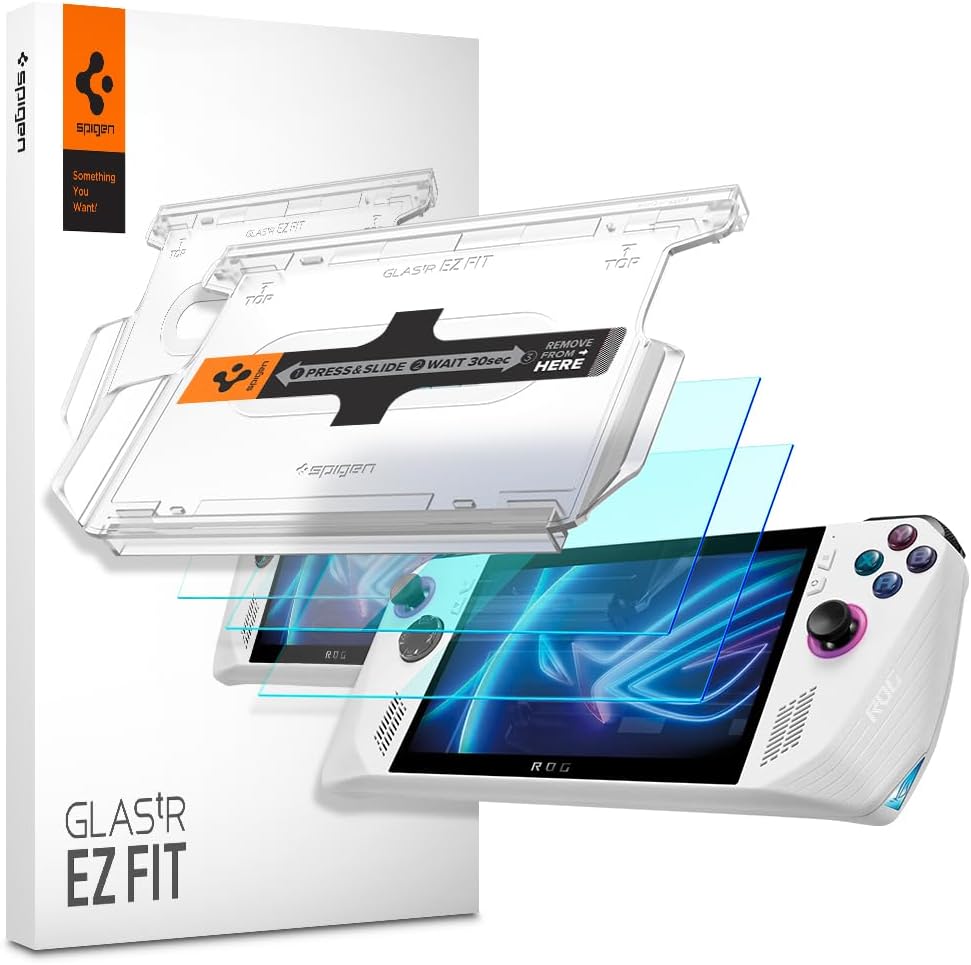
This Spigen protector features precision-cut fit for accurate alignment and a clean finish. It maintains 100% optical clarity for true visibility.
We may earn a commission when you buy through this link, at no additional cost to you.
The EZ FIT auto-alignment tray helps position the protector perfectly in under 60 seconds. The case-friendly design prevents lifting when used with Spigen cases.
It is specifically designed for the standard ROG Ally and not the Xbox version. This distinction ensures the best fit for your specific model.
We recommend this for users who value brand reliability and case compatibility. It is a solid choice for daily protection with high clarity.
Independent lab tests confirm this glass maintains 100% optical clarity for true visibility.
The tray makes installation quick and easy by helping position the protector perfectly.
We may earn a commission when you buy through this link, at no additional cost to you.
This matte protector removes unwanted harsh reflections for a more comfortable gaming experience. It features a premium anti-glare texture that resists oil smudges.
We may earn a commission when you buy through this link, at no additional cost to you.
Every product ships in retail packaging with a cleaning kit. It is backed by a lifetime warranty and friendly support from the manufacturer.
The matte finish may slightly reduce brightness compared to clear glass. However, it reduces glare significantly in bright environments.
We recommend it for users who face glare or prefer a non-glossy feel. It is the best choice for those prioritizing reduced reflections.
The premium matte finish removes unwanted harsh reflections for a premium gaming experience.
Every set comes backed by the Encased Ltd. Lifetime Warranty and friendly support.
We may earn a commission when you buy through this link, at no additional cost to you.
This Mr.Shield option uses Japan hardest glass for high scratch resistance and smooth touch. It provides high accuracy and high clarity for your screen.
We may earn a commission when you buy through this link, at no additional cost to you.
It uses silicone adhesives for viewing clarity and easy installation. The tailored fit ensures maximum strength and precise coverage on the device.
It offers reliable protection from drops and scratches at an affordable price. This is ideal for users seeking strong protection without complexity.
We recommend it for those prioritizing durability and clarity. It is a solid everyday protector for standard gaming needs.
Made of Japan hardest glass with smooth and high touch response for accurate gameplay.
Uses silicone adhesives for viewing clarity and easy installation and removal.
We may earn a commission when you buy through this link, at no additional cost to you.
This protector is designed to be compatible with multiple devices including the Ally X and Claw. It features 9H hardness to protect against dirt and scratches.
We may earn a commission when you buy through this link, at no additional cost to you.
It maintains high transparency and touch sensitivity for a seamless gaming experience. The non-adhesive backing ensures no sticky residue is left behind.
Its versatility makes it a good choice if you own multiple handhelds. This is a practical option for families or multi-device owners.
We recommend it for users needing broad compatibility. It is a strong pick for reliable protection across various models.
Designed for ASUS ROG Ally X, ROG Ally, and MSI Claw A1M 7 inch 2024 released.
Features high transparency tempered glass to maintain original screen clarity.
We may earn a commission when you buy through this link, at no additional cost to you.
This protector features precise laser cut glass with polished rounded edges. It ensures 99.99% HD clarity and touchscreen accuracy for your device.
We may earn a commission when you buy through this link, at no additional cost to you.
It uses high technology glues to ensure 100% bubble free installation. The surface hardness is rated at 9H for high durability and scratch resistance.
The tailored fit ensures maximum strength and precise coverage on your screen. It is a reliable choice for everyday protection against impacts.
We recommend it for users who value precision cuts and durability. It is a solid option for long-term screen protection.
Precision laser cut tempered glass with polished rounded edges for a perfect fit.
Uses high technology glues to ensure 100% bubble free installation every time.
We may earn a commission when you buy through this link, at no additional cost to you.
Selecting the right screen protector depends on several factors including material, clarity, and installation method. We have outlined key considerations to help you choose.
Most protectors use tempered glass which offers excellent scratch resistance and durability. Look for 9H hardness ratings to ensure maximum protection against sharp objects.
High definition clarity ensures your screen looks vibrant and sharp. Transparent protectors usually restore the original color better than matte options.
A quality protector should not lag your inputs. Ultra-thin designs around 0.3mm generally preserve the original touch responsiveness for gaming.
This coating repels oils and fingerprints to keep your screen cleaner. It makes wiping smudges away much easier during gameplay.
Auto-alignment trays can simplify the process significantly. These trays help position the protector accurately without bubbles or dust.
Check if the protector fits with your current case. A case-friendly design prevents lifting or gaps at the edges.
Some brands offer lifetime warranties to cover defects. This adds confidence in the longevity and quality of the product.
Ensure the protector matches your specific ROG Ally model. Differences in screen size between models can affect the fit.
Start by cleaning the screen thoroughly with a microfiber cloth to remove dust and oils. Use the included cleaning wipes for best results before installation.
Align the protector carefully using the provided tray or guides. Press down gently from the center outward to release air bubbles.
Regularly clean the surface with a soft dry cloth to maintain clarity. Avoid using harsh chemicals that might damage the oleophobic coating.
Most protectors are designed for specific models like the Ally or Ally X. Always check the packaging or product title to confirm compatibility with your specific device year and model.
High-quality ultra-thin glass protectors preserve touch accuracy. If you notice lag, ensure the protector is properly adhered and free of dust under the glass.
Gently lift the edge and use a dust removal sticker to pick up particles. Smooth the protector back down slowly to avoid trapping more air.
Yes, the coating may degrade after months of use. Cleaning with soft cloths and avoiding abrasive materials can extend its lifespan.
Matte protectors reduce glare which helps in bright environments. However, they may slightly reduce color vibrancy compared to clear glass.
If the protector cracks or accumulates heavy scratches it should be replaced immediately. Most users replace it annually to maintain clarity and protection.
We have reviewed ten top options ranging from budget to premium choices. The amFilm and Spigen protectors stand out for their precise fit and reliability.
Prioritize optical clarity and touch sensitivity if you want an unobstructed experience. Consider the matte option if glare is a major concern for your setup.
Always verify the model compatibility and check current availability. This ensures you get the best fit and protection for your specific device.