
JOYO Guitar Audio Interface
4.2Editor score
Zero latency direct monitoring
Pocket sized portable design
Plug and play connectivity
This guide compares ten top audio interfaces for guitar recording, covering budget mobile and professional options for musicians and creators in 2026.
Choosing the right audio interface for guitar is essential for capturing your tone accurately. Whether you are a beginner recording at home or a pro seeking studio quality, the interface converts your signal into digital data your computer can process effectively.
We evaluated ten real products based on sound quality, compatibility, and ease of use. Our comparison covers portable phone adapters, compact USB units, and full-featured studio interfaces to help you find the best match for your specific recording needs and budget constraints today.
Each pick highlights key features, pros, cons, and ideal use cases. Prices and availability change frequently so always verify current details before purchasing. This guide ensures you make an informed decision based on expert analysis of the latest gear available in the market now.
4.2Editor score
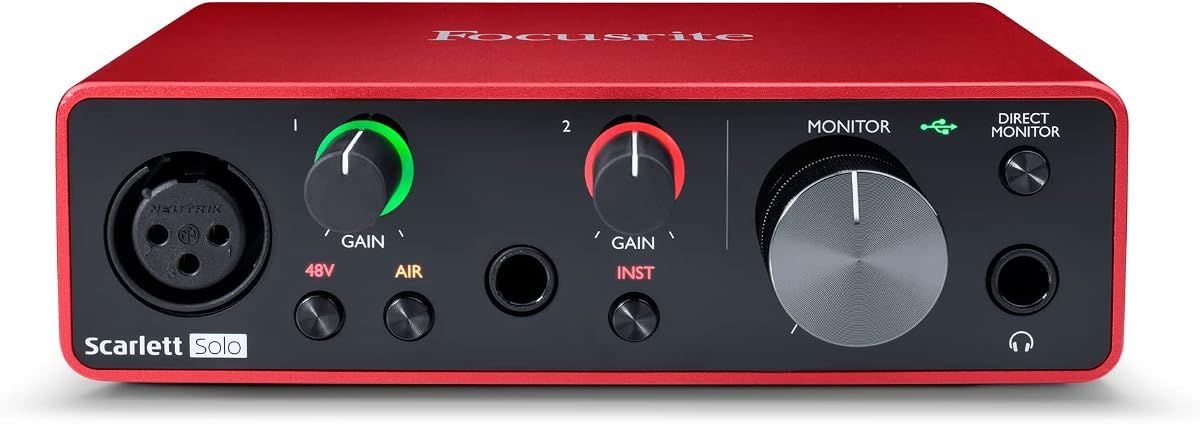
4.6Editor score

4.5Editor score
The following table provides a side-by-side comparison of all ten selected products. Review key specifications like resolution, inputs, and connectivity to quickly identify which interface meets your technical requirements and workflow preferences for guitar recording sessions.


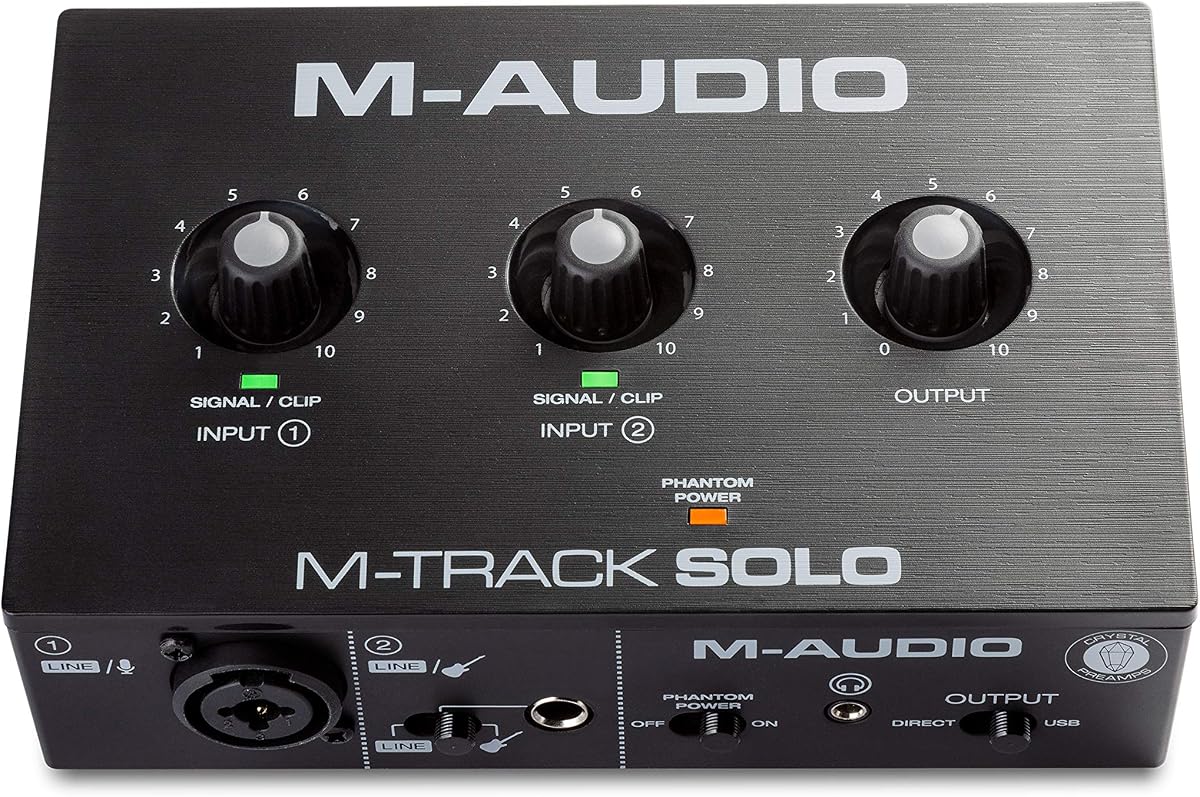

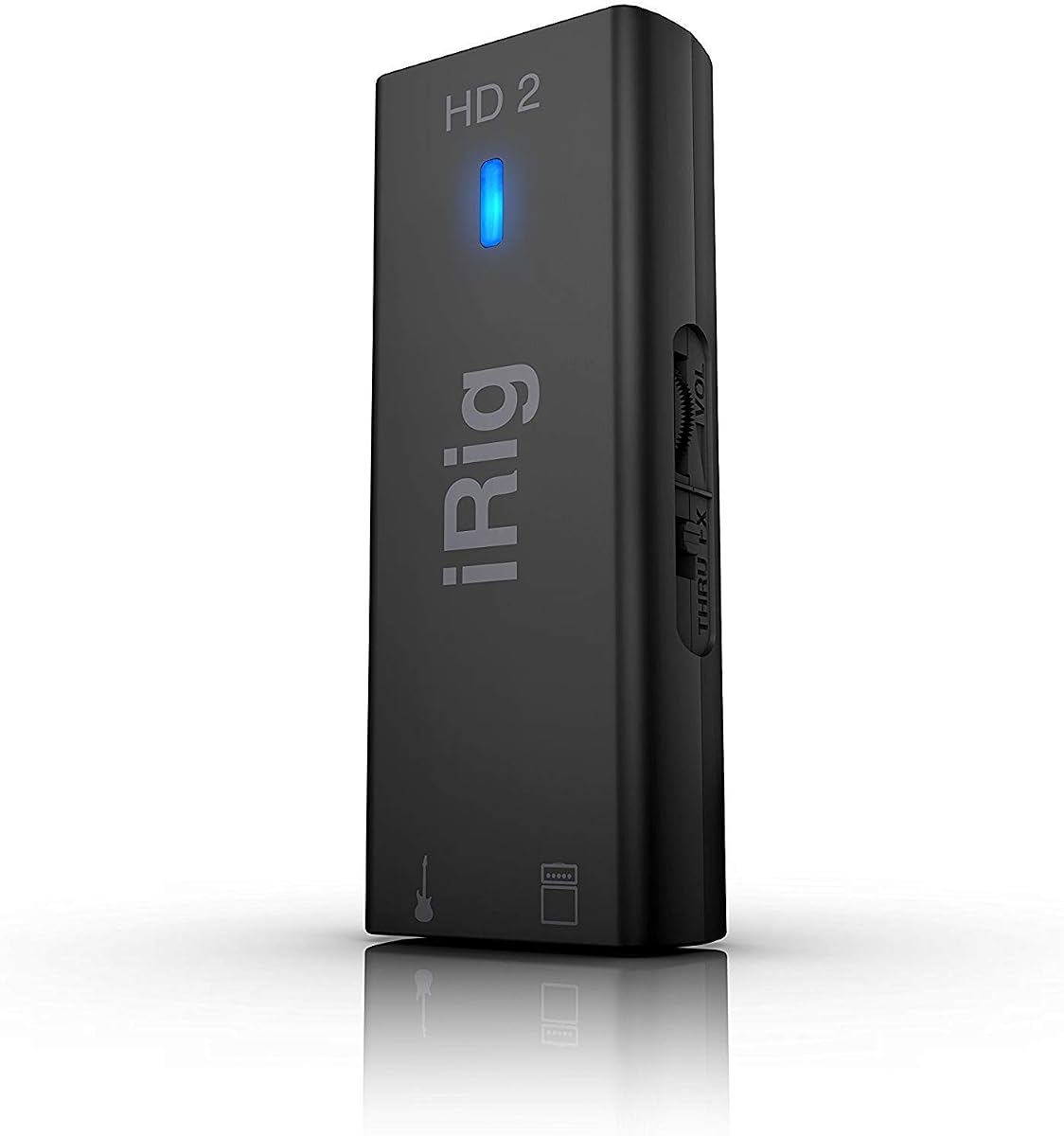
The Focusrite Scarlett Solo 3rd Gen stands out as a top choice for guitarists seeking professional sound quality. With a strong rating of 4.6 stars, it delivers high performance preamps that ensure your guitar tone remains pristine during recording sessions.
We may earn a commission when you buy through this link, at no additional cost to you.
Its standout feature is the Air mode, which adds extra clarity to acoustic instruments and vocals. The high-headroom instrument inputs allow you to plug in your guitar directly without unwanted clipping. Gain Halos provide visual feedback to help you set optimal recording levels easily.
While it lacks a MIDI input, which might be a limitation for some producers, the focus remains on audio quality. The included software bundle offers everything needed to start recording immediately. This trade-off is acceptable for musicians prioritizing sound fidelity and ease of use.
This interface is ideal for home studio owners and podcasters who need reliable audio conversion. Whether recording electric guitar or vocals, the Scarlett Solo provides the tools necessary for professional sounding results. We recommend it for anyone ready to upgrade their recording setup.
High performance converters enable recording at up to 24-bit/192kHz for sonic accuracy.
Gain Halos and simple controls make setting levels intuitive for beginners and pros alike.
We may earn a commission when you buy through this link, at no additional cost to you.
The JOYO MOMIX CAB is the ultimate budget option for guitarists recording on phones. With a 4.2 star rating, it offers direct monitoring that passes your clean signal to headphones with zero latency while sending audio to your device for recording.
We may earn a commission when you buy through this link, at no additional cost to you.
Its main strength lies in portability and simplicity. The device is smaller than a key and clips securely to pockets or straps. You can record song ideas anywhere without needing drivers or charging. It is perfect for backing tracks or social media live streaming.
However, it does not support real-time software amp sims or effects processing. You cannot mute the dry signal, which limits flexibility for advanced production. Despite this, the value proposition is unmatched for casual creators who need a quick and simple recording solution.
Choose this interface if you need a reliable tool for mobile recording on a tight budget. It simplifies the process of capturing guitar ideas on the go. For beginners, streamers, or travelers, this offers a convenient way to start recording immediately.
Designed for phones with included cables and direct monitoring for seamless recording on the go.
Low cost and no batteries needed make it accessible for musicians who want to record simply.
We may earn a commission when you buy through this link, at no additional cost to you.
The M-AUDIO M-Track Duo is a versatile interface that covers podcasting, recording, and live streaming needs. With a 4.4 star rating, it delivers pristine 48kHz audio resolution and features Crystal Preamps that ensure optimal sound from all microphones including condenser mics.
We may earn a commission when you buy through this link, at no additional cost to you.
Its key strength is flexibility. It offers two combo XLR/Line/Instrument inputs with phantom power. You can record guitar and vocals simultaneously. The USB/Direct switch allows for zero latency monitoring, making live performance and recording smoother without software delays.
While it includes MPC Beats software, the sample rate caps at 48kHz which is standard but lower than high-end models. The build quality is functional but light. These factors are acceptable given the price point and the broad range of applications it supports.
This interface is great for musicians needing dual inputs and basic studio features. It balances performance and affordability well. If you want to record multiple sources at once without breaking the bank, the M-Track Duo is a solid choice.
Two combo inputs allow recording guitar and vocals simultaneously with phantom power for mics.
USB/Direct switch ensures zero latency monitoring for comfortable real-time recording performance.
We may earn a commission when you buy through this link, at no additional cost to you.
The IK Multimedia iRig USB is built for musicians needing universal connectivity across devices. With a 4.3 star rating, it captures notes and chords with studio-grade 24-bit/48kHz resolution. It works with popular apps and includes a USB-C cable for Mac, PC, and iPad.
We may earn a commission when you buy through this link, at no additional cost to you.
Its standout feature is the dedicated Amp Out with selectable FX or THRU settings. This allows you to connect to an amp rig while recording digitally. Direct monitoring ensures silent practice with zero latency. These features make it a complete package for versatile setups.
The product notes it will not work with a lightning cable, which limits older iOS users. It lacks advanced features like ADAT expansion. For most users, however, these trade-offs are minor. The focus remains on seamless connection and high-quality audio recording.
This interface is perfect for travelers and creators who want a complete solution in one device. It bridges the gap between mobile and desktop recording. Choose this if you need reliable connectivity and the ability to switch between direct and processed signals easily.
USB-C compatibility with Mac, PC, and iPad ensures you can create anywhere without adapters.
Amp out lets you connect to pedals and amps while recording digitally for a hybrid setup.
We may earn a commission when you buy through this link, at no additional cost to you.
The MAONO PS22 Lite is designed for streamers and content creators needing high fidelity. With a 4.2 star rating, it offers 24-bit/192kHz resolution and a 106dB dynamic range for realistic sound. It handles condenser microphones well with 48V phantom power included.
We may earn a commission when you buy through this link, at no additional cost to you.
Its main strength is the ProStudio Routing Software which offers loopback and virtual channels. This simplifies live streaming workflows by mixing system audio and inputs easily. ASIO drivers ensure low-latency output for comfortable performance. The design is ergonomic and fits easily in a palm.
Users must ensure they select the correct ASIO driver in software settings for proper connection. The physical design is utilitarian compared to premium units. These are minor hurdles for a device focused on streaming and broadcasting functionality. The value provided is strong for creators.
Choose this interface if you prioritize streaming tools and high-resolution audio. It balances professional specs with affordability. If you need to manage audio for broadcasts or podcasts while recording guitar, the PS22 Lite is a capable and recommended tool.
Loopback and virtual channels make managing audio for live streams and podcasts straightforward.
24-bit/192kHz recording ensures every detail of your performance is captured accurately.
We may earn a commission when you buy through this link, at no additional cost to you.
The PIYONE USB C interface delivers high-fidelity sound with professional 24-bit/192kHz resolution. It features class-compliant connectivity for Mac and PC with bus power support. The modern design includes signature fixed LED light rings on gain knobs for visibility in dimly lit studios.
We may earn a commission when you buy through this link, at no additional cost to you.
Its key strength is versatility and style. Two combo jacks handle vocals or guitar with phantom power. The Direct Monitor feature allows for zero-latency tracking. A 3.5mm headphone jack ensures compatibility with standard headsets. These features make it ready to perform anywhere.
While it lacks a large software bundle, the hardware performs well for the price. The LED aesthetic adds a premium look to setups. Some users may prefer a more established brand for support. Overall it offers a strong blend of style and function for home recording.
This interface is great for users wanting a modern look and high sound quality. It simplifies setup with one-cable connection. If you prioritize aesthetic appeal and professional specs, this unit is a compelling option for your home studio.
Illuminated LED light rings provide visibility and a professional look in any studio environment.
24-bit/192kHz converters ensure crystal-clear, low-noise recordings for professional production.
We may earn a commission when you buy through this link, at no additional cost to you.
The M-AUDIO M-Track Solo is a portable interface covering recording, streaming, and podcasting. With a 4.3 star rating, it delivers 48kHz audio resolution and features a transparent Crystal Preamp for optimal microphone sound. It includes one combo XLR and one instrument input.
We may earn a commission when you buy through this link, at no additional cost to you.
Its main strength is its simplicity. You can record guitar or vocals with zero latency via the USB/Direct switch. The included MPC Beats software provides essential production tools. RCA outputs offer monitoring flexibility for speakers or mixers. It is a complete solution for basic needs.
The single XLR input limits simultaneous multi-source recording. RCA outputs are less common on modern setups but still functional. These factors are acceptable given the cost and simplicity. It is a solid entry point for those needing basic recording tools.
Choose this interface for a straightforward recording experience. It fits easily on desks without clutter. If you need to record guitar or vocals with minimal setup hassle, the M-Track Solo is a practical and affordable choice.
One combo XLR and one instrument input cover most solo recording scenarios efficiently.
MPC Beats software provides production tools to jumpstart your music creation workflow.
We may earn a commission when you buy through this link, at no additional cost to you.
The Arturia MiniFuse 1 offers premium build quality and features in a compact design. With a 4.6 star rating, it includes a 5-year warranty and over 200 reliability tests. It supports voice, guitar, and synths with easy-to-use features and tutorials.
We may earn a commission when you buy through this link, at no additional cost to you.
Its standout features are the Loopback feature for streaming and included software like Ableton Live Lite and GUITAR RIG 6 LE. The MIDI input helps sync external gear. These additions provide significant value for beginners and pros alike seeking a complete package.
It uses a USB-A connection which might require an adapter on newer laptops. The single XLR/INST input limits simultaneous recording. For most users, these are minor compromises given the warranty and software included. It offers excellent value and reliability.
This interface is ideal for creators wanting a future-proof solution. It simplifies production with extensive software tools. If you value warranty coverage and creative features, the MiniFuse 1 is a highly recommended choice for your studio.
Five-year warranty and extensive testing ensure reliability and peace of mind for users.
Includes full versions of Ableton Live Lite and other tools for a complete creative setup.
We may earn a commission when you buy through this link, at no additional cost to you.
The IK Multimedia iRig HD 2 is a high-definition interface for mobile and desktop use. With a 4.4 star rating, it offers a 96kHz sampling rate. It includes USB-C, Lightning, and USB cables for broad device compatibility. A headphone output lets you practice silently.
We may earn a commission when you buy through this link, at no additional cost to you.
Its main strength is connectivity and resolution. The 96kHz rate is high in its class for detailed recording. Amp Out with FX and THRU switch allows amp integration without changing levels. Exclusive content unlock adds value for iOS users seeking pro features.
The device is lightweight and portable but includes cables which can be bulky. It has only one input which is standard for this class. These trade-offs are minimal compared to its performance. It is a top-tier mobile recording solution.
Choose this interface for high-quality mobile recording. It fits in pockets and gig bags easily. If you need a reliable device for iPhone and iPad with pro audio specs, the iRig HD 2 is an excellent choice.
96kHz sampling rate ensures detailed and high-definition recordings of your guitar performance.
Included cables for Lightning and USB-C make it ready to use with most devices.
We may earn a commission when you buy through this link, at no additional cost to you.
The Fender Quantum HD 2 is a powerhouse for professional music production. With a 4.5 star rating, it offers 20×24 channels and MAX-HD mic preamps. It captures pristine vocals and instruments at 32-bit/192kHz. This ensures professional clarity for studios and musicians.
We may earn a commission when you buy through this link, at no additional cost to you.
Its key strengths are flexibility and sound. Front-facing inputs optimize guitar recording. ADAT expansion adds sixteen digital inputs for growth. Loopback and DSP monitor mixers streamline streaming. The included Fender Amp & FX Pack adds unique value for tone crafting.
The high price and complexity might overwhelm beginners. However, for pros, the features justify the investment. Remote control apps provide additional workflow benefits. This trade-off is acceptable for advanced users needing expansion and control.
This interface is ideal for expanding studios and professional musicians. It offers unmatched channels and sound quality. If you need a future-proof interface with ADAT and professional tools, the Quantum HD 2 is the top choice for serious production.
ADAT and S/PDIF support allow adding sixteen inputs to grow your studio system.
Fender amp and FX pack provides authentic models and effects directly for your setup.
We may earn a commission when you buy through this link, at no additional cost to you.
Selecting the right audio interface involves understanding your recording needs and budget. This guide outlines the essential factors to consider to ensure you invest in a unit that serves your musical goals.
Interfaces may use USB-C, USB-A, Lightning, or Thunderbolt. Check your computer or phone ports to ensure compatibility without needing extra adapters.
Ensure the interface connects directly to your device for plug-and-play functionality.
Look for interfaces supporting 24-bit/192kHz for studio quality audio. This resolution ensures high dynamic range and clarity during recording.
Higher sample rates capture more detail which benefits professional production work.
Ensure the interface has Hi-Z instrument inputs for guitar. Combo XLR/TRS inputs are useful if you also plan to record vocals with microphones.
Having multiple inputs allows flexibility for recording multiple sources simultaneously.
Direct monitoring switches are vital to hear your guitar without software delay. Zero-latency tracking ensures a natural feel during recording.
Choose an interface with a dedicated hardware mix control for better workflow.
Bus-powered units draw energy from your computer which simplifies setup. Avoid interfaces needing external power supplies if you travel often.
Battery-free operation ensures reliability on the go without charging worries.
Many interfaces include DAWs, plugins, and amp simulators. Check which software is offered to gauge added value beyond hardware.
Exclusive bundles can save money compared to buying software separately.
Robust construction matters for long-term use. Look for brands offering multi-year warranties to protect your investment.
A solid warranty reflects confidence in product quality and reliability.
If you record on the go, size and weight matter. Pocket-sized options are available for mobile recording scenarios.
Compact designs fit easily into gig bags for travel.
To use your interface, connect it to your computer via USB and install drivers if required. Plug your guitar into the instrument input and headphones into the output.
Adjust the gain knob so your signal lights up green on the meter. Avoid red lights to prevent clipping. Launch your DAW software and select the interface as the audio device.
For care, keep the device dry and avoid extreme temperatures. Store cables neatly to prevent damage. Regularly update software and firmware for optimal performance.
An audio interface converts your analog signal into digital data for recording. A pedal modifies your tone using effects. Interfaces include inputs for mics and instruments plus monitoring capabilities.
Most modern interfaces are class-compliant and work without drivers. However, high-end models may need specific drivers for ASIO support to reduce latency on Windows systems.
Yes if you choose a mobile-compatible interface with Lightning or USB-C. Ensure you use the included cables and enable OTG on Android devices for proper functionality.
24-bit/192kHz offers the best fidelity for professional results. However 24-bit/44.1kHz is sufficient for most standard recordings and uses less storage space on your drive.
Use the direct monitoring feature on the interface to hear input without delay. Lower buffer sizes in your DAW settings can also help minimize latency effects.
Most modern units support both Mac and PC systems. Always check the manufacturer specifications to confirm OS compatibility before purchasing for your setup.
Phantom power provides electricity to condenser microphones. If you plan to record vocals with a condenser mic, this feature is essential for clear capture.
High quality interfaces last many years with proper care. Look for solid build quality and warranties to ensure longevity in your studio setup.
This guide presented ten top audio interfaces for guitar recording including mobile and studio options. From budget picks like JOYO to premium Fender units we covered a wide range of needs.
When selecting, prioritize compatibility and input types that match your gear. Consider features like direct monitoring and software bundles to enhance your workflow.
Prices and availability change so check current listings for the most accurate deals. Investing in the right interface ensures your guitar recordings reach their full potential.