
Creality Falcon2 Pro 60W Laser Engraver
3.5Editor score
Integrated enclosure design
500 plus mm per second speed
10 minute quick installation
Choosing the right 60W laser engraver can transform your creative projects into professional outcomes. These machines offer significant power for cutting and engraving various materials with precision and speed.
We evaluated ten leading models based on safety features, software compatibility, and real-world performance metrics. Our analysis focuses on what matters most to hobbyists and small business owners alike.
Each selection highlights unique strengths and trade-offs to help you find the perfect fit. Please note that pricing and availability change frequently, so check current listings before purchasing.
3.5Editor score

4.0Editor score

4.2Editor score
As an Amazon Associate we earn from qualifying purchases.
The following table provides a side-by-side comparison of all ten models reviewed in this guide. It highlights key specifications to help you quickly identify the right machine for your needs.




The Creality Falcon2 Pro 60W Laser Engraver & Cutter stands out as a top choice for serious makers seeking professional results. It combines robust power with a fully enclosed Class 1 safety system that minimizes risks during operation.
We may earn a commission when you buy through this link, at no additional cost to you.
Its dual laser system integrates a powerful 60W module for cutting and a precise 1.6W laser for fine detailing. This flexibility allows users to tackle everything from thick acrylic to delicate engraving without switching machines.
While the price is higher than open diode options, the safety features and efficiency gains justify the investment for businesses. The Class 1 enclosure reduces the need for protective eyewear during normal operation.
This model is ideal for small studios or businesses prioritizing safety and consistent output. It balances performance with user-friendly features that streamline the production workflow significantly.
The fully enclosed design minimizes laser exposure and contains smoke effectively, creating a safer workspace for operators and bystanders alike.
Combining a high-power cutter with a fine-tuning laser enables intricate details and rapid production runs within the same workflow setup.
We may earn a commission when you buy through this link, at no additional cost to you.
The Creality Falcon2 Pro 60W Desktop Diode offers an affordable entry point into Class 1 safety laser engraving. It features an integrated enclosure and intelligent focusing capabilities that simplify operation.
We may earn a commission when you buy through this link, at no additional cost to you.
With a native 60W output, this machine handles cutting tasks efficiently while maintaining speeds over 500mm per second. The built-in camera helps align materials automatically to reduce setup time.
Users note that quick installation makes it accessible for small studios. However, some learning is needed to maximize software features and maintain optimal performance over time.
This model fits budgets needing reliable production without premium costs. Its balance of safety and speed makes it a strong contender for entry-level professional work.
The machine supports efficient batch processing with air assist and exhaust management that keeps debris minimal during extended runs.
Most users can install and test the machine within ten minutes thanks to the pre-assembled design and clear instructions.
We may earn a commission when you buy through this link, at no additional cost to you.
The xTool F2 Ultra represents the pinnacle of desktop laser engraving by combining a 60W MOPA fiber laser with a 40W diode. This dual setup unlocks versatile capabilities across all materials including metals.
We may earn a commission when you buy through this link, at no additional cost to you.
Users can achieve over 100 consistent colors on metal with pre-set files that remove guesswork from calibration. The system uses AI to detect materials and suggest settings for flawless results every time.
Although the cost is high, the productivity gains and material versatility justify the price for professional shops. The expandable conveyor supports batch processing without needing constant repositioning.
This machine is perfect for shops needing to mark metal and cut non-metals in one unit. It delivers industrial-grade speed and precision on a desktop footprint.
The MOPA laser allows precise control over pulse duration to generate vibrant colors without paint or dyes on stainless steel and other metals.
Dual high-resolution cameras reduce positioning errors and boost precision to 0.2mm for consistent batch quality without manual adjustments.
We may earn a commission when you buy through this link, at no additional cost to you.
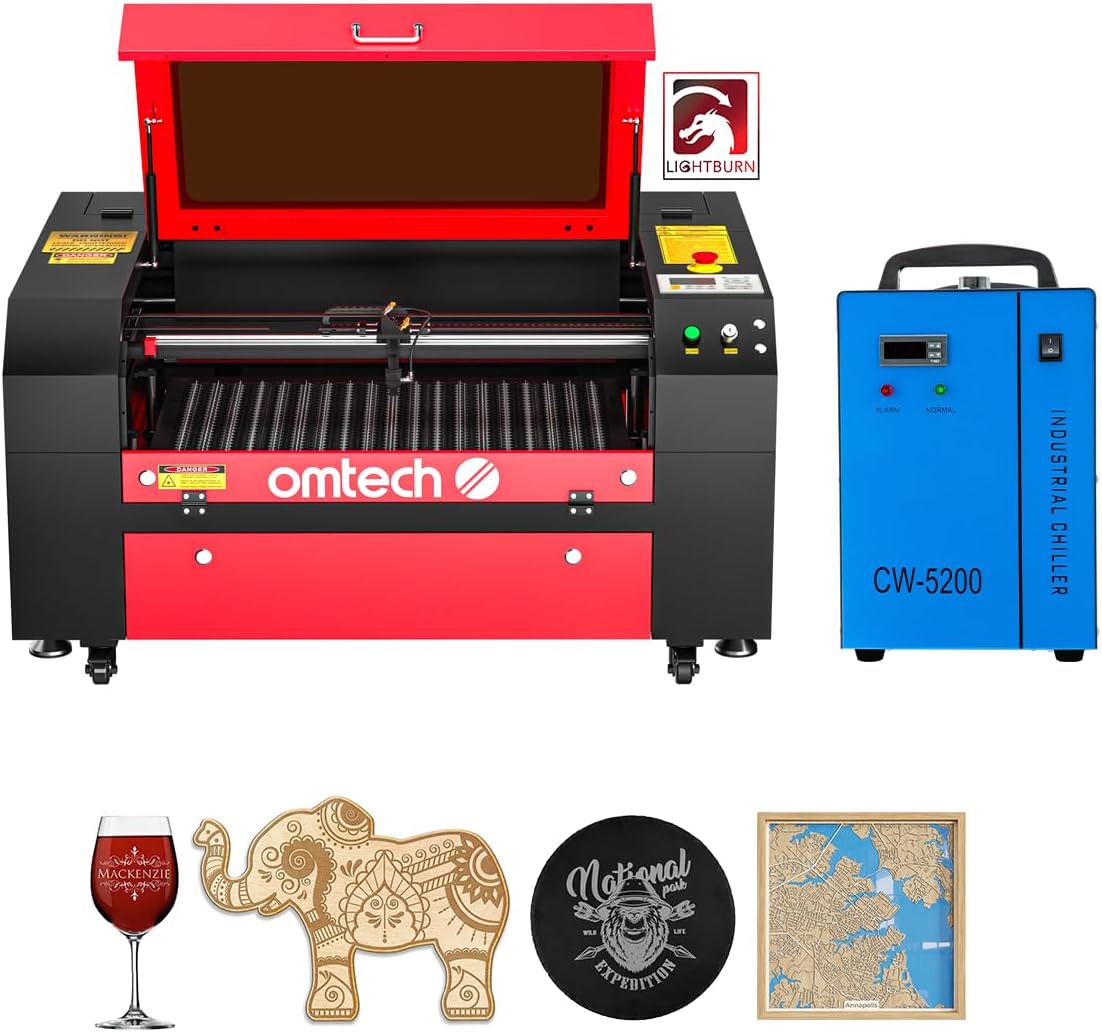
The OMTech Maker 60W CO2 Laser Engraver brings classic CO2 performance to workshops needing large material handling. Its autofocus and bundled water chiller provide reliable operation out of the box.
We may earn a commission when you buy through this link, at no additional cost to you.
Users appreciate the 20 by 28 inch workbed and pass-through doors that accommodate long items easily. The wide flame retardant viewing window supports safe monitoring during cutting cycles.
While it lacks metal engraving features, it excels on non-metallic materials like wood and acrylic. The bundled software and chiller reduce initial setup complexity significantly.
This model suits makers requiring larger formats and consistent non-metal cutting. It remains a strong choice for businesses focused on signage and decor.
The preinstalled autofocus automatically finds the correct focal distance to save time on manual adjustments for each job.
The air assist and widened window ensure a clean workspace while maintaining safe visibility during operation for the user.
We may earn a commission when you buy through this link, at no additional cost to you.
This Creality model emphasizes safety with a fire-resistant metal enclosure and Class 1 certification. It provides a dual laser bundle that supports both cutting and detailed engraving tasks effectively.
We may earn a commission when you buy through this link, at no additional cost to you.
The built-in HD camera enhances workflow by visualizing operations and supporting batch engraving alignment. Official support and free software options add value for users starting out.
Users find that it balances performance and safety for professional environments. Some note that certain camera functions depend on external software integration.
It is well suited for small businesses needing reliable safety standards without complex installation. The enclosure ensures compliance while maintaining operational flexibility.
An integrated auto-stop function ensures the machine halts when the enclosure is opened to prevent accidental exposure during use.
The bundle cuts through twenty millimeter wood and thirty millimeter acrylic quickly while offering ultra-fine engraving details.
We may earn a commission when you buy through this link, at no additional cost to you.
The xTool F2 Ultra shines in industrial applications where metal marking and color engraving are required. Its MOPA fiber laser delivers deep engraving and vibrant color without extra consumables.
We may earn a commission when you buy through this link, at no additional cost to you.
With speeds reaching fifteen thousand millimeters per second, it reduces production time significantly. The conveyor system enables batch processing that maintains accuracy across multiple items.
Investment cost is a factor, but the capability to handle diverse materials makes it versatile. Users benefit from pre-set files that standardize color output quickly.
This machine is ideal for high-volume shops needing precision metal and non-metal marking. It delivers professional outcomes with minimal manual intervention.
The MOPA laser handles stainless steel, aluminum, and brass with deep engraving and color options that traditional diodes cannot achieve.
Industrial speeds reduce 3D embossing time by up to eighty percent compared to lower power alternatives in similar workflows.
We may earn a commission when you buy through this link, at no additional cost to you.
The Monport 60W Fiber Laser Engraver offers a compact solution for metal etching. Its galvanometer system delivers high speeds and exceptional accuracy suitable for detailed marking.
We may earn a commission when you buy through this link, at no additional cost to you.
Users benefit from the ten thousand millimeter per second speed and 0.01mm accuracy for fine details. The ten thousand hour lifespan reduces maintenance over the long term.
The working area is optimized for precision over large materials, making it best for jewelry and small components. It supports LightBurn for professional design workflows.
This model fits jewelers and shops focused on metal marking. It balances speed and precision while keeping the footprint minimal.
Customized reflectors allow rapid beam movement that improves throughput without sacrificing engraving clarity on metals.
The optimized field mirror ensures consistent edge performance without weak light even at the boundaries of the work area.
We may earn a commission when you buy through this link, at no additional cost to you.
The VEVOR 60W CO2 Laser Engraver provides a spacious work area ideal for large projects. Its four way pass through design allows longer materials to pass through without limits.
We may earn a commission when you buy through this link, at no additional cost to you.
Users report speeds reaching 600 millimeters per second for efficient non-metal cutting. The dual honeycomb and blade beds offer flexibility for different material types.
Manual focusing is straightforward but requires attention to detail. The system includes air assist to keep lenses clear and results clean.
This machine suits makers needing large formats at a competitive price. It balances capability with user control effectively.
The honeycomb and aluminum blade beds support both engraving and cutting tasks while accommodating various material thicknesses.
Longer items fit easily through the doors making it practical for signage or decorative panels that exceed standard sizes.
We may earn a commission when you buy through this link, at no additional cost to you.
This OMTech CO2 laser engraver adds convenience with a motorized autolift that removes manual adjustments. The bundled chiller and LightBurn software streamline setup significantly.
We may earn a commission when you buy through this link, at no additional cost to you.
Users appreciate the 20 by 28 inch bed and pass through doors for long materials. The DC tube offers high power with reliable usage hours when used correctly.
Speeds reach 600 millimeters per second for non-metal tasks with consistent results. The system ensures safe operation with high performance viewing windows.
It is ideal for commercial settings needing reliable automation. The motorized bed reduces operator fatigue during frequent setups.
Touch button adjustments move the workbed up and down quickly ensuring precise focus without manual effort.
The included chiller and software save additional purchase costs while ensuring immediate readiness for production work.
We may earn a commission when you buy through this link, at no additional cost to you.
The Aliencell X1 Lite offers a massive bed for large scale projects and batch production. Its Space software simulates engraving to reduce guesswork significantly before processing starts.
We may earn a commission when you buy through this link, at no additional cost to you.
Users benefit from accurate preview with less than 5 percent deviation on textures. The auto focus locks onto materials instantly to speed up setup cycles.
It meets Class 1 safety standards with built-in flame sensors and fire-resistant materials. The system supports LightBurn and includes an AI assistant for guidance.
This model is perfect for studios needing large capacity and precision. It reduces material waste through accurate previews and automated controls.
The software simulates engraving on material textures to show exact depth and contrast so users can avoid costly errors.
One touch automation locks focal depth instantly while manual override offers full control for custom tasks when needed.
We may earn a commission when you buy through this link, at no additional cost to you.
The Cloudray 60W JPT MOPA Fiber Laser Engraver targets professional metal marking. It delivers over 100 color markings and deep engraving with high resolution accuracy.
We may earn a commission when you buy through this link, at no additional cost to you.
Users appreciate the two F-Theta lenses that support different work areas. The portable design makes it easy to transport between workstations.
Speeds reach 10,000 millimeters per second for efficient throughput. Safety goggles and accessories are included to ensure compliant operation.
This unit suits jewelry and electronics marking. It delivers high precision and color versatility for detailed tasks.
MOPA technology allows precise pulse control that produces vibrant color on metals without needing paints or chemical treatments.
Manual lift supports large working areas while lenses provide high precision for intricate designs on smaller components.
We may earn a commission when you buy through this link, at no additional cost to you.
Choosing the right 60W laser engraver involves weighing performance needs against safety and budget. This guide outlines key factors to consider for your specific use case.
Different laser types handle different materials. CO2 and diode models excel on non-metals like wood and acrylic. Fiber or MOPA systems are required for metal engraving and color marking.
Match the laser type to your primary materials to avoid wasting time and resources on incompatible setups.
Class 1 enclosed systems protect users from direct exposure and contain smoke. Class 4 open systems require protective eyewear and strict safety protocols.
For professional environments or households, Class 1 enclosed machines reduce liability and create a safer workspace.
Most 60W engravers work with LightBurn but check for included software or subscriptions. Native tools often streamline workflow for basic tasks.
Ensure your preferred design software is supported to avoid extra costs and compatibility issues.
The workbed size determines the maximum material dimensions. Larger beds accommodate signage and large sheets while smaller systems save space.
Measure your typical projects to choose a size that balances capacity and footprint.
Higher wattage increases cutting depth and speed. 60W output provides robust performance for medium tasks while adjustable power aids precision.
Verify rated output versus effective power to ensure it meets your production requirements.
Built-in cameras aid alignment and reduce setup time for batch jobs. AI features can further streamline material detection and focus.
Consider camera features if you frequently engrave irregular or pre-cut items.
CO2 tubes require periodic replacement and water cooling while fiber sources last much longer. Check access to lenses and exhaust management.
Plan for routine maintenance to sustain performance and avoid unexpected downtime.
Prices vary from budget diode systems to premium fiber machines. Evaluate warranty terms and availability of technical support.
Invest in machines with strong after-sales service to protect your long-term investment.
Begin by reading the user manual to understand safety requirements and software setup. Mount the machine on a stable surface away from flammable materials and ensure ventilation meets local codes.
Prepare your materials by cleaning them and setting appropriate focal distances. Use test cuts to determine optimal speed and power settings for different thicknesses before running full jobs.
Maintain your machine by cleaning lenses regularly and monitoring exhaust filters. Check for firmware updates and run periodic calibration to ensure consistent results over time.
A 60W laser engraver can cut materials like wood, acrylic, leather, and some plastics. CO2 and diode types are best for non-metals while fiber or MOPA systems handle metals effectively.
Class 1 enclosed engravers are designed to contain laser radiation so protective eyewear is generally not required during normal operation. However always follow manufacturer safety guidelines.
Built-in cameras capture the material layout so the software can align designs accurately. This reduces manual measuring and increases consistency for batch jobs.
CO2 tube lifespans range from 2000 to 5000 hours while fiber lasers can exceed 100000 hours. Regular maintenance helps maximize the usable life of the source.
Color engraving on metal requires a MOPA fiber laser capable of controlling pulse duration to create oxide layers. Standard diode or CO2 lasers cannot achieve this effect.
Many machines support LightBurn but some include proprietary or alternative software. Check compatibility before purchasing if you rely on specific design tools.
Desktop models typically require a work surface of 24 to 36 inches with clearance for ventilation and access. Measure your workspace to ensure safe and comfortable operation.
Look for Class 1 certification for enclosed systems and UL or IEC marks for electrical safety. These ensure the product meets industry safety standards for operation.
The 10 models reviewed offer options for every production scale. Our top picks include the Creality Falcon2 Pro for balanced safety and the xTool F2 Ultra for metal versatility.
Prioritize safety certifications and software workflows to streamline operations. Larger beds suit production environments while compact units fit tight workshops.
Prices and availability change frequently so verify listings before purchasing. Choose the model that matches your material needs and budget to get the best value.