
SCRIB3D P1 3D Printing Pen with Display
4.4Editor score
Stepless speed control
Compatible with PLA and ABS
Includes stencil guide
This guide compares the top 3D printing pens for kids based on safety, ease of use, and educational value to help you choose the best creative tool.
3D printing pens transform drawings into three-dimensional objects, sparking creativity and STEM learning in children. Choosing the right pen requires balancing safety features with advanced controls to match your child's skill level.
We evaluated ten top-rated models focusing on temperature control, filament compatibility, and included accessories. Our analysis highlights which tools offer the best balance of fun and educational value for young creators.
Each selection below showcases unique strengths from budget-friendly options to professional-grade kits. Please note that pricing and availability change frequently, so check current offers before making your final purchase decision today.
4.4Editor score
4.4Editor score

4.4Editor score
The following table provides a side-by-side comparison of all ten models to help you quickly identify which specifications best meet your specific needs.




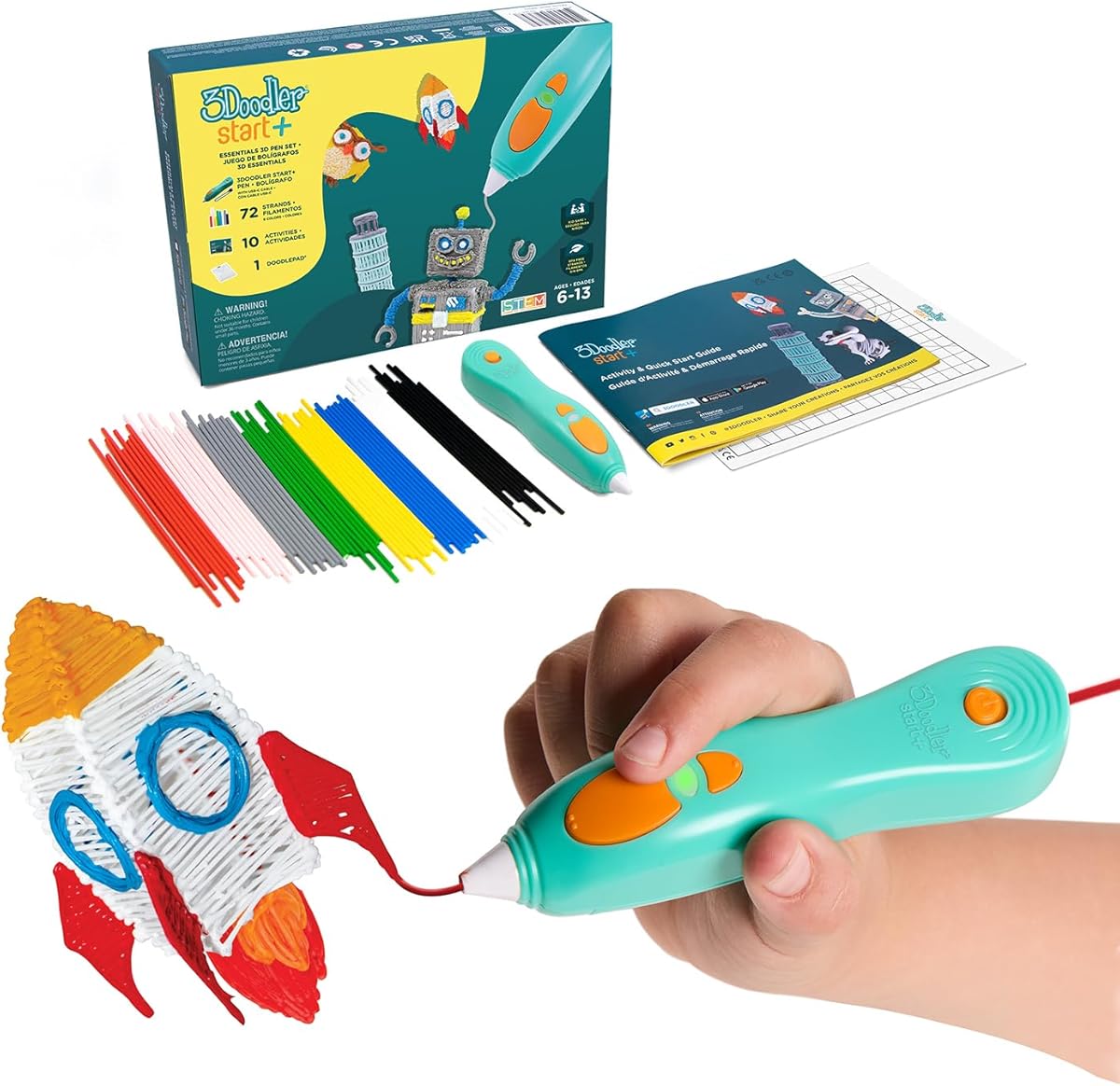
The 3Doodler Start+ stands out as the safest option on the market with its uniquely designed no-hot-parts architecture. This feature makes it ideal for introducing younger children to 3D creation without parental anxiety over burns.
We may earn a commission when you buy through this link, at no additional cost to you.
Its ecosystem includes a DoodlePad and 72 strands of mixed color plastic providing immediate creative freedom upon unboxing. The pen charges faster than previous models and comes with a comprehensive activity guide to inspire projects.
The primary limitation is the proprietary filament requirement which can be less convenient than universal 1.75mm pens available today. However the safety benefits and ease of use justify this trade-off for families prioritizing child safety.
Parents looking for a worry-free introduction to 3D art should consider this the definitive choice for children aged six and older. It successfully transforms screen time into tactile learning experiences that foster spatial awareness and creativity.
The nozzle and plastic can be touched safely allowing kids to manipulate their creations instantly without cooling time.
Activities connect drawing to real-world concepts encouraging learning through play rather than passive digital consumption.
We may earn a commission when you buy through this link, at no additional cost to you.
The SCRIB3D P1 offers exceptional value by providing advanced control features at a budget-friendly price point. It supports both PLA and ABS plastics making it versatile for different project types.
We may earn a commission when you buy through this link, at no additional cost to you.
Its stepless speed slider allows for precise flow control which is crucial for detailed work. The display indicates temperature status ensuring users know when the pen is ready to draw.
While it requires a warm up period of a few minutes it remains highly responsive during use. The absence of an internal battery means it must remain plugged in which limits portability slightly.
For families seeking an affordable entry into 3D drawing with room to grow this model delivers professional features without premium costs. It balances ease of use with enough control to challenge growing skills.
Supporting both PLA and ABS gives users options for different strengths and finishing styles.
The stepless speed slider ensures smooth extrusion for intricate designs without sudden flow interruptions.
We may earn a commission when you buy through this link, at no additional cost to you.
This professional pen provides precise control over temperature and flow allowing advanced users to fine-tune their output. The OLED display offers clear visibility of current settings enhancing user confidence during projects.
We may earn a commission when you buy through this link, at no additional cost to you.
Temperature adjustments can be made in single degree increments providing fine control over different materials. The ergonomic design reduces hand fatigue during long creative sessions.
The learning curve is steeper than basic pens as it assumes some familiarity with 3D printing concepts. This precision may be unnecessary for very young children but suits serious hobbyists perfectly.
Adults and teens interested in high-fidelity 3D art will appreciate the granular control this model offers. It serves as a bridge between toy and professional tool.
Temperature control down to single degrees allows for optimal material flow across different filament types.
The OLED screen ensures users always know the exact status of the pen during operation.
We may earn a commission when you buy through this link, at no additional cost to you.
The Super model focuses heavily on reliability with a sealed nozzle designed to resist clogging. This makes it a practical choice for extended use without frequent maintenance interruptions.
We may earn a commission when you buy through this link, at no additional cost to you.
Its touch pen design fits comfortably in the hand for precise control. The stepless speed slider ensures smooth extrusion even during complex shapes.
While it lacks advanced digital displays its robust construction means fewer mechanical failures over time. The trade-off is less immediate visual feedback on temperature.
Families needing a durable workhorse for regular creative sessions will find this model dependable. It stands up to frequent handling and diverse project requirements.
The ultrasonic sealed nozzle design drastically reduces the common issue of clogging during use.
Ergonomic shaping ensures the pen feels natural in hand during extended drawing sessions.
We may earn a commission when you buy through this link, at no additional cost to you.
The Advanced model introduces an LCD screen to monitor heat levels ensuring optimal performance. This feature helps users understand how temperature affects different materials.
We may earn a commission when you buy through this link, at no additional cost to you.
Its soft touch surface enhances comfort significantly. The eight speed options allow for varied line thickness which is essential for detailed architectural work.
The pen is slightly heavier which may tire smaller hands quickly. However the included 15 meters of plastic ensures plenty of practice time.
This pen is ideal for children ready to move beyond basic doodling into structured modeling. It provides the tools needed to tackle more ambitious projects successfully.
The LCD screen provides clear feedback allowing users to adjust heat for different filament types.
The soft touch surface ensures long drawing sessions remain comfortable without hand fatigue.
We may earn a commission when you buy through this link, at no additional cost to you.
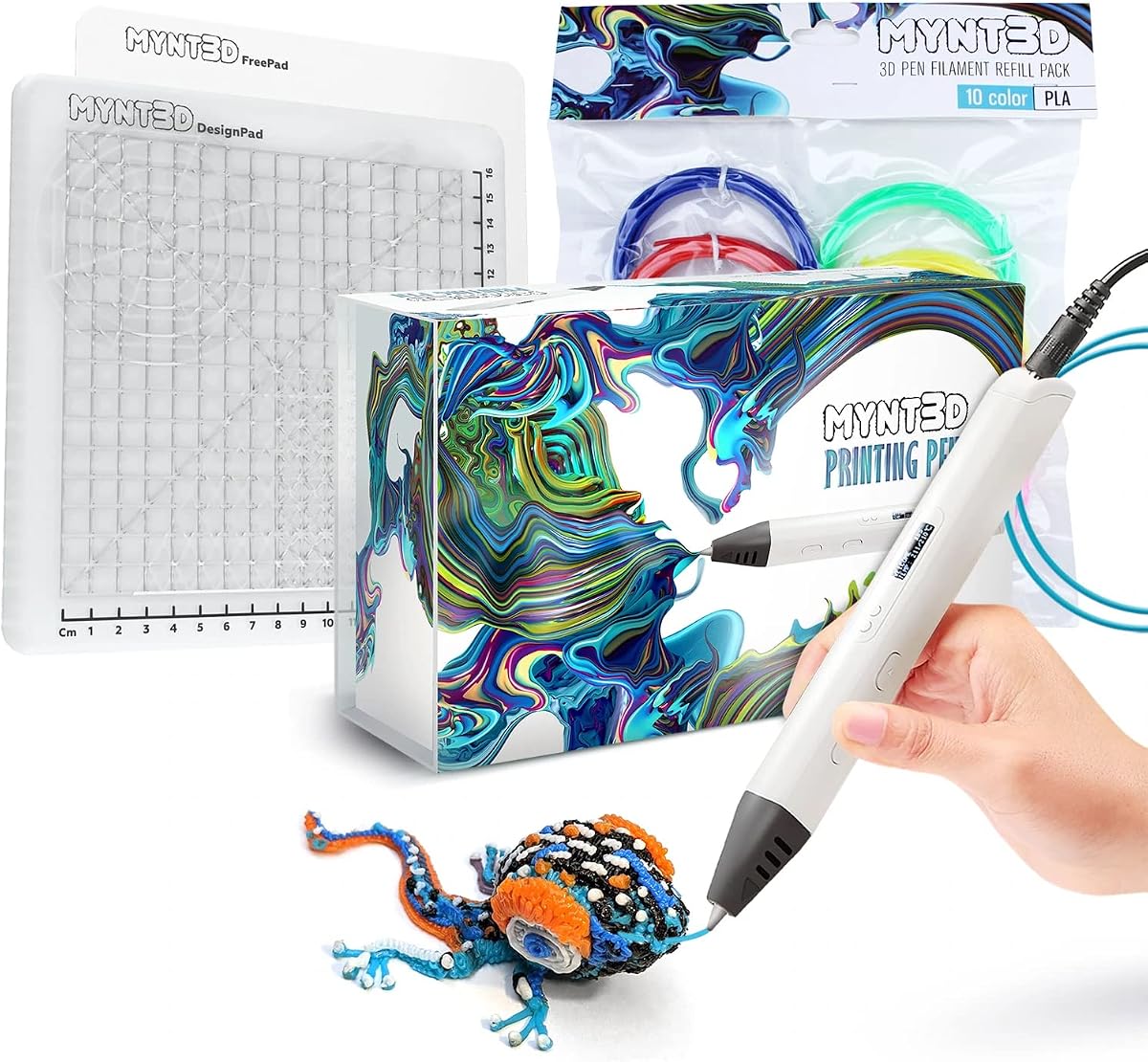
This bundle offers a comprehensive set including a pro pen and DesignPad mat to enhance creativity. The variety of colors ensures users can realize complex ideas without waiting for supplies.
We may earn a commission when you buy through this link, at no additional cost to you.
The DesignPad allows for perfect geometric shapes and easy tracing. The replaceable nozzle extends the life of the pen significantly.
The kit is larger and more expensive than basic options but delivers exceptional value. It removes the friction of sourcing accessories separately for new users.
Families wanting an all-in-one solution that supports detailed work will appreciate this complete package. It provides everything needed to start creating immediately.
With ten colors included users can mix and match shades without needing immediate refills.
The included DesignPad enables geometric precision that is hard to achieve freehand.
We may earn a commission when you buy through this link, at no additional cost to you.
This kit combines the reliable Super pen with a wide range of colors and accessories. It balances durability with ease of use for varied projects.
We may earn a commission when you buy through this link, at no additional cost to you.
The DesignPad mat ensures clean lines and precise shapes. Being compatible with ABS allows for stronger and more flexible prints than standard PLA.
While it requires setup it rewards users with a long-lasting tool. The replaceable nozzle ensures that mechanical issues do not end the life of the device.
This bundle is perfect for families seeking a comprehensive tool without the premium price of higher-end models. It offers practical value for sustained creative engagement.
The replaceable nozzle design ensures that the pen remains functional for many years of use.
Supporting ABS material expands the range of possible projects significantly.
We may earn a commission when you buy through this link, at no additional cost to you.
The Flow pen is designed for older users who need professional versatility. Its compatibility with multiple filament types like wood and ABS opens creative possibilities.
We may earn a commission when you buy through this link, at no additional cost to you.
An integrated LCD provides real-time temperature monitoring ensuring consistency. It is compact and lightweight making it portable for on-the-go projects.
It is not designed for young children due to heat. Users must have some technical skill to manage the settings effectively.
Teens and adults who want a portable and versatile tool will find this model rewarding. It bridges the gap between hobbyist and professional use well.
The ability to use wood and ABS filaments adds texture and strength to projects.
Its compact size makes it easy to transport for outdoor or classroom use.
We may earn a commission when you buy through this link, at no additional cost to you.
This bundle adds a practical silicone mat that simplifies the creation process significantly. The mat is heat-resistant and reusable making it easy to clean after sessions.
We may earn a commission when you buy through this link, at no additional cost to you.
It is designed to work with multiple SCRIB3D pens ensuring compatibility. The included stencil book helps guide designs for beginners.
The mat adds bulk to the package but provides essential support for clean work. It keeps the workspace organized and prevents heat damage to surfaces.
Families wanting a tidy and organized creative station will appreciate this addition. It removes the hassle of finding compatible mats separately.
The silicone mat ensures that melted plastic does not damage tables or desks.
Stencils included in the bundle help beginners understand how to build 3D structures.
We may earn a commission when you buy through this link, at no additional cost to you.
This bundle provides over 1250 feet of additional filament ensuring years of creative use without buying refills. It is the ultimate package for families committed to long-term projects.
We may earn a commission when you buy through this link, at no additional cost to you.
It remains fully compatible with the free app which offers templates and instructions. The child-safe design ensures safe usage for all ages.
The sheer volume of plastic makes the package large and heavy. However the value of not needing to purchase more refills soon is substantial.
Families looking to stock up on materials for a long time will find this bundle unmatched. It combines safety with unlimited creative potential.
With over 1250 feet of plastic users will not need to buy refills for a long time.
The app provides digital templates that can be printed out and traced for easy projects.
We may earn a commission when you buy through this link, at no additional cost to you.
Selecting the right 3D pen involves considering several critical factors that impact safety usability and project variety.
The most critical factor for children is safety. Look for pens that advertise no hot parts or cool touch nozzles to prevent burns. Some models use proprietary safe plastics that are not hot enough to cause injury even when touched immediately.
Prioritize safety features over advanced technical specifications for younger children to ensure a secure creative environment.
Different models are designed for specific age groups. Pens for children aged six and under should be simple with few controls. Older kids and teens can handle pens with adjustable speed and temperature settings.
Choose a model that matches your child's dexterity and understanding to prevent frustration and ensure enjoyment.
Some pens require specific proprietary filaments while others accept standard 1.75mm PLA or ABS. Proprietary systems offer safety but can be more expensive to refill over time.
We recommend starting with a proprietary system for safety but keeping standard compatibility in mind for long-term cost savings.
Control over extrusion speed allows for different line thicknesses. Stepless sliders provide the most precision whereas preset buttons are easier for beginners to manage.
Beginners should look for pens with intuitive speed controls that do not require constant adjustment.
Kits often include stencils mats and guides which enhance the experience. A good bundle should have at least a stencil book and a mat to protect surfaces.
Verify the accessories included to ensure you have everything needed to start creating immediately.
Wired pens must remain plugged in but offer consistent performance. Battery powered models offer portability but may lose power during a session.
For indoor creative sessions wired models are generally more reliable and do not require battery management.
Displays like OLED or LCD screens show current temperature settings. This feature is useful for older users but can be overwhelming for very young children.
Simplify the experience for younger users by choosing pens without complex temperature monitoring features.
Check for warranty support and community resources like apps. Brands that offer activity guides or digital support make learning much easier.
A strong support ecosystem ensures you can troubleshoot issues quickly without interrupting creative flow.
First insert a compatible filament into the back of the pen until it is firmly seated. Ensure the pen is connected to a power source before starting any drawing session.
Second wait for the warm up period to finish before applying pressure to the nozzle. This ensures the plastic flows smoothly and prevents clogs during your projects.
Third always allow the pen to cool completely before storing it away. Keeping the pen in a dry place prevents dust accumulation on the nozzle which can affect performance.
Yes many pens designed for kids are completely safe with no hot parts. Look for models specifically rated for children aged six and under to ensure safety.
Typically the warm up time is around two to three minutes. This small wait ensures the plastic melts properly for smooth drawing.
Most use PLA or ABS filaments. Some use proprietary safe plastics for kids while others use standard 1.75mm industrial materials.
It depends on the model. Standard pens accept 1.75mm PLA but proprietary kid pens often require specific branded plastics for safety reasons.
Turn on the pen and press the reverse button to pull the filament out. If this does not work consult the manufacturer guide for cleaning instructions.
Most kid-friendly pens must be plugged in to operate. This ensures consistent heat without the worry of running out of power.
We have reviewed ten top models ranging from safety-first kids pens to professional-grade tools. The 3Doodler Start+ leads as the safest choice for young kids.
When selecting a pen prioritize safety and ease of use over technical features. As your child grows you can invest in pens with more control.
Remember to check current prices and availability before purchasing as bundles and kits change frequently.