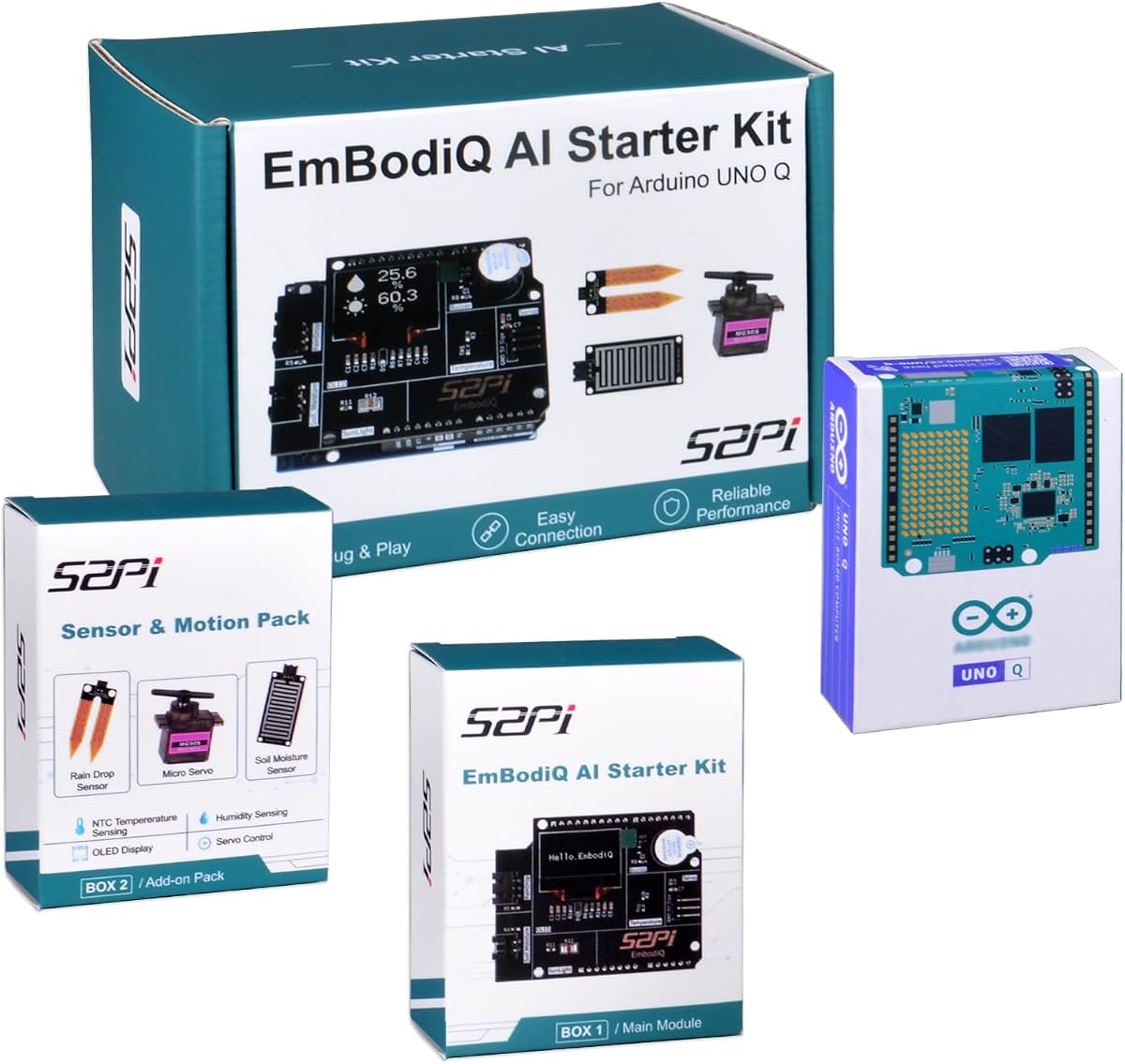
GeeekPi EmbodiQ AI Starter Kit
3.7Editor score
Natural language control
AI Agent HAT included
Soil and rain sensors
This guide compares the top Arduino Uno Q boards and kits for AI, robotics, and IoT projects in October 2026 to help you choose the right hardware for your
The Arduino Uno Q represents a significant leap forward in embedded development. This hybrid board combines powerful processing with classic Arduino compatibility. It opens new doors for AI and IoT enthusiasts alike.
We have carefully reviewed the latest options available on the market today. Our selection includes standalone boards and comprehensive starter kits. Each entry offers unique strengths for different project requirements and skill levels.
Each pick below highlights key features and real-world applications. We focus on performance, connectivity, and ease of use. Please note that availability and pricing can change without notice over time.
3.7Editor score

4.4Editor score

4.8Editor score
This side-by-side comparison outlines the core specifications and capabilities of each board or kit. Use it to quickly identify which option aligns with your specific project goals and technical requirements.


The Arduino UNO Q 4GB stands out as the premier choice for advanced makers. It earns a 4.4 rating for its hybrid power that combines AI with real-time control. This board unlocks capabilities previously unavailable in standard Arduino environments.
We may earn a commission when you buy through this link, at no additional cost to you.
Its dual-processor design merges a powerful Qualcomm MPU with a low-power STM32 MCU. This setup enables object recognition, voice commands, and complex IoT tasks. You get 4GB of RAM and 32GB storage for demanding applications.
While the performance is impressive, the complexity might deter absolute beginners. Setting up Linux Debian requires more technical know-how than traditional Arduino IDE coding. However, the benefits outweigh these hurdles for serious projects.
This board is ideal for robotics, AI vision, and industrial IoT prototypes. If you need a single-board computer with Arduino compatibility, this is the top recommendation for professional development needs.
The combination of a Quad-core Arm Cortex-A53 and STM32U585 allows for multitasking AI models alongside real-time sensor control without latency.
Running Linux Debian means you can use Python and standard libraries while still accessing the familiar Arduino ecosystem for rapid prototyping.
We may earn a commission when you buy through this link, at no additional cost to you.
This kit offers the full power of the Arduino UNO Q 4GB board plus a dedicated power solution. It focuses on providing the core hardware needed to start advanced robotics and automation work immediately.
We may earn a commission when you buy through this link, at no additional cost to you.
The inclusion of a 45W USB-C power supply ensures reliable operation during heavy workloads. This is crucial for edge AI applications where voltage drops can cause system failures or data loss.
Developers building scalable industrial systems will appreciate the stability. However, this set does not include peripherals like sensors or cases. You may need to buy those separately for full functionality.
Choose this if you need the official board with guaranteed power stability. It is perfect for engineers who already have the accessories but need a robust power source.
The included 45W USB-C adapter regulates power precisely, which is essential when running high-performance tasks or connecting multiple peripherals.
With 4GB RAM and the Qualcomm processor, this bundle is optimized for running local AI models without relying on cloud processing.
We may earn a commission when you buy through this link, at no additional cost to you.
This GeeekPi kit transforms the UNO Q into a full desktop computer setup. It includes essential accessories like an HDMI cable and Ethernet hub, making it great for stand-alone computing.
We may earn a commission when you buy through this link, at no additional cost to you.
The aluminum case protects the board from dust and impacts while cooling it effectively. This durability is vital for projects that run for long periods in varied environments.
The USB-C hub with Ethernet significantly expands connectivity options for professional applications. While it uses a 2GB RAM model, the accessories make it a value-packed bundle for developers.
If you need a plug-and-play solution for monitoring or kiosks, this is excellent. The included cabling and case save you from sourcing parts individually.
The included USB-C hub adds an Ethernet port and extra USB slots, which is critical for industrial IoT setups needing wired networks.
The sturdy aluminum case prevents damage during transport and ensures heat dissipates efficiently during intensive processing tasks.
We may earn a commission when you buy through this link, at no additional cost to you.
The Arduino UNO REV3 remains a gold standard for beginners and educators. It achieves a 4.8 rating for its reliability and ease of use across countless projects.
We may earn a commission when you buy through this link, at no additional cost to you.
Powered by the ATmega328P, it offers 14 digital I/O pins and analog inputs. This allows for flexible connections to sensors and motors without complex setup.
While it lacks the AI capabilities of the Q, it provides a solid foundation. The USB port simplifies sketch uploading and debugging through the IDE.
For basic prototyping or learning electronics, this board is unmatched. It ensures you have access to vast community resources and examples.
Its simplicity and vast library support make it the ideal tool for teaching programming and electronics concepts in classrooms.
With standard headers and a familiar layout, it is easy to integrate shields and modules from the Arduino ecosystem.
We may earn a commission when you buy through this link, at no additional cost to you.
This kit brings natural language control to your projects. You can tell the hardware to perform tasks without writing traditional code, which is unique in the Arduino world.
We may earn a commission when you buy through this link, at no additional cost to you.
Built around the UNO Q with 4GB RAM, it uses an AI Agent HAT for reasoning. It works with OpenAI and other models for multi-step task execution.
While powerful, the rating reflects some complexity in setup. Managing API keys and internet connectivity can be tricky for offline projects.
Ideal for smart gardening or interactive demos, it simplifies interaction. If you want voice commands without building from scratch, this is the best choice.
The AI Agent interprets human commands into code actions, enabling users to control servos and sensors by just speaking instructions.
It allows you to switch between different AI providers via the web interface, giving you flexibility in model choice.
We may earn a commission when you buy through this link, at no additional cost to you.
The UNO R4 WiFi is a robust choice for connected projects. It features a Renesas microcontroller paired with an ESP32-S3 for seamless wireless communication.
We may earn a commission when you buy through this link, at no additional cost to you.
Its dual-core architecture handles high-speed tasks and real-time data processing. This makes it suitable for smart devices and remote sensor networks.
The inclusion of a 12×8 LED matrix offers immediate visual feedback. This is perfect for status indicators or simple interactive displays.
If you need reliable connectivity without extra modules, this is great. It bridges the gap between classic Arduino and modern IoT needs.
Integrated WiFi and Bluetooth 5.0 ensure stable connections for smart home devices without needing external shields.
The on-board LED matrix allows you to display messages or data without adding extra hardware components.
We may earn a commission when you buy through this link, at no additional cost to you.
This kit is designed to teach the basics of electronics and programming. It includes a UNO R3 controller and a wide range of sensors and motors.
We may earn a commission when you buy through this link, at no additional cost to you.
With over 22 guided lessons, you can build projects like blinking LEDs and reading temperature. It is ideal for family builds or STEM classrooms.
The kit is solder-free, making it accessible for young learners. All components are organized to help you focus on wiring and coding.
For beginners needing a complete learning path, this bundle is perfect. It provides everything required to explore robotics and automation.
The PDF tutorial walks you through each project step by step, ensuring you understand the logic behind every connection.
Includes a wide array of parts like servos, ultrasonic sensors, and motors to maximize project possibilities.
We may earn a commission when you buy through this link, at no additional cost to you.
This board is a practical controller for maker desks and classrooms. It connects via USB and supports sketch uploads easily with clear headers.
We may earn a commission when you buy through this link, at no additional cost to you.
The ATmega328P core is versatile for everyday projects like buttons and relays. It offers 14 digital pins and 6 PWM outputs for motor control.
It is expandable with compatible shields and modules. The USB cable is included so you can start programming immediately.
If you just need a board to integrate into existing projects, this is solid. It balances quality with affordability for hobbyists.
The ATmega16U2 provides reliable serial communication and sketch uploading without needing external drivers.
Standard headers allow easy connection to jumper wires and shields for adding extra features.
We may earn a commission when you buy through this link, at no additional cost to you.
This UNO R3 board offers a solid foundation for robotics and smart home tech. It works with the standard Arduino IDE for easy sketch uploading.
We may earn a commission when you buy through this link, at no additional cost to you.
With 32KB of flash memory and 2KB of SRAM, it handles typical microcontroller tasks well. It is fully compatible with Arduino UNO R4 and Mega.
It comes with a USB cable for immediate connection. Documentation is available through customer service for troubleshooting.
Choose this for simple, reliable projects. It fits any standard shield and requires minimal setup for development.
This board works with a wide range of community code and shields, ensuring you never run out of resources.
Integrated UART, SPI, and I2C interfaces allow for seamless connection to displays and other microcontrollers.
We may earn a commission when you buy through this link, at no additional cost to you.
This versatile UNO R3 board lets you explore endless possibilities. It integrates seamlessly with the Arduino ecosystem for rapid prototyping.
We may earn a commission when you buy through this link, at no additional cost to you.
Its ATmega328P microcontroller and 32KB flash provide reliable performance. It is perfect for home automation and interactive systems.
Compatible with Raspberry Pi models like 4B and Zero, it extends your hardware capabilities. This makes it ideal for hybrid projects.
For those building innovative electronic systems, this board delivers. It offers broad compatibility and customization potential.
You can use this board alongside a Raspberry Pi for complex tasks, leveraging the best of both ecosystems.
Its open-source design allows for customization to fit your exact project needs.
We may earn a commission when you buy through this link, at no additional cost to you.
Selecting the right board involves considering performance, connectivity, and project goals. This guide breaks down the essential factors.
For AI tasks, a hybrid processor like the Qualcomm MPU is vital. Standard microcontrollers lack the power for heavy vision or voice processing. Prioritize boards with quad-core CPUs if you need speed.
If you are doing basic robotics, a standard MCU is sufficient. Balance performance needs with complexity.
High RAM allows for multitasking and complex models. Boards with 4GB RAM handle Linux and multiple processes better. Storage like eMMC ensures you can save data and code directly.
For simple sketches, 2GB may suffice. Check project memory needs before purchasing.
WiFi and Bluetooth are essential for IoT devices. Look for boards with built-in wireless modules to avoid extra shields. USB-C and Ethernet hubs add professional reliability.
Ensure the board supports your communication protocol. This simplifies hardware setup significantly.
High-power boards need stable energy. A dedicated 45W USB-C power supply ensures consistent performance under load. Without it, you might face drops during heavy tasks.
Check if the kit includes a power adapter. This saves you from buying extras separately.
Some boards run Linux Debian for flexibility. This allows Python coding and advanced software tools. Others stick to Arduino IDE for simplicity.
Choose based on your coding preferences. Linux supports modern development flows.
Cases protect against dust and heat. Aluminum cases dissipate heat efficiently during long runs. Plastic may not protect in harsh environments.
Look for kits with protective cases. This extends the lifespan of your device.
Shield compatibility is key for expansion. Standard UNO form factors work with existing libraries. This saves time on wiring and testing.
Ensure the board supports common libraries. This maintains workflow efficiency.
Consider the total cost of ownership. Kits with accessories cost more but save time. Basic boards are cheaper but require extra buys.
Weigh the accessories against your needs. Value is in the long term.
Start by installing the necessary drivers and IDE tools. Connect via USB-C to ensure stable power. For AI models, set up the environment variables correctly.
Avoid exposing the board to moisture or dust. Use the provided cases to protect hardware. Ensure proper heat dissipation by placing it in a ventilated area.
Update your firmware regularly for security and features. If using Linux, keep the OS current. Regular checks prevent unexpected failures during operation.
The UNO Q adds a powerful Qualcomm processor and supports Linux and AI. Standard Uno is for basic microcontroller tasks. This allows complex projects like voice recognition on the Q.
Yes, for full performance and AI tasks. Some kits include it. Without one, the board may not handle heavy loads reliably. Always use regulated USB-C power.
Yes, it supports the Arduino ecosystem. You can mix Sketches and Python scripts. This ensures easy integration with existing code.
It runs Linux Debian for best results. However, basic features work without full setup. Linux unlocks the AI and Python potential.
The Q models offer 2GB or 4GB RAM. 4GB allows more simultaneous processes. Choose based on your application complexity.
Yes, it uses the classic UNO form factor. This ensures compatibility with most shields. It simplifies adding sensors or displays.
Yes, kits like GeeekPi include cases and cables. These make setup easier. They provide all necessary accessories for start.
The Arduino UNO Q 4GB offers unmatched power for modern development. Kits like GeeekPi add value with essential accessories. Choose the board that fits your workflow.
Prioritize connectivity and performance for complex projects. A hybrid processor saves time on advanced tasks. Basic boards are fine for simple control.
Prices and availability change. Check current listings for the best deal. Ensure you have the necessary accessories before starting your build.