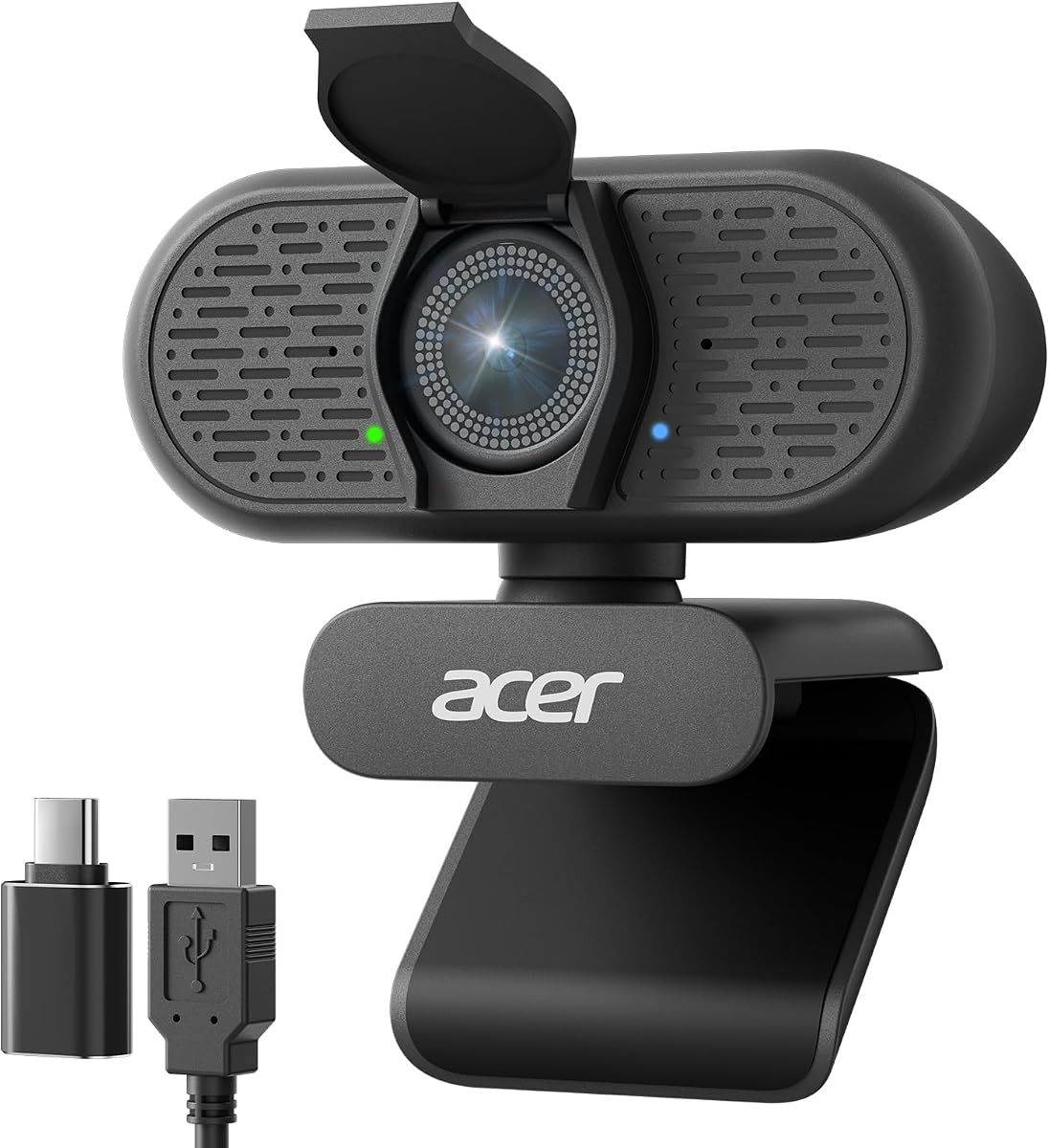
Acer A640 4K Webcam
4.5Editor score
Sony 1/2.8 inch sensor
PDAF autofocus
AI noise canceling mic
Compare the top 10 best 4K webcams for live streaming in 2026 featuring sensor sizes, autofocus tech, audio quality, and streaming performance.
Streaming has evolved into a professional craft requiring sharp visuals and reliable gear. A 4K webcam ensures your audience sees every detail clearly without blur or pixelation during live broadcasts. Choosing the right model depends on your budget, room lighting, and specific streaming needs like gaming or teaching.
We analyzed ten leading 4K webcams based on sensor quality, autofocus speed, microphone clarity, and software features. Each product offers unique strengths such as dual cameras, AI tracking, or built-in lighting. Our goal is to help you find the perfect camera for your setup.
Every pick below highlights key specs, pros, cons, and real-world performance notes. Prices and availability can change frequently so check current listings before buying. Use this guide to compare features side by side and decide which camera fits your stream best.
4.5Editor score

4.4Editor score

4.6Editor score
This table compares all ten products side by side focusing on sensor type, resolution options, autofocus tech, microphone setup, FOV, and unique features like tracking or lighting to help you choose quickly.



The EMEET S600 delivers exceptional 4K streaming with a Sony 1/2.55 inch sensor that produces crisp images. Its PDAF autofocus ensures sharp focus while you move. Streamers praise the balanced audio and privacy features.
We may earn a commission when you buy through this link, at no additional cost to you.
Its Sony sensor exceeds typical webcam quality offering stunning 4K at 30FPS or smooth 1080P at 60FPS. The PDAF tech provides faster speed and higher precision than standard autofocus. Auto light adjustment keeps details sharp even in low light environments.
The FOV is fixed at 73 degrees in 4K mode though it adjusts 40 to 73 degrees at 1080P. While this limits framing flexibility at higher resolutions the image quality remains consistent. The privacy cover is integrated and sturdy but cannot be removed.
This webcam suits aspiring streamers and content creators needing reliable visuals without a premium price. Its plug-and-play setup makes it easy to start streaming quickly. Consider the fixed FOV if you need wide-angle views at 4K.
The high-definition 4K sony sensor delivers crisp clear images far exceeding typical webcam quality for professional results.
Premium microphones use a proprietary algorithm to filter out background noise and capture your voice with exceptional clarity.
We may earn a commission when you buy through this link, at no additional cost to you.
The Acer A640 offers incredible value with a genuine Sony 1/2.8 inch sensor for professional-grade precision. It locks focus instantly with PDAF technology. Its AI noise canceling mic ensures clear audio even in noisy rooms.
We may earn a commission when you buy through this link, at no additional cost to you.
Powered by a brand new Sony sensor this webcam delivers remarkable clarity and color accuracy at fluid 4K at 30fps. It supports 2K or 1080p at 60fps to ensure every detail is captured. The automatic low-light correction enhances image quality in dim settings.
Manual controls are absent here which limits customization compared to pricier models. The USB-A to C adapter included ensures universal connectivity but software support is minimal. Privacy is protected by a physical shutter that slides closed instantly.
Streamers seeking a reliable affordable start without sacrificing image quality will appreciate this camera. It works natively without drivers for simplicity. If you need advanced tweaking options look elsewhere but for straight out of the box performance it excels.
Phase Detection Auto Focus locks onto subjects instantly eliminating the focus hunting found in a standard webcam.
AI-powered technology filters out distracting background noise ensuring your voice sounds clear and professional.
We may earn a commission when you buy through this link, at no additional cost to you.
The YOLOLIV YoloCam S3 features a 1/1.3 inch sensor likely the largest ever in a webcam. It delivers uncompressed 4K video with no overheating thanks to an all-aluminum body. Users enjoy full manual controls similar to DSLR cameras.
We may earn a commission when you buy through this link, at no additional cost to you.
Sensor size defines image quality here allowing Mastered-Tuned 4K clarity with stunning details. Fast PDAF autofocus ensures instant zero-lag focus. AI enhanced imaging delivers faces that are 2.5x clearer with smart exposure and white balance adjustments.
The heat sink design acts as a high-performance heat sink rapidly conducting internal heat to the surface. This enables stable 24/7 non-stop streaming without any overheating or lagging though the surface will feel warm. Software like Picasso Resolve offers precision color grading but is currently limited to Windows.
This camera is ideal for creators needing high-end video control without a studio setup. The magnetic mount allows flexible placement anywhere. If you need maximum image fidelity and manual options it is worth the investment despite the cost.
Sensor size ultimately defines image quality delivering uncompressed 4K clarity with stunning details.
Capture stunning images with full manual controls fine-tune contrast sharpness and color grading with ease.
We may earn a commission when you buy through this link, at no additional cost to you.
The EMEET NOVA offers unparalleled clarity with a 30FPS rate and CMOS sensor for a high-definition experience. It ensures every detail is captured with precision for business meetings or personal streaming. The audio clarity is superior with built-in microphones.
We may earn a commission when you buy through this link, at no additional cost to you.
It features PDAF tech for fast and accurate autofocus within a fixed range of 7.9 to 118 inches. Automatic light adjustment and a fixed 73 degree FOV provide balanced visuals. The dual microphones capture voices clearly up to 8 feet away.
This camera lacks facial tracking or adjustable FOV at 4K which limits dynamic framing. Its connection relies solely on physical USB connections eliminating wireless interception risks. The universal joint allows 360 horizontal rotation for flexible angles.
Ideal for professionals and home use who want reliable video without extra software. Plug-and-play connectivity makes it easy to start. If you need advanced movement tracking this might not be enough but for static use it is solid.
Two built-in microphones capture voices clearly delivering natural audio up to 8 feet away for busy offices.
A privacy cover is used to prevent unwanted surveillance and physical connections eliminate wireless signal interceptions.
We may earn a commission when you buy through this link, at no additional cost to you.
The Logitech MX Brio meets your needs in 4K resolution with our most advanced webcam sensor yet featuring 70% larger pixels. It offers AI-enhanced image quality for 2x better face visibility. Manual controls let you adjust lighting settings freely.
We may earn a commission when you buy through this link, at no additional cost to you.
You can fine-tune ISO shutter speed and tint for bespoke results or let Auto mode handle it. The integrated dual beamforming microphones minimize background noise with AI assistance. Show Mode lets you tilt down to share desk items with viewers.
While versatile it is more expensive than standard webcams and some manual controls require pairing with Logitech software. Certified for Zoom and Teams it works well across platforms. The physical cover blocks the camera completely between meetings for privacy.
This model suits users wanting deep image customization without a separate camera system. It pairs well with Logitech hardware for workflow control. If you prioritize premium image fidelity and manual options it is a strong choice.
Experience 2x better face visibility with finer image details in difficult light via auto exposure and autofocus.
Tilt down your Logitech webcam to share notes and sketches on your desk with Show Mode for better calls.
We may earn a commission when you buy through this link, at no additional cost to you.
The EMEET C60E features two cameras sharing a 1/2.8 inch CMOS 4K sensor for superior clarity. The wide-angle captures panoramic scenes while the telephoto delivers detailed close-ups. Smooth zoom transitions from 1X to 11X with PDAF autofocus.
We may earn a commission when you buy through this link, at no additional cost to you.
Remote control allows quick adjustments like zoom and color without interrupting your stream. EMEET STUDIO enables precise fine-tuning of brightness and focus. The RGB lighting adds visual impact and mood with red green and blue options.
Zoom is not supported in 4K or 60FPS modes which limits high-res zooming. The dual-camera design is unique but may not suit minimalist setups. The integrated system saves space and setup effort for a more efficient workflow.
Best for teachers and presenters needing flexible framing without moving physically. The remote control makes it user-friendly. If you want a distinct look and versatile zoom capabilities it stands out from standard webcams.
Two cameras share a 4K sensor for superior clarity capturing scenes and close-ups with near focus.
Vibrant RGB lighting adds visual impact and personality creating a sleek modern look.
We may earn a commission when you buy through this link, at no additional cost to you.
The EMEET PIXY combines a 4K main camera with an AI tracking camera for optimal autofocus and exposure. It uses 3-chip AI for smoother performance than 1-chip models. Gesture control activates tracking instantly with an open palm.
We may earn a commission when you buy through this link, at no additional cost to you.
AI tracking adjusts to keep bodies centered and skin tones flawless for live streaming. The PTZ chip enables 310 degree pan and 180 degree tilt. Three microphones provide crystal-clear sound with live and noise canceling modes.
While powerful it is more expensive and complex than basic webcams. FOV locks in 4K mode for stability but limits wide shots. The dual-axis PTZ smoothly tracks every move without blind areas making it ideal for fitness shows.
This camera unifies imaging tracking and audio into one facecam for engaging streams. It replaces costly DSLRs and phones with easy control. If you need hands-free framing and movement tracking it excels.
Uses 3-chip AI for faster smoother performance than 1-chip models keeping you centered.
Gesture control activates with an open palm held center for 2 seconds to start tracking.
We may earn a commission when you buy through this link, at no additional cost to you.
The EMEET C960 provides genuine 4K quality with a SmartCam CMOS sensor. It ensures clear and stable focusing via PDAF technology. Dual omnidirectional microphones capture natural sound for meetings. Its plug-and-play setup makes it accessible for all users.
We may earn a commission when you buy through this link, at no additional cost to you.
PDAF automatic focusing technology keeps images stable in business conferences and lectures. Auto light adjustment helps conduct meetings in over-exposed or low-light settings. The 73 degree FOV focuses on you rather than your background.
No drivers or cloud storage are used to assure privacy which adds security layers. While it works well with Zoom and Teams advanced settings require EMEETLINK software. The flexible mounting options adapt to various screen types and tripods.
Ideal for remote business meetings where every detail matters. It simplifies the connection process with USB-A. If you prioritize true resolution and simple setup it fits most professional needs.
No false upscaling only pure 4K quality ideal for remote business meetings where every detail matters.
Built-in dual microphones capture voices clearly for crisp natural audio fostering an immersive meeting experience.
We may earn a commission when you buy through this link, at no additional cost to you.
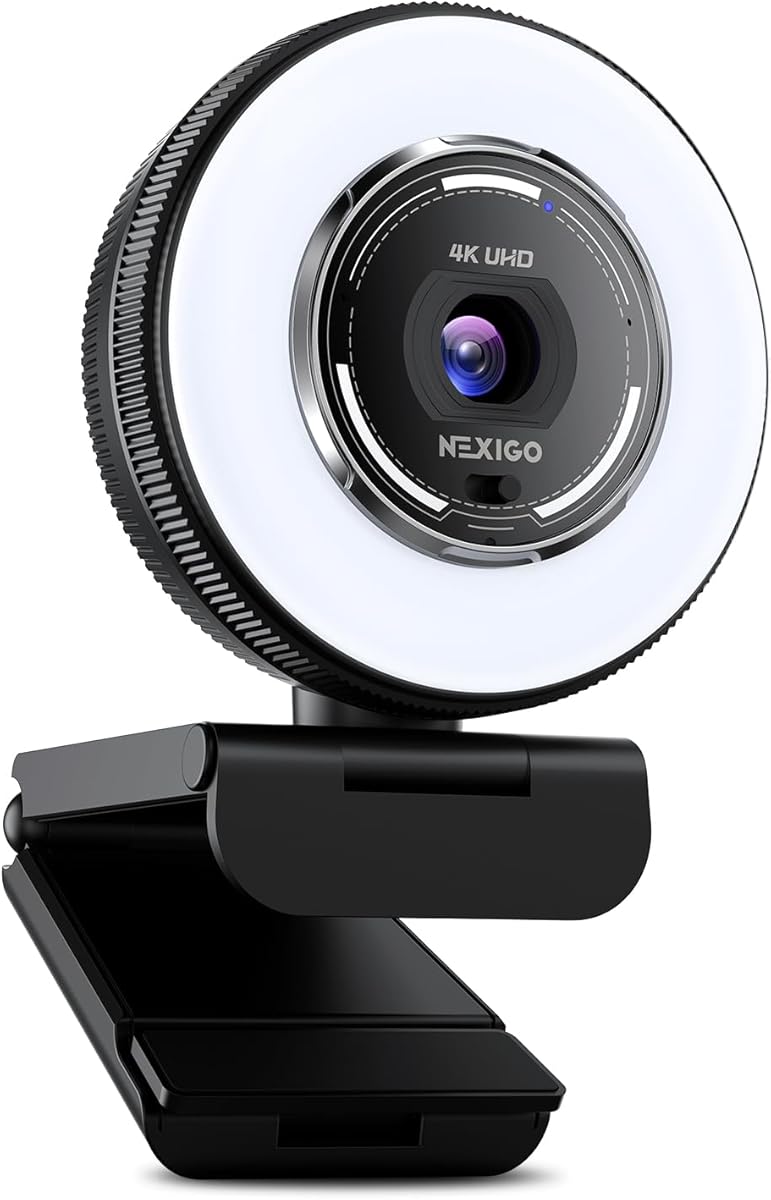
The NexiGo N680E Pro features a Sony 1/2.5 inch 4K sensor for ultra-sharp video. It includes a tri-tone adjustable ring light for perfect illumination. PDAF autofocus delivers faster speed and higher precision. Dual microphones ensure clean conversations.
We may earn a commission when you buy through this link, at no additional cost to you.
The ring light offers three color temperature modes with stepless brightness control. It is brighter than typical webcam lights and reduces reflections for clearer images. The built-in privacy shutter blocks the lens completely to prevent unwanted access.
Its flexible clip and 80 degree FOV allow smooth rotation and wide-angle tilting. A standard tripod mount ensures stable setup. It works with Windows Mac and Chrome OS supporting all major conferencing platforms.
This webcam suits content creators needing built-in lighting without extra gear. The privacy shutter gives full control. If you struggle with lighting it is an efficient all-in-one choice for streaming.
Three color temperature modes with simple touch and stepless brightness control for perfect lighting.
Premium coated lens boosts light transmission and reduces reflections for clearer vibrant images.
We may earn a commission when you buy through this link, at no additional cost to you.
The OBSBOT Tiny 2 Lite offers 4K streaming with AI tracking modes. It uses gesture control to lock targets and zoom. SDK support allows customization for pros. It supports horizontal portrait and upside-down shooting modes.
We may earn a commission when you buy through this link, at no additional cost to you.
Its inherited 4K resolution and 1/2 inch sensor ensure uncompromised quality. You can set multiple preset positions with customized parameters. Dynamic gestures let you lock targets and control zoom easily.
Some features like whiteboard mode are streamlined for meetings which simplifies operation. Gesture control makes it friendly for newcomers. It works with Stream Deck and OSC functions allowing you to customize your experience.
This camera serves businesses and gamers needing professional tracking without heavy gear. The EWC partnership highlights its quality for live broadcasts. If you want AI tracking and gesture control it is a strong option.
Face the webcam and make a hand gesture to lock the target or control zoom easily.
Upgrade Preset Position function sets multiple positions with separate parameters and AI tracking modes.
We may earn a commission when you buy through this link, at no additional cost to you.
Choosing the right 4K webcam involves comparing sensor size resolution options autofocus speed microphone quality and unique features.
Larger sensors such as 1/1.3 or 1/2.8 inch capture more light for better color and low-light performance.
Prioritize models with proven Sony or CMOS sensors for sharp detail and accurate colors.
Phase Detection Autofocus (PDAF) locks on faster and more accurately than standard contrast-based systems.
Look for PDAF specs to ensure smooth focus when moving during a live broadcast.
Field of View (FOV) determines how much of your room is visible during streaming.
Choose adjustable FOV for framing flexibility or fixed wide angles for consistent group views.
Dual omnidirectional or beamforming microphones help reduce background noise and capture clear voice.
If your room is noisy prioritize webcams with active noise canceling features.
Some models include built-in ring lights to improve image clarity in dimly lit rooms.
An adjustable light source helps you achieve a professional look without extra lamps.
Ensure the webcam connects via USB-A or USB-C to match your devices and operating system.
Check software support for streaming platforms like OBS or Twitch to enable advanced controls.
Advanced webcams use AI to track movement automatically keeping you centered in the frame.
Gesture control and preset positions add convenience for dynamic streams without manual adjustment.
Physical shutters provide reliable protection against unauthorized access and unwanted recording.
Select models with integrated covers to maintain peace of mind when not streaming.
Connect your webcam directly to a USB 2.0 or 3.0 port on your computer for the fastest performance. Avoid USB hubs to prevent bandwidth issues during 4K streaming.
Install any recommended software to adjust brightness or focus manually. This ensures the camera performs at its best and helps avoid auto-exposure errors.
Clean the lens gently with a soft cloth to remove dust and fingerprints. Regular maintenance keeps the image sharp and protects the sensor from scratches.
For stable 4K video streaming a USB 3.0 port is recommended to handle the high data throughput. USB 2.0 may work but could result in frame drops during high-motion scenes.
Many webcams default to 1080p so you must switch to 4K via OBS or the manufacturer's app. Check the product manual for specific resolution settings to enable high fidelity.
Phase Detection Autofocus is faster and more precise than standard methods. It locks onto your face quickly even if you move during a broadcast reducing blurry moments.
Most major brands support macOS but always verify system requirements. Some advanced features may only be available on Windows so check compatibility lists carefully.
Yes most models include a standard 1/4 inch thread for tripod mounting. This allows you to position the camera at any height for flexible framing.
A 73 to 80 degree field of view is ideal for focusing on you without too much background. It keeps attention on you while still showing your setup.
High-end models include aluminum heat sinks to prevent overheating. Some units may feel warm on the surface but should not lag if properly cooled.
Use a microfiber cloth to wipe the lens gently without applying pressure. Do not use liquid cleaners directly on the surface to avoid damaging the coating.
We reviewed ten top models ranging from affordable options like the Acer A640 to premium picks like the YOLOLIV YoloCam S3.
Prioritize sensor size and autofocus speed to ensure your video stays sharp while you move during streams.
Remember to check current prices and availability since deals change frequently before purchasing.