
FLASHFORGE AD5X
4.4Editor score
Independent filament system
Up to 600mm/s speed
Large 220mm build volume
Compare the top 10 3D printers for figurines and models. Find high resolution, speed, and reliability for your next creative project today.
Finding the right 3D printer for figurines and models requires balancing speed, precision, and ease of use. Modern machines offer impressive capabilities for hobbyists and professionals alike.
We evaluated ten top-rated machines based on build volume, material compatibility, and user feedback. Our goal is to help you select the perfect tool for your specific needs.
Each pick highlights unique strengths like multi-color printing or high-speed CoreXY systems. Remember that features and availability can change, so verify details before purchasing.
4.4Editor score

4.6Editor score

4.5Editor score
This side-by-side comparison highlights key differences across build volume, speed, and advanced features to help you make an informed decision quickly.






The Bambu Lab A1 Combo stands out as a top choice for creating detailed figurines and models. Its impressive speed and precision ensure high-quality results every time.
We may earn a commission when you buy through this link, at no additional cost to you.
Active flow compensation and automatic calibration minimize setup time and reduce failed prints. This makes it ideal for both beginners and experienced users looking for reliability.
While the open frame limits high-temperature materials, the included AMS Lite enables stunning multi-color prints. The noise-canceling feature keeps your workspace peaceful during long jobs.
For those seeking a balance of speed, quality, and ease of use, this model delivers exceptional value. It is a strong recommendation for anyone serious about modeling.
The included AMS Lite allows vibrant multi-color designs without manual filament swaps.
Every print starts with precise Z-offset and bed leveling for consistent results.
We may earn a commission when you buy through this link, at no additional cost to you.
The FLASHFORGE AD5X offers remarkable value for those needing multi-color printing without a premium price tag. Its Independent Filament System simplifies complex designs.
We may earn a commission when you buy through this link, at no additional cost to you.
Capable of speeds up to 600mm/s, it produces figurines quickly without sacrificing detail. The large build volume allows for sizable models or batch printing smaller items.
Although it requires careful setup, the automatic leveling and high nozzle temperature support diverse materials. This flexibility makes it suitable for various creative projects.
Budget-conscious makers will appreciate its balance of performance and affordability. It is an excellent entry point for multi-color 3D printing.
Supports up to four colors simultaneously for vibrant and detailed models.
Rapid printing speeds reduce wait times for prototyping and production.
We may earn a commission when you buy through this link, at no additional cost to you.
The Snapmaker U1 is a powerhouse for advanced creators requiring true multi-material capabilities. Its four independent toolheads enable complex mixes like soluble supports and flexible parts.
We may earn a commission when you buy through this link, at no additional cost to you.
With a 5-second tool changer, it minimizes waste and maximizes efficiency. The rigid CoreXY system ensures stability even at high speeds for detailed figurines.
While the price point is higher, the versatility and reduced waste justify the cost for professionals. It supports everything from rigid to flexible materials seamlessly.
For those needing maximum design freedom and reliability, the U1 is unmatched. It is a top choice for functional prototypes and intricate models.
Combine different materials like TPU and PLA in a single print job.
The SnapSwap system switches heads in seconds, cutting downtime significantly.
We may earn a commission when you buy through this link, at no additional cost to you.
The Bambu Lab P2S Combo brings professional-grade features to home studios. Its AMS 2 Pro ensures reliable multi-color printing with built-in filament drying.
We may earn a commission when you buy through this link, at no additional cost to you.
With speeds up to 600mm/s and active airflow, it handles engineering materials with ease. The adaptive cooling system maintains crisp overhangs and consistent surface quality.
The 15-minute setup gets you printing faster than most competitors. While it is a significant investment, the performance justifies the cost for serious users.
It excels in environments requiring both speed and material versatility. For advanced figurines and models, this machine delivers outstanding results.
Automatically adjusts cooling for overhangs or heat retention for tough materials.
Integrated software connects design to print effortlessly for streamlined production.
We may earn a commission when you buy through this link, at no additional cost to you.
The FLASHFORGE Creator 5 Pro targets industrial and semi-professional use with its four independent toolheads. It eliminates purge waste, saving cost on expensive engineering filaments.
We may earn a commission when you buy through this link, at no additional cost to you.
With an active heated chamber up to 65°C, it reliably prints ABS, PC, and PA without warping. This makes it ideal for robust models needing high durability.
Safety is prioritized with HEPA filters to trap particles and fumes. The rapid tool changer ensures quick transitions between materials during complex prints.
It is a top pick for creating tough prototypes and detailed models. For those working with advanced materials, it offers unmatched versatility.
Switches nozzles without flushing, drastically reducing filament waste.
65C chamber enables reliable printing of high-temperature engineering filaments.
We may earn a commission when you buy through this link, at no additional cost to you.
The Bambu Lab P1S combines speed with a fully enclosed design for consistent results. It is built to handle advanced materials like ABS and ASA with ease.
We may earn a commission when you buy through this link, at no additional cost to you.
With automatic bed leveling and quick-swap nozzles, it minimizes manual intervention. The enclosed structure protects prints from drafts and maintains thermal stability.
Its 15-minute setup makes it beginner-friendly despite its high-performance specs. The strong community ensures plenty of resources for customization and troubleshooting.
For users needing reliability and material flexibility, the P1S is a solid choice. It delivers professional results without the complexity of higher-end systems.
The closed chamber ensures steady temperatures for warping-free prints.
Quick-swap nozzles allow simple cleaning and tool changes in seconds.
We may earn a commission when you buy through this link, at no additional cost to you.
The Creality SPARKX i7 Combo offers unique AI features to simplify modeling. Its CubeMe AI can generate 3D models from photos in seconds, ideal for personalized gifts.
We may earn a commission when you buy through this link, at no additional cost to you.
With 95% pre-assembly, you can start printing in just five minutes. The built-in AI camera detects failures like spaghetti and alerts you immediately.
The large build volume allows for full-size models while night mode keeps noise low. This makes it a great choice for home environments needing discretion.
For beginners wanting quick start and smart features, this model is appealing. It balances cost with useful automation to enhance your workflow.
Upload a portrait to generate a 3D model instantly with CubeMe AI.
AI monitoring spots issues early to save filament and time.
We may earn a commission when you buy through this link, at no additional cost to you.
The Adventurer 5M Pro delivers high-speed CoreXY performance with safety features. Its dual filtration and enclosure ensure a clean environment for home or office use.
We may earn a commission when you buy through this link, at no additional cost to you.
With a 280°C nozzle, it supports engineering materials like ASA and PETG-CF. The 3-second quick-swap nozzle makes changing tools effortless.
Remote control via mobile app allows monitoring and adjustments on the go. The quiet operation under 50dB makes it suitable for shared spaces.
For those needing speed and safety, this printer is a strong contender. It provides professional features in a compact and manageable form.
Traps particles and odors for a cleaner, safer printing environment.
280C nozzle unlocks access to strong engineering grade filaments.
We may earn a commission when you buy through this link, at no additional cost to you.
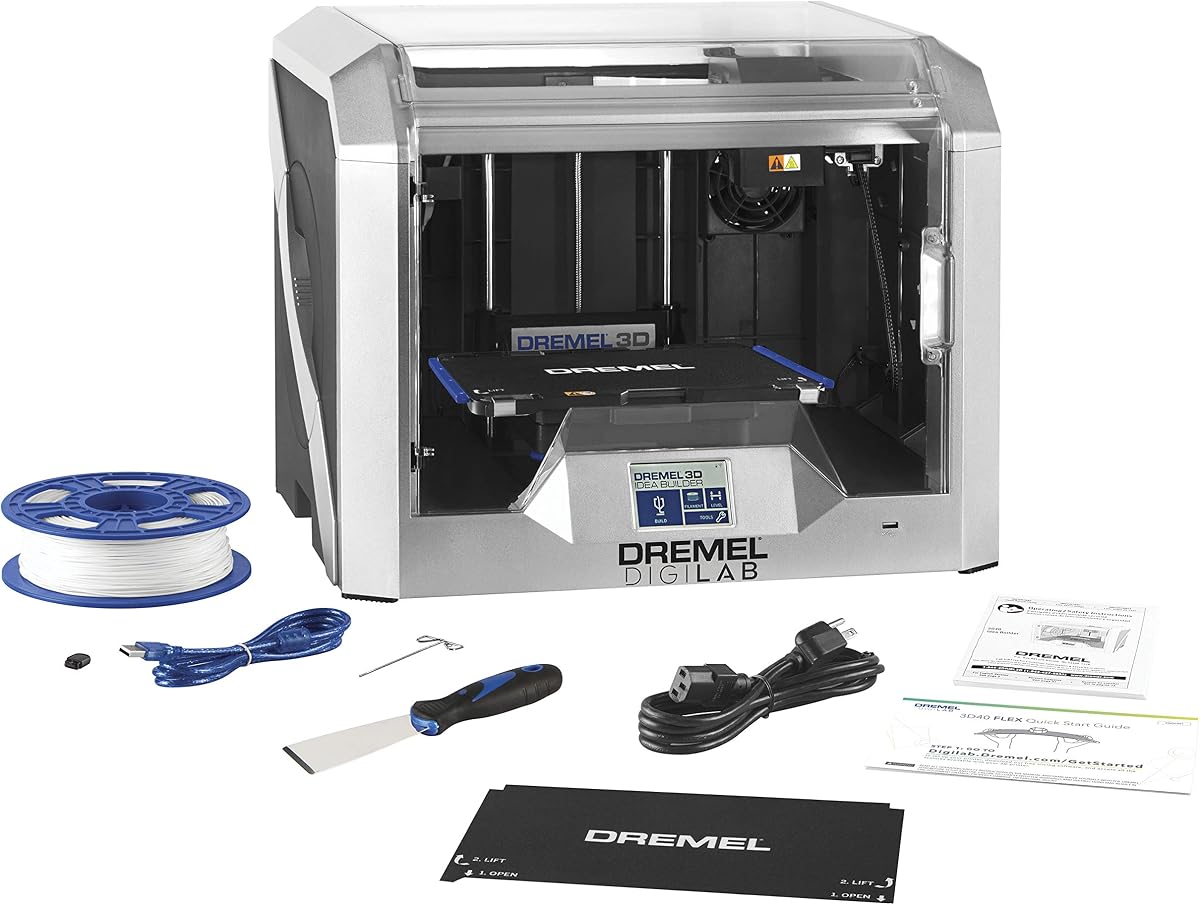
The Dremel 3D40 Flex is designed for reliability and ease of use. Its flexible build plate simplifies model removal, reducing the risk of damage.
We may earn a commission when you buy through this link, at no additional cost to you.
With 50 micron resolution, it produces smooth finishes ideal for detailed figurines. The automated 9-point leveling ensures the bed is perfectly flat every time.
Dremel's reputation for customer service adds confidence for new users. The fully enclosed design keeps the workspace safe and tidy.
For educators or casual hobbyists, this printer offers a safe and simple experience. It is an excellent tool for learning and small projects.
Ergonomic handles and snap-on mechanism make removing prints effortless.
Works seamlessly with Chromebook and iPad for classroom use.
We may earn a commission when you buy through this link, at no additional cost to you.
The Bambu Lab A1 is tailored for beginners and kids needing a simple experience. Its active flow compensation ensures smooth layers with consistent detail.
We may earn a commission when you buy through this link, at no additional cost to you.
With acceleration of 10,000 mm/s², it delivers blazing-fast printing speeds. The open frame design allows easy access to the print area.
Noise-canceling motors keep the environment calm for home use. The quick-swap nozzle simplifies maintenance and upgrades.
For those prioritizing ease of use and speed, the A1 is perfect. It is a reliable entry point into high-quality 3D printing.
High acceleration reduces print times without compromising accuracy.
Simplified touchscreen makes setup and monitoring intuitive for all ages.
We may earn a commission when you buy through this link, at no additional cost to you.
Choosing the right printer involves evaluating speed, precision, and material options to match your creative goals.
For figurines and models, high resolution ensures smooth surfaces and fine details. Look for printers with small nozzle options like 0.2mm or 0.4mm for better precision.
Prioritize machines with vibration compensation to reduce ghosting and ringing on complex shapes.
Ensure the build area fits the scale of your models. Larger volumes allow single-piece prints for bigger statues or batch prints for miniatures.
Check dimensions carefully to avoid needing to split models during design which adds post-processing time.
Some projects require engineering filaments like ABS or PETG which need higher temperatures and enclosed chambers. Verify nozzle and bed temperatures support your needs.
If you plan to mix flexible or support materials, check for multi-extruder capabilities or independent filament systems.
Fast speeds save time but must maintain quality. Look for acceleration values and CoreXY structures that balance speed with stability.
Consider waste reduction features if you print many colors to keep costs manageable over time.
Beginners benefit from auto-bed leveling and pre-assembled units that reduce initial friction. Automated calibration ensures a good first layer every time.
Software integration for remote monitoring and control also simplifies managing multiple jobs without physical checks.
Quiet operation is essential for shared spaces or overnight printing. Models with noise-canceling fans or motors improve comfort.
Look for enclosed designs with HEPA filtration if using materials that emit fumes or particles.
A strong user community offers files and troubleshooting tips which can be invaluable for beginners. Check if the brand provides regular firmware updates.
Warranty coverage and customer service responsiveness also protect your investment against potential issues.
Higher upfront costs often include advanced features that save time and filament. Balance initial price with long-term operational costs for a true value.
Consider accessory packages that bundle tools or multi-color systems to maximize initial utility.
Start by calibrating the bed and nozzle using the built-in tools to ensure perfect adhesion. Regularly check the build plate for wear or debris that could affect quality.
Keep firmware updated to access new features and stability improvements. Use slicer software to optimize settings like speed and layer height for detailed models.
Clean the extruder and nozzles periodically to prevent clogs and ensure smooth filament flow. Store filament in dry containers to avoid moisture issues.
High resolution and stability are key. Look for small nozzles, precise motion systems, and features like vibration compensation to ensure smooth surfaces and fine details.
Most use independent filament systems that switch colors automatically. This allows vibrant designs without manual swapping and reduces downtime for large models.
Enclosures help with materials like ABS that warp easily. For PLA-based figurines, an open frame is often sufficient but an enclosure still improves consistency.
Use auto-bed leveling and quality adhesion tools. Slicing settings like support structures and cooling rates also play a huge role in reducing failures.
ABS, ASA, and PETG offer strength and durability. Ensure your printer supports the required nozzle and bed temperatures for reliable printing with these filaments.
Clean the nozzle when changing filament types or if you notice inconsistencies. Periodic maintenance prevents clogs and keeps print quality consistent over time.
Yes, modern high-speed machines include automated features to simplify setup. Auto-calibration and intuitive interfaces make them accessible even for new users.
We explored ten outstanding machines that balance speed, precision, and ease of use for model makers. Each offers unique strengths suited to different creative needs.
Consider your material requirements and build size when deciding. A machine that handles advanced filaments may save trouble later for more complex projects.
Always verify current details and support resources before purchasing to ensure the best experience. With the right printer, you can bring any model to life.