
15.6" Smart Digital Calendar, Family Hub Planner (White)
4.7Editor score
Tool-free thumb nut setup
Real-time calendar sync
Built-in reward system
Modern families need more than a paper planner to stay organized. An AI Digital Smart Calendar brings together schedules, chores, and meals on one smart screen. These devices sync with your phone and use voice commands to keep everyone aligned without the clutter of sticky notes.
We evaluated ten leading models based on syncing speed, interface ease, family features, and reliability. Our comparison covers touchscreens ranging from twelve to twenty-four inches, ensuring you find the right fit for your kitchen wall or office desk.
Each pick highlights core strengths like reward systems for kids, meal planning tools, and voice assistant capabilities. Prices and availability change frequently so please check the current listing before you decide on the perfect smart family organizer.
4.7Editor score

4.5Editor score

4.6Editor score
As an Amazon Associate we earn from qualifying purchases.
The following table offers a side-by-side look at the key specifications and strengths of each model we reviewed. It helps you quickly identify which device matches your need for size, syncing options, and smart assistant features.
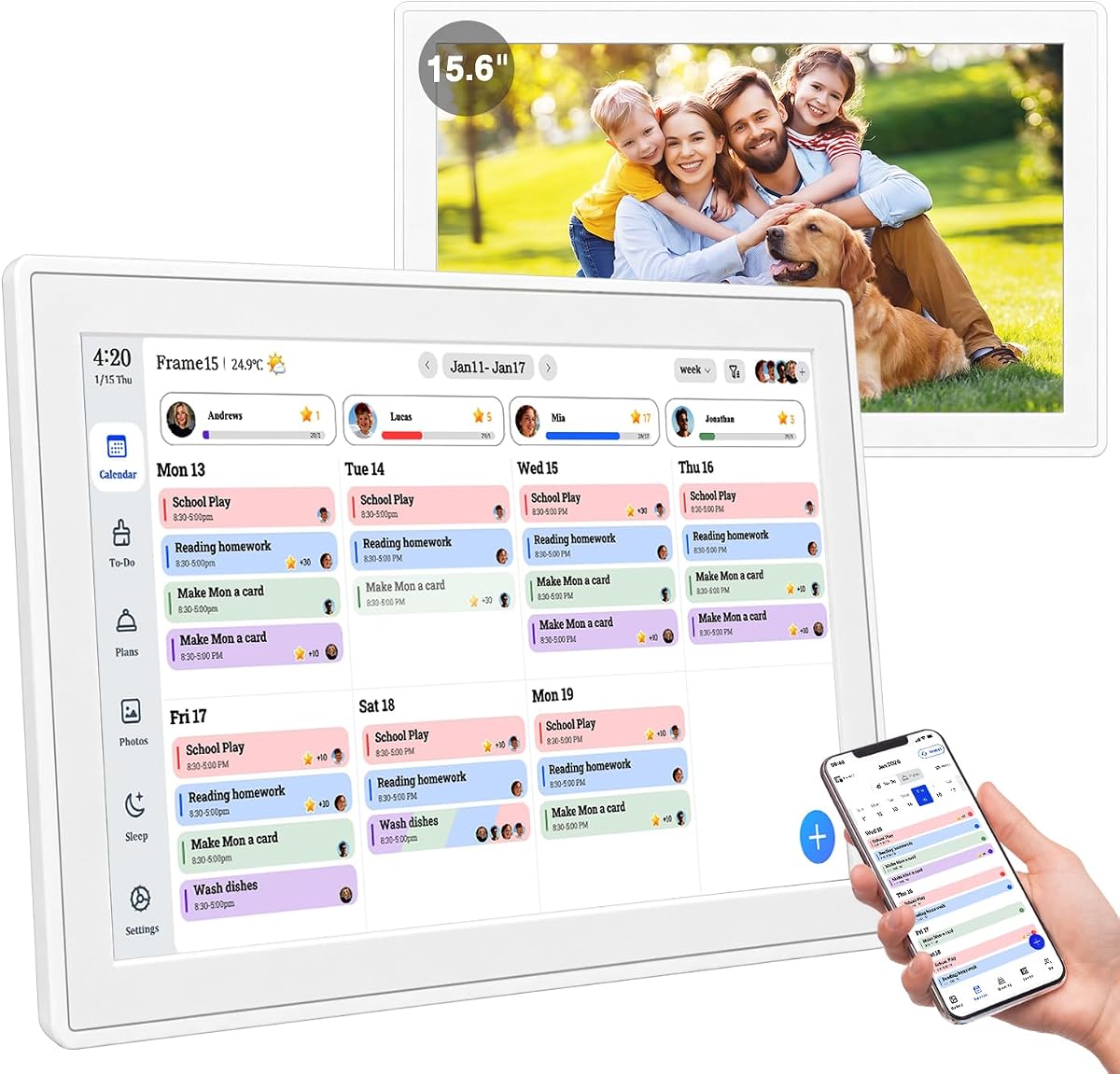
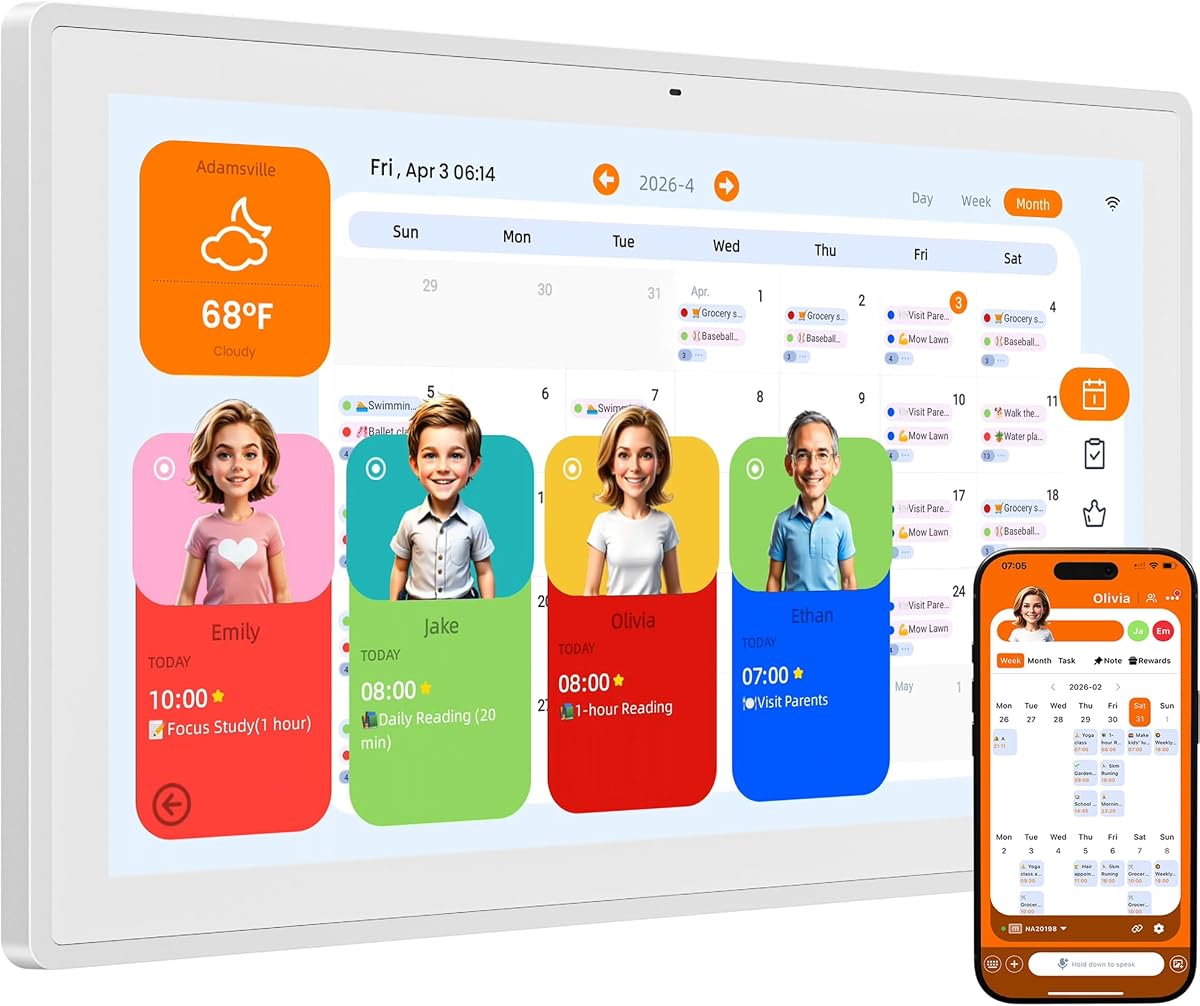


This white 15.6 inch digital calendar offers a clean and efficient way to manage family schedules without monthly fees. It supports up to twenty members and syncs with major calendar services like Google and iCloud instantly.
We may earn a commission when you buy through this link, at no additional cost to you.
The tool-free thumb nut design allows you to mount it on a wall or desk in seconds. Kids enjoy earning rewards for chores while parents manage meal plans and reminders on a single shared screen.
While it lacks advanced AI assistants found in premium models it covers all essentials effectively. The interface is straightforward and the included app gives you full control from your phone.
Buyers seeking a reliable low cost organizer will find this model an excellent choice. It transforms your home entry into a smart command center that keeps everyone informed.
Unbox the unit and mount it within thirty seconds without any tools. The auto rotate feature ensures the screen is perfectly aligned in portrait or landscape mode.
Assign color coded tasks to family members and let them earn points for completion. This gamification encourages kids to take ownership of their routines independently.
We may earn a commission when you buy through this link, at no additional cost to you.
The NORI Family Hub stands out for its deep integration of AI that helps organize family information from various sources. It syncs calendars and turns notes into actionable plans via voice or photo input.
We may earn a commission when you buy through this link, at no additional cost to you.
Parents can create morning and bedtime routines that kids can check off on their own. The meal planner includes calorie and nutrition details which helps in managing dietary goals efficiently.
While the AI upgrade is optional the base functions are robust. You can access your plans on the hub app or web browser which keeps you connected wherever you are.
Families looking for smart automation will appreciate how this hub reduces mental load. It is a powerful tool for keeping school and work schedules aligned with household tasks.
Add details to your schedule by speaking or scanning a photo of a flyer. The AI processes this information to create events without manual typing.
Generate weekly meal plans that fit your family preferences. The system provides calorie details and shared shopping lists to streamline kitchen tasks.
We may earn a commission when you buy through this link, at no additional cost to you.
With a massive 24 inch screen this Cozyla model offers a cinema like experience for your family calendar. It includes access to the Google Play Store which lets you download favorite apps directly.
We may earn a commission when you buy through this link, at no additional cost to you.
You can customize the dashboard with widgets for weather, chores, and media players. The Cozyla AI assistant stops manual typing by converting photos and URLs into digital entries.
Portrait rotation allows flexibility in how you mount it on a wall. The larger display makes it easy to view complex schedules without squinting.
For households with a spacious kitchen or office this model delivers a premium experience. It combines organization with entertainment capabilities that appeal to all family members.
Drag and drop widgets to create your own electronic calendar layout. You can prioritize what matters most to your daily routine.
Stream video tutorials directly on the touch screen for step by step cooking. Auto generate shopping lists based on your meal plan to save time.
We may earn a commission when you buy through this link, at no additional cost to you.
This model is designed as a comprehensive family command center that integrates meal planning and chore charts. It syncs with Google and Outlook to keep everyone on the same page.
We may earn a commission when you buy through this link, at no additional cost to you.
Kids can check off tasks to earn reward points which fosters responsibility. When not in use the screen transforms into a digital photo frame with 32GB storage.
The AI restoration feature enhances old photos automatically. The unit comes with hardware for flexible mounting on walls or desks.
Families who want a single place for all coordination tasks will value this hub. It is a thoughtful gift that supports multi-generational connection.
Parents can assign tasks and children love checking them off for points. This turns daily routines into a fun gamified experience.
The electronic wall calendar cycles through enhanced family memories automatically. It strengthens emotional connections by bringing old photos to life.
We may earn a commission when you buy through this link, at no additional cost to you.
Pastigio digital calendar integrates the Kairos App for voice and photo based event creation. You can say a task details and the system records them instantly.
We may earn a commission when you buy through this link, at no additional cost to you.
Snap a photo of a school flyer and the AI reads the details to create events. Adults can set personal milestones with rewards to build habits.
Sleep mode turns off the display at night to avoid light pollution. The screen adjusts brightness to protect your eyes in any lighting.
Households with busy schedules will find the hands free setup a game changer. It gives you back mental energy by reducing the load of manual entry.
Use voice commands to record tasks and the AI processes them for you. The gentle spoken reminder helps you stay informed without feeling rushed.
Create your own AI avatars with varied styles and change them anytime. This adds a personal touch to your smart home hub.
We may earn a commission when you buy through this link, at no additional cost to you.
This 15.6 inch model includes the Google Play Store to let you download favorite apps. It offers a customizable dashboard where you can drag and drop widgets.
We may earn a commission when you buy through this link, at no additional cost to you.
Use voice commands to convert paper events into digital entries quickly. The smart meal planning auto generates shopping lists to reduce stress.
Embrace a paperless lifestyle with automatic syncing across devices. Customer service is available 24/7 for any assistance.
Families wanting a smart hub that behaves like a tablet will enjoy this option. It is powerful for organizing both home and entertainment needs.
Access the Play Store to download your favorite apps and personalize your display. This makes the calendar a true multimedia hub.
Upload recipes or stream video tutorials directly on the touch screen. Auto generate shopping lists based on your meal plan for convenience.
We may earn a commission when you buy through this link, at no additional cost to you.
This white smart digital calendar is a cost effective solution for busy households. It allows up to twenty members to manage schedules on one shared screen.
We may earn a commission when you buy through this link, at no additional cost to you.
Setup is done in under thirty seconds without tools. The tap-to-create function lets you add events instantly without navigating menus.
It syncs with Cozi and Yahoo as well as major providers. Upload photos via USB for offline storage support.
Buyers looking for a no fuss wall planner will find this model reliable. It is a great gift for modern homes wanting simplicity.
Unbox and start in under thirty seconds with no drill needed. The tool-free thumb nut design lets you mount it instantly.
Tap the screen to add events instantly without menus or complexity. Built-in templates for school and work make planning fast.
We may earn a commission when you buy through this link, at no additional cost to you.
This 15.6 inch device replaces paper planners and notes permanently. It manages family schedules, chores, and meal plans with cloud sharing support.
We may earn a commission when you buy through this link, at no additional cost to you.
It features three modes including an Art Gallery Mode with classic artwork. Voice commands via phone help remind family to complete tasks on time.
Send high resolution photos directly from your smartphone to the display. The sleep mode and adaptive brightness ensure it never disturbs rest.
It is an ideal gift for modern families needing connection. The premium box packaging makes it ready for gifting occasions.
Display a rotating collection of classic artwork to make your home look stylish. No need to download anything to enjoy this feature.
Electronic calendar for wall support for voice commands via phone in planning. This helps remind family to complete tasks without extra effort.
We may earn a commission when you buy through this link, at no additional cost to you.
Westsee digital calendar uses color coded tasks to show who is responsible for what. It integrates with Google and Outlook for seamless syncing.
We may earn a commission when you buy through this link, at no additional cost to you.
Empower children through a fun task planner that builds habits. The device includes built-in memory to store thousands of photos and videos.
You can comment on tasks and meals to enhance family interaction. Weather updates and automated sleep mode help the hub fit your routine.
Families wanting a simple digital planner will appreciate the clear interface. It turns your home into a gallery of togetherness.
Empower children through a fun task planner to build lasting habits. Simplify meal planning by setting the weekly menu in advance.
Everyone is assigned a unique color and can customize their own avatar. This personalization makes the family planner engaging for all.
We may earn a commission when you buy through this link, at no additional cost to you.
Skylight Calendar offers a unique Disney Mode with sixteen iconic characters to make planning fun. It connects to Wi-Fi in minutes for quick syncing.
We may earn a commission when you buy through this link, at no additional cost to you.
Assign colors to tasks so everyone sees what is coming up. The interactive chore chart helps keep routines consistent for kids.
You can access schedules on the go via the mobile app. Optional premium plans unlock magic import and screensavers.
Families with young children may find the Disney elements especially appealing. It combines utility with a playful interface that encourages participation.
Encourage your family to work together via animations and avatars. Only on Skylight Calendar to add joy to your routine.
Features a sleek HD smart display that mounts easily to any wall. It fits naturally into your layout and daily spaces.
We may earn a commission when you buy through this link, at no additional cost to you.
Selecting the right AI Digital Smart Calendar requires looking at key features that match your household needs. We break down the most important factors to consider before you buy.
Screen size ranges from twelve to twenty four inches and impacts how much info you see at once. Larger screens are better for high traffic areas like kitchens while smaller ones fit desks.
Choose a high resolution display to ensure text is readable from across the room.
Many models offer core features without a monthly fee but advanced tools might require payment. It is important to check if the AI assistant or app store access has recurring costs.
Always look for a one-time purchase option if you want to avoid ongoing charges.
Seamless syncing with Google iCloud and Outlook is vital for real-time updates. A good calendar should reflect changes made on any device instantly.
Ensure the device supports the email services you use most for family management.
Families with kids need digital chore charts that track progress and offer rewards. This gamification helps build responsibility and reduces reminders.
Look for color coding and avatar customization to engage children in the process.
Voice command support makes it easier to add events without typing. Some models use AI to scan photos and convert them to calendar entries automatically.
Prioritize models with strong AI recognition if you want a hands free experience.
When not in use these devices often turn into digital frames for family memories. Check storage capacity to ensure it can hold a large collection of photos.
AI photo restoration features can enhance old photos and make them look new.
Tool-free mounting kits save time and effort when installing on a wall. Ensure the unit can rotate between portrait and landscape to fit your space.
A simple setup process is key for households that want immediate use.
A reliable warranty of at least one year protects your investment. Customer support should be accessible 24/7 for troubleshooting setup issues.
Read reviews to confirm the brand is responsive when you need help.
Begin by connecting the device to your home Wi-Fi network and signing into your Google or iCloud account. Follow the on-screen prompts to set up user profiles for each family member.
Invite family members to download the companion app on their phones so they can view and edit schedules remotely. This ensures everyone stays synced even when away from home.
Clean the touchscreen with a soft dry cloth to avoid scratches. Keep the device away from direct heat or moisture to maintain its electronics.
Most models provide core features like syncing and task management without a monthly fee. However some advanced AI tools or app store access may require a paid plan. Check the product page for details before buying.
Basic viewing of stored data works offline but syncing with external apps requires internet. Photo mode may function if you load media locally via USB or SD card.
Open the settings on the calendar and select your provider like Google or Outlook. Enter your credentials and enable sync for your family group to see updates in real time.
Yes most models have a companion app that lets you send photos directly to the screen. You can also use a USB drive or SD card for offline transfer.
The device will reset to factory default settings when power is lost. You will need to reconnect to Wi-Fi and re-sync your calendar accounts once power returns.
Yes kids can view chores and check them off with a tap. Parental controls allow you to limit access to sensitive info while encouraging them to manage tasks.
Most packages include a wall mount kit and a desktop stand. Ensure you have the right tools if the mount requires drilling into your wall.
Many models offer different themes and art gallery modes. You can often customize the background to match your home decor.
We reviewed ten top AI Digital Smart Calendar models that offer powerful ways to organize your home. The NORI Family Hub and Cozyla models lead for automation and large displays.
For budget-conscious buyers the white Hub Planner provides essential features without a subscription. Consider what matters most to your household whether it is voice control or kids rewards.
Prices and availability change frequently so please check current listings for the best deal. Choosing the right hub will streamline your days and reduce household clutter.