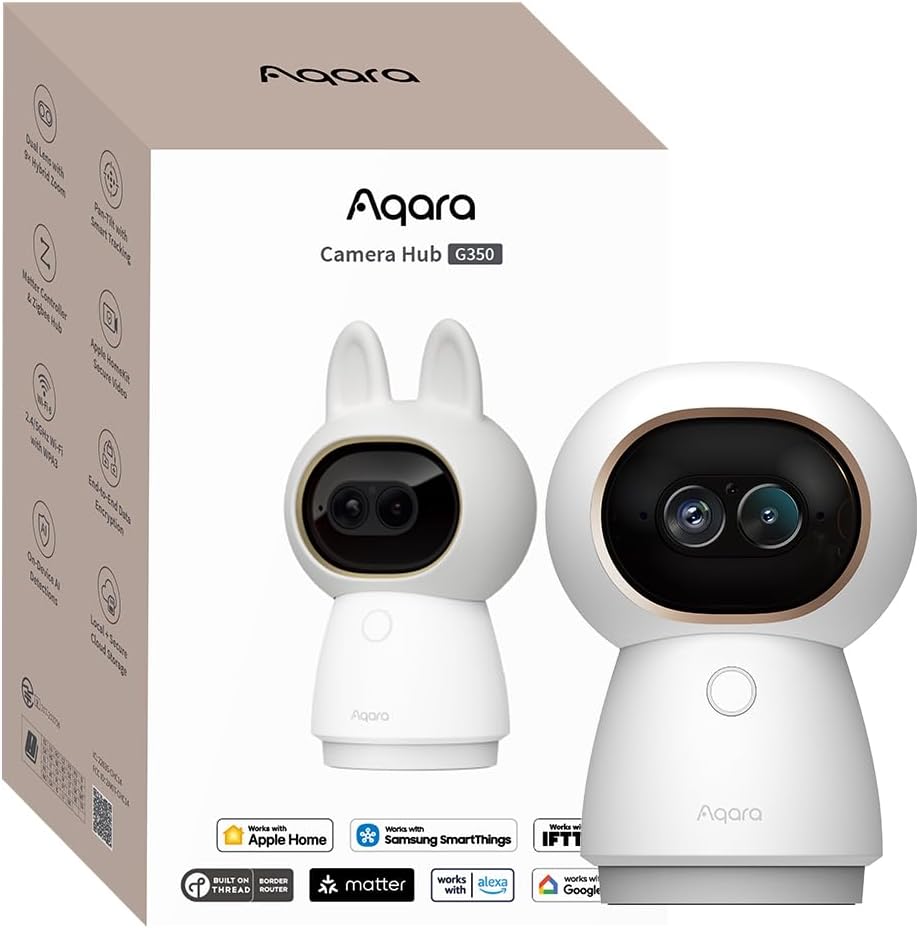
Aqara Indoor Security Camera G350
4.3Editor score
4K Ultra HD Dual Lens
AI Auto and Tracking
Matter Bridge Hub
This guide compares the top Apple Homekit Security Cameras for 2026, evaluating features like resolution, privacy, and smart detection to help you choose the
Secure your home with smart technology that respects your privacy. Apple Homekit Security Cameras offer seamless integration with your devices, ensuring you stay connected while keeping your data safe and encrypted.
We have evaluated the leading models on the market to find the best options for every need. Our analysis focuses on video quality, AI detection capabilities, storage options, and overall ease of use within the Apple ecosystem.
Each pick highlights key strengths and trade-offs to guide your decision. Please note that availability and pricing may change frequently, so verify details on the product page before purchasing your new security camera.
4.3Editor score
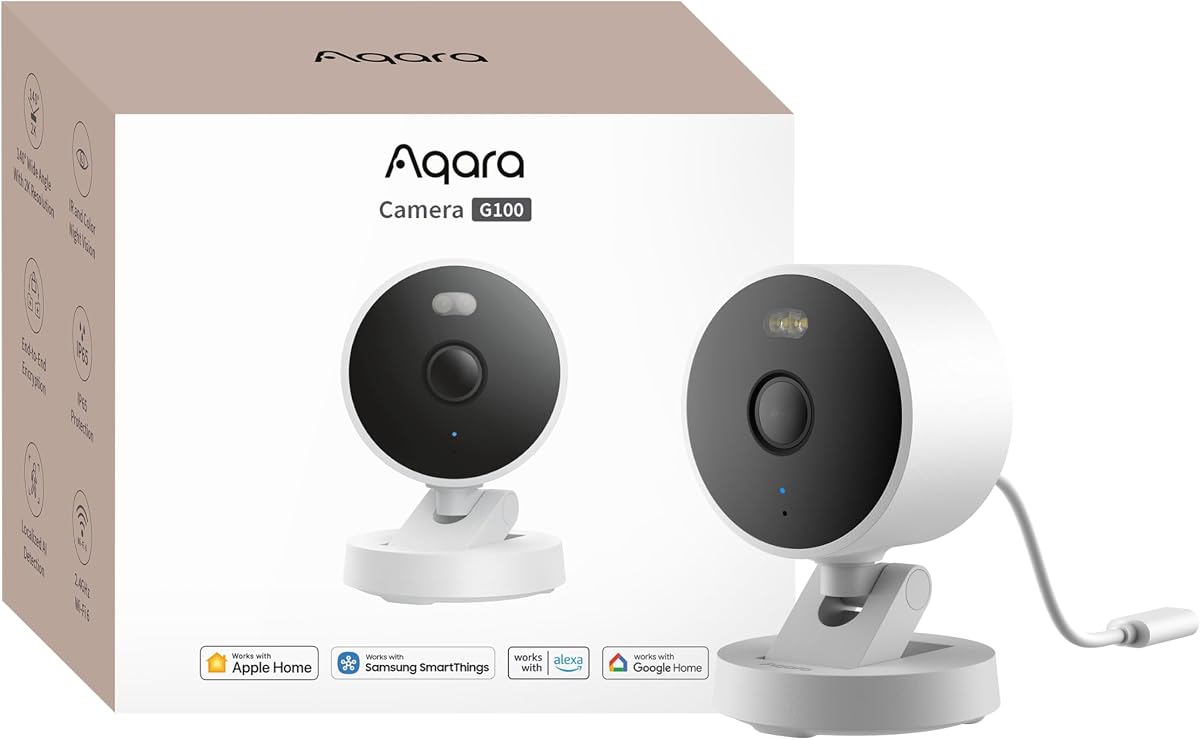
4.2Editor score
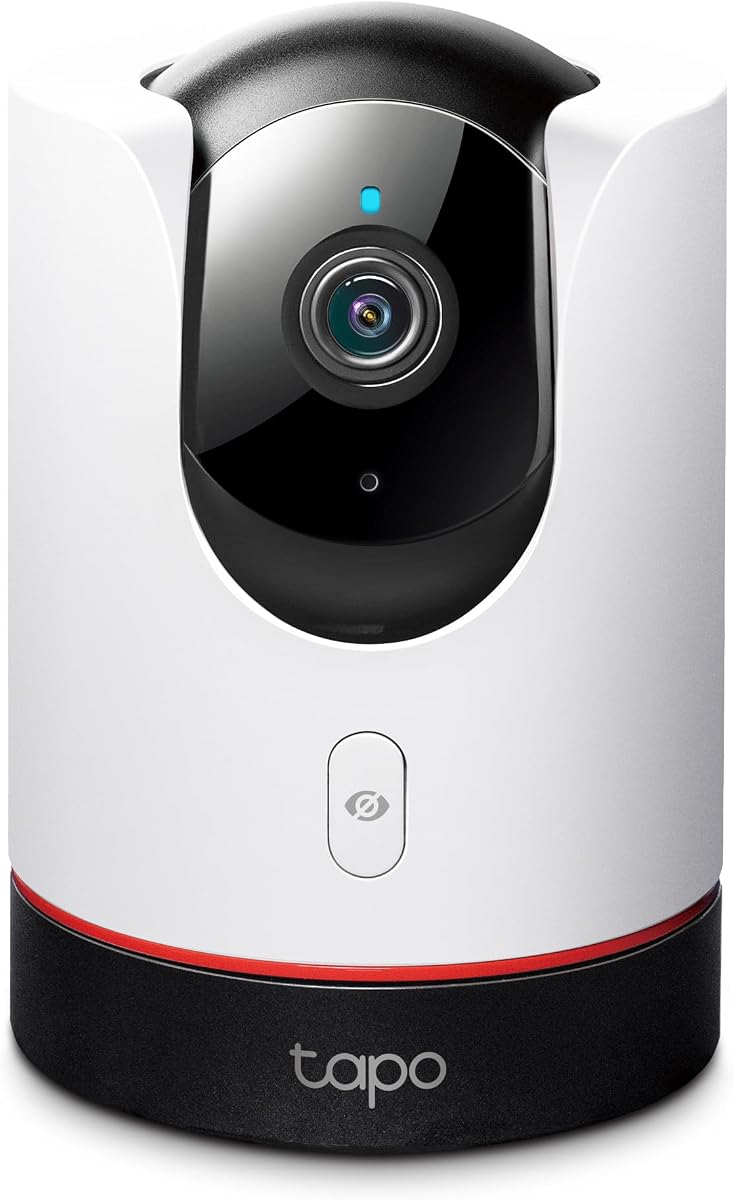
4.5Editor score
Explore the detailed side-by-side comparison of the top ten models available today. This overview highlights the core specifications and unique capabilities of each camera to help you make an informed choice.



The Aqara G100 stands out as a top choice for Apple Homekit Security Cameras. With a rating of 4.2 stars, it delivers 2K clarity that ensures you see every detail clearly day and night.
We may earn a commission when you buy through this link, at no additional cost to you.
Its standout quality is the dual night vision capability offering both spotlight color and IR modes. The IP65 rating makes it durable for outdoor mounting in rain or dust while the Wi-Fi 6 support ensures smooth streaming.
While it offers extensive features like AI detection and cloud storage options, note that the power adapter is sold separately. Also, it relies on 2.4 GHz Wi-Fi which might be a constraint for some network setups.
This camera is ideal for homeowners wanting flexible placement inside or outside. It balances high resolution with strong privacy features making it a robust pick for comprehensive home security.
Choose between color spotlight or covert IR for flexible night monitoring.
IP65 housing protects against dust and rain for reliable outdoor use.
We may earn a commission when you buy through this link, at no additional cost to you.
The Eve Cam is designed exclusively for Apple Homekit Secure Video prioritizing privacy above all. It holds a 3.6 rating but is highly valued for its end-to-end encryption and local data processing.
We may earn a commission when you buy through this link, at no additional cost to you.
Its key strength is ensuring that only you can view live and recorded video. The camera distinguishes between people and pets and sends notifications directly to your Apple devices without cloud intermediaries.
However, its rating reflects some user experience issues and its limitation to indoor use might not suit everyone. It lacks outdoor ruggedness and some setup requirements are strict regarding iOS versions.
Buy this if privacy is your absolute priority and you only need indoor coverage. It fits best in homes already deeply invested in the Eve ecosystem.
End-to-end encryption ensures your video data remains private and local.
Automatically distinguishes between people and pets to reduce false alerts.
We may earn a commission when you buy through this link, at no additional cost to you.
The Aqara G350 offers premium features with its dual-lens system capturing 4K ultra HD video. It receives a strong 4.3 rating for its ability to zoom in without losing clarity via its hybrid zoom.
We may earn a commission when you buy through this link, at no additional cost to you.
Its standout quality is the AI auto-tracking that follows subjects with close-up framing. It also doubles as a hub for Zigbee and Thread devices adding significant value beyond just video monitoring.
The advanced features come with a higher price tag and might require more technical knowledge to set up fully. The Matter bridge compatibility is still evolving so check ecosystem support first.
Ideal for tech enthusiasts wanting top-tier indoor surveillance and smart home integration. It delivers unmatched detail and automation capabilities for a modern smart home.
Dual lenses provide sweeping views and zoomed details simultaneously.
Connects up to 80 sub-devices bridging Zigbee and Thread networks.
We may earn a commission when you buy through this link, at no additional cost to you.
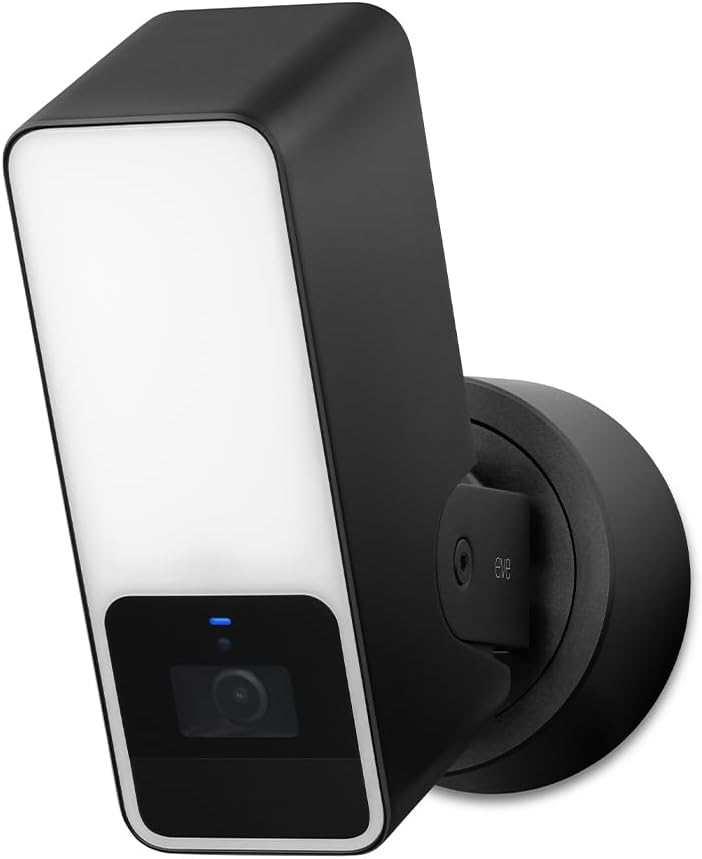
The Eve Outdoor Cam is a robust solution for exterior security designed exclusively for Homekit Secure Video. It holds a 3.5 rating and features a powerful dimmable floodlight with infrared motion sensor.
We may earn a commission when you buy through this link, at no additional cost to you.
Its key strength is the integration of light and camera to deter intruders effectively. It detects people pets vehicles and packages while maintaining strict local data security without cloud registration.
Installation requires a neutral wire and ground wire which might be challenging for some. The 1080p resolution is standard but lower than competitors like the Aqara 2K options.
Buy this if you need a wired solution with strong privacy and deterrence. It works best in locations where you can easily access necessary wiring.
Dimmable light boosts visibility and deters intruders at night.
No Eve cloud registration ensures your data stays private and local.
We may earn a commission when you buy through this link, at no additional cost to you.
The TP-Link Tapo C225 delivers impressive value with its 2K QHD resolution and physical privacy mode. It is rated 4.5 stars and recognized for its award-winning design and excellent performance.
We may earn a commission when you buy through this link, at no additional cost to you.
Its standout feature is the innovative physical privacy mode that blocks the lens with a click. It offers smart AI detection for people pets and vehicles ensuring you stay informed about unusual activities.
While the homekit integration is solid some advanced features require the Tapo app which adds complexity. The storage options are flexible but cloud storage requires a subscription.
Perfect for budget-conscious buyers wanting high-quality video and privacy. It is a reliable choice for monitoring rooms without breaking the bank.
Camera housing cleverly blocks the lens for complete privacy control.
High-sensitivity sensor ensures clear image quality in low light.
We may earn a commission when you buy through this link, at no additional cost to you.
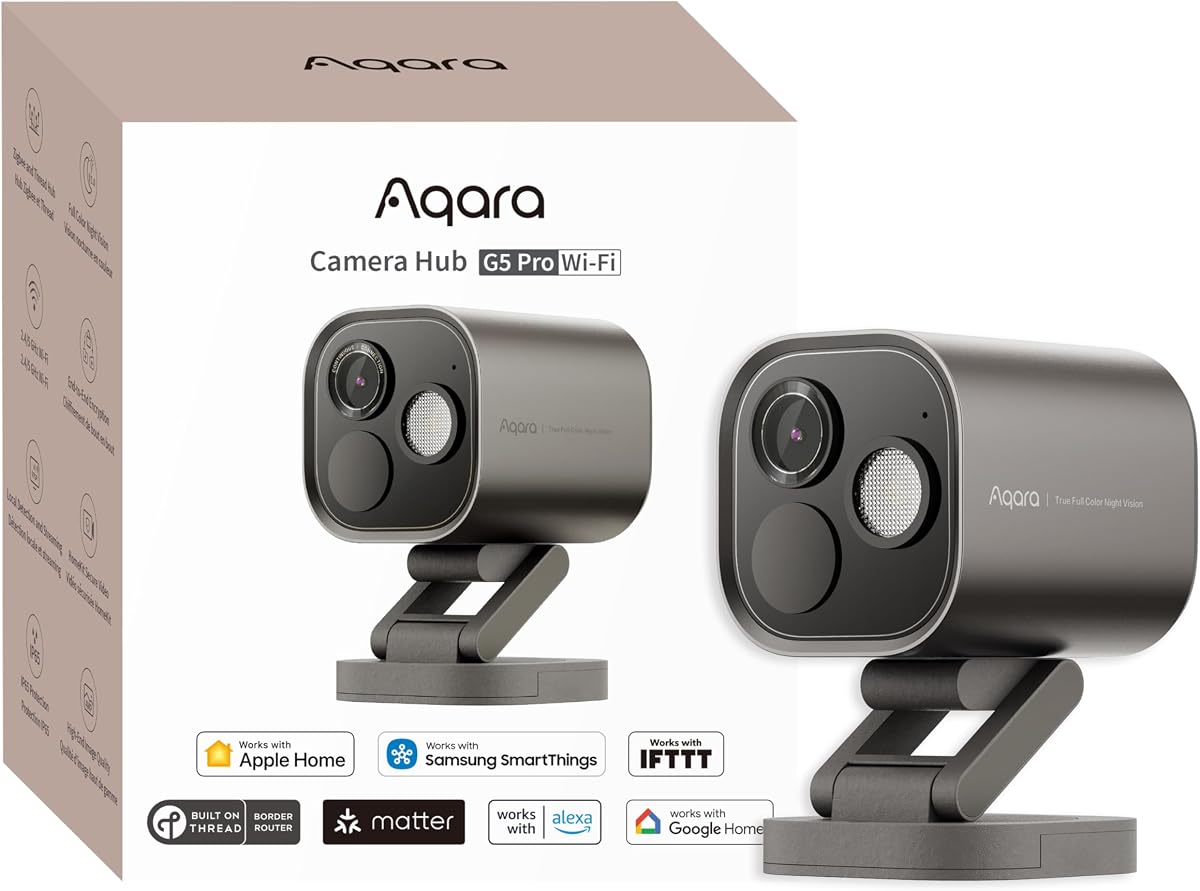
The Aqara G5 Pro WiFi combines high-resolution surveillance with smart home hub capabilities. It earns a 4.3 rating for its 4MP resolution and ability to detect faces vehicles and animals locally.
We may earn a commission when you buy through this link, at no additional cost to you.
Its key strength is the built-in neural processing unit that identifies specific sounds like alarms or crying. The dual-band Wi-Fi ensures stable connectivity even in congested network environments.
Note that it does not have infrared light relying on a spotlight for night vision which might be visible. Also 24/7 recording depends on local RTSP or NAS storage.
Buy this for comprehensive outdoor monitoring and smart home control. It is ideal for those needing a hub and camera in one device.
F1.0 large aperture captures clear color video in low light.
Supports up to 80 Zigbee sub-devices for expanded automation.
We may earn a commission when you buy through this link, at no additional cost to you.
The Logitech Circle View offers a wide 180-degree field of view for broad monitoring. It has a 3.4 rating but is designed exclusively for Apple Homekit Secure Video with strong privacy features.
We may earn a commission when you buy through this link, at no additional cost to you.
Its standout quality is the high dynamic range sensor that captures clear pictures in sunlight and shadows. The innovative tilt design allows you to block the view instantly for privacy.
However, it only provides motion-based detection rather than continuous recording which limits event review. Its lower rating suggests some users face setup or performance issues.
Choose this for wide-angle outdoor coverage with simple setup. It is best for quick check-ins rather than continuous monitoring.
180-degree optics capture a broad area for comprehensive coverage.
Instantly pivot the camera down to ensure visual privacy.
We may earn a commission when you buy through this link, at no additional cost to you.
The Aqara E1 is an excellent indoor camera with full 360-degree rotation capabilities. It achieves a 4.2 rating for its 2K resolution and ability to track people automatically across the room.
We may earn a commission when you buy through this link, at no additional cost to you.
Its key strength is the on-device detection that triggers automations without cloud upload ensuring privacy. You can also disable audio recording manually or through automations to respect everyone's comfort.
The main drawback is that the required power supply is not included in the box. Also it limits Wi-Fi to 2.4 GHz which might impact performance in some networks.
Buy this for detailed indoor monitoring with flexible tracking. It is great for nurseries or common areas where privacy and automation matter.
Pan and tilt motor enables full room coverage without blind spots.
Automated privacy mode pivots the lens to deactivate the camera.
We may earn a commission when you buy through this link, at no additional cost to you.
The eufy Security E30 brings 4K recording quality to indoor monitoring at a competitive price. It holds a high 4.5 rating for its ability to distinguish humans and pets with AI tracking.
We may earn a commission when you buy through this link, at no additional cost to you.
Its standout quality is offering all functions without monthly fees thanks to local SD card storage. The integrated spotlight allows seamless switching between color and infrared night vision for clarity.
While it supports Homekit some features may be limited compared to native Homekit cameras. Ensure your app is updated for the best performance and functionality.
Perfect for pet owners and parents wanting clear detail without subscriptions. It is a strong option for privacy-focused users who prefer local storage.
Capture every detail day or night with high resolution recording.
Enjoy full functionality with local storage and no subscription costs.
We may earn a commission when you buy through this link, at no additional cost to you.
The Aqara G5 Pro PoE simplifies installation with power over Ethernet support. It receives a 4.5 rating for its 4MP resolution and ability to detect intruders even in low light.
We may earn a commission when you buy through this link, at no additional cost to you.
Its key strength is the single network cable design transmitting video and power simultaneously. It also supports abnormal sound detection triggering automations even during internet outages.
You will need to purchase a PoE switch separately which adds to the initial cost. Like its WiFi version it lacks infrared light so relies on its spotlight for night vision.
Ideal for structured home networks wanting professional-grade cabling. It offers reliability and performance for serious security setups.
Transmit video and power via a single network cable easily.
Identifies faces and vehicles locally for faster response.
We may earn a commission when you buy through this link, at no additional cost to you.
Selecting the right camera involves balancing resolution privacy and integration needs. This guide breaks down the essential factors to help you decide which model fits your home setup.
Higher resolution such as 2K or 4K ensures you capture fine details like faces or license plates. Look for cameras with large aperture lenses and wide dynamic range to handle varying light conditions.
Prioritize models with at least 1080p for clear image quality but opt for 2K or 4K for critical outdoor monitoring.
Ensure the camera supports Homekit Secure Video for end-to-end encryption and seamless Apple device access. This feature keeps your video data private and accessible only to you via iCloud.
Verify that your home hub like HomePod or Apple TV is compatible to unlock full functionality.
Choose between local storage via microSD cards or cloud storage. Local options save money and maintain privacy while cloud offers off-site backup for safety against theft or damage.
Select a camera that supports your preferred storage method without mandatory subscription fees.
Outdoor cameras must have weather-resistant ratings like IP65 to withstand rain and dust. Indoor cameras focus on design and privacy features like physical shutters to blend into living spaces.
Match the camera type to your installation location to ensure longevity and reliability.
Advanced AI can distinguish between people pets and vehicles reducing false alarms. Local AI processing ensures faster response and better privacy by keeping data on the device.
Look for cameras offering customizable detection zones to focus on specific areas.
Night vision is crucial for 24/7 security. Choose models with both IR for covert monitoring and spotlight for color night vision to identify intruders clearly.
Prioritize options that maintain clarity in total darkness.
Check if the camera supports Wi-Fi 6 for smoother live views and lower latency. Also consider power requirements such as USB or PoE to avoid extra cabling.
Ensure your network can handle the bandwidth for multiple cameras streaming simultaneously.
Privacy features like physical shutters or lens retractors provide visual assurance when not in use. Audio controls allow you to disable microphones if desired for extra peace of mind.
Select models that offer robust privacy settings to protect your daily life.
Start by placing your camera in a stable location with clear visibility. Use a level or mounting bracket to ensure the angle captures the desired area without obstruction.
Update the camera firmware and homekit settings regularly to access the latest security patches. This ensures your device stays protected against potential vulnerabilities over time.
Clean the lens with a soft dry cloth to remove dust or dirt that could blur your footage. Check your SD card or cloud storage periodically to manage space effectively.
Most support iOS devices but require a compatible version for optimal performance. Check the specific system requirements to ensure your phone and home hub connect without issues.
Homekit Secure Video provides end-to-end encryption ensuring only you can view live or recorded video. It also analyzes events locally keeping your data private and secure.
Local AI detection works without internet but remote access and cloud features require connectivity. If you lose internet you might miss push notifications on your devices.
Some models support 24/7 recording via SD card or NAS but Homekit limits resolution to 1080p for storage. Always check specific product details for continuous recording options.
AI distinguishes between humans pets and vehicles allowing you to filter out unnecessary motion events. This ensures you are only notified about relevant activity around your home.
Basic features work without subscriptions but cloud storage and advanced detection may require plans like HomeGuardian. Always check pricing and plans before purchasing to avoid extra costs.
We have explored ten top models offering diverse features from 4K resolution to advanced hub capabilities. Whether you need a budget-friendly option or a premium dual-lens system there is a perfect fit for your home.
Prioritize privacy features and resolution that match your security needs. Consider how easy the camera is to install and whether it integrates with your existing smart home setup.
Always verify current availability and specifications on the product pages before purchasing. Prices and features may change so ensure the model you choose still meets your expectations.