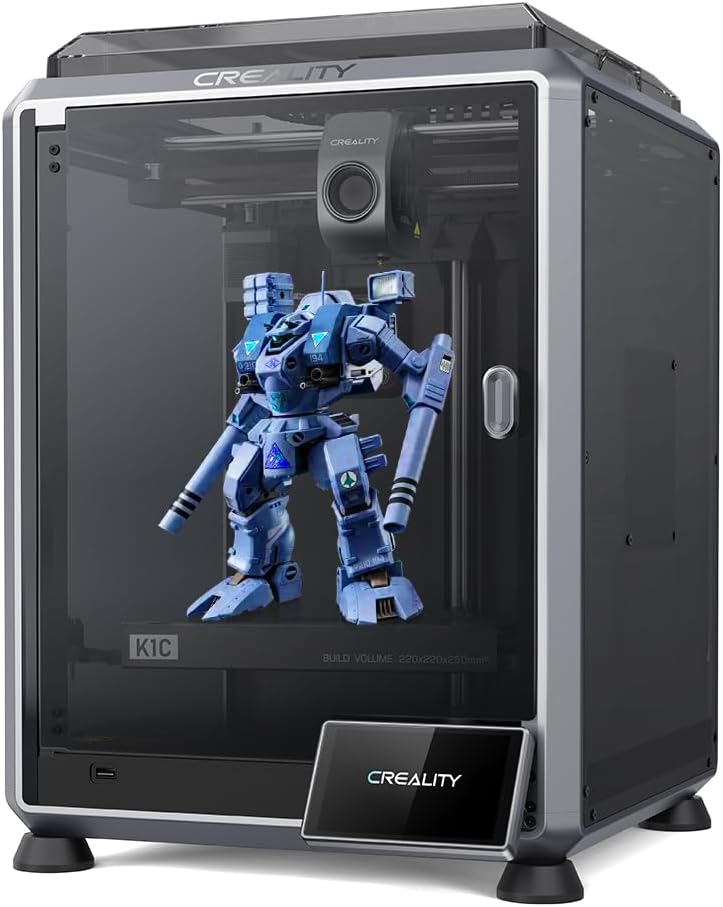
Creality K1C
4.3Editor score
Supports carbon fiber filament
Direct extruder design
Fast plug and play
This guide compares the top 3D printers for high temperature filaments like ABS and PC, focusing on chamber heat, nozzle limits, and speed for engineering
Finding the right 3D printer for high temperature filaments requires careful consideration of chamber heating, nozzle capabilities, and overall build stability. Engineers and hobbyists alike need machines that can handle materials like ABS and PC without warping or failing.
We evaluated ten leading models based on their ability to manage heat, print speed, and ease of use. Each product was analyzed for its compatibility with engineering-grade materials and its reliability during long print jobs.
Each pick highlights specific strengths and trade-offs to help you decide. Prices and availability change frequently, so always verify current details before purchasing to ensure you get the best value for your specific project requirements.
4.3Editor score

4.7Editor score

4.4Editor score
This comparison table provides a side-by-side overview of all ten models, highlighting their unique specifications and features to help you find the ideal machine for your engineering projects.



The Bambu Lab P2S Combo stands out as a top choice for those needing high performance. With a rating of 4.7, it delivers speed and reliability that engineers value for daily production tasks.
We may earn a commission when you buy through this link, at no additional cost to you.
Its adaptive airflow system balances cooling and heat retention to maintain a 50C chamber for engineering materials. This ensures consistent results with ABS or PC without warping issues during long prints.
While it offers great multi-color capabilities with the AMS 2 Pro, note that the base printer does not support it. This requirement adds cost but provides seamless workflow for complex designs.
You should buy this if you want professional-grade results with minimal setup. Its balance of speed, precision, and material compatibility makes it a leading option for high temperature filament projects.
The system automatically adjusts cooling to keep overhangs crisp while retaining heat for strong layers.
Built-in drying in the AMS keeps spools ready for flawless prints by removing moisture before printing.
We may earn a commission when you buy through this link, at no additional cost to you.
The Creality K1C is an excellent budget-friendly option for high temperature printing. It is designed to handle challenging materials like carbon fiber without breaking the bank for hobbyists.
We may earn a commission when you buy through this link, at no additional cost to you.
Its direct extruder and titanium alloy heatbreak prevent clogs and allow for up to 300C nozzle temperatures. This enables printing with durable engineering plastics that typically require high heat.
The machine is well assembled and ready in minutes after unboxing. While it lacks a fully heated chamber, its cooling design helps manage warping for smaller prints effectively.
This is a smart pick for those starting with engineering filaments on a budget. Its speed and material support offer great value for functional prototyping and small batch production runs.
The hardened steel nozzle and durable extruder handle abrasive filaments like carbon fiber reinforced polymers.
An observant AI camera recognizes failures in real time to save material and time on long prints.
We may earn a commission when you buy through this link, at no additional cost to you.
The FLASHFORGE Creator 5 Pro brings true industrial capabilities to the desktop market. Its active heated chamber ensures consistent results with high-performance materials regardless of room temperature.
We may earn a commission when you buy through this link, at no additional cost to you.
Four independent extruders allow for multi-color printing without color mixing or purging. This efficiency is vital for professional environments where waste and quality matter significantly in production.
The HEPA13 filtration system captures volatile particles to keep the workspace clean. This safety feature makes it suitable for offices or classrooms where air quality is a concern during long jobs.
Invest in this model if you need robust engineering-grade performance. Its combination of speed, safety, and material versatility makes it a powerful tool for serious creators and small businesses.
The system maintains 65C to minimize warping when printing materials like ABS and Nylon consistently.
True multi-material printing happens without color contamination thanks to dedicated nozzles per extruder.
We may earn a commission when you buy through this link, at no additional cost to you.
The Bambu Lab P1S is a reliable closed FDM printer designed for advanced filaments. It offers a fully enclosed body to improve performance with engineering materials like ABS and ASA.
We may earn a commission when you buy through this link, at no additional cost to you.
Its high-speed capabilities allow for lightning-fast printing without waiting hours for masterpieces. The auto bed leveling feature ensures high-quality successful prints every time with minimal manual intervention.
You can connect the AMS for multi-color printing to bring vibrant designs to life easily. While it lacks specific support for reinforced fibers, it covers most standard engineering needs effectively.
This printer is a great middle-ground choice for users seeking speed and enclosure benefits. Its user-friendly design ensures a smooth experience for all skill levels from beginners to pros.
A fully enclosed body improves print performance for advanced filaments by stabilizing temperature.
Fast acceleration lets you focus on creating rather than waiting for your prints to finish.
We may earn a commission when you buy through this link, at no additional cost to you.
The Bambu Lab A1 is designed for beginners and kids who want to start with FDM printing. It delivers exceptional accuracy and detail while maintaining a very quiet environment for home use.
We may earn a commission when you buy through this link, at no additional cost to you.
Full auto calibration ensures that every print starts perfectly without manual hassles. The active flow rate compensation algorithm actively compensates to extrude with high accuracy for flawless results.
While it is not ideal for high temperature engineering materials, it excels at standard plastics. Its user-friendly interface and simplified touchscreen make it easy to use for everyone.
Choose this model for a hassle-free introduction to 3D printing. It offers a seamless printing experience with precise features that reduce the learning curve significantly for new users.
The printer takes care of all calibration processes automatically ensuring optimal performance.
Active motor noise canceling allows you to focus on work while printing quietly.
We may earn a commission when you buy through this link, at no additional cost to you.
The FLASHFORGE AD5X features IFS technology for vibrant multi-color models. It allows you to print with up to four colors simultaneously to create intricate designs with ease.
We may earn a commission when you buy through this link, at no additional cost to you.
High-speed printing at 600mm/s delivers rapid results without compromising precision. The fully automatic leveling system guarantees consistent quality and reduces the risk of failed prints.
With a large build volume and nozzle capable of 300C, it handles a wide range of filaments. It is ideal for hobbyists who want artistic and functional results quickly.
This printer is a versatile choice for small-scale and ambitious projects alike. Its combination of speed, size, and color support makes it a strong contender for creative tasks.
Advanced IFS allows up to four colors simultaneously for vibrant multi-colored models.
A generous volume offers ample space for larger models or multiple objects per print.
We may earn a commission when you buy through this link, at no additional cost to you.
The Anycubic Kobra S1 Max features a large build volume for scale projects like helmets and prototypes. Its CoreXY motion system maintains high precision even at high speeds during printing.
We may earn a commission when you buy through this link, at no additional cost to you.
Equipped with a 350C hotend and 65C heated chamber, it handles advanced materials like ABS and PC reliably. The titanium alloy throat tube provides excellent thermal insulation to prevent clogging.
Real-time AI monitoring detects issues to reduce waste during long-duration printing. It also offers a multi-color upgrade path with the ACE 2 Pro for expanded creative capabilities.
Consider this for large-scale functional prototypes that need high temperature stability. Its durability and advanced monitoring make it a strong option for professional and industrial use cases.
The high temp nozzle supports engineering filaments including ABS PC and PA-CF.
720P camera monitors status in real time to detect spaghetti failures quickly.
We may earn a commission when you buy through this link, at no additional cost to you.
The Flashforge AD5X offers ultra-fast CoreXY printing with vibration compensation for precision. It is capable of reaching speeds up to 600mm/s to cut project time significantly.
We may earn a commission when you buy through this link, at no additional cost to you.
The 300C all-metal hotend supports ABS and Nylon when upgraded with an enclosed chamber kit. Magnetic PEI spring steel plate ensures perfect first-layer adhesion every time without manual tweaks.
Dual-band Wi-Fi and app monitoring allow you to track prints from anywhere easily. Filament runout sensors pause prints automatically to avoid messy failures during production.
This is a great upgrade path for hobbyists aiming for engineering grade printing. Its speed and app integration make it a convenient choice for remote and automated workflows.
2.4G and 5G bands allow you to monitor prints from anywhere easily.
The plate ensures perfect first-layer adhesion every time with flexible removal.
We may earn a commission when you buy through this link, at no additional cost to you.
The Snapmaker U1 features a 4-toolhead system with a 5-second tool changer for speed. It reduces tool change time and eliminates purging waste compared to traditional systems.
We may earn a commission when you buy through this link, at no additional cost to you.
It supports true multi-material and mixed-material printing in a single print. Four independent toolheads automatically switch between materials without manual intervention for flexible designs.
Smart calibration delivers smooth dimensionally accurate print quality with minimal manual adjustment. The CoreXY motion system enables speeds up to 500 mm/s while maintaining accuracy.
Choose this for complex projects requiring multiple materials or colors. Its efficiency and design freedom make it ideal for professional creators and small businesses needing productivity.
Tool change reduces from two minutes to five seconds to save time on prints.
Create functional parts with soluble supports using four independent toolheads.
We may earn a commission when you buy through this link, at no additional cost to you.
The FLASHFORGE Creator 5 Pro offers near-zero waste system for efficient multi-material printing. Switching nozzles without flushing filament drastically slashes operational overhead and material costs.
We may earn a commission when you buy through this link, at no additional cost to you.
Its fully enclosed frame features an active heated chamber to prevent warping in advanced filaments like PC and PA. Dual HEPA 13 system traps ultrafine particles for a safe production environment.
Built on rigid integrated architecture it delivers rapid speeds up to 600mm/s without sacrificing accuracy. Vibration compensation effectively eliminates ghosting and mechanical vibrations during high throughput.
This is a top pick for industrial engineering and small business needs. Its focus on safety and efficiency makes it a reliable solution for robust industrial parts and prototypes.
The system eliminates massive purge waste to reduce operational costs.
HEPA 13 system traps ultrafine particles to maintain a safe odorless environment.
We may earn a commission when you buy through this link, at no additional cost to you.
Choosing a printer for high temperature filaments requires attention to specific features that ensure reliability and quality for engineering projects.
An active heated chamber is essential for preventing warping with materials like ABS and PC. Models that maintain temperatures up to 65C ensure consistent interlayer adhesion and reduce print failures.
Always check for active heating rather than passive enclosure when buying for engineering materials.
High temperature filaments often require nozzles that can reach 300C or more. Ensure the printer supports these limits to avoid clogs and ensure smooth extrusion of tough polymers.
Look for all-metal hotends and durable steel-stipped copper nozzles in your choice.
The build volume determines the size of objects you can create. Larger volumes are necessary for functional prototypes or larger scale industrial parts that need to be printed in one piece.
Assess your project needs to select a build volume that matches your scale requirements.
High speed capabilities like 600mm/s allow for rapid prototyping. Fast acceleration ensures that you can produce results quickly without waiting long periods for simple parts.
Balance speed with precision to ensure high quality results on complex designs.
Direct extruders are often preferred for handling abrasive filaments like carbon fiber. A robust extruder system prevents clogs and ensures consistent feed rates during high temperature printing.
Choose a model with a durable extruder to maintain reliability with challenging materials.
Auto leveling and flow compensation features simplify the printing process and improve success rates. These systems adjust settings automatically to ensure perfect first layers every time.
Prioritize full auto calibration to save time and reduce manual maintenance.
Engineering filaments can release volatile particles during printing. HEPA filtration systems help maintain a safe workspace by capturing these particles and reducing odors.
Select a printer with integrated filtration for home or office safety standards.
Independent extruders or tool changers allow for true multi-color or multi-material printing without purging. This feature is vital for complex designs that require different material properties.
Check for systems like IFS or tool changers if color mixing is a requirement.
Always store your filaments in a dry environment to prevent moisture absorption. This step ensures that your prints remain smooth and do not suffer from bubbling or weak layer adhesion.
Regularly clean your nozzle and heatbreak to prevent clogs from high temperature residues. Use appropriate cleaning rods or soak the hotend periodically to maintain smooth extrusion flow.
Monitor your chamber temperature settings based on the material you are printing. Proper calibration of heat settings ensures that complex parts cool correctly without warping or detaching from the bed.
Materials like ABS, ASA, PC, Nylon, and PEEK typically require high temperatures. These engineering-grade filaments need nozzles capable of reaching 300C and chambers heated to prevent warping during the print process.
Yes, a heated chamber is highly recommended for ABS to prevent warping and ensure adhesion. Without it, ABS parts may curl at the edges due to rapid cooling and internal stress buildup.
Use a hardened steel or ruby tipped nozzle to withstand abrasive fibers. Regular cleaning and keeping the print area free of dust also help prevent debris from clogging the hotend.
Slower speeds like 30mm/s to 50mm/s are better for accuracy. However, many modern printers offer high acceleration to maintain speed without sacrificing layer quality on complex parts.
Yes, you can use PLA on any high temperature printer. While these machines are designed for tough materials, they offer back compatibility with standard filaments for general tasks.
Use the built-in auto calibration tools provided by modern printers. Most models handle this automatically during setup to ensure precise flow rates for any filament type you choose.
The Bambu Lab P2S Combo, Creality K1C, and FLASHFORGE Creator 5 Pro lead the pack for their balance of speed and performance. Each offers unique features suited for different levels of engineering and production needs.
Prioritize a printer with active heating and high nozzle limits if you plan to work with PC or Nylon regularly. Automation features like auto leveling will save you time and improve your overall success rate.
Always check current prices and availability before making your decision to get the best value. Technology changes quickly so staying updated on the latest models ensures you get the best tools for your projects.