
Sceptre New 22-Inch Gaming Monitor
4.4Editor score
144Hz refresh rate for smooth motion
Built-in speakers for audio convenience
Blue-Light Shift technology for comfort
Discover the top 10 cheap monitors for the PS5 with high refresh rates and clear visuals to enhance your gaming experience without breaking the bank.
Finding the right display for your console setup can be challenging when you need high performance on a budget. Cheap monitors for the PS5 offer an excellent balance of speed and clarity, ensuring you do not miss crucial gameplay details during intense sessions.
We have carefully evaluated a wide range of affordable options to identify the models that deliver the best value for gamers. This list compares refresh rates, color accuracy, and connectivity options to help you make an informed decision for your specific setup.
Each pick highlights key strengths and potential trade-offs so you know exactly what to expect before you buy. Please note that availability and pricing can change quickly, so checking the latest details on the product page is always recommended.
4.4Editor score
4.6Editor score

4.5Editor score
This side-by-side comparison highlights the key specifications of each model to help you quickly identify which features matter most for your gaming needs.


This Sceptre monitor stands out as a highly affordable option for PS5 owners looking to upgrade their setup without overspending. With a 144Hz refresh rate it delivers smooth visuals that keep up with fast-paced action in modern games. The built-in speakers add convenience by eliminating the need for external audio devices on a cluttered desk.
We may earn a commission when you buy through this link, at no additional cost to you.
The FHD 1080p resolution ensures that details remain sharp during gameplay which is crucial for competitive titles. Blue-Light Shift technology helps reduce eye strain during long sessions making it a practical choice for extended gaming marathons. The nearly bezel-free design also offers a modern look that fits well in any room setup.
While the screen size is smaller than many modern monitors it remains sufficient for casual gaming or secondary setups. The build quality is functional but not premium which is expected at this price level. Users should manage expectations regarding advanced color accuracy but the performance remains solid for general use.
Anyone on a tight budget who needs a reliable display for console gaming will find this model appealing. It balances essential features like refresh rate and eye care at a price that is hard to beat. We recommend this for entry-level gamers or those needing a compact secondary display for their room.
The 144Hz refresh rate ensures that motion appears fluid and reduces blur during fast-moving scenes in games like shooters or racing titles.
Blue-Light Shift technology minimizes harmful blue light emissions helping to protect your vision during long hours of screen time.
We may earn a commission when you buy through this link, at no additional cost to you.
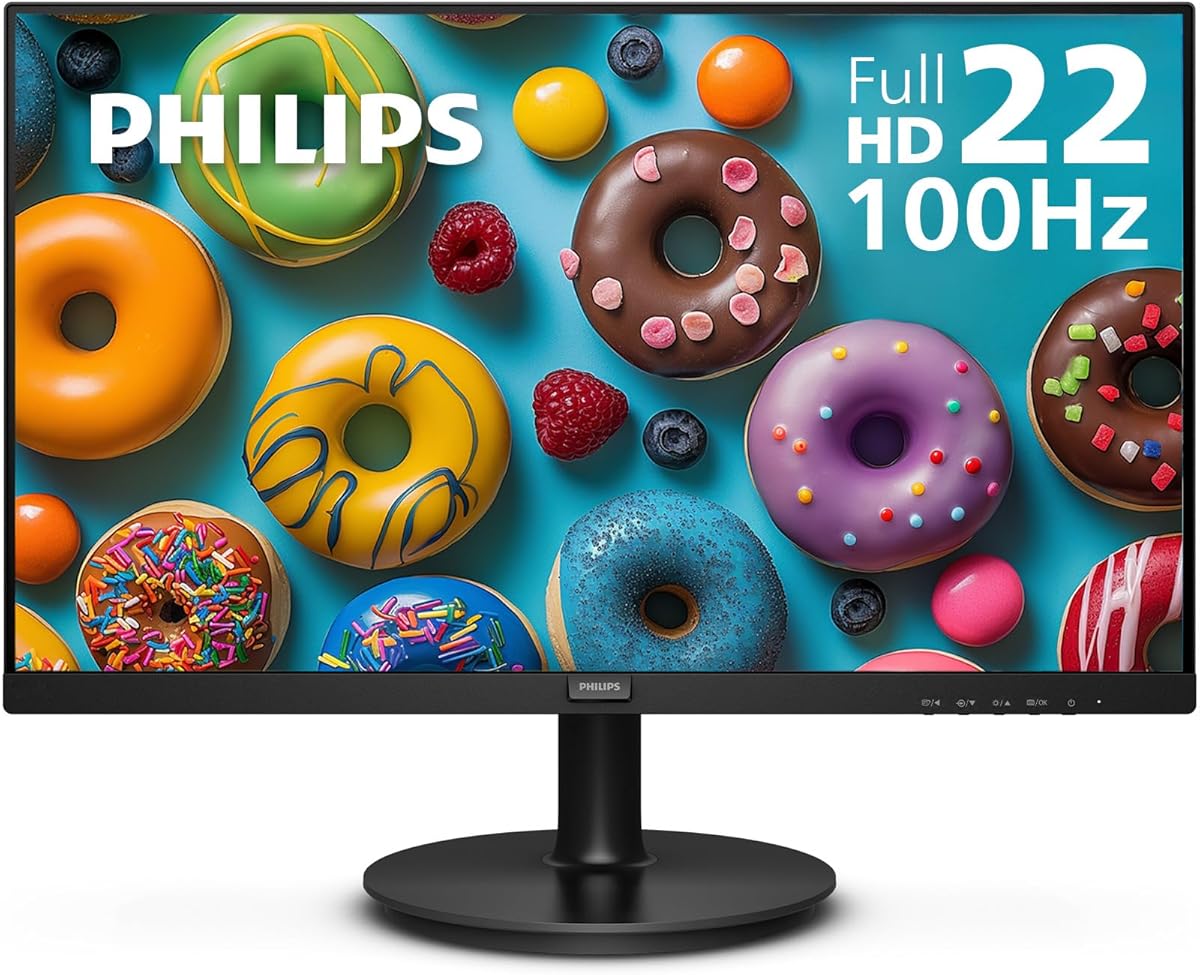
The Philips monitor offers a compelling mix of performance and reliability for PS5 gaming needs. Its VA panel delivers deeper blacks and stronger contrast which enhances the visual depth in dark game scenes. The 100Hz refresh rate provides a noticeable upgrade over standard 60Hz screens making gameplay feel smoother and more responsive.
We may earn a commission when you buy through this link, at no additional cost to you.
Adaptive-Sync technology helps reduce screen tearing and stuttering which is vital for a seamless gaming experience. The 178-degree viewing angles ensure colors remain consistent even when viewed from the side making it great for shared viewing moments. Flicker-free technology adds to the comfort factor during extended play sessions.
While it does not match the highest refresh rates on this list it remains a solid choice for casual and competitive gamers alike. The brand reputation for quality gives confidence in the long-term durability of the unit. Some users might find the color range slightly limited compared to higher-end models.
This model is ideal for gamers who prioritize contrast and reliability over maximum speed. It fits well in setups where eye comfort and image stability are key concerns. We recommend it for users who want a dependable monitor that handles both work and play effectively.
The VA panel produces brighter whites and deeper blacks ensuring that dark scenes in games look rich and detailed without losing shadow details.
Adaptive-Sync synchronizes the monitor with the graphics output to eliminate image tearing and provide fluid action sequences without stuttering.
We may earn a commission when you buy through this link, at no additional cost to you.
This 27-inch model brings a larger viewing area to the budget category which is excellent for immersive PS5 gaming. The 100% sRGB color gamut ensures that visuals appear vibrant and true to life across a wide range of games. A 1ms response time helps keep motion blur to a minimum during fast-paced gameplay moments.
We may earn a commission when you buy through this link, at no additional cost to you.
Multiple HDMI and DisplayPort ports provide flexibility for connecting other devices alongside your console. Built-in speakers save space and keep your desk clean while still delivering decent audio quality for general use. The frameless design adds a sleek aesthetic that looks modern on any desk setup.
The larger screen can make text and UI elements more comfortable to read compared to smaller models. However the frameless build might feel slightly less sturdy to those accustomed to thicker bezels. Color accuracy is strong for this price point making it suitable for both gaming and media consumption.
Gamers who want a bigger screen without paying premium prices will appreciate this option. It balances size and color performance well for a budget-friendly price. We suggest it for users who need extra screen real estate for multitasking or more immersive single-player experiences.
The 27-inch display provides more screen real estate allowing for a more immersive experience when playing large open world games on the PS5.
With 100% sRGB coverage this monitor ensures that colors appear natural and vivid which enhances the visual fidelity of modern game titles.
We may earn a commission when you buy through this link, at no additional cost to you.
The curved design of this monitor creates an immersive experience that wraps around your field of view during gameplay. It is particularly effective for racing and simulation titles on the PS5 where immersion enhances the sense of speed and control. The 100Hz refresh rate keeps motion smooth which is essential for competitive gaming scenarios.
We may earn a commission when you buy through this link, at no additional cost to you.
With 99% sRGB coverage the display offers a rich color palette that makes games look vibrant and engaging. Adaptive Sync technology helps reduce visual artifacts like tearing which maintains a clean image during fast action sequences. Built-in speakers add convenience by reducing the need for external audio hardware on a desk.
The curve might take some time to get used to for those who prefer flat screens for productivity tasks. It shines primarily in entertainment and gaming contexts where the wraparound effect adds value. The build quality is functional and the design complements modern gaming setups well.
Anyone looking for a unique viewing experience on a budget should consider this curved model. It delivers strong performance for its class with enough features to handle daily gaming needs. We recommend it for users who prioritize immersion and color vibrancy over traditional flat panel designs.
The 1500R curve wraps around your view creating a more engaging and immersive experience that helps you focus on the gaming action.
With 99% sRGB coverage the monitor delivers deeper colors and richer details making games and media look more realistic and vibrant.
We may earn a commission when you buy through this link, at no additional cost to you.
This ArcticPro model offers a high refresh rate and strong color coverage in a compact 22-inch form factor. It is perfect for gamers with limited desk space who still want smooth motion and vibrant visuals. The 105% sRGB gamut ensures that colors look rich and varied which enhances the overall visual quality.
We may earn a commission when you buy through this link, at no additional cost to you.
Anti-blue light technology helps reduce eye strain making it suitable for long sessions of gaming or work. The wide viewing angles allow you to see consistent image quality from different positions which is useful if you move around while using the monitor. VESA mount support provides flexibility for custom setups.
The lack of built-in speakers means you will need external audio which could be a drawback for some setups. However this also keeps the price low and allows users to choose their preferred sound system. The build is functional with a focus on delivering good visual performance per dollar.
Users with tight space constraints who need a capable display will find this option appealing. It balances performance features like refresh rate and color in a small package. We suggest it for desk setups where space is at a premium and external audio is already available.
The 22-inch size saves valuable desk space while still delivering a high refresh rate and vibrant colors for a satisfying gaming experience.
With 105% sRGB coverage this monitor displays colors that are more varied and vivid than standard panels making games look more appealing.
We may earn a commission when you buy through this link, at no additional cost to you.
This KOORUI monitor delivers an impressive 180Hz refresh rate that stands out among budget options. It ensures smooth motion and reduces blur during fast gameplay which is ideal for competitive FPS or racing games. The VA panel provides a strong contrast ratio so dark scenes appear detailed and clear.
We may earn a commission when you buy through this link, at no additional cost to you.
Flicker-free technology and a low blue light mode help maintain comfort during long sessions. Thin bezels make it a practical choice for dual-monitor setups where aesthetics matter. Connectivity options including HDMI and VGA support flexibility for different devices and older systems.
While color accuracy is average the high refresh rate and contrast make it a strong performer for gaming. The stand might have some wobble which can be annoying during intense movements. Overall the features provided at this price point offer significant value for motion-focused gamers.
Competitive gamers seeking high speed at a low cost should consider this model highly. It delivers a smooth experience that often costs much more in other brands. We recommend it for those who prioritize frame rate and motion clarity above advanced color performance.
The 180Hz refresh rate reduces motion blur and tearing which helps competitive gamers react faster and see clearer during intense moments.
With a 3000:1 contrast ratio the display delivers deep blacks and bright whites that make dark game scenes look more detailed.
We may earn a commission when you buy through this link, at no additional cost to you.
This Amzfast monitor packs a powerful combination of a 200Hz refresh rate and 129% sRGB color coverage. Such specs are rare at this price point and provide a near-premium feel for users seeking top performance. HDR support adds another layer of visual enhancement making games look more dynamic when the feature is enabled.
We may earn a commission when you buy through this link, at no additional cost to you.
The metal stand offers stability and improves desk utilization compared to plastic alternatives. Eye care functions like low blue light and flicker-free tech help reduce fatigue during extended use. Connectivity includes HDMI 2.0 and DP 1.4 which ensures high bandwidth support for modern consoles.
While HDR effectiveness depends on calibration the raw speed and color vibrancy remain impressive for most users. The menu system is functional but could be more intuitive for quick changes. Overall the build quality and performance metrics make it a standout option in this comparison.
Gamers who want the highest refresh rate and color range without spending heavily should choose this model. It bridges the gap between budget and premium categories with compelling specs. We recommend it for enthusiasts who demand high performance from a cost-effective monitor.
The 200Hz refresh rate delivers the smoothest motion on this list allowing for highly competitive and fluid gameplay experiences.
With 129% sRGB coverage the monitor produces vivid and accurate colors that make game worlds look rich and engaging to play.
We may earn a commission when you buy through this link, at no additional cost to you.
Dell brings its reputation for quality with this IPS monitor that offers reliable performance for PS5 gamers. The IPS panel ensures excellent color accuracy and consistency which helps games look true to life. A 144Hz refresh rate provides smooth motion that keeps up with fast action in various genres.
We may earn a commission when you buy through this link, at no additional cost to you.
TÜV Rheinland 3-star certification reduces harmful blue light while keeping color quality intact. The 1ms response time minimizes blur ensuring that fast-moving objects stay sharp. Wide viewing angles mean that colors and contrast remain stable even when viewed from an offset angle.
The price may be higher than some competitors but the build quality and reliability are worth the investment. Lack of speakers is a minor trade-off for the overall visual comfort and color performance. This unit is designed to handle long hours of use without compromising on comfort.
Users who prioritize color fidelity and brand reliability should consider this Dell model. It offers a premium experience that is suitable for both gaming and other media tasks. We recommend it for those willing to pay a bit more for better long-term value.
IPS technology ensures that colors remain accurate and consistent across wide viewing angles which enhances the visual quality of games.
TÜV Rheinland certification reduces harmful blue light while preserving color quality so you can play longer with less eye strain.
We may earn a commission when you buy through this link, at no additional cost to you.
This model offers a curved display in a 24-inch form factor which makes it accessible for smaller desks. The 1800R curve provides a gentle wraparound effect that improves immersion during gameplay. With 98% sRGB coverage the colors remain rich and vibrant for most visual media.
We may earn a commission when you buy through this link, at no additional cost to you.
Built-in speakers keep your setup simple by eliminating the need for external audio devices. VESA wall mount readiness gives you flexibility to position the screen optimally for your viewing needs. The HDMI and VGA ports support a variety of connections for both new and older systems.
The refresh rate is lower than other models in this guide which may impact competitive gaming experiences. However for casual gaming and general use it provides a comfortable and affordable experience. The design is functional and fits well in home setups.
Casual gamers looking for an affordable curved screen will find this model fitting. It balances immersion and simplicity with enough features for basic needs. We suggest it for users who want a simple plug-and-play experience with some visual flair.
The 1800R curve helps images appear to wrap around you providing a more in-depth and immersive visual experience for gaming.
Built-in speakers deliver smooth audio without cluttering the desk which keeps your workspace tidy and setup simple.
We may earn a commission when you buy through this link, at no additional cost to you.
This SANSUI monitor brings a large 27-inch curved screen to the budget category with a 160Hz refresh rate. The 1500R curvature reduces distortion and improves immersion which is great for expansive game worlds. Gamer-centric features like black level adjustment help optimize visibility in dark areas.
We may earn a commission when you buy through this link, at no additional cost to you.
Color control options allow for adjustments to fit different viewing preferences. The warranty offers a money-back period and lifetime technical support which adds peace of mind for buyers. Connectivity includes HDMI and DP to ensure flexible setup options for modern consoles.
The absence of built-in speakers means external audio is necessary which may increase setup complexity. HDR must be enabled via the OSD menu and only works over HDMI which limits some usage scenarios. Despite these limitations the performance remains strong for a large display.
Gamers who want a large immersive screen with a high refresh rate will find this appealing. It is a strong option for single-player games that benefit from a bigger view. We recommend it for users who prioritize screen size and smooth motion over built-in audio.
Features like Black Level Adjustment help you see shadows clearly in dark game scenes improving gameplay visibility and performance.
The 27-inch curved design reduces distortion and eye strain while wrapping your view around the action for a more engaging experience.
We may earn a commission when you buy through this link, at no additional cost to you.
Selecting the right monitor involves balancing several technical factors to match your specific gaming habits and budget constraints.
The refresh rate determines how many times the screen updates per second and higher numbers mean smoother motion. For PS5 gaming aim for at least 100Hz to avoid choppy visuals in fast-paced games. A higher rate helps reduce motion blur and makes gameplay feel more responsive.
Look for monitors with 100Hz or higher to ensure smooth gameplay during intense action sequences.
Response time measures how quickly a pixel can change color and lower values mean less ghosting. Fast response times are crucial for competitive gaming where every frame counts for accuracy. A 1ms response time is ideal for keeping fast movements clear and sharp.
Choose a monitor with a low response time to prevent trailing behind moving objects.
VA panels offer better contrast and deeper blacks which are great for dark scenes. IPS panels provide better color accuracy and wider viewing angles for consistent visuals. TN panels are faster but often have poorer color quality and viewing angles.
Select a VA or IPS panel based on whether you prioritize contrast or color accuracy.
Ensure the monitor has HDMI ports that support your PS5 resolution and refresh needs. DisplayPort offers similar high bandwidth capabilities if you need to connect other devices. Verify cable compatibility to ensure you can run the console at full performance.
Check that the monitor supports HDMI inputs for seamless console connectivity.
Larger screens provide more immersion but require more desk space and viewing distance. A 24-inch monitor is compact and fits easily on most desks for casual setups. Larger 27-inch models are better for immersion if you have space to sit back.
Pick a screen size that fits your desk and seating distance comfortably.
Adaptive Sync technologies like FreeSync reduce screen tearing and stuttering during gameplay. This syncs the monitor refresh rate with the output from your console or PC. It makes motion smoother without needing expensive hardware upgrades.
Prioritize monitors with Adaptive Sync for a tear-free gaming experience.
Features like flicker-free and low blue light help reduce strain during long sessions. These technologies maintain image quality while minimizing harmful emissions for your eyes. They are essential for anyone who plays games for several hours at a time.
Look for eye comfort certifications to protect your vision during extended play.
Sturdy stands and VESA mounting options give you flexibility in setup and positioning. Thin bezels offer a modern look and allow for multi-monitor configurations if needed. Durability ensures the monitor lasts longer without wobbling or failing early.
Ensure the monitor has a stable stand and VESA mount support for flexibility.
Connect the monitor to your PS5 using a high-speed HDMI cable to ensure full bandwidth. Make sure the cable is plugged into the correct ports on both the console and the display for optimal performance.
Adjust the OSD settings to match your gaming preferences such as enabling game modes or disabling unnecessary features. This can help improve response times and visual clarity during gameplay sessions.
Clean the screen regularly with a soft cloth to avoid scratches and maintain image quality over time. Proper care extends the lifespan of your monitor and keeps your viewing experience consistent.
Yes a 120Hz monitor allows the PS5 to output smoother motion and faster response times which benefits fast-paced games. It reduces motion blur and makes gameplay feel more fluid and responsive compared to a standard 60Hz display.
Absolutely most modern gaming monitors with HDMI inputs work seamlessly with the PS5. Ensure the monitor supports HDMI 2.1 for the highest performance but HDMI 2.0 is often sufficient for many titles.
Full HD 1080p is the most common budget resolution and provides sharp visuals for competitive play. While 4K is available for higher-end models 1080p offers a great balance of price and performance for most gamers.
Not necessarily many games run well at 1080p on cheaper monitors and still look excellent. If you prioritize high refresh rates and low latency 1080p options often deliver better performance than 4K budget screens.
A curved monitor enhances immersion by wrapping the screen around your field of view. It is particularly effective for racing or open-world games where depth and focus are key for a satisfying experience.
You will need an HDMI cable to connect the console and optionally a USB hub for controllers or headsets. A stand or VESA mount can help position the screen comfortably for your desk setup.
The top picks in this guide offer a range of options from high refresh rates to vibrant color performance. Models like the Amzfast and Sceptre monitors deliver strong features that meet the demands of modern console gaming.
When choosing prioritize the features that matter most to your gameplay style such as refresh rate or screen size. Balancing these needs with your budget will help you find the perfect display for your setup.
Remember to check current availability and pricing as deals can change frequently. With the right monitor you can enhance your PS5 experience without overspending on unnecessary features.