
N80 Bluetooth Thermal Printer
4.1Editor score
Inkless thermal printing
Lightweight design
USB and Bluetooth connectivity
Finding the right battery powered portable printers can transform how you work on the move. These devices offer freedom from power outlets and allow you to print documents or photos wherever you need them.
We compared ten top-rated models based on battery life, print quality, connectivity options, and portability. Each product was selected for its real-world reliability and ability to handle diverse printing tasks.
Each pick highlights key strengths and potential trade-offs to guide your decision. Prices and availability change frequently, so verify the latest details before purchasing to ensure you get the best value.
4.1Editor score

4.4Editor score
4.5Editor score
As an Amazon Associate we earn from qualifying purchases.
This side-by-side comparison highlights the core specifications of each model to help you quickly identify the device that matches your specific printing needs and budget constraints.


The HP OfficeJet 200 stands out as the top choice for users needing robust mobile printing. It offers a solid 4.4 rating and delivers professional results on the go.
We may earn a commission when you buy through this link, at no additional cost to you.
This printer supports a wide range of paper sizes including legal and cards. Its fast charge feature ensures it is ready quickly after use.
While the upfront cost is higher, the reliability justifies the investment for business users. Cartridge costs should be considered for high-volume printing.
Choose this if you need a full-featured mobile printer. It is ideal for professionals who require consistent quality and speed.
It supports legal, letter, and card sizes. This flexibility ensures you can print almost any document type.
The battery charges in just 90 minutes. This minimizes downtime and keeps your workflow moving.
We may earn a commission when you buy through this link, at no additional cost to you.
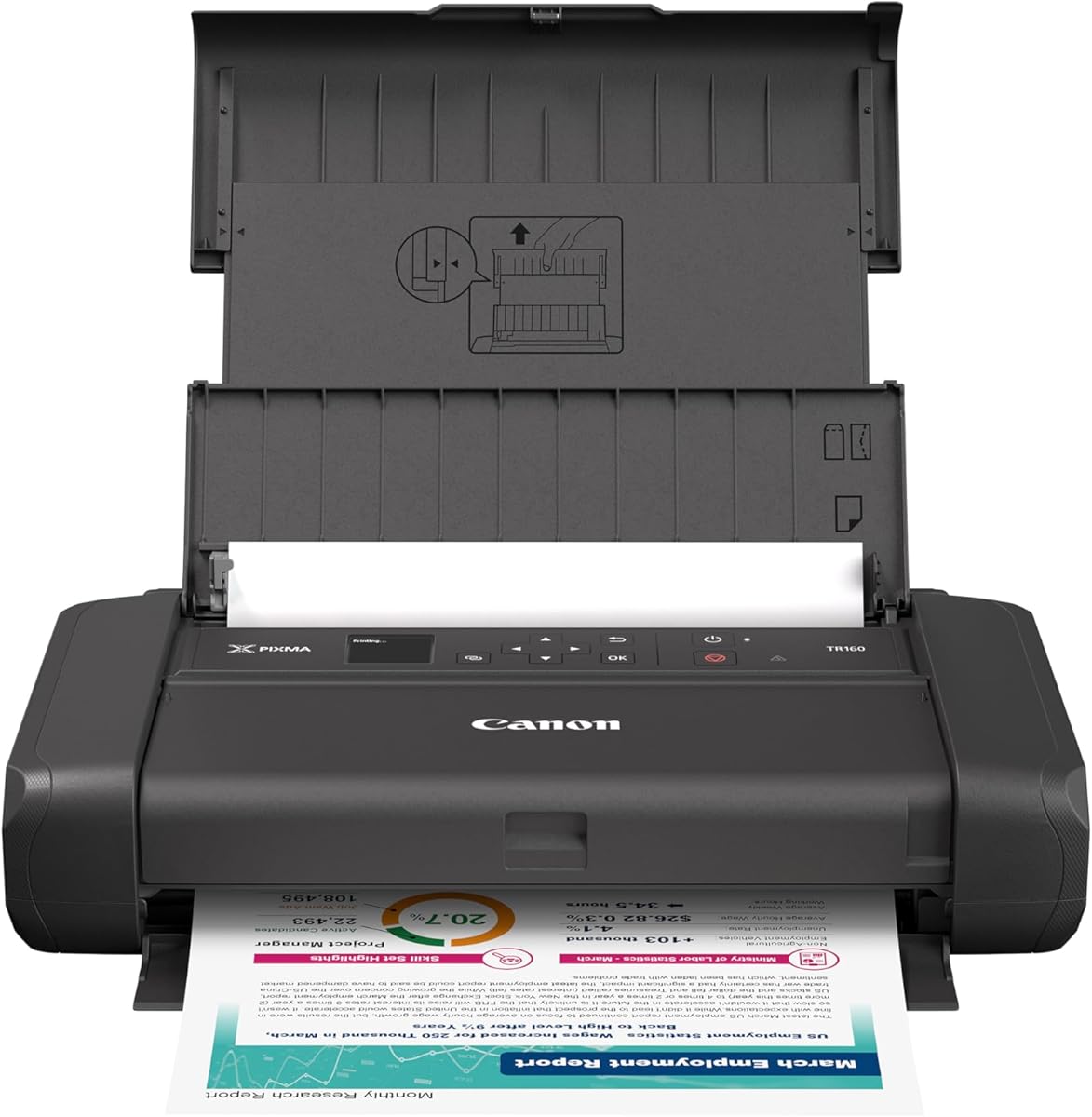
The Canon PIXMA TR160 brings high-quality color printing to your bag. It is designed for those who prioritize vibrant output.
We may earn a commission when you buy through this link, at no additional cost to you.
Its OLED display makes monitoring status easy. The system delivers sharp text and rich colors thanks to the hybrid ink.
It lacks scanning and supports only one paper size. However, it remains a strong choice for quick color needs.
Pick this if you need color photos on the go. It is perfect for students or creative professionals.
This system enhances detail and color. It produces professional-quality photos in any environment.
The screen shows ink levels clearly. It simplifies monitoring without needing a phone.
We may earn a commission when you buy through this link, at no additional cost to you.
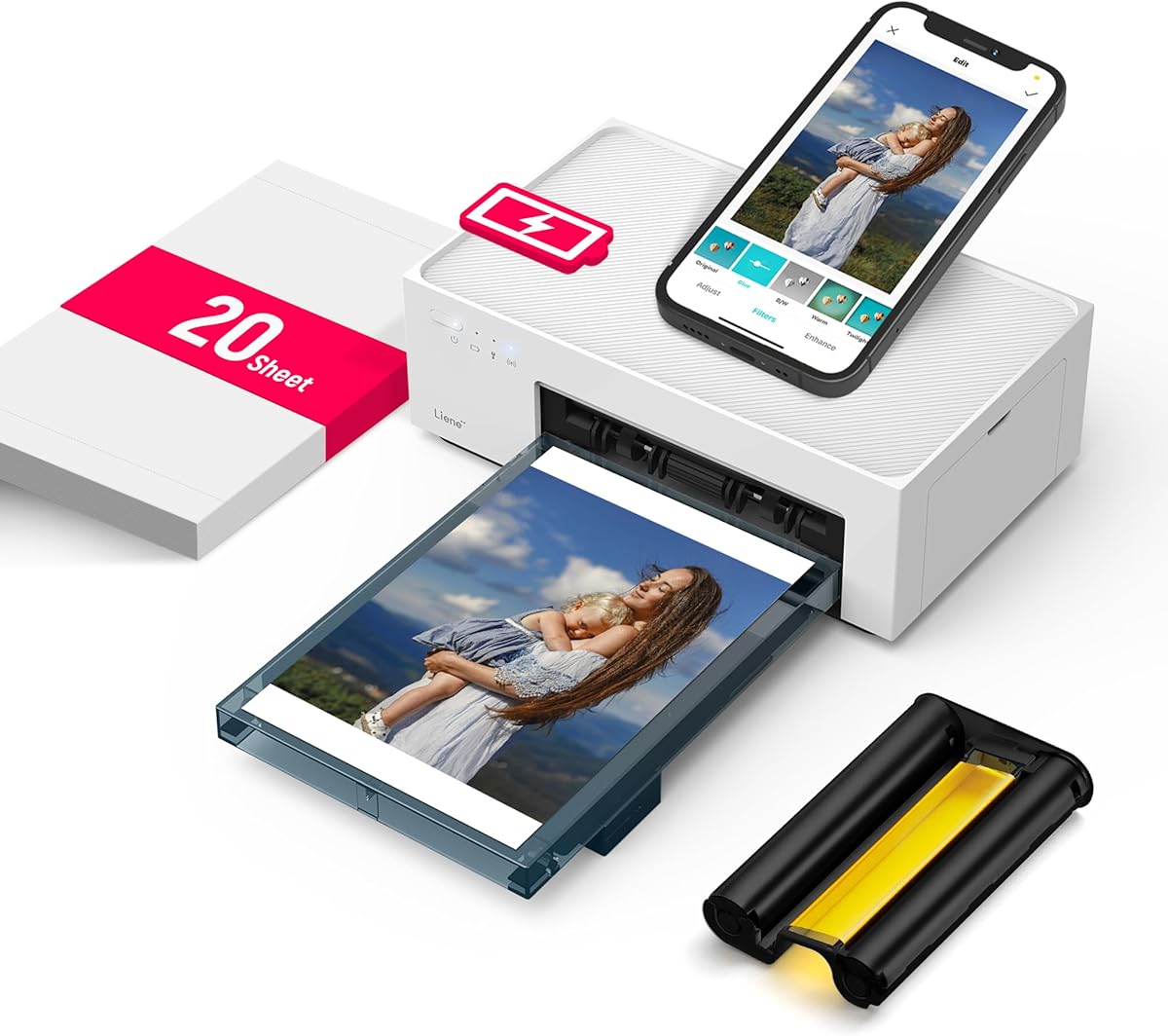
The Liene M200 delivers professional photo quality in a portable body. It excels at creating lasting memories with its unique printing process.
We may earn a commission when you buy through this link, at no additional cost to you.
Its coating protects against scratches and water. The app adds fun filters and editing features for creativity.
It prints only 4×6 and needs specific paper. Despite this, it is unmatched for mobile photo printing.
Choose this for travel or personal use. It is a gift that keeps memories alive anywhere.
Colors penetrate paper for depth. The result is superior longevity and vivid tones.
It connects without needing a router. This ensures stable connections in any location.
We may earn a commission when you buy through this link, at no additional cost to you.
The HP OfficeJet 250 is the ultimate tool for business travelers. It combines printing, scanning, and copying into a portable unit.
We may earn a commission when you buy through this link, at no additional cost to you.
The included battery ensures it works offline. Fast charging gets you back to work quickly after power up.
It is heavier due to extra functions. However, it replaces the need for separate devices.
Pick this if you need scanning on the road. It is ideal for remote work and offices.
This adds functionality beyond printing. It saves time by digitizing documents instantly.
It uses high-yield cartridges. This reduces supply changes during long trips.
We may earn a commission when you buy through this link, at no additional cost to you.
The Epson Workforce WF-110 offers great flexibility for power needs. It is reliable for various mobile environments.
We may earn a commission when you buy through this link, at no additional cost to you.
You can charge via USB or AC. An external accessory battery extends run time for long days.
Ink costs and battery life are trade-offs. Still, it provides solid performance for color needs.
Choose this if you need charging options. It is great for field workers.
It accepts an extra battery for more pages. This ensures you never run out.
It charges via standard USB. This simplifies power access in the car.
We may earn a commission when you buy through this link, at no additional cost to you.
The Gloryang printer is a fantastic value for travel. It offers thermal printing at an accessible price.
We may earn a commission when you buy through this link, at no additional cost to you.
It is compact and comes with paper. Setup is quick via Bluetooth and its dedicated app.
You must use specific thermal rolls. However, this simplifies maintenance and saves ink costs.
Pick this for documents on the go. It is perfect for students and travelers.
No ink means no drying. It starts instantly and needs no maintenance.
This keeps the workspace tidy. It helps manage paper when on the move.
We may earn a commission when you buy through this link, at no additional cost to you.
The A285M is one of the smallest options available. It supports five paper sizes for flexibility.
We may earn a commission when you buy through this link, at no additional cost to you.
It connects via Bluetooth or USB-C. The lightweight design fits easily into any bag.
PC use requires a driver download. Still, it is excellent for basic mobile printing needs.
Choose this if size is a priority. It is great for school and travel.
It supports 8.5 to 2 inch widths. This allows receipts and documents.
It connects via USB-C to laptop. This ensures stable transfers.
We may earn a commission when you buy through this link, at no additional cost to you.
The D90E solves common thermal paper jams with auto ejection. It is a reliable solution for daily tasks.
We may earn a commission when you buy through this link, at no additional cost to you.
It supports US letter size and fits well. A case is included for protection.
It lacks color printing and an adapter. However, it is excellent for documents and contracts.
Pick this for business use. It is also a great gift for students.
Press power to eject jammed paper. This prevents damage to the unit.
It comes in a nice package. It makes a thoughtful gift for work.
We may earn a commission when you buy through this link, at no additional cost to you.
The JADENS printer offers a top-rated experience. It stands out with smart app tools.
We may earn a commission when you buy through this link, at no additional cost to you.
Its 203 DPI ensures sharp text. The battery supports 360 sheets per charge.
It only supports one paper type. Still, its features are unmatched for mobile use.
Choose this for school and projects. It is ideal for private printing.
Create custom designs with AI. It adds creativity to your prints.
Prints stay local without uploads. This keeps data secure.
We may earn a commission when you buy through this link, at no additional cost to you.
The N80 is the most affordable thermal printer. It supports tattoo paper for creative uses.
We may earn a commission when you buy through this link, at no additional cost to you.
It is compact and prints clearly. Setup is simple via Bluetooth and USB.
It needs a driver for laptop use. Yet it is perfect for personal and small business.
Pick this if budget matters. It is great for artists and travelers.
It prints on tattoo paper. This makes it unique for artists.
It is the lowest cost option. It saves money for small budgets.
We may earn a commission when you buy through this link, at no additional cost to you.
Choosing the right printer involves balancing features with portability needs. This guide covers the essential factors to consider before buying.
Battery life varies significantly between models. Look for high capacity cells and fast charging features to avoid downtime. Some models support external batteries for extended use.
Prioritize battery life if you travel frequently.
Most use Bluetooth and Wi-Fi Direct. Ensure compatibility with your devices. USB options provide stable connections for laptops.
Check for AirPrint or app support.
Inkjet models offer color and high quality. Thermal models are cheaper and faster but usually monochrome. Choose based on your need for color.
Decide between color vs thermal.
Standard letter and legal support is common. Some models only handle receipts or photos. Ensure it fits your document needs.
Check max paper width.
Weight is critical for backpacking. Compact models are lighter but may have fewer features. Consider included cases for protection.
Aim for under 3 lbs.
Thermal printers use paper but no ink. Inkjets need cartridges. Long-term costs depend on volume and paper types.
Calculate cost per page.
Look for sturdy cases and solid build. Portable units face rough handling. Check warranty terms for peace of mind.
Ensure it has a warranty.
Mobile apps simplify mobile printing. Look for editing tools or privacy modes. Compatibility with OS is key.
Test app reviews first.
Always fully charge the battery before first use. This ensures the system is calibrated for optimal power delivery and longevity.
Keep the printhead clean by closing the lid when not in use. Dust can block sensors and affect print quality in thermal models.
Store in a cool, dry place. Avoid leaving it in direct sunlight to prevent damage to the plastic casing and battery.
Yes, many support Bluetooth and Direct Wi-Fi modes. This allows you to connect via phone without needing a network. You can also use USB cables for direct connection.
Thermal models save ink costs as they use special paper. Inkjets are more expensive per page due to cartridge costs. Compare volume needs before buying.
Battery life varies by model and usage. Typically expect 50 to 400 sheets per charge. Check product specs for exact sheet counts.
Yes, inkjet models like the HP and Canon support color. Thermal models are mostly monochrome. Photo printers like Liene use sublimation for vibrant color.
Thermal printers often auto eject. For inkjet, open the access panel carefully. Follow instructions to avoid damaging the roller.
Thermal models need special paper and no ink. Inkjet models support standard paper. Check compatibility before purchasing.
We reviewed ten top models for mobile printing. The HP OfficeJet 200 and Liene M200 stood out for quality and convenience.
Prioritize battery life and connectivity if you work on the move. Consider cost per page for daily use.
Always check current prices and reviews. Deals change often so verify before you buy.