
Revopoint MetroY Ultra 3D Scanner
4.8Editor score
0.01mm single-frame precision
Industrial-grade accuracy
90 FPS scanning speed
3D scanners transform physical objects into digital models with impressive precision. Whether you need reverse engineering or hobby, the right tool captures details effortlessly and reliably for modern workflows.
We evaluated ten leading scanners based on accuracy, speed, connectivity, and software support. Our analysis focuses on real-world performance for 3D printing, design, and inspection needs across varied use cases.
Each pick highlights key strengths, ideal users, and trade-offs to simplify your decision. Keep in mind that pricing and availability change frequently, so verify current details before purchasing any device.
4.8Editor score

5.0Editor score

3.0Editor score
As an Amazon Associate we earn from qualifying purchases.
This side-by-side comparison highlights key specifications and unique capabilities across all ten models to help you identify the best fit for your specific 3D scanning needs and workflow.


The Creality Pika stands out as a top choice for 3D scanning with its impressive 0.03mm accuracy and wireless freedom. It combines blue laser precision with NIR structured light, enabling versatile capture from small parts to full-body scans without markers.
We may earn a commission when you buy through this link, at no additional cost to you.
Its dual-mode scanning excels at capturing intricate details on mechanical components while supporting outdoor use up to 110,000 lux. AI-powered body completion and retexturing offer unique tools for creators needing rapid, realistic human models.
While it supports large volumes up to 2 meters, extremely complex geometries may require careful handling. The reliance on a mobile app for some features could limit desktop power users who prefer standalone software workflows.
Professionals and hobbyists seeking portable precision will appreciate the Pika's balance of speed and accuracy. Its wireless capabilities and advanced AI make it ideal for dynamic environments where setup time must be minimal.
Switch between blue laser for fine details and NIR for full-body scans effortlessly.
Auto-complete body scans and repair holes with built-in AI for faster workflows.
We may earn a commission when you buy through this link, at no additional cost to you.
The Revopoint POP 4 delivers industrial-grade accuracy with advanced AI segmentation that simplifies target identification. Its robust frame rate and multi-mode flexibility make it a powerful choice for demanding 3D printing and reverse engineering tasks.
We may earn a commission when you buy through this link, at no additional cost to you.
With five scanning modes including VCSEL rapid capture, it handles everything from dark objects to large industrial parts. The ability to operate in up to 100,000 lux ensures reliable performance even in bright outdoor conditions.
However, the price reflects its premium capabilities, and some advanced software like Revo Design requires separate purchase. Users should consider if features like Gaussian Splatting align with their workflow needs before investing.
Professionals needing high precision and AI-assisted workflows will find the POP 4 invaluable. Its outdoor resilience and comprehensive mode set justify the cost for those prioritizing accuracy and efficiency.
Automatic target tracking and noise filtering streamline post-processing significantly.
Stable scanning in harsh sunlight enables fieldwork without lighting control.
We may earn a commission when you buy through this link, at no additional cost to you.
The Revopoint INSPIRE 2 offers a lightweight, portable solution for 3D scanning without sacrificing essential accuracy. Its dual modules and infrared laser lines enable effective capture of challenging surfaces like dark metals without spray.
We may earn a commission when you buy through this link, at no additional cost to you.
Optical zoom features allow focused detail on mixed geometries, enhancing model quality for intricate parts. Real-time streaming via Wi-Fi 6 provides flexibility for remote monitoring and control during scanning sessions.
Outdoor use is limited to 20,000 lux, which may require shade in bright conditions. For users prioritizing portability over industrial-grade specs, this trade-off remains acceptable for many design and hobby workflows.
Designers and field engineers needing a compact scanner will value the INSPIRE 2's ease of use. Its balanced accuracy and lightweight build make it suitable for frequent transport and quick on-site scans.
Switch between structured light and laser for varied material efficiency.
Adjustable magnification captures fine details on complex mixed surfaces.
We may earn a commission when you buy through this link, at no additional cost to you.
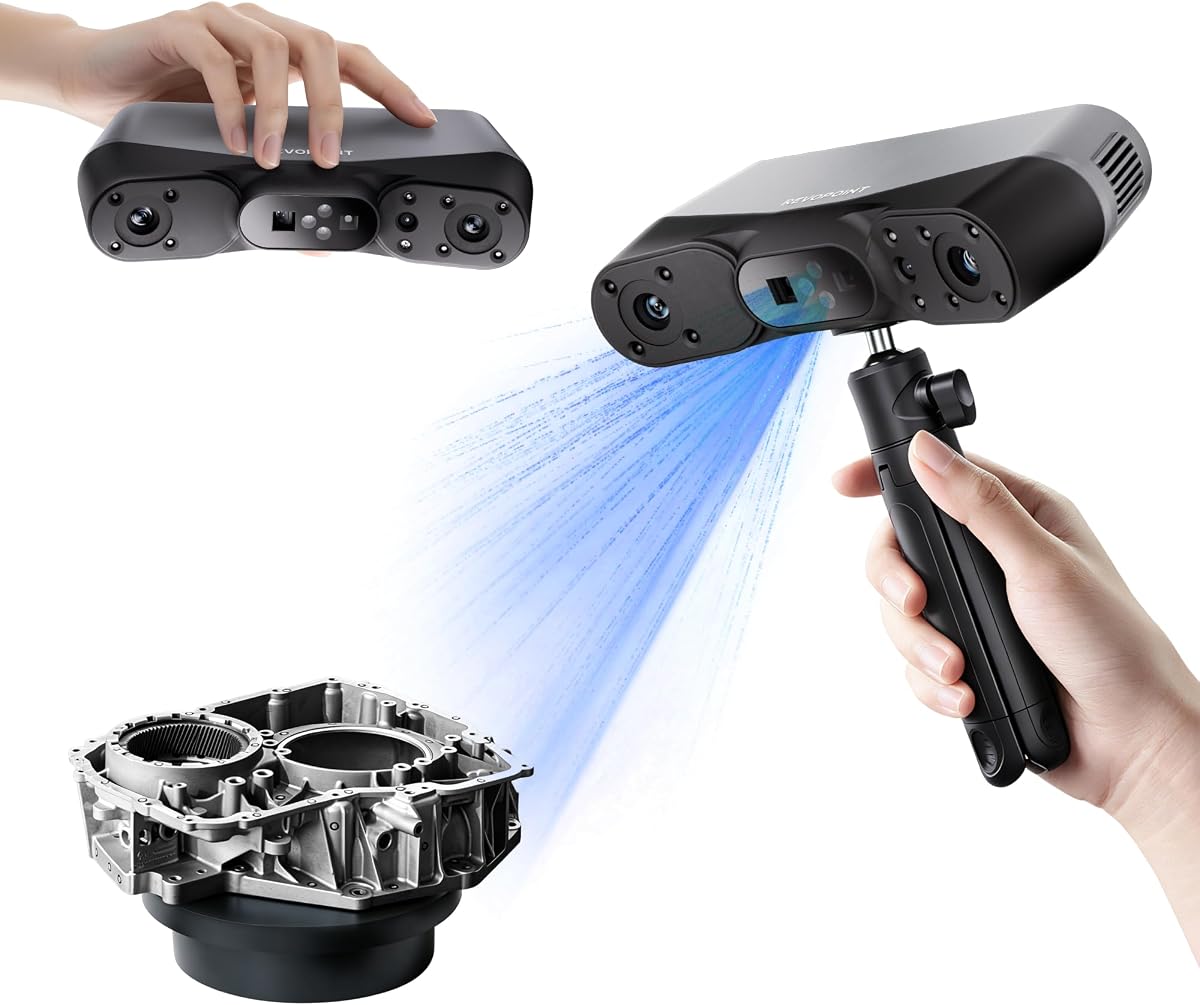
The Revopoint MetroY Ultra delivers unmatched industrial-grade precision with 0.01mm accuracy and high-speed 90 FPS scanning. Its advanced blue laser technology captures intricate geometric details ideal for tight tolerance measurement and reverse engineering.
We may earn a commission when you buy through this link, at no additional cost to you.
Five scanning modes including cross-line and full-field structured light ensure versatility across object sizes. Wireless control and outdoor resilience up to 100,000 lux support flexible deployment in dynamic or challenging environments.
The premium price and battery life may limit extended field use without additional accessories. However, for critical measurement applications requiring flawless detail, the trade-off is justified for professional workflows.
Industrial inspectors and precision engineers will find the MetroY Ultra indispensable for reliable quality control. Its speed and accuracy ensure efficient data capture for complex parts without compromising on detail.
90 FPS scanning reduces acquisition time while maintaining high data quality.
Wi-Fi 6 enables real-time monitoring and control on mobile devices.
We may earn a commission when you buy through this link, at no additional cost to you.
The Revopoint MetroX Pro offers industrial-grade blue laser scanning with 0.01mm precision for flawless detail capture. Its four scanning modes and automatic turntable support streamline complex object scans for reverse engineering and measurement.
We may earn a commission when you buy through this link, at no additional cost to you.
High-speed capture up to 7 million points per second ensures efficient workflows while maintaining accuracy. Real-time streaming via Revo Mirror app allows flexible monitoring without tethering to a laptop.
Advanced features like Revo Design require Windows and may involve separate purchase costs. For users prioritizing high-volume precision scanning, these constraints are minor compared to the device's performance strengths.
Manufacturers and quality control professionals will appreciate the MetroX Pro's robust capabilities. Its automation and speed significantly reduce setup time and improve consistency in industrial environments.
One-click automated scans simplify complex geometry handling.
Scans reflective and dark surfaces without additional spray preparation.
We may earn a commission when you buy through this link, at no additional cost to you.
The 3DMakerpro Fox offers an accessible entry-level medium-format 3D scanner with reliable 0.07mm accuracy for hobbyists. Its markerless AI tracking ensures smooth recovery when movement disrupts scanning sessions.
We may earn a commission when you buy through this link, at no additional cost to you.
Integrated JMStudio software handles data processing efficiently, simplifying the workflow from scan to model. This integration reduces complexity for users new to digital modeling and reverse engineering tasks.
While performance is solid, mixed reviews suggest software or hardware inconsistencies may arise. For beginners seeking a budget-friendly introduction, it remains a viable starting point despite potential limitations.
Hobbyists and students looking for affordable scanning will find the Fox a practical entry. Its ease of use and AI features provide a gentle learning curve for developing scanning skills.
Automatic relocking after movement prevents scan data loss.
JMStudio unifies scanning and editing for streamlined processing.
We may earn a commission when you buy through this link, at no additional cost to you.
The Creality Otter Lite features an innovative quad-camera system for wide coverage and precise 0.05mm accuracy. It excels at scanning large objects from coins to cars while capturing full-color textures with 24-bit fidelity.
We may earn a commission when you buy through this link, at no additional cost to you.
No spray is required for dark or metallic surfaces thanks to advanced DOE technology. Eye-safe infrared makes full-body scans safe for faces in just one minute, enhancing user comfort during extended sessions.
Battery life is limited and may require external power for long projects. Despite this, the combination of wide range and color fidelity offers excellent value for automotive and design applications.
Designers and automotive enthusiasts needing large object capture will benefit from the Otter Lite. Its quad-camera setup simplifies handling varied scales without frequent repositioning or setup changes.
Dual focal lenses enable both fine detail and broad area scanning.
Built-in RGB captures vibrant colors for realistic model reproduction.
We may earn a commission when you buy through this link, at no additional cost to you.
The Creality CR-Scan Ferret SE introduces anti-shake tracking to stabilize scans and improve success rates for beginners. It offers solid 0.1mm accuracy and full-color capture suitable for general hobby and design projects.
We may earn a commission when you buy through this link, at no additional cost to you.
Anti-shake one-shot imaging enhances stability during movement, making it forgiving for handheld use. Scanning dark or metal surfaces directly without spray saves time and simplifies workflow for quick captures.
Accuracy is lower than premium models, limiting precision engineering use. For casual users prioritizing ease of use, this limitation remains acceptable given the device's affordability and user-friendly features.
Beginners and hobbyists entering 3D scanning will find the Ferret SE approachable. Its anti-shake features reduce frustration and encourage learning through practical, hands-on experimentation.
One-shot imaging ensures stable results despite hand movement.
Captures dark or metal objects without extra surface preparation.
We may earn a commission when you buy through this link, at no additional cost to you.
The Creality CR-Scan Ferret Pro adds Wi-Fi 6 wireless connectivity to enhance mobility and workflow flexibility. It retains anti-shake tracking for stable 0.1mm accuracy and full-color capture for general 3D printing needs.
We may earn a commission when you buy through this link, at no additional cost to you.
Support for iOS, Android, and PC expands compatibility across devices for remote monitoring. Outdoor performance works well up to 30,000 lux, suitable for shaded environments and controlled lighting.
Battery life details remain unspecified, which may affect field work planning. For users needing wireless freedom on a budget, this model offers a balanced combination of features and convenience.
Mobile professionals and creators seeking wireless scanning will appreciate the Ferret Pro. Its cross-platform support and enhanced transmission speed simplify data transfer and remote project management.
Faster transmission improves stability and reduces latency during scans.
Works across iOS, Android, and PC for flexible connectivity.
We may earn a commission when you buy through this link, at no additional cost to you.
The Revopoint MIRACO Plus combines photogrammetry and high-accuracy scanning in a powerful all-in-one system. Its 0.04mm accuracy and quad depth cameras handle diverse sizes from tiny screws to large machinery.
We may earn a commission when you buy through this link, at no additional cost to you.
The 6-inch 2K AMOLED flip screen and 8-core processor provide professional-grade processing power locally. Optical infrared zoom captures fine details with less noise, improving model fidelity for complex surfaces.
Weight and cost may limit casual use, but the processing power justifies it for demanding workflows. The integrated screen reduces reliance on external devices for viewing and editing scans in real time.
Professional designers and engineers needing on-device power will find the MIRACO Plus ideal. Its combination of accuracy, screen, and processing makes it a self-contained solution for high-end projects.
High-resolution capture of large objects with scale bars included.
Flip screen enables flexible viewing and control without external monitors.
We may earn a commission when you buy through this link, at no additional cost to you.
Choosing the right 3D scanner requires balancing accuracy, speed, connectivity, and budget to match your specific workflow needs and use cases effectively.
Accuracy determines how closely digital models reflect real-world dimensions. For reverse engineering or inspection, look for scanners with 0.03mm or better accuracy. Hobbyists can accept 0.07mm to 0.1mm for general modeling and printing.
Prioritize higher accuracy for detailed parts or technical applications, while casual use allows slightly lower specs to reduce cost.
Faster frame rates improve workflow efficiency and reduce scan times for large objects. Models with 60 FPS or higher capture data smoothly and minimize interruptions during handheld scanning.
Choose higher speeds for frequent or complex projects where time savings significantly boost productivity.
Wi-Fi 6 support enables wireless control and real-time streaming to mobile devices, enhancing flexibility. USB-C is essential for stable transfers and power supply during extended sessions.
Wireless freedom suits fieldwork, while wired options ensure stability for stationary desktop workflows.
Native software and export formats like STL, OBJ, and PLY ensure seamless integration with 3D printing and CAD tools. Check OS support for Windows, macOS, or mobile apps before buying.
Verify if additional tools for reverse engineering or measurement require separate licenses or subscriptions.
Dark, reflective, or metallic surfaces often require special scanning modes or spray to capture detail. Models using infrared laser or structured light handle these challenges without extra preparation.
Opt for scanners with advanced laser or structured light modes if you work with diverse materials regularly.
Lightweight handheld units simplify transport and reduce fatigue during long sessions. Battery life and grip design impact usability in field or workshop environments without power access.
Balance weight against durability and included accessories like tripods or calibration boards for convenience.
Scanning outdoors requires resistance to ambient light to prevent noise and data loss. Look for specs stating performance up to 30,000 lux or higher for reliable daylight use.
Outdoor filters or VCSEL modes improve stability in bright conditions when field work is needed.
Entry-level models offer basic scanning under $500, while industrial units exceed $1000 for precision and speed. Evaluate features like AI tools, color capture, and included software to justify costs.
Match your needs to the price tier to avoid overpaying for unused capabilities or underspending for required accuracy.
Begin by calibrating the scanner using the included board before each session. This ensures alignment accuracy and consistent data quality across different scans.
For best results, scan in controlled lighting around 20,000 lux and keep surfaces clean and dry. Use turntables or markers for complex geometries to improve alignment during software processing.
Store the scanner in a protective case to avoid lens or sensor damage. Update firmware regularly and clear cache files to maintain software performance and connectivity stability.
Laser scanners use parallel or crossed laser lines for precise depth capture, ideal for small parts. Structured light projects patterns for faster full-body or large-area scans, often with better color.
Transparent or highly reflective surfaces cause data noise. Most scanners recommend spraying a matte coating, but some models with infrared lasers handle shiny or dark objects without extra prep.
High-end scanners benefit from dedicated PCs for processing large datasets quickly. Some entry-level models support mobile apps, but desktop software offers advanced editing and alignment tools.
Scan time depends on object size and detail level. Small parts may take minutes, while full-body scans or complex machinery require longer sessions with careful movement and alignment.
Wi-Fi enables wireless control and streaming but wired USB options often provide more stable connections. Some models work fully offline once connected via cable to a host device.
Common exports include STL, OBJ, PLY, and ASC for 3D printing. Advanced models support formats like GLTF and FBX for animation or engineering CAD software integration.
The Creality Pika offers the best balance of accuracy and versatility for most users, while the Revopoint MetroY Ultra leads in industrial precision. The Creality Ferret SE suits those starting on a budget with anti-shake features.
Prioritize accuracy and software compatibility if you work on technical parts, but consider speed and wireless options for dynamic workflows. Each scanner serves different needs from hobby modeling to engineering inspection.
Verify current pricing and availability before purchasing to ensure the best value. Regular updates and reviews help confirm that features and support meet evolving project requirements.