
ASRock DeskMini X300 2.5G Series
4.2Editor score
Ultra compact 1.92L size
Supports AMD Ryzen 5000
Dual M.2 and SATA support
This guide compares the top ten barebone mini PC options for performance and connectivity to help you build a compact desktop system.
Finding the right barebone mini PC allows you to customize your computing experience with the exact components you need. These compact systems offer powerful performance while saving valuable desk space for any setup.
We evaluated ten top models based on processor power, connectivity options, and expansion capabilities. Our analysis covers both Intel and AMD platforms to ensure you find the perfect fit.
Each review highlights key strengths and weaknesses to guide your decision. Please note that specifications and availability may change so verify details before purchasing your next system.
4.2Editor score

4.0Editor score

5.0Editor score
The following table provides a side by side comparison of all ten models reviewed in this guide. Each entry highlights key specifications to help you quickly identify the system that matches your needs.


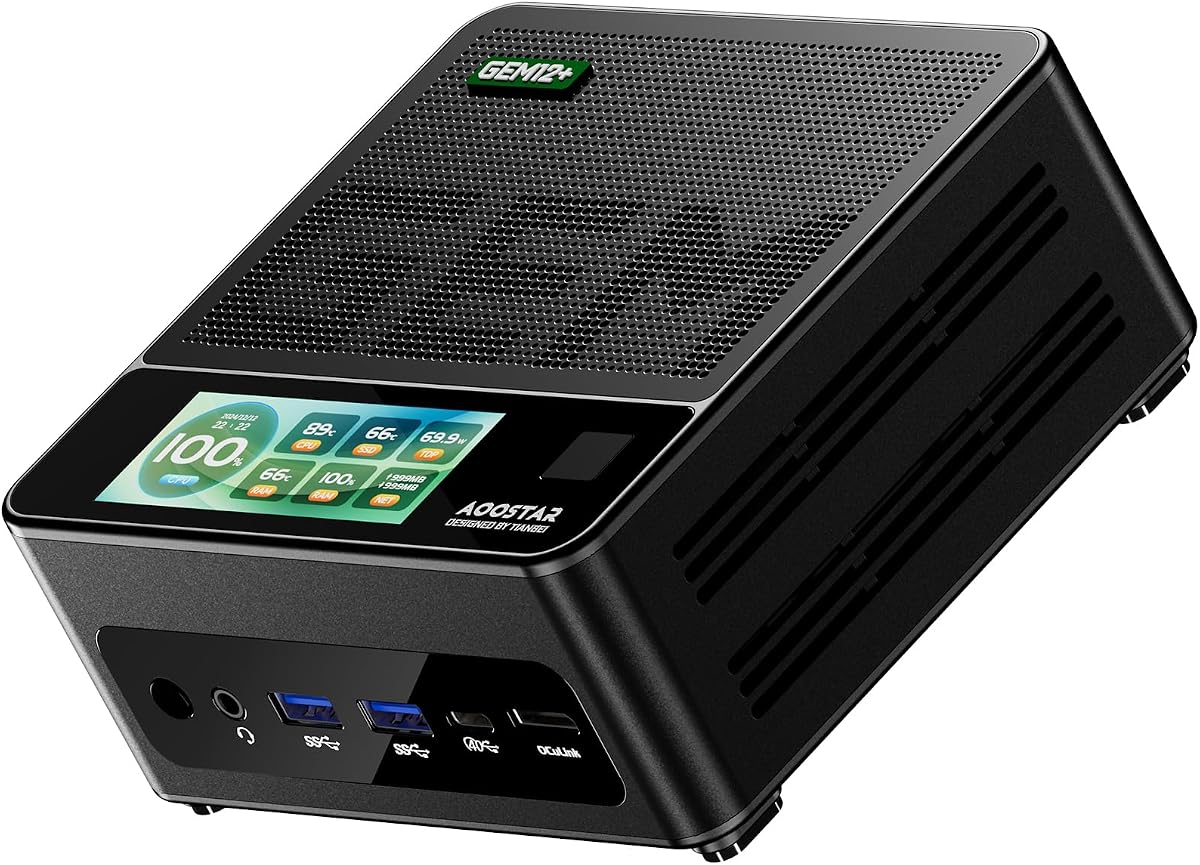

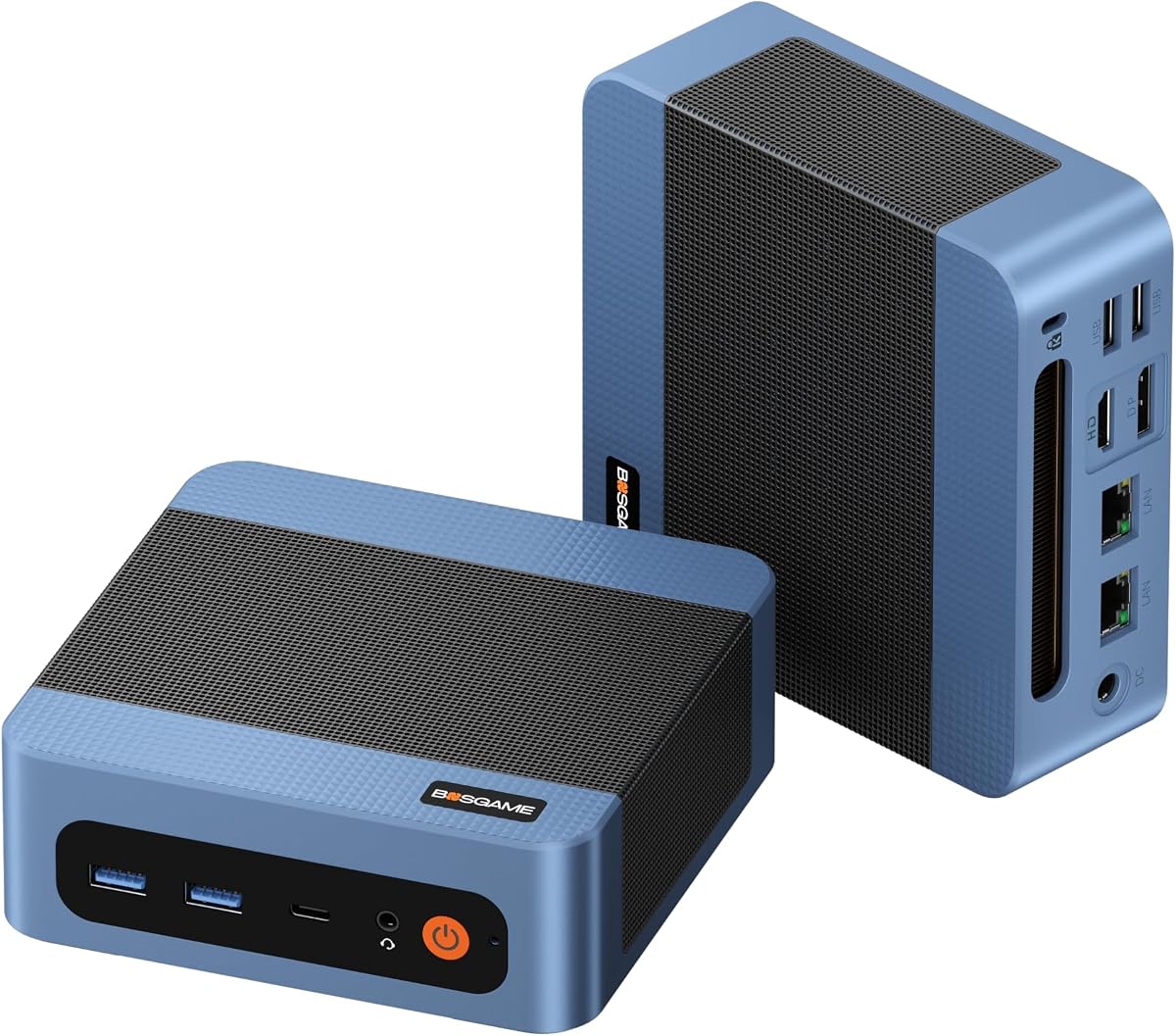
This barebone mini PC stands out as our top choice for users seeking high-end performance in a compact form factor. It features the powerful AMD Ryzen 7 PRO 8845HS processor which delivers outstanding multi-threaded capabilities. The system is designed for creators and gamers who need flexibility without sacrificing power.
We may earn a commission when you buy through this link, at no additional cost to you.
The integrated Radeon 780M graphics are capable of handling demanding tasks like video editing and AAA gaming. Connectivity is a major strength with dual USB4 ports providing 40Gbps speeds and an OCuLink port for external GPUs. Networking is robust with dual 2.5G LAN ports ensuring reliable high-speed connections.
While the performance is impressive the barebone nature means you must supply your own components. This adds to the initial cost but allows for precise customization. The cooling system is effective but can produce some noise under heavy loads which is typical for such compact units.
We recommend this model for power users who want a desktop-class experience in a small space. It is ideal for workstations that need to handle complex workflows. The expandability ensures your investment remains relevant for years to come.
The Zen 4 architecture delivers exceptional processing power with up to 5.1GHz turbo speeds.
OCuLink and dual USB4 ports provide unmatched bandwidth for external devices and displays.
We may earn a commission when you buy through this link, at no additional cost to you.
The ASUS NUC 15 Pro represents a significant leap forward in mini PC reliability and performance. Designed with enterprise needs in mind it offers robust features that justify its higher price point. The system is built to withstand demanding environments while maintaining quiet operation.
We may earn a commission when you buy through this link, at no additional cost to you.
Powered by the Intel Core Ultra 5 225H this model brings modern AI capabilities to the desktop. Wi-Fi 7 ensures you stay connected with the latest wireless standards. The chassis is designed for easy maintenance allowing you to upgrade components without tools.
One limitation is the premium cost which might not fit every budget. However for professional settings the reliability and support are valuable. The thermal design keeps the system cool even during intensive tasks ensuring long-term stability.
This unit is perfect for businesses or professionals who need a dependable workstation. It handles multitasking and connectivity with ease. The build quality is top-tier and the warranty support adds peace of mind.
MIL-STD-810H certification ensures the device can handle extreme conditions without failure.
Wi-Fi 7 and Thunderbolt 4 provide maximum bandwidth for future devices and networks.
We may earn a commission when you buy through this link, at no additional cost to you.
The MINISFORUM X1 Lite 255 offers an impressive balance of performance and connectivity features. It is designed for users who want to run multiple displays and external GPUs without breaking the bank. The system supports the latest AMD processors and integrated graphics.
We may earn a commission when you buy through this link, at no additional cost to you.
A standout feature is the OCuLink port which allows for high-speed external GPU connections. This is rare in this price range and adds significant value. The cooling system uses phase-change material to keep components running efficiently.
While the value is high there are minor drawbacks like the need for manual adapter installation. Some users have reported variations in build quality. However the performance remains solid for general productivity and light gaming.
We suggest this model for enthusiasts who want flexibility at a lower cost. It is great for home offices and media centers. Just be prepared to do some assembly if you use the OCuLink feature.
Connect up to three independent displays for a productive workspace or entertainment setup.
PCM phase-change material fans and venting keep the system cool under load.
We may earn a commission when you buy through this link, at no additional cost to you.
The ASRock DeskMeet X300 is unique because it supports full size graphics cards internally. This makes it a strong candidate for users who need significant graphical power without external docks. It uses the reliable AM4 platform which offers a wide range of CPU options.
We may earn a commission when you buy through this link, at no additional cost to you.
A major benefit is the inclusion of a 500W power supply which simplifies the build process. The chassis is larger than typical mini PCs but allows for standard components. It is a great choice for small form factor builds that need to look professional.
The main drawback is the size which is not as compact as others on this list. Also it uses DDR4 memory which is older but cost-effective. These trade-offs are acceptable for the level of internal expansion it provides.
We recommend this for DIY enthusiasts who want a true desktop experience in a smaller box. It handles heavy gaming and rendering well. The power supply inclusion saves time and money for your build.
Accommodates full size PCIe graphics cards for maximum internal performance.
Compatible with Ryzen 5000 and 3000 series processors for varied performance needs.
We may earn a commission when you buy through this link, at no additional cost to you.
The AOOSTAR GEM12+ is designed for users who need to connect multiple displays simultaneously. It supports four 4K screens which is perfect for trading or complex data visualization. The processor is a high-end model that handles the load easily.
We may earn a commission when you buy through this link, at no additional cost to you.
OCuLink is available as an independent port so it does not use up storage slots. This is a significant advantage for those who need both storage and external GPU capabilities. The cooling system uses a vapor chamber to manage heat effectively.
One limitation is that the OCuLink port is not hot swappable so you must power down to connect devices. The cost is higher but the features justify it for professional work. The performance modes allow you to balance speed and noise.
This system is ideal for financial analysts or content creators. It provides the display real estate needed for efficient work. The thermal design ensures it stays quiet even when driving multiple screens.
OCuLink operates on a separate channel ensuring storage and eGPU needs are both met.
Vapor chamber cooling spreads heat evenly to prevent throttling during long sessions.
We may earn a commission when you buy through this link, at no additional cost to you.
The ASRock DeskMini X300 is one of the most compact options available for home labs or office desks. Its 1.92 liter size fits almost anywhere while still supporting solid performance. It is a great choice for building a small server or work machine.
We may earn a commission when you buy through this link, at no additional cost to you.
It includes a 2.5G LAN port which is excellent for file transfers and networking projects. The storage options are flexible with dual M.2 slots for NVMe drives. This allows you to run fast operating systems and large data sets.
The limitation is that it only supports CPUs up to 65W which may be less powerful than others. It also needs a Wi-Fi module added separately. These factors are minor compared to the space saving and connectivity benefits.
We suggest this for users building home labs or compact office setups. It is reliable and easy to maintain. The small size ensures you have plenty of room left on your desk.
The tiny footprint allows for flexible placement in any room or office environment.
2.5G Ethernet ensures fast wired connections for local file sharing and servers.
We may earn a commission when you buy through this link, at no additional cost to you.
The ASUS NUC 15 Pro Kit with the Ultra 7 processor delivers top-tier performance for demanding users. It is built for those who need the latest Intel features and robust graphics capabilities. The system is designed to handle enterprise-level tasks efficiently.
We may earn a commission when you buy through this link, at no additional cost to you.
It features the Arc 140T graphics which are capable of modern workloads. The chassis is rugged and certified for durability in harsh conditions. Wi-Fi 7 ensures you get the fastest wireless speeds available on the market.
The price is on the higher side but reflects the premium quality and features. You will need to add your own storage and memory to get started. This is standard for barebone kits but worth noting for budget planning.
We recommend this for professionals who need maximum reliability and power. It is an excellent workstation for design or engineering. The build quality ensures it will last for many years of daily use.
The Ultra 7 255H offers enhanced efficiency cores for multitasking and AI tasks.
MIL-STD-810H testing ensures resistance to shock vibration and extreme temperatures.
We may earn a commission when you buy through this link, at no additional cost to you.
The AOOSTAR GEM12+ PRO stands out with its integrated fingerprint reader for secure access. It is designed for users who want quick logins without entering passwords. The processor is powerful and handles heavy multitasking with ease.
We may earn a commission when you buy through this link, at no additional cost to you.
It includes the OCuLink port for external GPU connections which is ideal for gaming or rendering. The fingerprint feature adds a layer of security suitable for business environments. The cooling system is efficient and keeps noise levels manageable.
One limitation is the need to power off the device to use OCuLink safely. The setup can be complex for those new to hardware configuration. These are minor issues compared to the convenience of the biometric login.
We suggest this for office users who value security and performance. It is a solid choice for a private workstation. The fingerprint reader makes accessing your machine fast and easy.
Built-in fingerprint recognition provides a quick and secure way to unlock your system.
OCuLink delivers high speeds for external graphics cards to boost graphical performance.
We may earn a commission when you buy through this link, at no additional cost to you.
The ASUS NUC 15 Pro Kit with Ultra 5 is a reliable choice for daily productivity tasks. It offers a balance of performance and build quality that suits most users. The chassis design makes it easy to upgrade components as needed.
We may earn a commission when you buy through this link, at no additional cost to you.
It features Wi-Fi 7 for seamless wireless connectivity and high speeds. The tool-less design is a plus for maintenance and customization. It supports multiple displays making it versatile for office or home use.
The main drawback is the cost which is higher than many alternatives. You will need to add your own storage and memory which increases the total cost. However the stability is well worth it for critical work.
We recommend this for those who need a dependable and high-quality workstation. It handles daily tasks and creative work effectively. The durability ensures you have a system that lasts.
The tool-less chassis allows for quick access to internal components for upgrades.
Wi-Fi 7 provides the fastest connection speeds for streaming and large file transfers.
We may earn a commission when you buy through this link, at no additional cost to you.
The BOSGAME E5 11 Pro is a strong option for entry-level business needs. It comes with Windows 11 Pro pre-installed saving you setup time. It supports three displays which is great for trading or multitasking on a budget.
We may earn a commission when you buy through this link, at no additional cost to you.
It includes dual 2.5G LAN ports which is rare at this price point. This makes it suitable for soft routers or file servers. The processor handles standard office tasks well without lag.
The main limitation is the lower processing power compared to high-end models. It is not suited for heavy video editing or gaming. However it is perfect for standard office work and light browsing.
We suggest this for businesses needing a cost-effective multi-monitor solution. It is reliable and easy to set up. The included operating system makes it ready to use out of the box.
Pre-installed Windows 11 Pro is ready for enterprise features and security.
The competitive price point makes it accessible for small offices and startups.
We may earn a commission when you buy through this link, at no additional cost to you.
Selecting the right barebone mini PC involves balancing performance needs with connectivity options and budget. This guide breaks down the key factors you should consider before making your purchase.
The processor determines how well your system handles multitasking and complex applications. Look for modern architectures like Intel Core Ultra or AMD Ryzen 7000 series for the best efficiency and speed. Ensure the model supports the specific generation of CPU you intend to use for long-term viability.
Focus on core count and turbo speeds if you plan on running heavy workloads or creative software.
While most mini PCs use integrated graphics some models support external GPU connections via OCuLink or Thunderbolt. If you need to run AAA games or 3D rendering software check if the system supports these high bandwidth interfaces. This allows you to upgrade your graphics performance later without replacing the whole unit.
For standard office work integrated graphics are sufficient but gamers need external support for high frame rates.
A good barebone mini PC should offer a variety of ports to match your peripherals. Look for USB4 or Thunderbolt ports for fast data transfer and video output. Dual LAN ports are useful if you plan to use the device as a router or need redundant connections for stability.
Check for available M.2 slots and USB ports to ensure you can expand storage and connect enough devices.
Since these systems are sold without components you need to verify memory compatibility. Most modern units support DDR5 which is faster and more efficient than DDR4. For storage ensure there are multiple M.2 slots to allow for dual drive setups or RAID configurations.
Aim for models that support at least 64GB of RAM for future-proofing your investment.
Compact systems generate heat quickly so effective cooling is critical for stability. Look for features like vapor chambers or copper heat pipes which distribute heat better than standard fans. A well designed thermal system prevents throttling during long periods of usage.
Consider the noise level of the fans if the unit will be used in quiet environments.
Different units come with different power supplies or require a specific wattage. Some models include a brick while others need a DC input. Verify the power requirement and whether a PSU is included to avoid additional costs.
A stable power supply ensures consistent performance and protects your components from voltage issues.
The chassis material and construction quality affect the longevity of your device. Aluminum bodies offer better heat dissipation and a premium feel. For industrial use look for certifications like MIL-STD which ensure the unit can withstand physical stress.
A durable build means your system will survive drops or temperature fluctuations without failure.
Even with a barebone kit you should look for a comprehensive warranty. Most reputable brands offer at least a three-year warranty for parts and labor. Good customer support is essential if you encounter issues during the installation process.
Prioritize brands with a history of responsive support to ensure peace of mind for your purchase.
Start by installing the memory and storage modules into the provided slots. Follow the instructions carefully to ensure the components are seated correctly before closing the case. This ensures your system will boot and detect all parts immediately.
Keep the unit in a well-ventilated area to prevent overheating. Avoid placing it in enclosed spaces where dust can accumulate. Regularly clean the vents with compressed air to maintain optimal airflow and cooling performance.
Update your BIOS and drivers regularly for better stability. Using the latest software ensures that all hardware features work as intended. This helps avoid compatibility issues and maximizes the performance of your system.
Generally no barebone mini PCs do not come with an operating system. You will need to purchase and install Windows or Linux yourself. Some models include a license key but the software must be installed separately.
This depends on the model. Some units have soldered processors that cannot be upgraded while others support socketed CPUs. Check the specifications to see if the CPU is removable or fixed before purchasing.
OCuLink offers higher bandwidth and lower latency than Thunderbolt making it ideal for external GPUs. However it is less common and typically requires a manual connection rather than hot swapping. Thunderbolt is more versatile for general use.
Integrated graphics on mini PCs are great for light gaming but not AAA titles. If you need serious gaming performance look for models with OCuLink or Thunderbolt support for external graphics cards. This allows you to get desktop-class gaming performance.
Most high-end barebone mini PCs support up to 64GB or 128GB of RAM. Check the specific product details to confirm the maximum capacity. Installing enough RAM is key to smooth multitasking.
Yes many models support triple or quad 4K displays depending on the ports available. Look for HDMI and DisplayPort or USB4 connections to verify this capability. This is useful for productivity and trading setups.
Installation is usually straightforward and tool-free. Most units have a bottom cover you can remove to access the internal slots. Follow the guide provided and you should be up and running quickly.
With proper care a mini PC can last several years. Dust and heat are the main enemies of electronics so keep the unit clean. Regular updates and maintenance help extend the life of the system.
We reviewed ten top models ranging from compact office units to powerful gaming platforms. The AOOSTAR MACO and ASUS NUC 15 Pro models stand out for their performance and reliability respectively.
When choosing prioritize the processor power and connectivity that matches your specific needs. Do not overlook cooling and power requirements as these affect long-term stability in your workflow.
Please verify current availability and compatibility before purchasing as models may change over time. Ensure your components are ready to complete the build for your new system.